EasyUI Window learning summary Custom Window Tools - jQuery EasyUI Demo Window Layout - jQuery EasyUI Demo Modal Window - jQuery EasyUI Demo Inline Window - jQuery EasyUI Demo
Custom Window Tools
http://www.jeasyui.net/demo/420.html
Custom Window Tools
Click the right top buttons to perform actions.
onclick="$(’#w’).window(‘open’)">Open
<a href=“javascript:void(0)” class=“easyui-linkbutton”
onclick="$(’#w’).window(‘close’)">Close
<div id=“w” class=“easyui-window” title=“Custom Window Tools” data-
options=“iconCls:‘icon-save’,minimizable:false,tools:’#tt’”
style=“width:500px;height:200px;padding:10px;”>
The window content.
<a href=“javascript:void(0)” class=“icon-add” onclick="javascript:alert
(‘add’)">
<a href=“javascript:void(0)” class=“icon-edit” onclick="javascript:alert
(‘edit’)">
<a href=“javascript:void(0)” class=“icon-cut” onclick="javascript:alert
(‘cut’)">
<a href=“javascript:void(0)” class=“icon-help” onclick="javascript:alert
(‘help’)">
========
Window Layout
http://www.jeasyui.net/demo/586.html
Window Layout
Using layout on window.
onclick="$(’#w’).window(‘open’)">Open
<a href=“javascript:void(0)” class=“easyui-linkbutton”
onclick="$(’#w’).window(‘close’)">Close
<div id=“w” class=“easyui-window” title=“Window Layout” data-
options=“iconCls:‘icon-save’” style=“width:500px;height:200px;padding:5px;”>
<div data-options=“region:‘east’,split:true”
style=“width:100px”>
jQuery EasyUI framework help you build your web page
easily.
<div data-options=“region:‘south’,border:false” style="text-
align:right;padding:5px 0 0;">
<a class=“easyui-linkbutton” data-options="iconCls:'icon-
ok’" href=“javascript:void(0)” onclick=“javascript:alert(‘ok’)” style=“width:80px”>Ok
<a class=“easyui-linkbutton” data-options="iconCls:'icon-
cancel’" href=“javascript:void(0)” onclick=“javascript:alert(‘cancel’)”
style=“width:80px”>Cancel
========
Modal Window
http://www.jeasyui.net/demo/585.html
Modal Window
Click the open button below to open the modal window.
onclick="$(’#w’).window(‘open’)">Open
<a href=“javascript:void(0)” class=“easyui-linkbutton”
onclick="$(’#w’).window(‘close’)">Close
<div id=“w” class=“easyui-window” title=“Modal Window” data-
options=“modal:true,closed:true,iconCls:‘icon-save’”
style=“width:500px;height:200px;padding:10px;”>
The window content.
========
EasyUI Window window
http://www.jeasyui.net/plugins/180.html
Expanded from $.fn.panel.defaults. Override the default defaults with $.fn.window.defaults.
A window is a floating, draggable panel that can be used as an application window. By default, the window can be moved
, can be adjusted in size, can be closed. Its content can be defined either by static html or dynamically via ajax.
rely
draggable
resizable
panel
usage
create window (window)
1. Create a window from the markup.
2. Create a window using javascript.
$('#win').window({ width:600, height:400, modal:true });3. Create a window (window) through the composite layout.
As usual, you can define the window layout. The following example demonstrates how to split a window area into two parts: the north and the center.
Window action
Opens and closes the window.
$(’#win’).window(‘open’); // open a window
$(’#win’).window(‘close’); // close a window
Load window content via ajax.
$(’#win’).window(‘refresh’, ‘get_content.php’);
Attributes
This property extends from the panel, and the following are properties that are rewritten and added for the window.
Name Type Description Default
title string The title text of the window. New Window
collapsible boolean Defines whether to show the collapse button. True
minimizable boolean Defines whether the minimize button is displayed. True
maximizable boolean Defines whether to display the maximize button. True
closable boolean Defines whether to display the close button. True
closed boolean Defines whether to close the window. False
zIndex number The z-index of the window from which it was added. 9000
draggable boolean Defines whether the window can be dragged and dropped. True
resizable boolean Defines whether the window can be resized. True
shadow boolean If set to true, shadows will be displayed when the window is able to display shadows. True
inline boolean defines how the window is placed, placed in its parent container when set to true, and floated when set to false
At the top of all the elements. False
modal boolean Defines whether the window is a modal window. True
event
This event extends from the panel.
method
This method extends from the panel, and the following is the method added for the window.
Name Parameter Description
window none Returns an external window object.
hcenter none Horizontally centered window. This method is available as of version 1.3.1.
vcenter none Vertically centered window. This method is available as of version 1.3.1.
center none Centered window. This method is available as of version 1.3.1.
========
Introduction to the window in Easy-Ui
1, inherit the panel panel, so have all the properties of the panel
2, the basic writing:
$(function(){
$(’#box’).window({
width:600,
height:400,
modal:true
})
});
effect:
3, need to pay attention to the attributes
draggable:false
can't drag
resizable:false,
variable size
shadow:false
has a shadow
4, Tim icon
Code:
effect:
5, the event, such as triggering after shutdown
$(function(){
$(’#box’).window({
width:600,
height:400,
modal:true,
zIndex:1000,
draggable:false,
resizable:false,
shadow:false,
modal:true,
iconCls:‘icon-add’,
onClose:function(){
alert (‘trim after closing!’);
}
})
});
effect:
6, the event moves, inherits the panel
$(document).click(function(){
$(’#box’).window(‘move’,{
left:0,
top:0,
})
});
========
Easyui window click on the close button to trigger the event
Initialize a window with easyui-window, since the buttons at the top of the window are automatically assembled. It is difficult to find the source of the monitoring event (
Usually do the monitoring, you must find the event source). But easyui provides a series of listening methods: onClose, onBeforeColse...
Methods.
If there is a window: <div id=“win” class=“easyui-window” title=“new interaction type” closed=“true”
style=“width:300px;height:220px;padding:5px;”>
Click on the closed x to trigger the event listener:
$(document).ready(function(){
$(’#win’).window({
onBeforeClose:function(){
alert(111);
}
});
});
========
Window is restricted to the parent class form
Inline Window
The inline window stay inside its parent.
(‘open’)">Open
<a href=“javascript:void(0)” class=“easyui-linkbutton” onclick="$(’#w’).window
(‘close’)">Close
<div class="easyui-panel"
style=“position:relative;width:500px;height:300px;overflow:auto;”>
<div id=“w” class=“easyui-window” data-options=“title:‘Inline Window’,inline:true”
style=“width:250px;height:150px;padding:10px”>
This window stay inside its parent
========
Intelligent Recommendation


JQuery EasyUI Layout in from layout adaptive window size
In JQuery EasyUI, if the layout does not change when the window is resized when the layout is directly on the form, the layout is applied to the body with a form in between, which is not easy to get. ...
easyui window
...
JQuery EasyUI tab linkage demo(7)
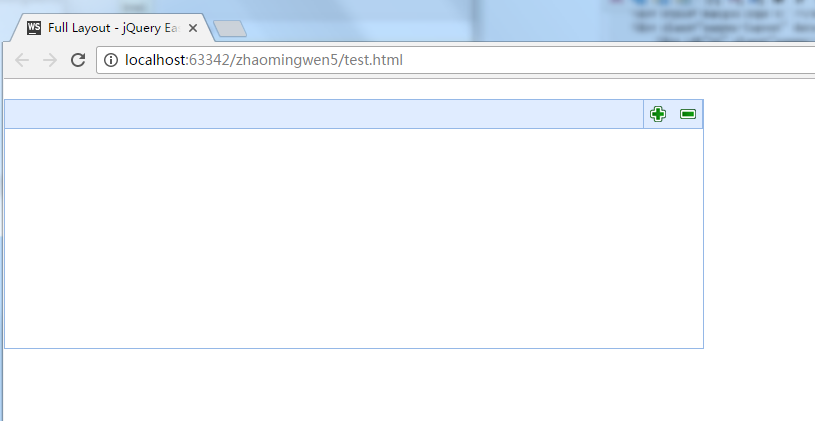
Look at the code first: renderings: Click the green button in the upper right corner to add and delete tabs. Let's modify this code first, first put the tabs into the layout layout: as shown: Then mov...

easyUI window and layout
@author YHC The Layout component can be embedded in the window component, we can create a complex form layout without even writing any js code,The jquery-easyui framework helps us do rendering and res...
More Recommendation
Some small examples of ArcGIS js Full Layout - jQuery EasyUI Demo
Full Layout - jQuery EasyUI Demo Home Drawing graphics Help About objectid bsm qsxz Query...
easyUI custom window tool
@author YHC The default window has four tools:collapsible, minimizable, maximizable and closable. As an example we define the following window custom tools, provided the tool to true or false, as an e...
Jquery easyui window or dialog does not close the icon is going on
The author also encountered this problem: solution: Join at dataoption Or join at the configuration Reprinted at: https://blog.51cto.com/ynissa/1915286...
easyui demo
Example HTML code: General processing procedure (.ashx) progeny Code Example: // associated namespace using System; using System.Linq; using System.Web; using System.Web.Script.Serialization; using...
jQuery EasyUI learning summary
jQuery EasyUI Summary of the use of the node tree Cancel all nodes Summary of the use of Form forms Easyui-textbox and easyui-validatebox set values and get values The form is defined as follows: in...