How to use PREEvision and MATLAB to develop AUTOSAR software components
tags: Ethernet Telecommunication Network protocol
In the industry, the more well-known electrical and electronic architecture development tool belongs to the PREEvision tool developed by the German Vector company, and the MATLAB/Simulink software is a very efficient and practical model-based application software development tool. There are three development processes for using PREEvision and Simulink to jointly develop AUTOSAR application software components. They are: "top-down" development process (starting from PREEvision), "bottom-up" development process (starting from Simulink), and "two-way "Development Process. As shown in the figure below, no matter what kind of development process, PREEvision and Simulink tools all exchange information through arxml files.
Today I want to introduce you to the "top-down" development process (starting from PREEvision), that is, first define the software components and their internal behavior in PREEvision and export arxml, then import arxml to Simulink, and define the operation The algorithm model diagram of the entity, and finally generate C code and export arxml, the detailed process is as follows:
1. Use PREEvision to define software components and their internal behavior
core: Define SWC that complies with AUTOSAR specification;
method: Firstly, it is necessary to clarify the software component type, communication type and transmission direction, and define the software component SWC and port that meet the requirements; secondly, define the interface and data type used for communication between the software component ports, and finally define the function of each software component. Create RTE events for it, run entities and variables between functions.
① Define software component SWC: The software component is the smallest logical functional unit in the software architecture and the part that stores the code. In the Classic AUTOSAR architecture, Application SWC and Sensor Actuator SWC are used in most cases. The following figure shows the SWC types supported in PREEvision9.0.
② Define the communication port Port: After completing the definition of the SWC module, you need to add the corresponding communication port for the SWC. According to the SWC type, communication type and transmission direction, the ports can be divided into the following three categories:
-
Sender/Receiver (S/R) interface
-
Client/Server (C/S) interface
-
Adaptive Provided/Required (P/R) interface
The S/R interface is used to transmit data, the C/S interface is used to perform operations, and the P/R interface can only be used for Adaptive Application SWC modules. For the traditional CAN/LIN network, it is sufficient to use the S/R interface. For the communication method of the request and response, the C/S interface is required, such as the Method of SOME/IP. The figure below shows the port types supported by PREEvision9.0.
③ Define the communication interface Interface: The communication interface declares the data, services, operations and other elements required or provided by a given port. The more commonly used are Sender/Receiver Interface (for Sender/Receiver Port) and Client Server Interface (for Client/Server Port). The picture below is the Interface supported by PREEvision.
Interface only defines the interface for communication data. The data to be transmitted by the Sender/Receiver Interface is actually defined in the Data Element, and the data to be transmitted by the Client Server Interface is actually defined in the Operation Argument under Operation.
In addition, you also need to define the data type to constrain the data transmitted in the Interface. As shown in the figure below, the data types in AUTOSAR4.0 and above are composed of application data types, implementation data types, and basic data types. The application data type needs to establish a mapping relationship and conversion method with the realized data type, and the realized data type needs to associate the basic data type.
④ Define internal behavior: The framework of the software component has been completed before, and the internal behavior of the software component needs to be improved. Generally there are RTE events (Event), run entities (Runnable Entity) and inter-function variables (Inter Runnable Variable). The running entity is the smallest logical functional unit in the software component, which can be triggered by RTE events, such as triggered by a timer, triggered by received data, triggered by an operation call, etc. The figure below shows the RTE events supported by PREEvision9.0.
The running entity establishes an access relationship with the SWC Port through the data access port. For Sender/Receiver Port, it is necessary to create a Data Read/Write (invisible unqueue call) or Data Receive/Send (explicit queue call) data access port. For Client/Receiver Port, the Operation Invoke data access port needs to be defined.
The data interaction between running entities is realized through inter-function variables. Therefore, the running entity also needs to define a variable access port (Variable Read/Write) to receive data sent by other entities through inter-function variables. Variables between functions are managed by RTE, which can be set to explicit/invisible call mode, or set read and write permissions for calibration parameters according to actual needs.
After the above steps, the definition of software components in PREEvision is completed. The following figure is a simple example of the internal elements of the software component. Finally, exporting it to an arxml file completes the definition of SWC in PREEVsion.
two,Import arxml to Simulink
The AUTOSAR support package "AUTOSAR Standard" needs to be installed in advance, and the SWC description file to be imported is stored in the current working directory of MATLAB. In the command line window of MATLAB, you can import arxml and create a Simulink module through the following statement.
Import a single SWC description file:
ar = arxml.importer('filename.arxml'), filename is the name of the SWC description file.
After running the above command to import a single SWC description file, the import result will be returned in the command line window, as shown in the figure below. The statements marked in the blue box will be used when creating the Simulink module in the second step.
Create a Simulink module based on the imported arxml:
ar.createComponentAsModel('/SoftwareTypes/ComponentTypes/swcName, ModelPeriodicRunnablesAs',' FunctionCallSubsystem')
After inputting the command, MATLAB will automatically create Simulink modules corresponding to SWC, Port, Interface and Runnable according to arxml, and automatically open the Simulink software. The following figure shows the internal behavior model of SWC automatically created by MATLAB based on arxml.
Three, use Simulink to define the algorithm model of the running entity
Simulink's support for AUTOSAR is achieved by establishing a mapping relationship between Simulink modules (such as I/O ports, subsystems, etc.) and AUTOSAR elements (such as Sender/Receiver Port, Client/Server Port, Runnable, etc.). The following table shows the mapping relationship between some common Simulink modules and AUTOSAR elements. When the I/O module is used as an RTE Event, the "Out Function Call" attribute must be checked.
If the definition of SWC in PREEvision is not accurate, you need to check whether the mapping relationship between Simulink module and AUTOSAR element is missing after importing arxml. Open the model in "Code Perspective" by Ctrl+Shift+C, and then check whether the mapping relationship between input and output port model, running entity model and AUTOSAR element is missing in the "Code Mapping-AUTOSAR" window. As shown in the figure below, the mapping relationship between the two input modules of Simulink and the AUTOSAR element is missing. Just click Select to select the Port and Data Element of AUTOSAR.
With these Runnables, we can build the corresponding algorithm model diagram in Simulink according to the software function requirement document to realize its function. The operation process is not detailed here. The figure below is an example of the internal algorithm model of the running entity RE_PPort_3.
four,Generate C code and arxml file
After all the internal algorithm models of Runnable have been built, C code and arxml files can be generated. There are some settings that need to be noted before generating C code:
Configure Configuration Parameters: Set the solver to a fixed step. Set the AUTOSAR version in the AUTOSAR Code Generation option, and check the "Use AUTOSAR complier abstraction macros" option according to the actual situation.
Configure XML options: Open AUTOSAR Dictionary, select "Single file" in the XML Option option "Export XML fille packaging", otherwise one SWC will generate multiple arxml files.
After configuring the above settings, press Ctrl+B to generate the C code and arxml file. After the compilation is complete, a report window will pop up. You can find the C code and arxml file just generated according to the path inside. The following figure shows the related files generated by this example.
In summary, the main process of PREEvision and MATLAB jointly developing AUTOSAR software components is to define SWC and its internal behavior in PREEvision and export arxml, then import arxml file into Simulink and define the internal algorithm model of the running entity, and finally through Simulink Generate C code and arxml files.
to sum up: OEM software architects can define the AUTOSAR-compliant software architecture from the vehicle system level in the PREEvision tool, and seamlessly connect with downstream design software (MATALAB, DaVinci, etc.) in the form of arxml files to ensure the accurate delivery of design information . In order to cope with the rapid iteration of automotive electronic functions, OEMs can use this design method to lead the development of automotive software and improve the efficiency and quality of vehicle development.

Intelligent Recommendation
How to use Python to develop weather forecasting software, this tutorial will check
What I want to share today is how to use Python to develop weather forecasting software. I don’t have much to say, start right away - 1. First create a file weather.py 2. Create window and displ...
How to use Java swing, can I develop desktop application software?
How to pretend to be forced by people who don't understand technology, um, be an intuitive graphic application. But after using java for many years, I know that Java swing can develop graphic applicat...
Use BEM to develop vue components
BEM is a css development idea What does BEM mean BEM is actually the abbreviation of block, element, modifier, they represent the block, element and modifier in css (for example: the state of the elem...
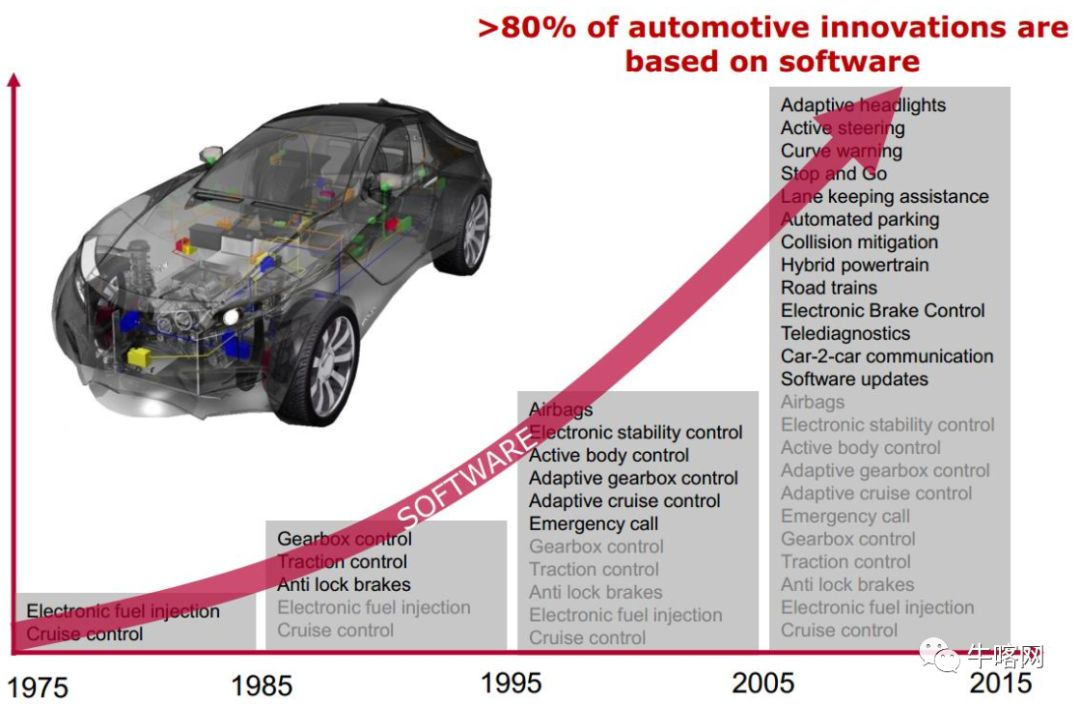
What is autosar, why use autosar
Articles directory 1. Why use AutoSAR? 2. Auytosar architecture 3. AutoSAR methodology 4. AUTOSAR standardized interface 1. Why use AutoSAR? With the development of automotive electronics, a modern lu...
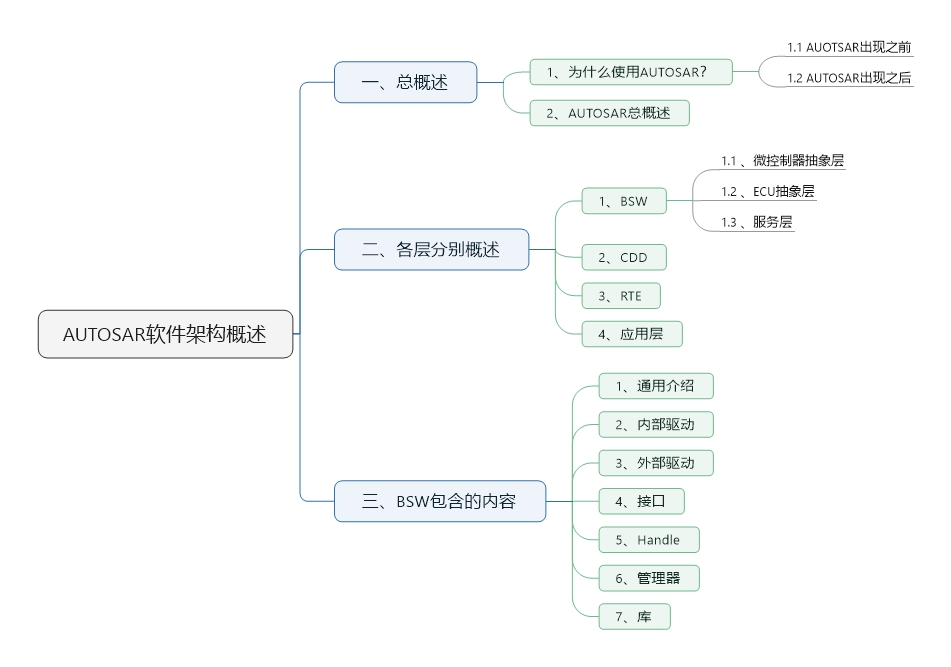
AUTOSAR software architecture overview
Article Directory 1. General Overview 1 Why use AUTOSAR? 1.1 Industry status before the emergence of AUTOSAR 1.2 The following goals can be achieved after the emergence of AUTOSAR 2. AUTOSAR general o...
More Recommendation
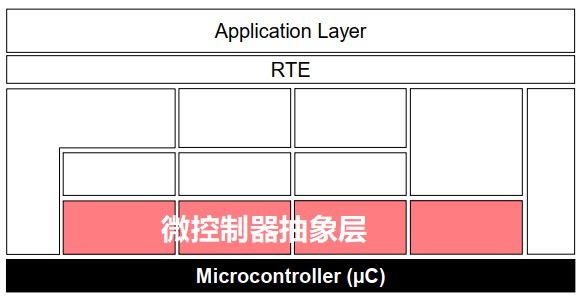
AUTOSAR software architecture (2)
Chapter review AUTOSAR software architecture (1)The following are described in: Application Layer Runtime Environment (RTE) Basic Software (BSW) Services Layer ECU Abstraction Layer ECU Abstraction La...

AUTOSAR basic software
Basic software routine_1.BSW module From the document "AUTOSAR_SWS_BSWGeneral" Modules in BSW; From the document "AUTOSAR_SWS_BSWGeneral" A little translation, the purpose: 1. It i...

AUTOSAR software architecture
>>>Click me to return to the main catalog table of Contents Architecture overview App layer RTE runtime environment BSW basic software MCAL microcontroller abstraction layer Architecture over...
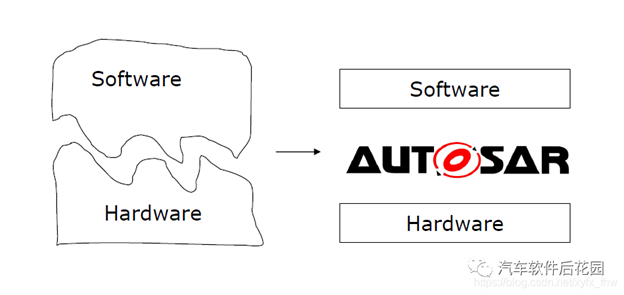
Introduction to AUTOSAR Software Architecture
What is AUTOSAR AUTOSAR’s full name is AUTomotive Open System Architecture, literally translated as automotive open system architecture. It is jointly established by global automobile manufactur...
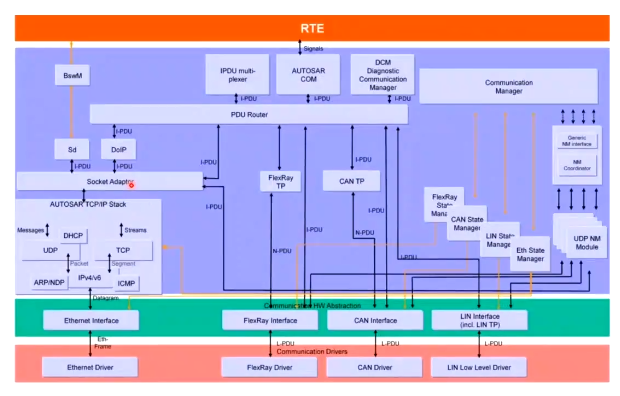
AUTOSAR Ethernet software architecture
Article Directory 1.Ethernet in-vehicle application scenarios 2. The position of Ethernet BSW in AUTOSAR architecture 1.Ethernet in-vehicle application scenarios OTA Download Facilitate the high bandw...