libpcap packet capture analysis project (4)
In project three, we completed the parsing of a package in the "hospital mirror stream.pcapng" file. The next thing we need to do is to write the parsed data into the file, so that the TS stream file can be restored, and then It's playing.
Here is more than the project three is involved in the operation of the file, C language file operation should not be difficult, just write it in.
In this code, I deleted a lot of places that are not used in this project, such as the output function, and because there is a little noise in the file (that is, the packet of the TS stream file), my judgment condition is only when The restored data is a TS stream file starting with 0x47 before writing the data to the file.
#include <stdio.h>
#include <stdlib.h>
#include <pcap.h>
#include <time.h>
#include <unistd.h>
#include <errno.h>
#include <sys/socket.h>
#include <netinet/in.h>
#include <arpa/inet.h>
#include <netinet/if_ether.h>
#include <linux/ip.h>
#include <linux/tcp.h>
#include <linux/udp.h>
#include "PPPoE.h"

//Global variable file pointer fp
FILE *fp;

//Write TS stream data to file
void write_ts_file(int j,int len,const u_char *packet){

	while(j < len){
		if(fwrite(&packet[j],1,1,fp)!=1)
			printf("Write file error!\n");
		j++;
	}
}

//Callback
void print_info(u_char *user,const struct pcap_pkthdr *pkthdr,const u_char *packet){
	int j,*id;
	struct ether_header *eptr;
	struct iphdr *ipptr;
	struct tcphdr *tcpptr;
	struct udphdr *udpptr;
	struct PPPoEhdr *PPPoEptr;

	j = 0,id = (int *)user;

	//Get the Ethernet frame header
	eptr = (struct ether_header*)packet;
	j += sizeof(struct ether_header);

	if(ntohs(eptr->ether_type)==0x8864){
		//Get the PPPoE protocol header
		PPPoEptr = (struct PPPoEhdr *)(packet + sizeof(struct ether_header));
		j += sizeof(struct PPPoEhdr);

		j += 2;

		//Get IP packet header
		if(packet[j-2]==0x00 && packet[j-1]==0x21){
			ipptr = (struct iphdr *)(packet + sizeof(struct ether_header) + sizeof(struct PPPoEhdr) + 2);
			j += sizeof(struct iphdr);
			if(ipptr->protocol==17){
				//Get the udp packet header
				udpptr = (struct udphdr *)(packet + sizeof(struct ether_header) + sizeof(struct PPPoEhdr) + 2 + sizeof(struct iphdr));
				j += sizeof(struct udphdr);
				if(packet[j]==0x80)
					j += 12;//Remove 12 bytes of RDP

				//Write data to file
				write_ts_file(j,pkthdr->len,packet);
			}
		}
	}
}

//Main function
int main(){
	char errBuf[PCAP_ERRBUF_SIZE];
	pcap_t *head;
	int id;

	//Open offline file
	head = pcap_open_offline("Hospital mirror stream. pcapng",errBuf);
	if(head){
		printf("Open device success!\n");
	}else{
		printf("Open device failed. %s\n",errBuf);
		return 0;
	}

	//Wait for a packet to return
	struct pcap_pkthdr packet;
	const u_char *packetflag = pcap_next(head,&packet);
	if(packetflag){
		printf("Get a pcaket success.\n");
		if(fp = fopen("lab04.ts","a"))
			printf("Open file success\n");
		else
			printf("Open file failed\n");
		id = 0;
		pcap_loop(head,-1,print_info,(u_char *)&id);
	}else{
		printf("Get a pcaket failed. %s\n",errBuf);
		pcap_close(head);
		return 0;
	}

	//Turn off the device and return the resources
	fclose(fp);
	pcap_close(head);

	return 0;
}
Program running results:

Find the "lab04.ts" file in the directory.
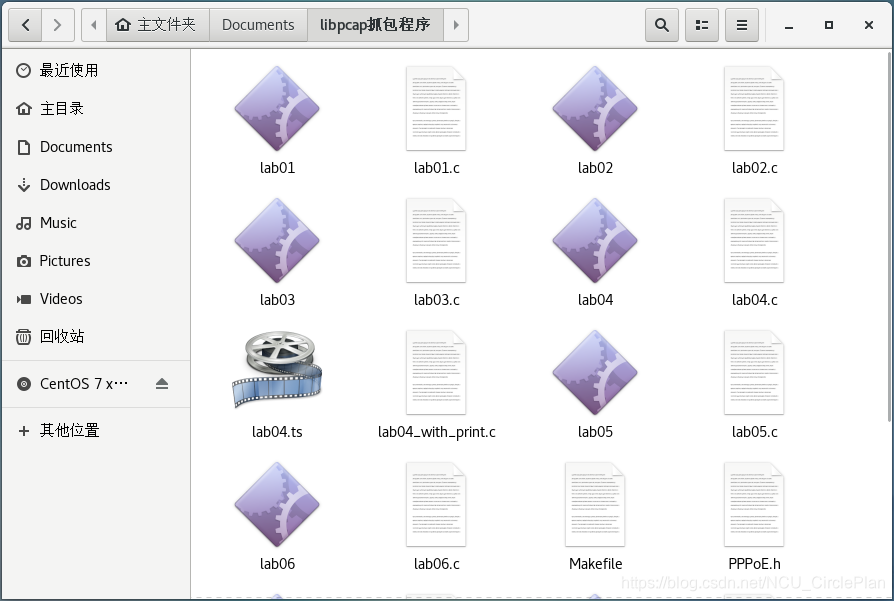
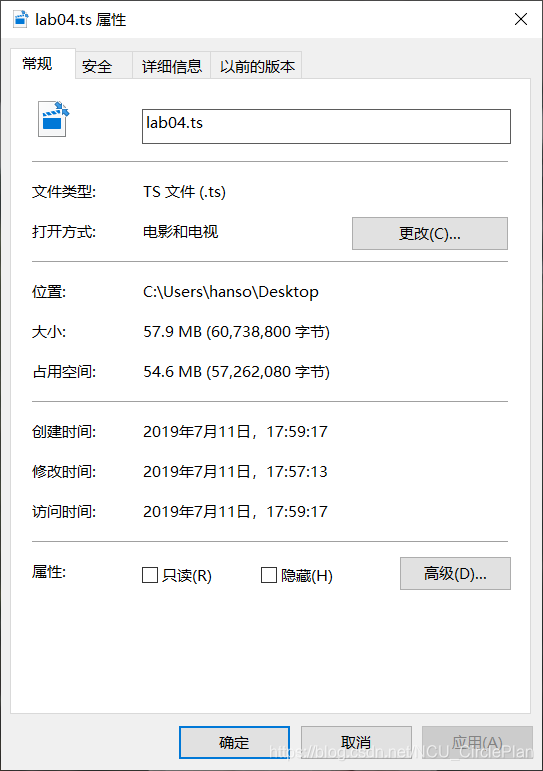
Drag it to the physical machine and check the properties:
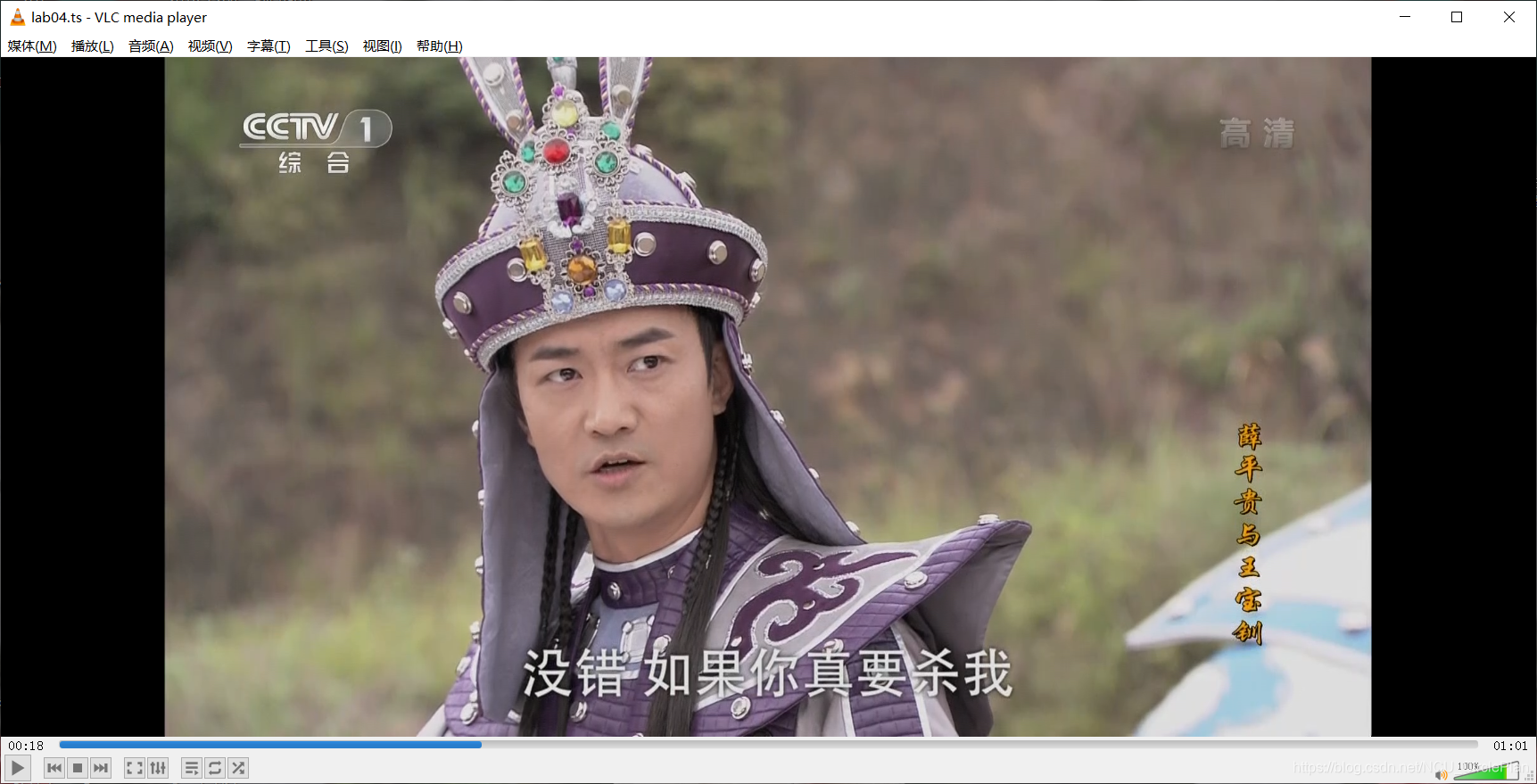
Then open it with VLC player and see the video.
(Here we present the sand sculpture love head) (manual dog head)

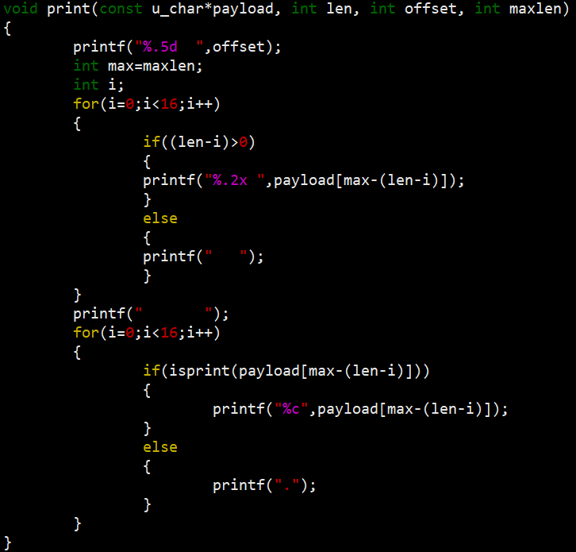
You can also output the PDU header information of each layer in the terminal when writing the file, which is the code combined with project three. You can download my source code and check lab04_with_print.c.
In this way, we completed the fourth project, extract the TS stream file and write it to the file for playback.
PS: Complete article in this series:
libpcap packet capture analysis project (6):
libpcap packet capture analysis project (5):
libpcap packet capture analysis project (4):libpcap packet capture analysis project (4)
libpcap packet capture analysis project (3):
libpcap packet capture analysis project (2):libpcap packet capture analysis project (2)
libpcap packet capture analysis project (1):libpcap packet capture analysis project (1)
Installation of libpcap:
The source files related to this series have been uploaded, and friends in need can download it by themselves:
Intelligent Recommendation
IP packet capture library use Libpcap LAN
Experimental requirements Source and destination physical address of the print data packet; Print source IP and destination IP address; Printing upper layer protocol type; If the upper layer protocol ...
libpcap network packet capture function library
download Compile and install Instance The C function interface provided by the library is used to capture data packets passing through the specified network interface. download: http://www.linuxfromsc...
Design and implementation of network packet capture and traffic online analysis system-based on libpcap on MacOS Record this happy (DT) week
Design and implementation of network packet capture and traffic online analysis system-based on libpcap on MacOS Record this happy (DT) week Claim: Design and implement a network flow analysis system ...

TLS1.3 packet capture analysis (4) - NewSessionTicket
Last time, the client's authentication phase was analyzed. This time, the last content was analyzed later. First look at the Client responseChange Cipher SpecwithFinishedMessage when the server was se...

Experiment 4: Wireless LAN Packet Capture and Analysis
Wireless LAN Packet Capture and Analysis Experimental requirements and purpose Features and uses that are familiar with common wireless measurements Learn Wireshark Packet Capture and Analysis on WIND...
More Recommendation

Network packet capture function library Libpcap installation and use (very powerful)
1. Introduction to Libpcap Libpcap is the abbreviation of Packet Capture Libray, which is the data packet capture function library. The C function interface provided by the library is used to capture...
WinPcap / libpcap network packet capture TCP header flag
Recent WinPcap / libpcap fetch packet network, and to extract HTML image. To analyze TCP packets when they were big-endian out of the head. Finally, patience and the flag bit fields are read out. TCP ...
Porting libpcap packet capture library to arm platform under Linux
1. Introduction The libpcap library is installed on the x86-based Ubuntu. The predecessors have written very clearly. For details, please refer to: as well as If you need any dependency packages durin...

Libpcap library programming guide-network card packet capture
The functions and effects achieved by the sample program in this lecture are very similar to those in the previous lecture (open the adapter and capture data packets), but this lecture will use the pc...
Experiment 4 (wireless local area network packet capture and analysis)
Experimental requirements and purpose Features and uses that are familiar with common wireless measurements Learn Wireshark Packet Capture and Analysis on WINDOWS Learn Wireshark and Kismet Packet Cap...