Mac M1 installation ITERM2 + OH My ZSH + ZSH-SYNTAX-HIGHLIGHTING is really fragrant!
tags: Development Tools | True Fragrance Series mac os x development tools m1 mac
Mac M1 Terminal Installation (ITERM2 + OH My ZSH + ZSH-SYNTAX-HIGHLIGHTING) # directory
The tutorial on the Internet has been much more, but many still is not enough, I summarize a comprehensive tutorial here.
View the system shell to install ZSH
Use the following command to view (M1 default ZSH):
echo $SHELL
Install Item2
-
Iterms2 Download Address Click here:https://iterm2.com/
-
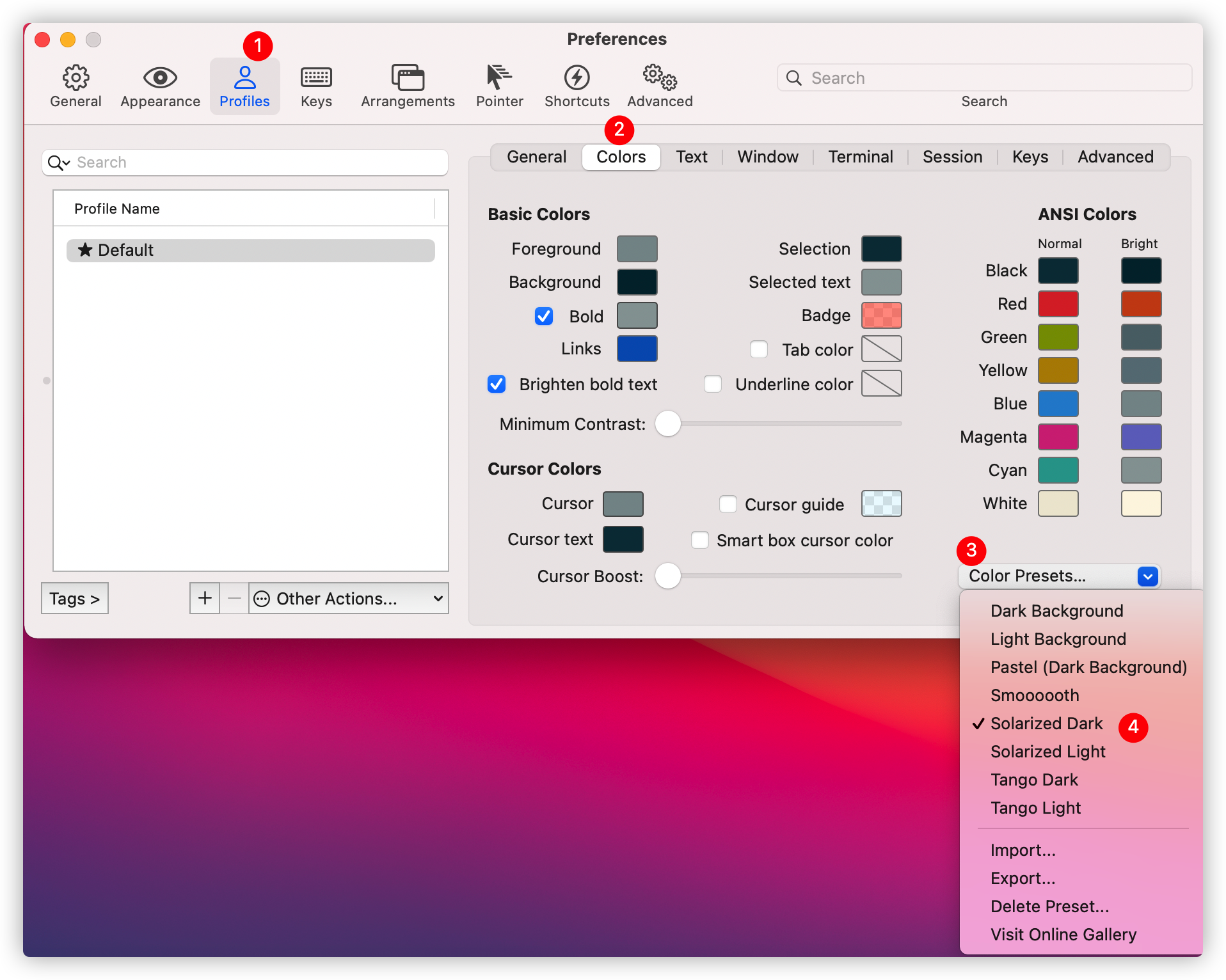
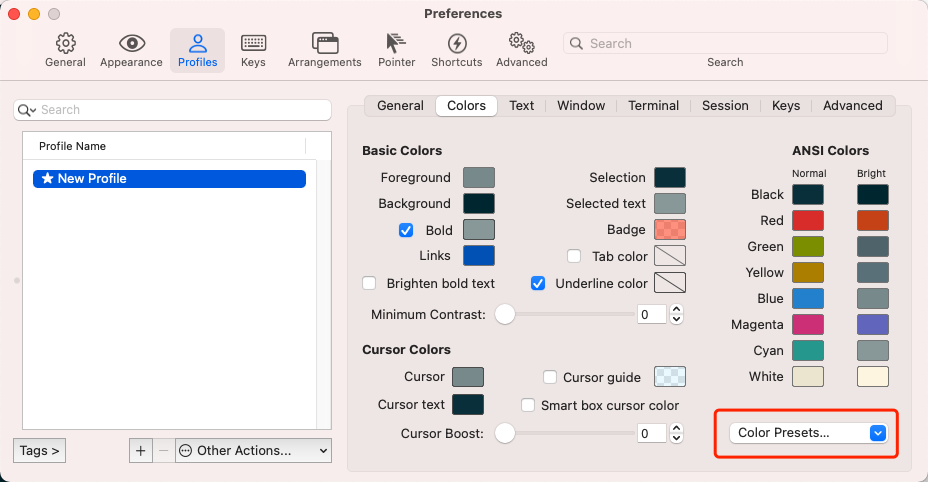
Select in the setting of ITERM2
profiles-->colorsSelectSolarized Dark
Install OH My ZSH
OH My ZSH is an open source, community-driven framework for managing your ZSH configuration.
- The installation method provided by the official website:
sh -c "$(curl -fsSL https://raw.github.com/ohmyzsh/ohmyzsh/master/tools/install.sh)"
This method generally cannot be installed due to Github landing (443), so it is recommended to install the following manner:
- Manually install OH-My-Zsh
- Clone oh-my-zsh
git clone https://gitee.com/mirrors/oh-my-zsh ~/.oh-my-zsh
- Will
.oh-my-zshIn the filezshrc.zsh-templateThe file is copied into a zshrc file:
cp ~/.oh-my-zsh/templates/zshrc.zsh-template ~/.zshrc
-
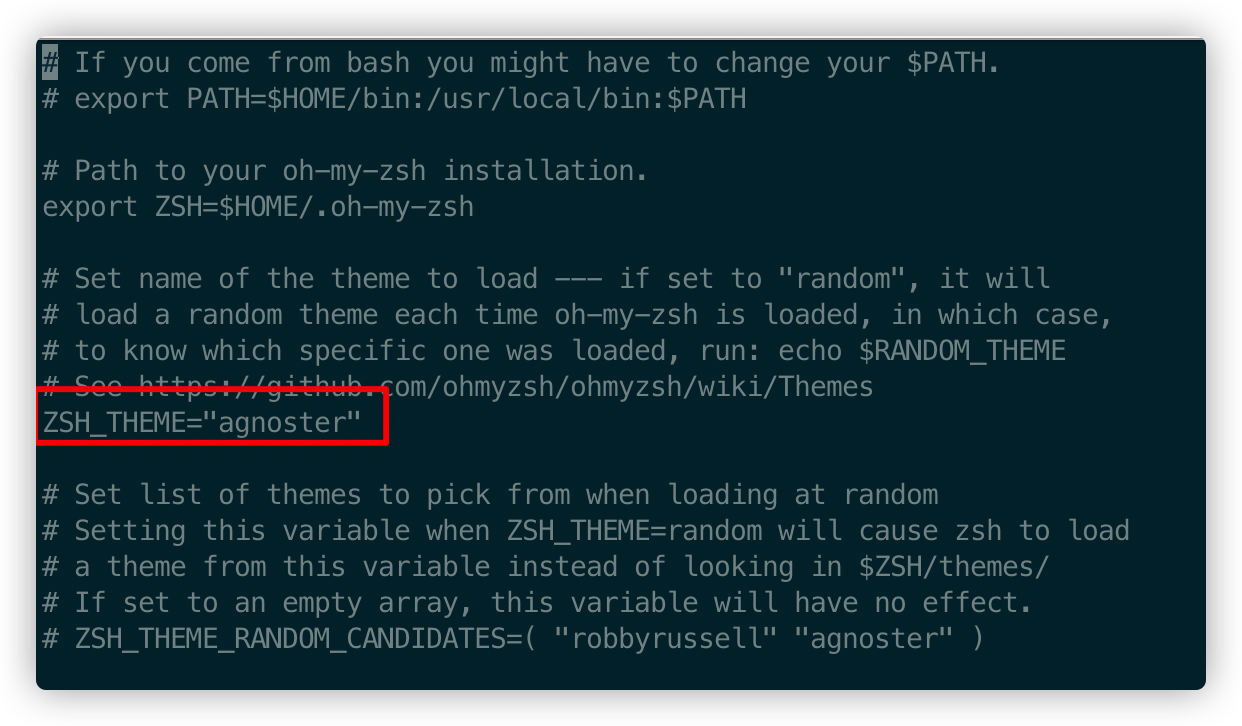
Set the subject
turn on zshrc File willZSH_THEME = "Robbyrussell" modified to zsh_theme = "agnoster"
vim ~/.zshrc
- Save after modification
zshrcFile, refresh the configuration file:
zsh ~/.zshrc
If the text has garbled
- Solve garbled, download the Powerline font, you can delete this GIT project after installation, do not occupy our storage space.
    // Clone Clone
    git clone [https://github.com/powerline/fonts.git](https://github.com/powerline/fonts.git)
    // install  Install
    cd fonts
    ./install.sh
- After installing the ingredient library, put the set of ITERM 2
ProfilemiddleTextThe fonts in the tabs, font and non-ASCII font are set to Powerline's font, and the fonts set here areMeslo LG S DZ for Powerline
[Outer chain picture "failed, the source station may have an anti-theft chain mechanism, it is recommended to save the picture directly upload (IMG-9WKE7M8O-1618963052299) (https://cdn.jsdelivr.net/gh/coderluojust/pic-bed@master /IMG/20210418184150.png)]
Command prompt and syntax highlight installation
- Install history command prompt plugin
git clone git://github.com/zsh-users/zsh-autosuggestions $ZSH_CUSTOM/plugins/zsh-autosuggestions
- Installing syntax highlighting plugin
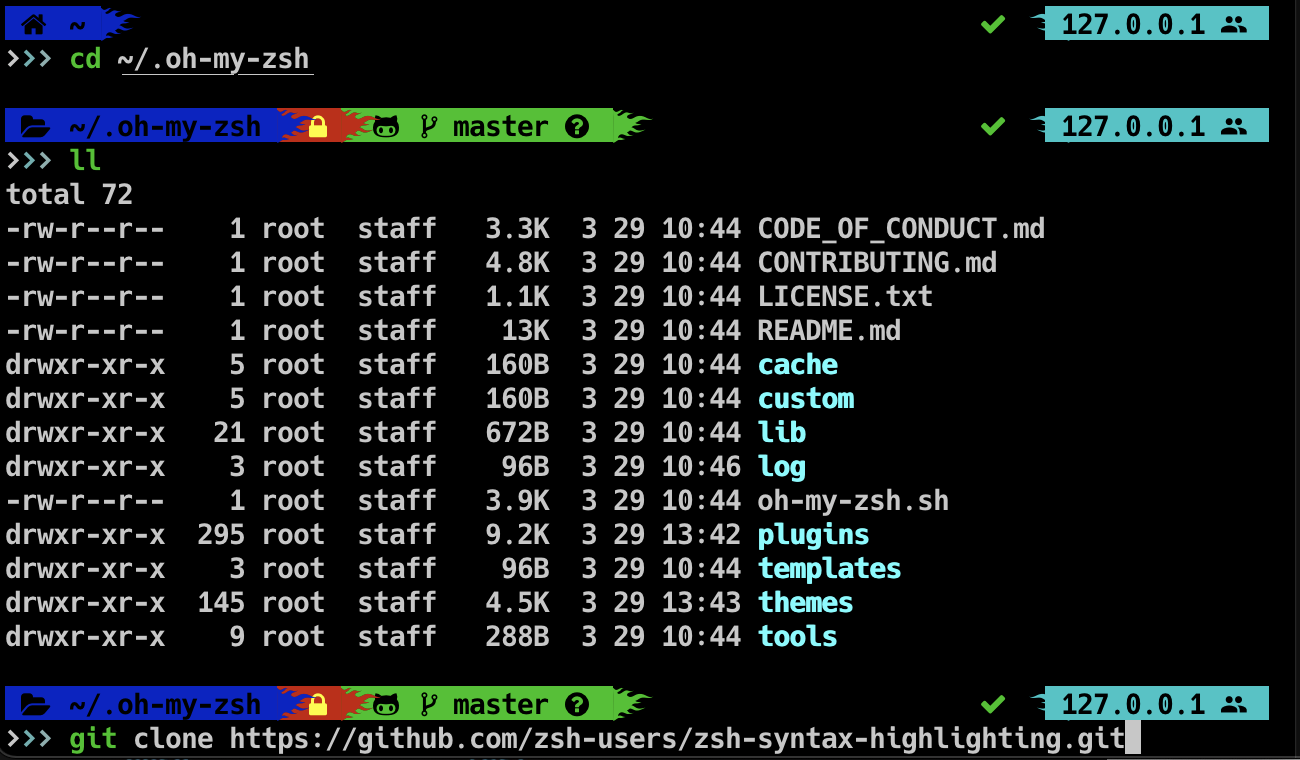
git clone git://github.com/zsh-users/zsh-syntax-highlighting $ZSH_CUSTOM/plugins/zsh-syntax-highlighting
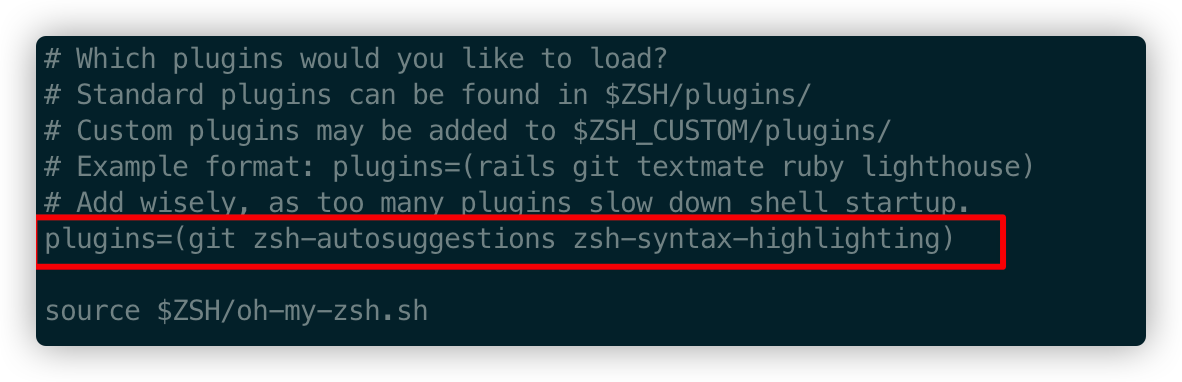
- Configure the plugin, modify .zshrc
vim ~/.zshrc
 # Find Plugins in the file, modify
plugins=(
  git
  zsh-autosuggestions
  zsh-syntax-highlighting
)
- Effective configuration
zsh ~/.zshrc
At this point, Mac m1 installed ITERM2 + OH my zsh + zsh-syntax-highlighting has been completed, I used Mac computers for the first time, I prefer it to be more and more, I really like it!
If this article helps you help you, please pay attention to me, I will also share more M1 MAC-related tutorials, thank you for reading.
Intelligent Recommendation
[Mac] terminal configuration iTerm2 + oh-my-zsh
1, pre-check 2, the installation ob-my-zsh 3, install Powerline 4, set the font 5, the color scheme setting 6, install the oh-my-zsh theme 7, install the plug...
Mac configure oh my zsh and use ITerm2
Mac configure oh my zsh and use ITerm2 First look at the final effect The first step is to install on my zsh Switch to zsh Change theme Open the .zshrc in the user root directory with vim on the comma...
Mac terminal beautification of ITERM2 + OH-My-ZSH
Renderings ITERM2 download Official website:https://iterm2.com brew:brew cask install iterm2 OH-my-zsh download Download command:$ sh -c "$(curl -fsSL https://raw.github.com/ohmyzsh/ohmyzsh/maste...
Mac ITERM2 beautification, install OH-My-ZSH
Install Oh-my-zsh CURL installation method Wget installation method Set the subject Then from Preferences>Profiles>Default>Colors, Find a place where the topic in the lower right corner is fo...

mac configuring iTerm2 and oh-my-zsh themes
1. Install iTerms2 Download and install the official website Change the default shell to zsh by running the following command 2. Install oh-my-zsh according toOfficial website, use curl or wget to dow...
More Recommendation

Mac terminal configuration (Mac OSX + iTerm2 + Zsh + Oh-My-Zsh)
My Mac terminal configuration (Mac OSX + iTerm2 + Zsh + Oh-My-Zsh) Presentation tools iTerm2: Mac alternatives under Terminal terminal, has a more powerful, want to know more please pokeiTerm2 officia...
Mac zsh and oh my zsh installation and configuration
1. Switch to zsh environment Switch to zshchsh -s /bin/zshAnd restart the terminal 2. Install oh my zsh Execute one of the following commands: sh -c "$(curl -fsSL https://raw.github.com/ohmyzsh/o...
Mac iTerm command line configuration iterm2+zsh+oh-my-zsh
Required software Iterm2: terminal tool Zsh: another shell for Linux, the default for mac is bash Oh-my-zsh: a tool for managing zsh, which can provide plugins, main body, etc. Install iTerm2 Go direc...
Mac terminal beautification (ITERM2 + ZSH + OH-MY-ZSH + POWERLEVEL10K)
iterm2+zsh+oh-my-zsh+powerlevel10k First, download ITERM2 Method 1: Official website download https://iterm2.com/ Method 2: Baidu cloud download Link: https://pan.baidu.com/s/1zzntbvcg4a2nau0Gmbzig Pa...
Mac installation oh-my-zsh
Mac installation oh-my-zsh After the installation is configured...