ME21N/ME22N/ME23N screen enhancement BADI ME_GUI_PO_CUST
Recently, I want to learn more about classic BADI. I haven't played BADI screen enhancement before, so I decided to play it.
This screen enhancement mainly uses two BADIs: ME_GUI_PO_CUST and ME_PROCESS_PO_CUST
There are examples for these two BADIs, you can click GoTo->Sample code->Display at se18 to view, or you can directly view the classes CL_EXM_IM_ME_GUI_PO_CUST and CL_EXM_IM_ME_PROCESS_PO_CUST at SE24

Now we add our own subscreen to the PO header, SAP's example provides adding subscreen to the item.
Step 1: Create Function Group
Build a Function Group modeled on the Function Group MEPOBADIEX
The Function Group I built is shown below

Step 2: Build a screen in the Function Group, the screen number is whatever


Add the variables corresponding to the screen in the TOP, here I use tables directly.

Step 3: Create an implementation for BADI ME_GUI_PO_CUST

Add in Public SectionTYPE-POOLS mmmfd .


Step 4: In Method IF_EX_ME_GUI_PO_CUST~SUBSCRIBE, add the setting code of custom subscreen
- METHOD if_ex_me_gui_po_cust~subscribe.
- DATA: lw_subscribers TYPE mepo_subscribers.
- * we want to add a customer subscreen on the Header tab
- CHECK im_application = 'PO'.
- CHECK im_element = 'HEADER'.
- CLEAR lw_subscribers.
- lw_subscribers-name = subscreen1.
- lw_subscribers-dynpro = '0100'.
- lw_subscribers-program = 'SAPLZCI_EKKODB'.
- lw_subscribers-struct_name = 'CI_EKKODB'.
- lw_subscribers-label = 'Zero test2'.
- lw_subscribers-position = 11.
- lw_subscribers-height = 8.
- APPEND lw_subscribers TO re_subscribers.
- ENDMETHOD.
METHOD if_ex_me_gui_po_cust~subscribe.
  DATA: lw_subscribers TYPE mepo_subscribers.

* we want to add a customer subscreen on the Header tab
  CHECK im_application = 'PO'.
  CHECK im_element     = 'HEADER'.

  CLEAR lw_subscribers.
  lw_subscribers-name = subscreen1.
  lw_subscribers-dynpro = '0100'.
  lw_subscribers-program = 'SAPLZCI_EKKODB'.
  lw_subscribers-struct_name = 'CI_EKKODB'.
  lw_subscribers-label = 'Zero test2'.
  lw_subscribers-position = 11.
  lw_subscribers-height = 8.
  APPEND lw_subscribers TO re_subscribers.
ENDMETHOD.
Step 5: In IF_EX_ME_GUI_PO_CUST~MAP_DYNPRO_FIELDS, add code to associate the field name with its digital number
- FIELD-SYMBOLS: <mapping> LIKE LINE OF ch_mapping.
- LOOP AT ch_mapping ASSIGNING <mapping>.
- CASE <mapping>-fieldname.
- WHEN 'LV_TEST1'. <mapping>-metafield = mmmfd_cust_01.
- WHEN 'LV_TEST2'. <mapping>-metafield = mmmfd_cust_02.
- WHEN 'LV_TEST3'. <mapping>-metafield = mmmfd_cust_03.
- ENDCASE.
- ENDLOOP.
  FIELD-SYMBOLS: <mapping> LIKE LINE OF ch_mapping.

  LOOP AT ch_mapping ASSIGNING <mapping>.
    CASE <mapping>-fieldname.
      WHEN 'LV_TEST1'. <mapping>-metafield = mmmfd_cust_01.
      WHEN 'LV_TEST2'. <mapping>-metafield = mmmfd_cust_02.
      WHEN 'LV_TEST3'. <mapping>-metafield = mmmfd_cust_03.
    ENDCASE.
  ENDLOOP.
It is estimated that only 9 Custom fields can be added because I am in TYPE-POOLSmmmfd sees the largest one is mmfd_cust_09,
Here you can also get some standard fields on the custom subscreen.
After the above five steps, we can see the custom subscreen on ME23N, but it is still not visible on ME21N and ME22N...Why is this, I still don't know.
Step 6: Create an implementation for BADI ME_PROCESS_PO_CUST

Join in the Public SectionTYPE-POOLS mmmfd .
Step 7: Add code in Method IF_EX_ME_PROCESS_PO_CUST~FIELDSELECTION_HEADER, change the field status of table ch_fieldselection
'-' means hidden,'+' or'.' means editable,'*' means display
- METHOD if_ex_me_process_po_cust~fieldselection_header.
- DATA: lv_persistent TYPE mmpur_bool.
- FIELD-SYMBOLS: <fs> LIKE LINE OF ch_fieldselection.
- DEFINE set_input.
- read table ch_fieldselection assigning <fs> with table key metafield = &1.
- if sy-subrc = 0.
- if im_header->is_changeable( ) = mmpur_yes.
- <fs>-fieldstatus = '+'.
- else.
- <fs>-fieldstatus = '*'.
- endif.
- endif.
- END-OF-DEFINITION.
- * if the item is already on the database, we disallow to change field badi_bsgru
- lv_persistent = im_header->is_persistent( ).
- set_input mmmfd_cust_01.
- set_input mmmfd_cust_02.
- set_input mmmfd_cust_03.
- ENDMETHOD.
METHOD if_ex_me_process_po_cust~fieldselection_header.
  DATA: lv_persistent TYPE mmpur_bool.
  FIELD-SYMBOLS: <fs> LIKE LINE OF ch_fieldselection.

  DEFINE set_input.
    read table ch_fieldselection assigning <fs> with table key metafield = &1.
    if sy-subrc = 0.
     if im_header->is_changeable( ) = mmpur_yes.
       <fs>-fieldstatus = '+'.
     else.
       <fs>-fieldstatus = '*'.
     endif.
    endif.
  END-OF-DEFINITION.

* if the item is already on the database, we disallow to change field badi_bsgru
  lv_persistent = im_header->is_persistent( ).

  set_input mmmfd_cust_01.
  set_input mmmfd_cust_02.
  set_input mmmfd_cust_03.

ENDMETHOD.
There are two points to note here:
1. im_header->is_changeable() can determine whether these fields are currently editable, and if they are, it will be'X'. For example, they are editable when they just entered TCODE ME21N, ME22N, but when they are saved successfully by save It is temporarily unavailable to edit, press again You can edit it by changing it back to the editing state, and this function is implemented here.
2. im_header->is_persistent() can judge that when these fields have values in the database, it is'X'. When we write data into the table and don’t want it to be modified, we can use this to judge, such as One field is set to ME21N to be editable, ME22N is not editable.
After these seven steps, ME21N/ME22N/ME23N can see this custom subscreen, but all self-built fields are editable. You must complete the eighth step to display normally
Step 8: Call 2 modules in screen

These two modules are stored in the program below

Note: If you do not call these two modules, none of the four methods below BADI ME_GUI_PO_CUST will be triggered
TRANSPORT_FROM_MODEL
TRANSPORT_TO_DYNP
TRANSPORT_FROM_DYNP
TRANSPORT_TO_MODEL
Step 9: Add code in Method IF_EX_ME_GUI_PO_CUST~TRANSPORT_FROM_MODEL
Pass the three self-built fields of the header to the attribute dynp_data_pho
- METHOD if_ex_me_gui_po_cust~transport_from_model.
- DATA: lw_header TYPE REF TO if_purchase_order_mm,
- lw_mepoheader TYPE mepoheader,
- lw_customer TYPE ci_ekkodb.
- *--------------------------------------------------------------------*
- * system asks to transport data from the business logic into the view
- *--------------------------------------------------------------------*
- IF im_name = subscreen1.
- * is it an Header? im_model can be header or item.
- mmpur_dynamic_cast lw_header im_model.
- CHECK NOT lw_header IS INITIAL.
- * transport standard fields
- lw_mepoheader = lw_header->get_data( ).
- * store info for later use
- MOVE-CORRESPONDING lw_mepoheader TO dynp_data_pbo.
- ENDIF.
- ENDMETHOD.
METHOD if_ex_me_gui_po_cust~transport_from_model.
  DATA:     lw_header       TYPE REF TO if_purchase_order_mm,
            lw_mepoheader   TYPE mepoheader,
            lw_customer     TYPE ci_ekkodb.
*--------------------------------------------------------------------*
* system asks to transport data from the business logic into the view
*--------------------------------------------------------------------*

  IF im_name = subscreen1.
* is it an Header? im_model can be header or item.
    mmpur_dynamic_cast lw_header im_model.
    CHECK NOT lw_header IS INITIAL.
* transport standard fields
    lw_mepoheader = lw_header->get_data( ).
* store info for later use
    MOVE-CORRESPONDING lw_mepoheader TO dynp_data_pbo.
  ENDIF.

ENDMETHOD.
Step 10: Add code in Method IF_EX_ME_GUI_PO_CUST~TRANSPORT_TO_DYNP
By calling FM:ZCI_EKKODB_PUSH the attribute
- METHOD if_ex_me_gui_po_cust~transport_to_dynp.
- IF im_name = subscreen1.
- CALL FUNCTION 'ZCI_EKKODB_PUSH'
- EXPORTING
- im_dynp_data = dynp_data_pbo.
- ENDIF.
- ENDMETHOD.
METHOD if_ex_me_gui_po_cust~transport_to_dynp.

  IF im_name = subscreen1.
    CALL FUNCTION 'ZCI_EKKODB_PUSH'
      EXPORTING
        im_dynp_data = dynp_data_pbo.
  ENDIF.
ENDMETHOD.

Step 11: Add code in IF_EX_ME_GUI_PO_CUST~TRANSPORT_FROM_DYNP
In the case of a PAI event, pass the value of the screen to the attribute dynp_data_pai, and compare dynp_data_pbo withdynp_data_pai, confirm that the value of the self-built field has changed, set re_changed to'X', so that IF_EX_ME_PROCESS_PO_CUST~PROCESS_HEADER will be triggered.
- METHOD if_ex_me_gui_po_cust~transport_from_dynp.
- IF im_name = subscreen1.
- CALL FUNCTION 'ZCI_EKKODB_POP'
- IMPORTING
- ex_dynp_data = dynp_data_pai.
- ENDIF.
- IF dynp_data_pai <> dynp_data_pbo.
- * something has changed therefor we have to notify the framework
- * to transport data to the model
- re_changed = mmpur_yes.
- ENDIF.
- ENDMETHOD.
METHOD if_ex_me_gui_po_cust~transport_from_dynp.
  IF im_name = subscreen1.
    CALL FUNCTION 'ZCI_EKKODB_POP'
      IMPORTING
        ex_dynp_data = dynp_data_pai.

  ENDIF.

  IF dynp_data_pai <> dynp_data_pbo.
* something has changed therefor we have to notify the framework
* to transport data to the model
    re_changed = mmpur_yes.
  ENDIF.
ENDMETHOD.
Step 12: Add code in IF_EX_ME_GUI_PO_CUST~TRANSPORT_TO_MODEL, and transfer the modified data to the bussiness object
- METHOD if_ex_me_gui_po_cust~transport_to_model.
- DATA: lw_header TYPE REF TO if_purchase_order_mm,
- lw_mepoheader TYPE mepoheader,
- lw_customer TYPE ci_ekkodb,
- lw_po_header_handle TYPE REF TO cl_po_header_handle_mm.
- *--------------------------------------------------------------------*
- * data have to be transported to business logic
- *--------------------------------------------------------------------*
- IF im_name = subscreen1.
- * is it an item? im_model can be header or item.
- mmpur_dynamic_cast lw_header im_model.
- CHECK NOT lw_header IS INITIAL.
- lw_mepoheader = lw_header->get_data( ).
- * standard fields changed?
- IF dynp_data_pbo-lv_test1 <> dynp_data_pai-lv_test1
- OR dynp_data_pbo-lv_test2 <> dynp_data_pai-lv_test2
- OR dynp_data_pbo-lv_test3 <> dynp_data_pai-lv_test3.
- * update standard fields
- lw_mepoheader-lv_test1 = dynp_data_pai-lv_test1.
- lw_mepoheader-lv_test2 = dynp_data_pai-lv_test2.
- lw_mepoheader-lv_test3 = dynp_data_pai-lv_test3.
- CALL METHOD lw_header->set_data
- EXPORTING
- im_data = lw_mepoheader.
- ENDIF.
- ENDIF.
- ENDMETHOD.
METHOD if_ex_me_gui_po_cust~transport_to_model.

  DATA: lw_header            TYPE REF TO if_purchase_order_mm,
        lw_mepoheader        TYPE mepoheader,
        lw_customer          TYPE ci_ekkodb,
        lw_po_header_handle  TYPE REF TO cl_po_header_handle_mm.
*--------------------------------------------------------------------*
* data have to be transported to business logic
*--------------------------------------------------------------------*
  IF im_name = subscreen1.

* is it an item? im_model can be header or item.
    mmpur_dynamic_cast lw_header im_model.
    CHECK NOT lw_header IS INITIAL.
    lw_mepoheader = lw_header->get_data( ).
* standard fields changed?
    IF dynp_data_pbo-lv_test1 <> dynp_data_pai-lv_test1
    OR dynp_data_pbo-lv_test2 <> dynp_data_pai-lv_test2
    OR dynp_data_pbo-lv_test3 <> dynp_data_pai-lv_test3.
* update standard fields
      lw_mepoheader-lv_test1 = dynp_data_pai-lv_test1.
      lw_mepoheader-lv_test2 = dynp_data_pai-lv_test2.
      lw_mepoheader-lv_test3 = dynp_data_pai-lv_test3.

      CALL METHOD lw_header->set_data
        EXPORTING
          im_data = lw_mepoheader.

    ENDIF.
  ENDIF.
ENDMETHOD.
Step 13: If you want to check the value of these fields, you can write it in IF_EX_ME_PROCESS_PO_CUST~PROCESS_HEADER, where I want to check field1 must be PALM.
- METHOD if_ex_me_process_po_cust~process_header.
- DATA: lw_mepoheader TYPE mepoheader,
- lw_customer TYPE ci_ekkodb.
- DATA: lv_testflag TYPE c.
- INCLUDE mm_messages_mac. "useful macros for message handling
- lw_mepoheader = im_header->get_data( ).
- IF lw_mepoheader-lv_test1 <> 'PALM'.
- * Place the cursor onto field lv_test1. The metafield was defined in BAdI ME_GUI_PO_CUST,
- * Method MAP_DYNPRO_FIELDS.
- mmpur_metafield mmmfd_cust_01.
- mmpur_message_forced 'E' 'ZDEV001' '999' '' '' '' ''.
- * MESSAGE 'This field should be filled ''PALM''' TYPE 'W'.
- * CLEAR lv_testflag.
- * lv_testflag = 'X'.
- * EXPORT lv_testflag FROM lv_testflag TO MEMORY ID 'Z_ZERO_ME22N'.
- * invalidate the object
- CALL METHOD im_header->invalidate( ).
- ENDIF.
- ENDMETHOD.
METHOD if_ex_me_process_po_cust~process_header.
  DATA: lw_mepoheader TYPE mepoheader,
        lw_customer TYPE ci_ekkodb.

  DATA: lv_testflag TYPE c.

  INCLUDE mm_messages_mac. "useful macros for message handling

  lw_mepoheader = im_header->get_data( ).

  IF lw_mepoheader-lv_test1 <> 'PALM'.
* Place the cursor onto field lv_test1. The metafield was defined in BAdI ME_GUI_PO_CUST,
* Method MAP_DYNPRO_FIELDS.

    mmpur_metafield mmmfd_cust_01.
    mmpur_message_forced 'E' 'ZDEV001' '999' '' '' '' ''.
*    MESSAGE 'This field should be filled ''PALM''' TYPE 'W'.

*    CLEAR lv_testflag.
*    lv_testflag = 'X'.
*    EXPORT lv_testflag FROM lv_testflag TO MEMORY ID 'Z_ZERO_ME22N'.

* invalidate the object
    CALL METHOD im_header->invalidate( ).
  ENDIF.

ENDMETHOD.
If you press Enter to check, it will display an error message. After one change, press Enter once to respond, but the second time there is no response.

There is a flaw here. When we press save, this message will not be displayed in the message table (I have studied it for a long time, but I haven't worked out how to do it). Fortunately, there is a very good function here. Select PO header data still faulty. message, press Edit, you can locate the field of error message.

At this point, the enhancement is complete.
supplement:
1. IF_EX_ME_PROCESS_PO_CUST~INITIALIZE: initialize function groupThe variable statement of ZCI_EKKODB can be written here.
- METHOD if_ex_me_process_po_cust~initialize.
- CALL FUNCTION 'ZCI_EKKODB_INIT'
- .
- ENDMETHOD.
METHOD if_ex_me_process_po_cust~initialize.
  CALL FUNCTION 'ZCI_EKKODB_INIT'
            .
ENDMETHOD. 
2. IF_EX_ME_PROCESS_PO_CUST~OPEN: If you want to select the self-built table, you can write it here. There is a field IM_TRTYP has a certain control effect, and you can view its domain value.
3. IF_EX_ME_PROCESS_PO_CUST~POST: The statement to update the self-built table can be written here.
4. Custom subscreen field must reference methodThe structure defined in IF_EX_ME_GUI_PO_CUST~SUBSCRIBE, from dict should be checked.


5. If there is a field in the self-built table, you must add a statement when the method IF_EX_ME_GUI_PO_CUST~TRANSPORT_TO_MODEL determines that the field of the self-built table changesCALL METHOD lw_header->set_changed( ), Otherwise, no data changed will be displayed when the field of your self-built table changes. The following code is an example.
- METHOD if_ex_me_gui_po_cust~transport_to_model.
- DATA: lw_header TYPE REF TO if_purchase_order_mm,
- lw_mepoheader TYPE mepoheader,
- lw_customer TYPE ci_ekkodb,
- lw_po_header_handle TYPE REF TO cl_po_header_handle_mm.
- *--------------------------------------------------------------------*
- * data have to be transported to business logic
- *--------------------------------------------------------------------*
- IF im_name = subscreen1.
- * is it an item? im_model can be header or item.
- mmpur_dynamic_cast lw_header im_model.
- CHECK NOT lw_header IS INITIAL.
- lw_mepoheader = lw_header->get_data( ).
- * standard fields changed?
- IF dynp_data_pbo-lv_test1 <> dynp_data_pai-lv_test1
- OR dynp_data_pbo-lv_test2 <> dynp_data_pai-lv_test2
- OR dynp_data_pbo-lv_test3 <> dynp_data_pai-lv_test3.
- * update standard fields
- lw_mepoheader-lv_test1 = dynp_data_pai-lv_test1.
- lw_mepoheader-lv_test2 = dynp_data_pai-lv_test2.
- lw_mepoheader-lv_test3 = dynp_data_pai-lv_test3.
- CALL METHOD lw_header->set_data
- EXPORTING
- im_data = lw_mepoheader.
- ENDIF.
- IF dynp_data_pbo-zdamon <> dynp_data_pai-zdamon.
- CALL FUNCTION 'ZCI_EKKODB_SET_DATA'
- EXPORTING
- im_damon = dynp_data_pai-zdamon.
- CALL METHOD lw_header->set_changed( ).
- ENDIF.
- ENDIF.
- ENDMETHOD.
METHOD if_ex_me_gui_po_cust~transport_to_model.

  DATA: lw_header            TYPE REF TO if_purchase_order_mm,
        lw_mepoheader        TYPE mepoheader,
        lw_customer          TYPE ci_ekkodb,
        lw_po_header_handle  TYPE REF TO cl_po_header_handle_mm.
*--------------------------------------------------------------------*
* data have to be transported to business logic
*--------------------------------------------------------------------*
  IF im_name = subscreen1.

* is it an item? im_model can be header or item.
    mmpur_dynamic_cast lw_header im_model.
    CHECK NOT lw_header IS INITIAL.
    lw_mepoheader = lw_header->get_data( ).
* standard fields changed?
    IF dynp_data_pbo-lv_test1 <> dynp_data_pai-lv_test1
    OR dynp_data_pbo-lv_test2 <> dynp_data_pai-lv_test2
    OR dynp_data_pbo-lv_test3 <> dynp_data_pai-lv_test3.
* update standard fields
      lw_mepoheader-lv_test1 = dynp_data_pai-lv_test1.
      lw_mepoheader-lv_test2 = dynp_data_pai-lv_test2.
      lw_mepoheader-lv_test3 = dynp_data_pai-lv_test3.

      CALL METHOD lw_header->set_data
        EXPORTING
          im_data = lw_mepoheader.

    ENDIF.

    IF dynp_data_pbo-zdamon <> dynp_data_pai-zdamon.
      CALL FUNCTION 'ZCI_EKKODB_SET_DATA'
        EXPORTING
          im_damon = dynp_data_pai-zdamon.

      CALL METHOD lw_header->set_changed( ).
    ENDIF.

  ENDIF.
ENDMETHOD.
6.Method IF_EX_ME_GUI_PO_CUST~EXECUTE can handle function code.
- METHOD if_ex_me_gui_po_cust~execute.
- IF im_fcode = 'ZZZZ'.
- MESSAGE 'Zero test' TYPE 'I'.
- ENDIF.
- ENDMETHOD.
METHOD if_ex_me_gui_po_cust~execute.
  IF im_fcode = 'ZZZZ'.
    MESSAGE 'Zero test' TYPE 'I'.
  ENDIF.
ENDMETHOD.
Intelligent Recommendation

SAP QE01 BADI Interface Enhancement
The interface qe01 enhances two fields and saves the data to the background table. Se19 uses BADI: QEEM_SUBSCREEN_5000 In the called program, add a screen field to the screen, and then write the value...

SAP BADI enhancement points sharing
In the implementation process of SAP system, it is inevitable to implement enhancement point development to meet business needs; now briefly summarizes the application of SAP BADI enhancement (third g...
SAP Enhancement-Third Generation BADI Enhancement Point-Enhancement Spot (Instance)
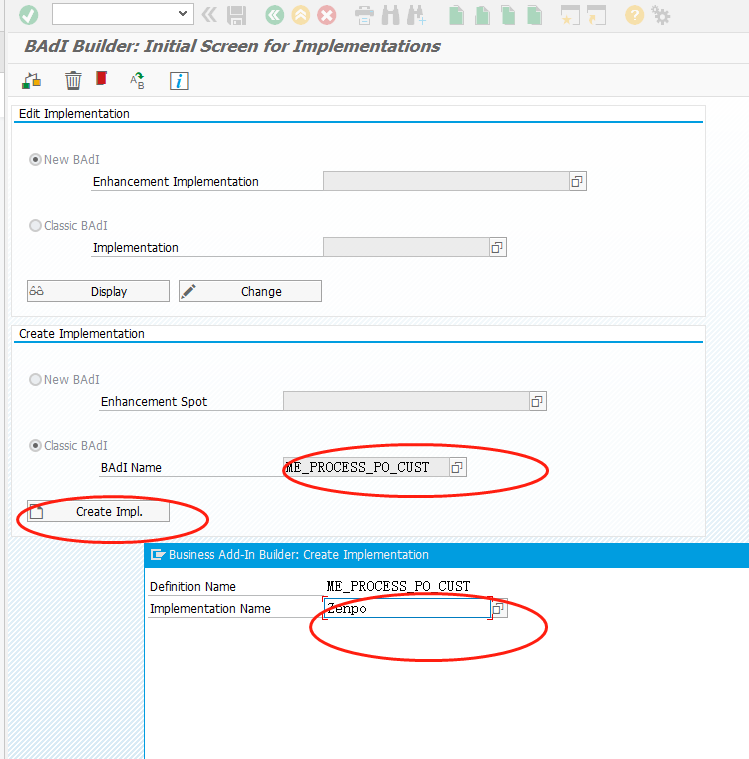
Third Generation Enhanced Enhancement Spot (Instance) Business needs: MIGO transaction code, after entering the purchase order, add a tab to the line item details, add an input box to the tab, and add...
Purchase order tax code check enhancement (badi)
After several changes in national tax rates; the procurement department has not updated some of the purchasing information records that were not commonly used before; when placing a purchase order, th...
ABAP BADI search implementation process MIGO enhancement
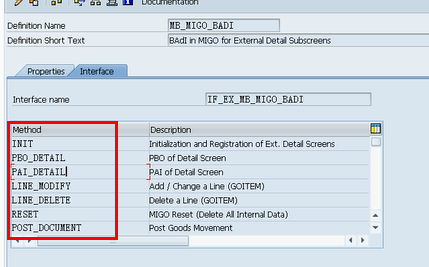
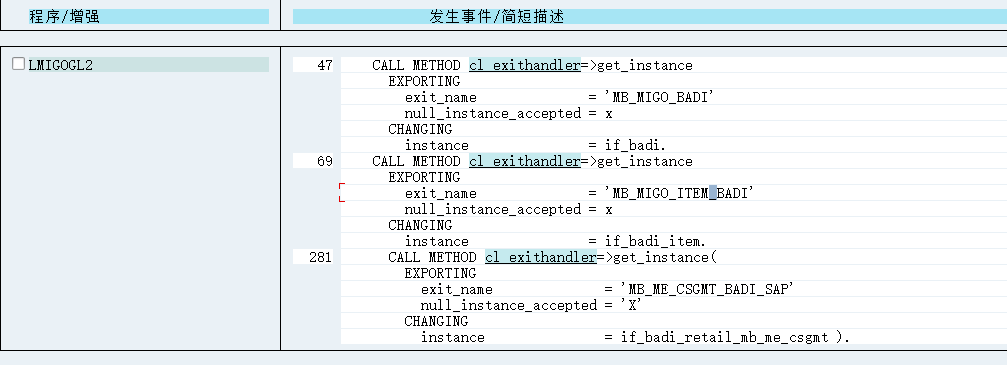
1 Finding method 1: Find keywords in the program: CL_EXITHANDLER 1. Find method 2: Use class CL_EXITHANDLER=>GET_INSTANCE to get enhancement points 2: SE18 view the BADI, you can see the interface ...
More Recommendation
Basic example of SAP BADI enhancement (three generations)
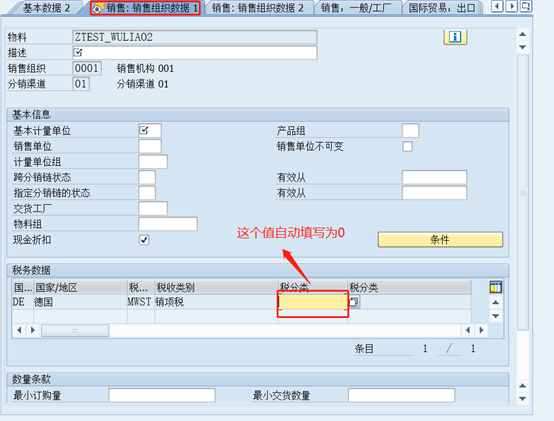
Enhanced simple example (for novices) Sample requirements When using MM01 to create the sales view of materials, the field of the output tax classification is automatically filled with the default val...

PT project-purchase order BADI enhancement-ME_PROCESS_PO_CUST
1. User needs In the PT project, the actual business needs of users are as follows: In the communication tab of the purchase order headerSalesperson (VERKF)Change the field text toOA contract number(R...
SAP third -generation enhancement -BADI interpretation
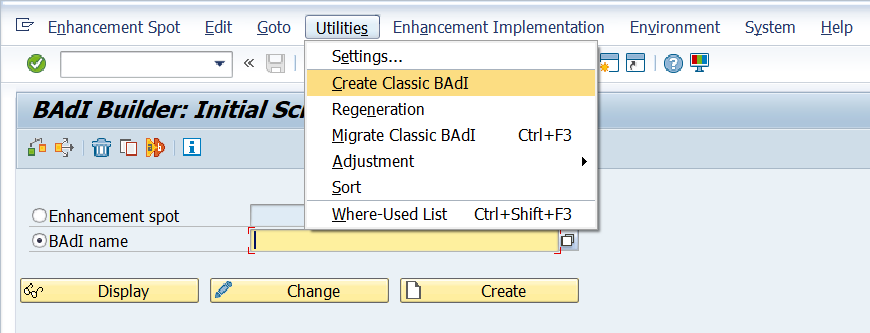
BADI is the interface reserved by SAP in the standard program to customize logic (belongs to the third generation enhancement). It is a interface in the essence of technology. Through the upward inher...
FICO commonly used enhancement BADI-AC_DOCUMENT
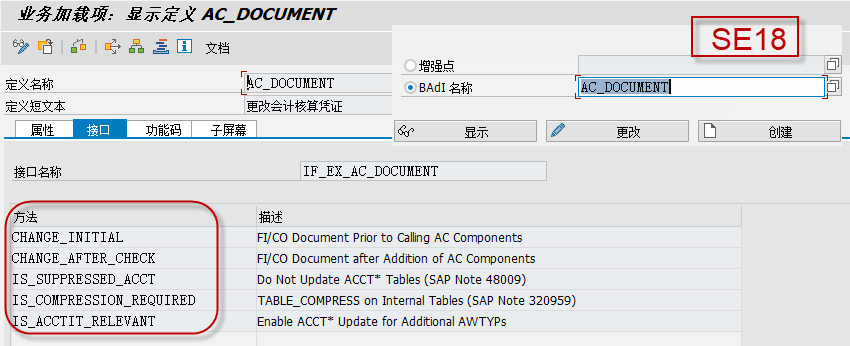
Article Directory 1. Use scenarios 2. Enhancement introduction 2.1 Notes 2.2 Other related references 1. Use scenarios 【As a FICO consultant, you must know the site of use of this BADI and the precaut...

ME21N enhancement
ME21NCreate a purchase order and click to save or check the button to enter the enhancement (first according to EKKO-LIFNR, EKPO-MATNR, EKPO-WERKS LINKThe supplier, material, and factory in the self-b...