Windows11 Task Manager and Privacy Settings
tags: windows
Yesterday, the computer automatically updated to Windows11, followed by several problems.
1. The command in "Run" (Windows + R) will not have history
Simple saying is to open the command blank, and it will not be recorded before, as follows:
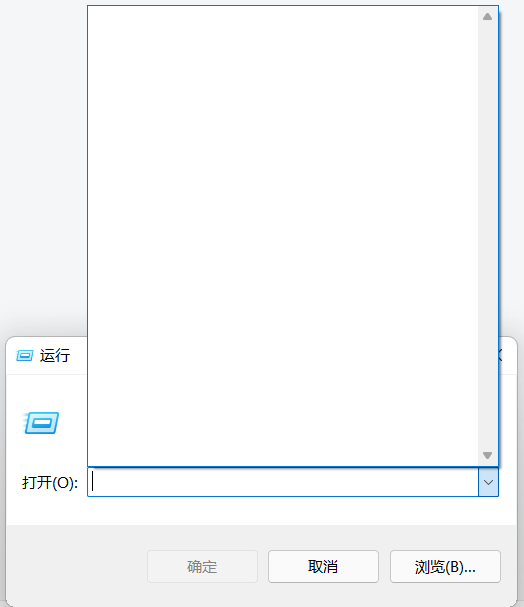
Previously, Windows has always been set, and adjustments in privacy.
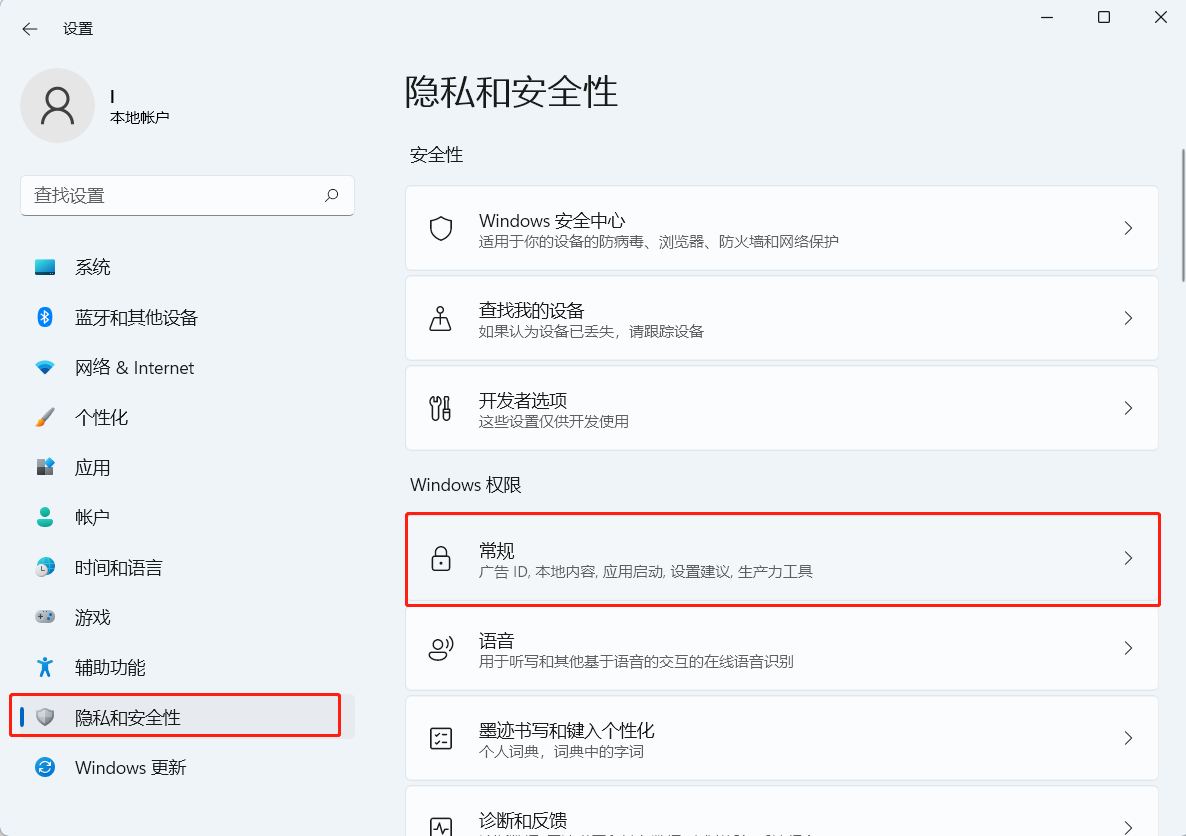
Currently Windows11 Setup Path:
Setting - Privacy and Security - Windows Permissions (General) - Allows Windows Tracking Application to improve "Start" and search results (Open)
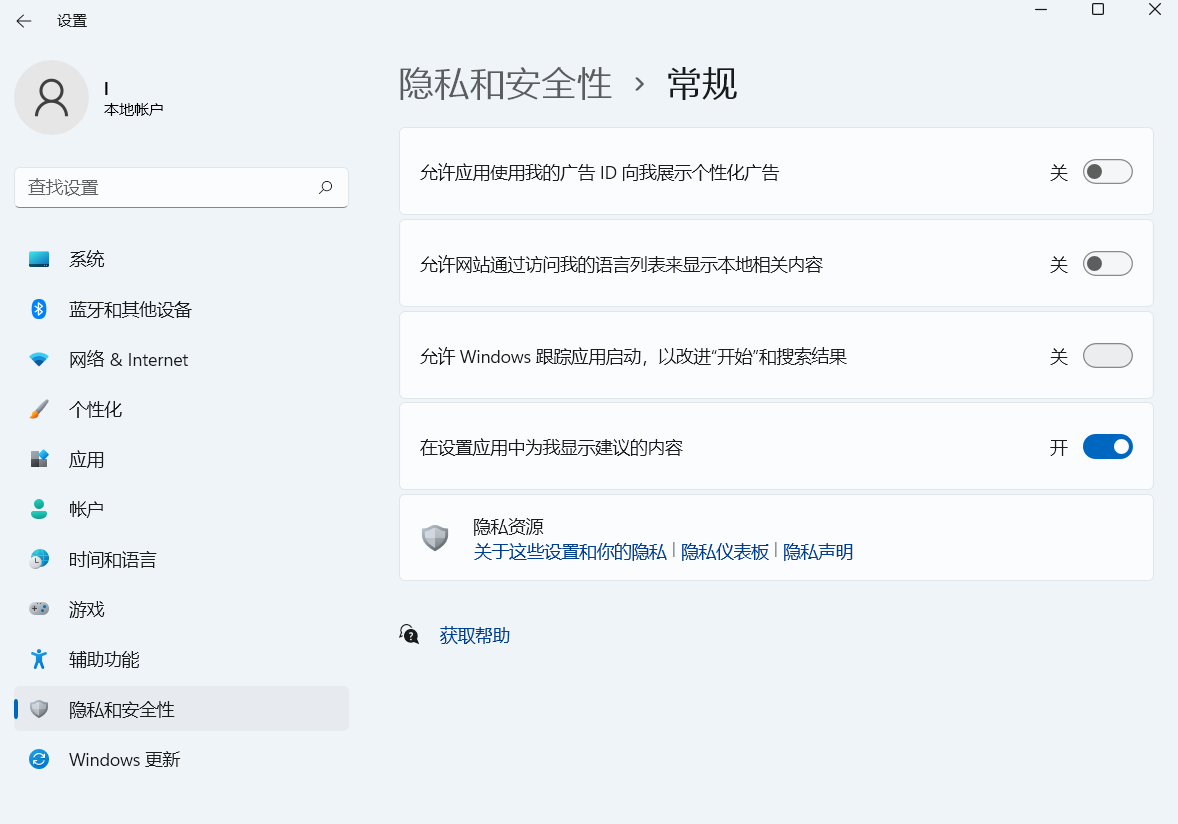
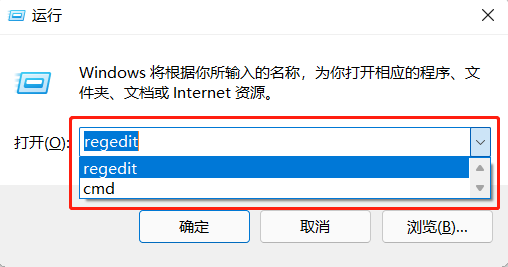
Verify that has recorded records
2, right-click menu Unable to open Task Manager
Habitual use mouse point open mission manager suddenly can't find it (of course, Ctrl + Shift + ESC can be opened)
A simple way is to open a task manager, and then "fix it to the start screen"
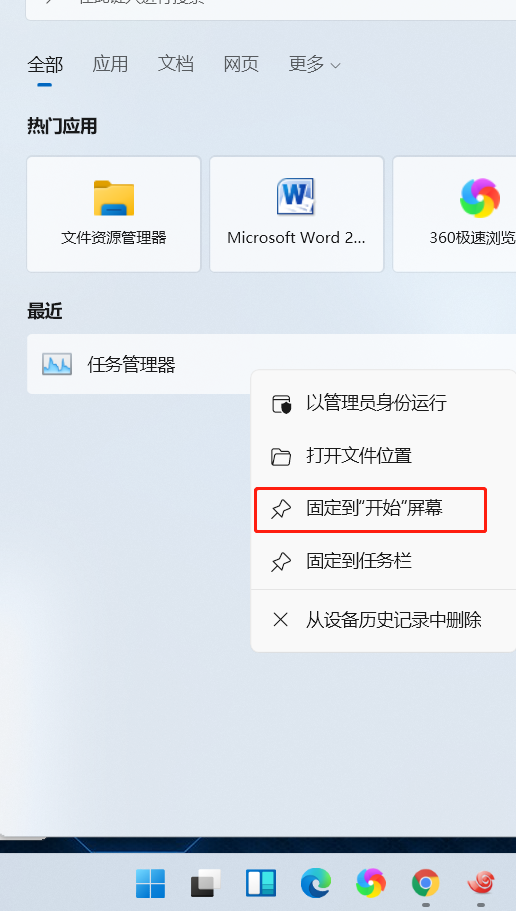
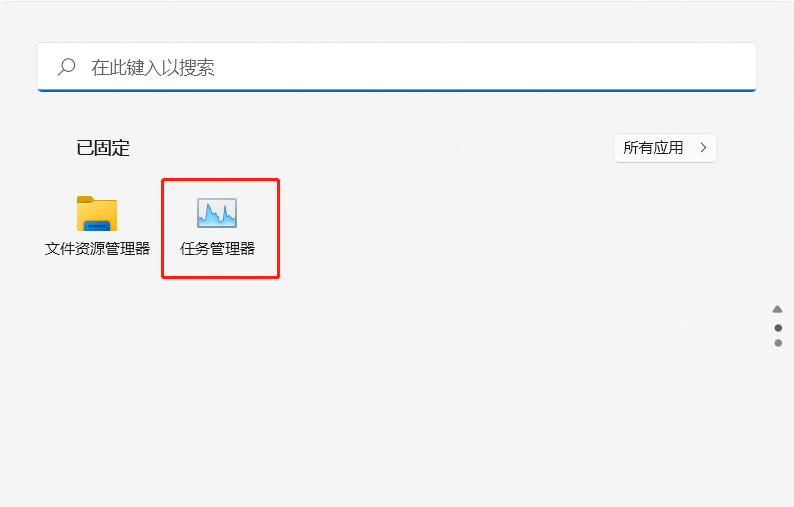
3, shortcut keys
Preliminary test is my screenshot key may have conflicts with some settings (Windows10 has always been normal)
The problem is very serious: it will cause the interface to display the order in the order. For example, the screenshots have no way to intercept the application, the right-click window will be blocked, the minimized application cannot be opened, the input method typing is blocked.
Currently, it is the problem of terminals, and Windows + L is re-logged in and can recover.
Reverthable, but did not determine the specific reasons, it looks like a bug.
Intelligent Recommendation
MacOS: Privacy settings related to database
Introduction Since MacOS began to introduce privacy settings, there is an endless problem. For example, the app cannot turn on the camera, WeChat can't open the microphone, QQ can't record screen, etc...

Windows11 22H2 resource manager opens the multi -tab page
Effect step Windows11 22H2 may push this function in the future. It is now hidden. Tool: ViveTool download:Releases · thebookisclosed/ViVe · GitHub Step 1: Right -click the start menu, s...

WPF window property settings (no borders, hide the taskbar icon, a task manager application to hide the icon)
During the time of software development, often have window settings, such as borderless, hidden software icon in the hope that the following methods to help you. 1, a borderless, first click on the wi...
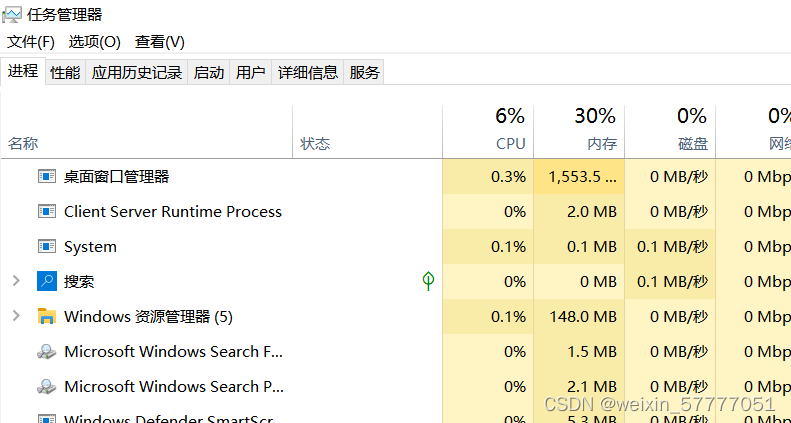
How to end a task in Task Manager
How to end a task in Task Manager First open the Task Manager Then select good performance. See a resource monitor in the lower left corner. Click to enter After clicking in, you will se...
Rust actual combat - Registry Custom Windows11 Task Bar Location (below)
0x00 written in front The last class understands some common ways to operate the registry using RUST, which we use these methods to implement this gadget. 0x01 & string LPCWSTR Among the methods o...
More Recommendation
Android Task Manager
Some time ago wrote a software for the company's Android project - Task Manager Functionally, it lists almost all the functions that the TaskManager should have on the market. It took a little time to...

QT Simulation Task Manager
This article implements the effect of the task manager: Implementation ideas: 1. Constantly reduce the x coordinate value, so that the grid line translates 2. Put the cpu us...
Task Manager (PS) in Linux
View process or Online articles use the following one to display more data. Use this command to view the PID of all processes and find the PID of the process you want to kill. Usually look for the UID...
PS task manager
PS is equivalent to the task manager on Windows A real battle to view cpu and memory usage on centos Commandps aux Common parameters: A shows all processes (equivalent to -e) (utility) a shows all pro...
Timed task manager tool
Foreword It’s fun to make your own wheels, handwritten a timer manager. The scenario used is a web project with multiple scheduled tasks running in the background. The vision is to visualize the...