Install pyaudio library "portaudio.h" appears: No such file o directory (resolved)
tags: python 3.7 Pyaudio portaudio.h error window 10
Pyaudio appears "portaudio.h": No such file o directory
- system message
-
Python version: Python 3.7.2
IDE: PyCharm 2018.3.5 (Community Edition)
JRE: 1.8.0_152-release-1343-b28 amd64
JVM: OpenJDK 64-Bit Server VM by JetBrains s.r.o
OS Platform Windows 10 10.0 - Happening
- python -m pip install pyaudio
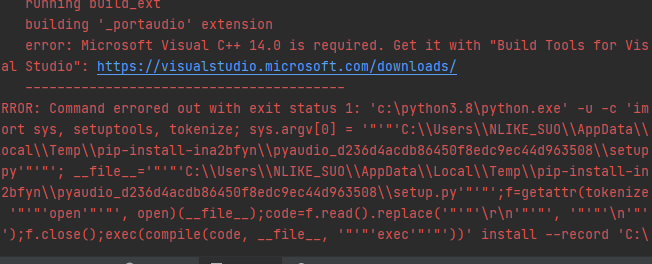
- Error picture information
-
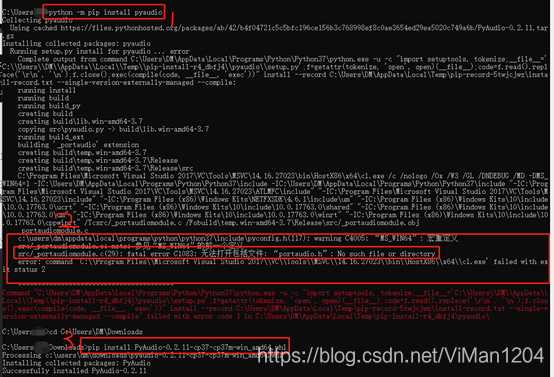
- analysis
- Pyaudio installed directly with pip does not support 3.7, so it will report an error when installing or importing
- Solution (introducing a collection of all python libraries:lfd.uci)
- Jump to the page, retrieve: pyaudio, download the version of the system and python corresponding whl file, switch to the whl file directory, directly with pip installation. As explained in step 3 of the figure below, it can be solved.
Error code details
python -m pip  install pyaudio
Collecting pyaudio
Using cached https://files.pythonhosted.org/packages/ab/42/b4f04721c5c5bfc196c
e156b3c768998ef8c0ae3654ed29ea5020c749a6b/PyAudio-0.2.11.tar.gz
Installing collected packages: pyaudio
Running setup.py install for pyaudio ... error
Complete output from command c:\users\administrator\appdata\local\programs\p
ython\python38\python.exe -u -c "import setuptools, tokenize;__file__='C:\Users
\ADMINI~1\AppData\Local\Temp\pip-install-8s3mtmuj\pyaudio\setup.py';f=get
attr(tokenize, 'open', open)(__file__);code=f.read().replace('\r\n', '\n');f.clo
se();exec(compile(code, file, 'exec'))" install --record C:\Users\ADMINI~1\A
ppData\Local\Temp\pip-record-i5bb3diy\install-record.txt --single-version-extern
ally-managed --compile:
running install
running build
running build_py
creating build
creating build\lib.win-amd64-3.8
copying src\pyaudio.py -> build\lib.win-amd64-3.8
running build_ext
building '_portaudio' extension
creating build\temp.win-amd64-3.8
creating build\temp.win-amd64-3.8\Release
creating build\temp.win-amd64-3.8\Release\src
C:\Program Files (x86)\Microsoft Visual Studio 14.0\VC\BIN\x86_amd64\cl.exe
/c /nologo /Ox /W3 /GL /DNDEBUG /MD -DMS_WIN64=1 -Ic:\users\administrator\appdat
a\local\programs\python\python38\include -Ic:\users\administrator\appdata\local\
programs\python\python38\include "-IC:\Program Files (x86)\Microsoft Visual Stud
io 14.0\VC\INCLUDE" "-IC:\Program Files (x86)\Microsoft Visual Studio 14.0\VC\AT
LMFC\INCLUDE" "-IC:\Program Files (x86)\Windows Kits\10\include\10.0.10240.0\ucr
t" "-IC:\Program Files (x86)\Windows Kits\NETFXSDK\4.6.1\include\um" "-IC:\Progr
am Files (x86)\Windows Kits\8.1\include\shared" "-IC:\Program Files (x86)\Windo
ws Kits\8.1\include\um" "-IC:\Program Files (x86)\Windows Kits\8.1\include\win
rt" /Tcsrc/_portaudiomodule.c /Fobuild\temp.win-amd64-3.8\Release\src/_portaudio
module.obj
_portaudiomodule.c
c:\users\administrator\appdata\local\programs\python\python37\include\pyconf
Ig.h(117): warning C4005: "MS_WIN64": macro redefinition
c:\users\administrator\appdata\local\programs\python\python37\include\pyconf
 Ig.h(117): note: Command line parameters: See the previous definition of "MS_WIN64"
 Src/_portaudiomodule.c(29): fatal error C1083: Unable to open include file: "portaudio
.h”: No such file or directory
error: command 'C:\Program Files (x86)\Microsoft Visual Studio 14.0\VC\B
IN\x86_amd64\cl.exe' failed with exit status 2

----------------------------------------
Command "c:\users\administrator\appdata\local\programs\python\python37\python.ex
e -u -c "import setuptools, tokenize;__file__='C:\Users\ADMINI~1\AppData\Loc
al\Temp\pip-install-8s3mtmuj\pyaudio\setup.py';f=getattr(tokenize, 'open', o
pen)(__file__);code=f.read().replace('\r\n', '\n');f.close();exec(compile(code,
file, 'exec'))" install --record C:\Users\ADMINI~1\AppData\Local\Temp\pip-re
cord-i5bb3diy\install-record.txt --single-version-externally-managed --compile"
failed with error code 1 in C:\Users\ADMINI~1\AppData\Local\Temp\pip-install-8s3
mtmuj\pyaudio\
Intelligent Recommendation
Install unicorn appears: No such file or directory: libunicorn.dylib
Error details: Official discussion: https://github.com/unicorn-engine/unicorn/issues/1100 Solution: Install the pre version:...
Element type "len" must be followed by either attribute specifications, ">" o...
Yesterday in the company, I encountered an inexplicable bug, looking for a long time do not know the reason, the project framework is jsf, seam, use facelet to do view templates, spring, hibernate. Fi...
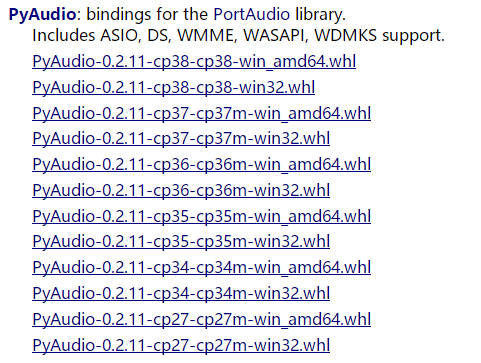
About pyaudio installation - Resolved
Before installing the wrong pyaudio face appeared, the landlord tried a variety of methods, and ultimately: Downloadhttps://www.lfd.uci.edu/~gohlke/pythonlibs/#pyaudioThe corresponding version, my pyt...
axis2 File "/axis2-web/listSingleService.jsp" not found
Check service.xml service name is correct...
javax.servlet.ServletException: File "/.jsp" not found
problem: javax.servlet.ServletException: File "/.jsp" not found From the code: is already obvious, and it’s a bit rusty for too long to use. When doing the verification code, i...
More Recommendation
Install openCV under centos8 system, No such file or directory appears
The following error occurred, ``` import cv2 Traceback (most recent call last): File “”, line 1, in File “/usr/local/lib64/python3.6/site-packages/cv2/init.py”, line 5, in from...
Error: ENOENT: no such file or directory appears during the operation of the npm install command
An error occurred when executing the following script during the development process appear Many methods were used, including clearing the cache, but there was no way to solve it. Later, it was direct...
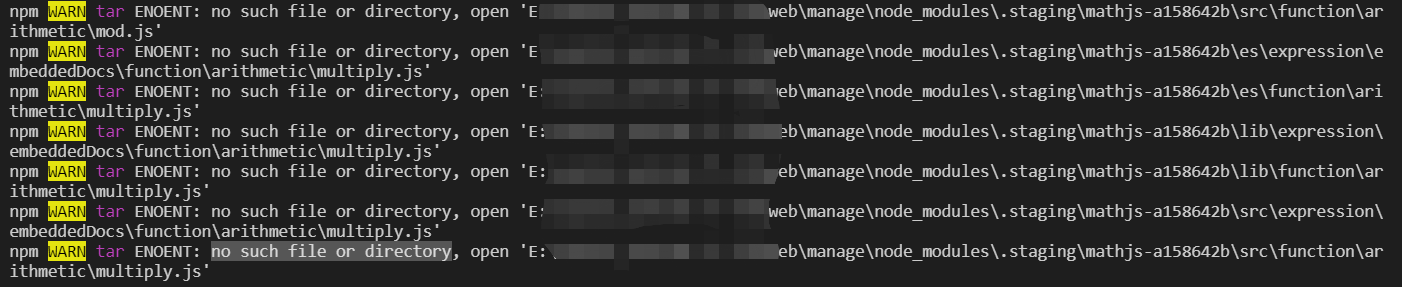
Vue Project NPM Install appears NO Such File or Directory Node_Modules \ .staging
The appearance when performing NPM INSTALLno such file or directory node_modules\.staging\ After this appears, the subsequent NPM Run will report an error, such as:[email protected] ...
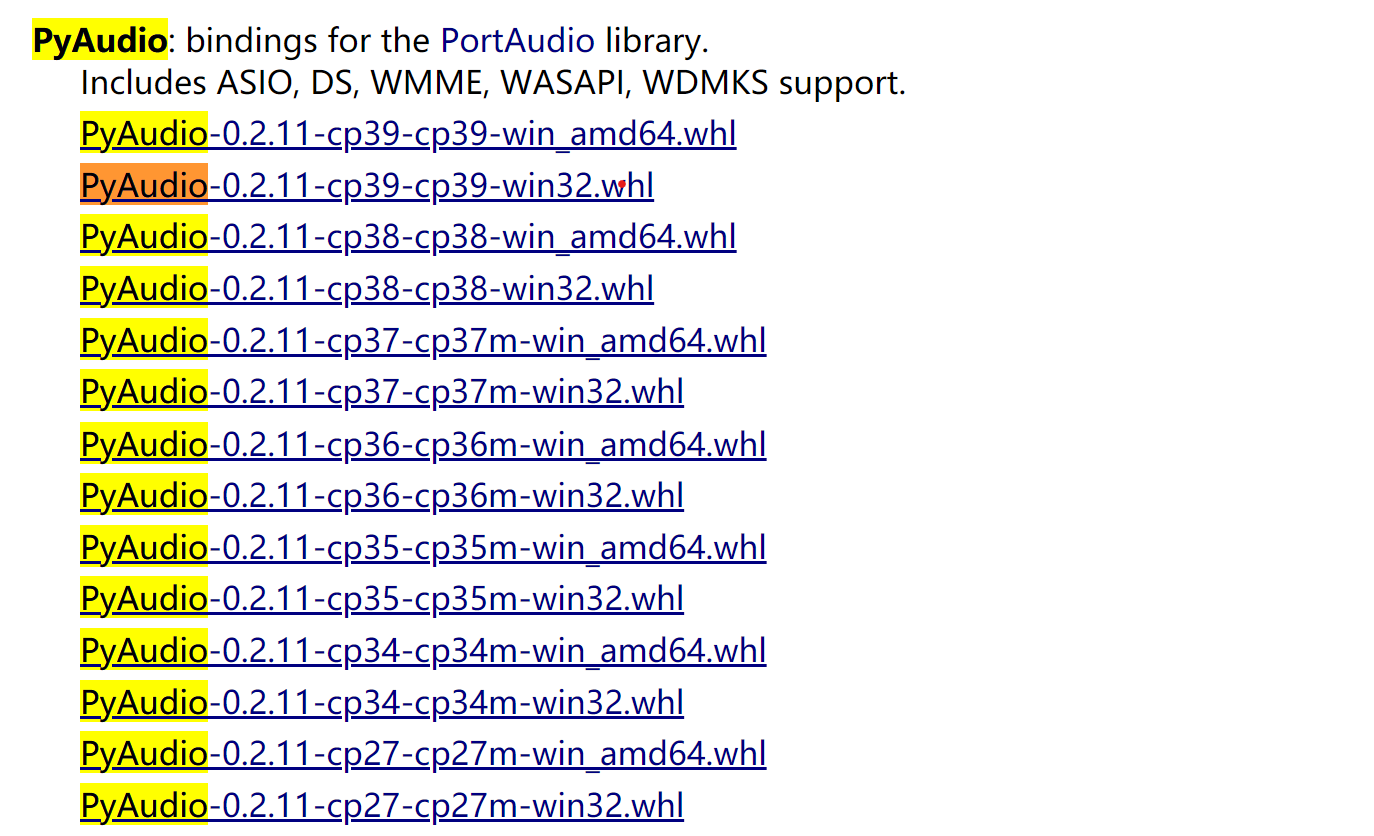
Windows installed Pyaudio library
Windows installed Pyaudio library Installation Pip Install Pyaudio Installation Picture Failed Building Wheel for Pyaudio, Solution First look at your own Python version: Python --Version Select to do...
Introduction to PyAudio library
Introduction PyAudio is a cross-platform audio processing toolkit that can be used to play and record audio in Python programs, as well as generate wav files, etc. Install pip install PyAudio Note: An...