What is the difference between CUDA, CUDNN, CUDA Driver, CUDA Toolkit, and NCVV?
tags: Machine learning Deep learning
My subject is about deep learning. I need to run programs on the GPU. However, the concept of the title is a bit vague, so I think it is necessary to write an article as a note for later reference.
1. What is CUDA?
The full English name of CUDA is Compute Unified Device Architecture, which is a general parallel computing launched by NVIDIAArchitecture, TheArchitectureEnable the GPU to solve complex computing problems.
2. What is CUDNN?
CUDNN is used for deep neural networksGPU acceleration library. It emphasizes performance, ease of use and low memory overhead. It can be integrated into advanced machine learning frameworks, such as Google's Tensorflow, UC Berkeley's caffe framework, Facebook's PyTorch framework and so on.
- CUDNN is a deep learning GPU acceleration library based on CUDA. Only with it can deep learning calculations be completed on the GPU;
- The CUDA platform did not install the CUDNN library at the beginning. Developers only install the CUDNN library when they need deep learning GPU acceleration. The working speed is much faster than the CPU.
What is the relationship between CUDA and CUDNN? An explanation on Zhihu is quite easy to understand:
CUDA is regarded as a workbench with many tools such as hammers and screwdrivers. cuDNN is a deep learning GPU acceleration library based on CUDA. With it, deep learning calculations can be completed on the GPU. It is equivalent to a working tool, such as a wrench. But when the CUDA workbench was bought, no wrench was given. To run a deep neural network on CUDA, you need to install cuDNN, just like you need to buy a wrench if you want to screw a nut. Only in this way can the GPU perform deep neural network work, which is much faster than the CPU.
3. What is CUDA Driver?
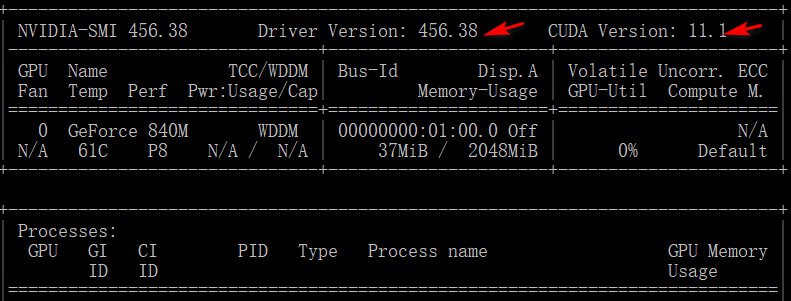
This is often saidGraphics driverFor example, the model of my computer's graphics card is: GTX 1660 SUPER, and the version of the graphics card driver: 441.08.
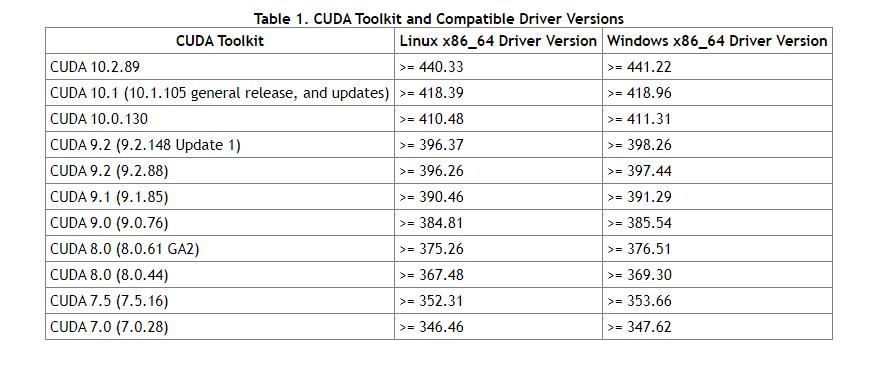
Each version of the CUDA toolkit corresponds to a minimum version of the CUDA Driver, which means that if the version of the CUDA Driver you install is lower than the official recommendation, it is likely to fail to run normally. CUDA Driver is backward compatible, which means that applications compiled according to a specific version of CUDA will continue to work on subsequent releases of Driver. Usually for convenience, CUDA Driver will be installed by default when installing CUDA Toolkit. In the development stage, you can choose to install the Driver by default, but for commercial situations like Tesla GPU, it is recommended to install the latest version of the Driver on the official website.
As summarized in a blog, the correspondence between CUDA Toolkit and CUDA Driver versions is as follows:

4. What is CUDA Toolkit?
CUDA Toolkit is a complete one officially provided by NvidiaTool installation package, Which provides options for installing Nvidia drivers, development kits related to developing CUDA programs, etc.
Use the CUDA Toolkit provided by Nvidia's official website to install the tools needed to develop CUDA programs, including CUDA program compilers, IDEs, debuggers, etc., various library files corresponding to CUDA programs and their header files. But for deep learning frameworks such as Pytorch, it only needs to use the CUDA dynamic link library to support the running of the program in most cases that require the use of GPU (Pytorch itself and CUDA-related parts are compiled in advance), just Like a common executable program, there is no need to recompile the process, only the dynamic link library it depends on can run normally. Therefore, when Anaconda installs Pytorch and other frameworks that will use CUDA, it will automatically install cudatoolkit for users, which mainly contains dynamic link libraries that applications rely on when using CUDA-related functions. After installing cudatoolkit, as long as there is a Nvidia driver compatible with the current cudatoolkit on the system, the compiled CUDA-related programs can be run directly without installing the complete Nvidia official CUDA Toolkit.
5. What is NCVV?
nvcc is CUDAtranslater, Can be obtained from the /bin directory of the CUDA Toolkit, similar to gcc is the compiler of the c language. Since the program is programmed into an executable binary file by a compiler, and the cuda program has two kinds of codes, one is the host code running on the cpu and the other is the device code running on the gpu, so the nvcc compiler needs Ensure that the two parts of the code can be compiled into a binary file and executed on different machines.
references:
Link:.
link:.
link:.
Intelligent Recommendation
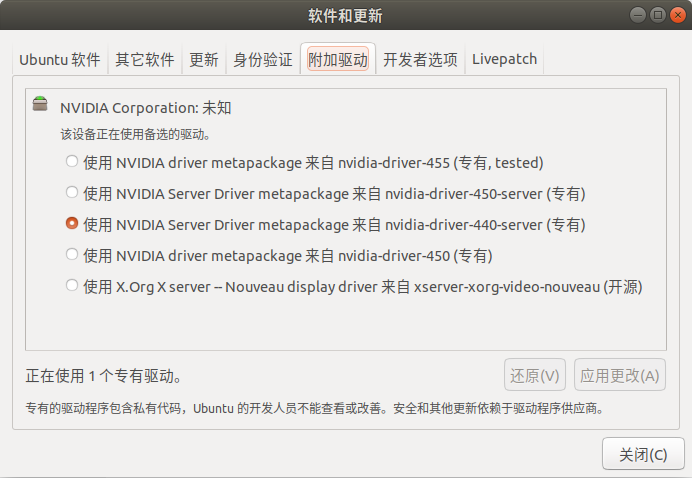
The difference between CUDA Driver Version and CUDA Runtime Version
1. CUDA Driver Version is bound with nvidia's GPU driver (nvidia-driver): It is at this location in the above picture or after you update and download the driver through the command in the terminal, e...

NVIDIA driver-CUDA-cuDNN relationship
NVIDIA driver When we use a computer, the NVIDIA graphics card driver is installed by default, because no graphics card driver ca n’t use the graphics card, but this time we do n’t have CU...
Install nvidia driver, cuda, and cudnn
Installing the nvidia driver is a pitfall. At least for me, downloading the .run file according to nvidia's official website has never been successful. Finally, I searched the internal and external ne...
Install NVIDIA driver CUDA CUDNN
1 Install NVIDIA driver First enter the download folder 2 Install CUDA...
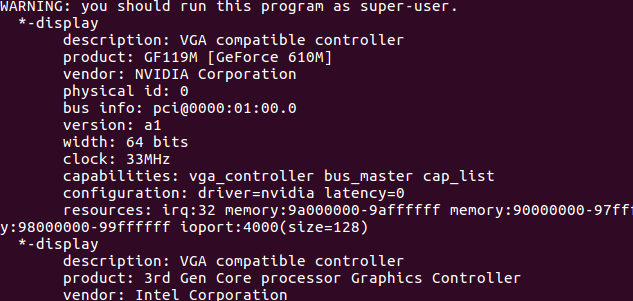
Install graphics driver and CUDA, cudnn
Install graphics driver and CUDA, cudnn ubantu install graphics driver and CUDA, cudnn Install graphics driver 1. Check the graphics card model 2. Find the graphics card driver 3. Install the graphics...
More Recommendation

driver, cuda, cudnn (GPU installation)
driver, cuda, cudnn (GPU installation) This article introduces a deep learning framework for GPU server installation. The installation process is divided into 3 steps: Install graphics driver Install ...
NVIDIA driver+CUDA+CUDNN+PYTORCH
The experience of configuring a model The first time I ran a deep learning model on pycharm, the source code is available, but because of environmental problems, I haven’t been able to run it. A...
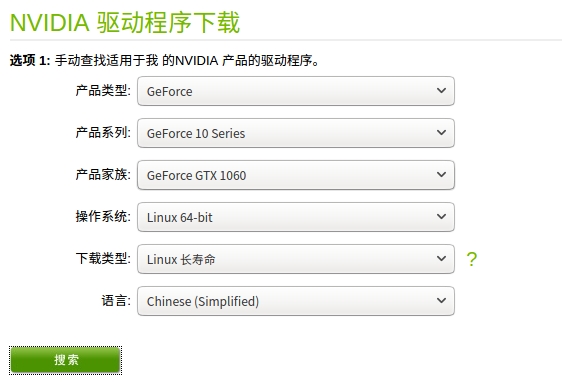
Ubuntu16 install driver, cuda and cuDNN
Ubuntu16 install driver, cuda and cuDNN System environment: ubuntu16.04 First check the graphics card version:lspci | grep -i vga Which is "GP106 [GeForce GTX 1060]" 1. Install the graphics ...
NVIDIA's GPU driver, CUDA and CUDNN
Article catalog NVIDIA graphics GPU, graphics card driver Driver, Cuda, Cudnn relationship note NVIDA graphics card GPU View graphics information NVIDIA graphics driver Driver install driver View driv...

[CUDA+CUDNN+gpuPytorch installation 1] Graphics card driver, CUDA, cuDNN and explain the relationship between the three
Article Directory Summary 1 Introduction to graphics card driver, CUDA, cuDNN 1.1 Graphics driver 1.2 CUDA 1.3 CUDNN 2 Image statement 3 View the graphics driver Summary In the process of configuring ...