See how to modify formula fonts and size in MathType
tags: Miscellaneous
When MathType is in the paper, sometimes because the typographic issues and size are modified by the typographic problem, one of the modifications not only fees, but it is easy to have an error. This tutorial will be detailed.MathTYPE formula editorModify formula fonts and size in medium batch.
Batch modify formula fonts and size steps:
step one
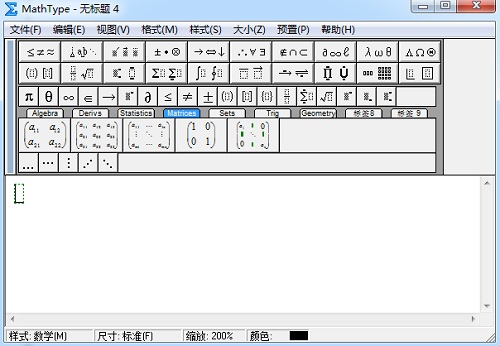
Double-click any of the formulas in the paper, open the MathType formula editor software.
Step two
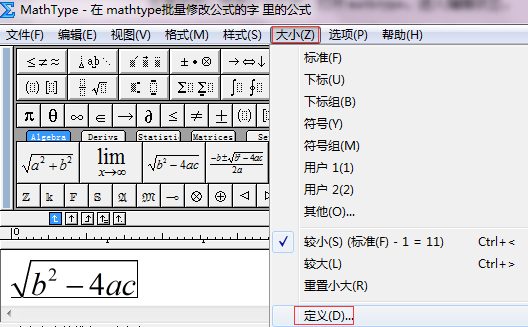
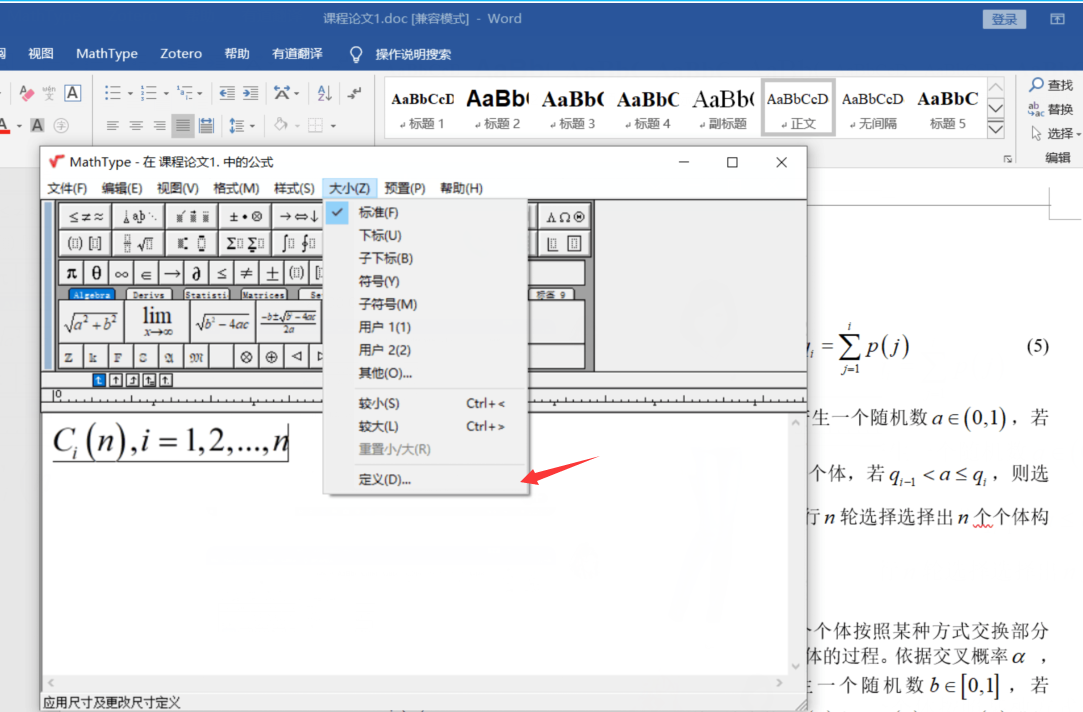
Chinese version: Click the "Size-Define" command in the menu bar to open the Define Size dialog.
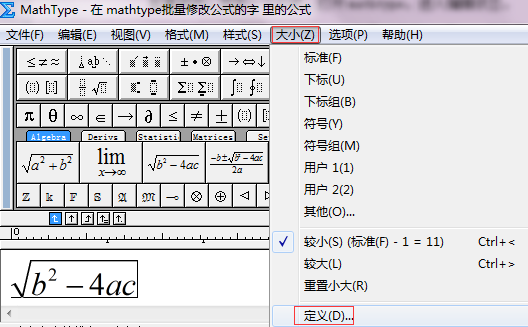
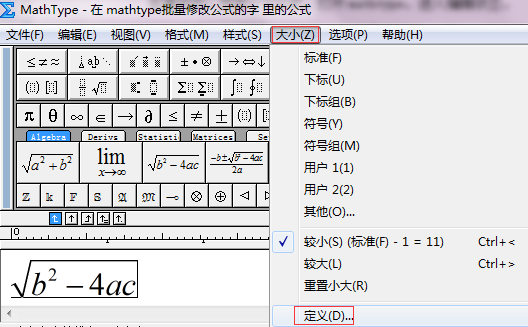
English: Click the "Size - Define" command in the menu bar to open the Defined Size dialog.
Here, we can modify the fonts entered in MathType, the name size of the symbol.
Step three
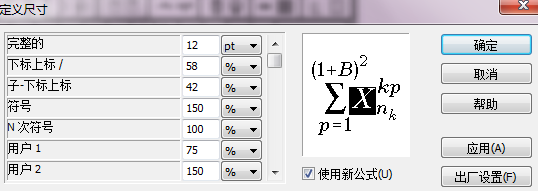
In the Defined Size dialog, the effect of modifying the MathType font can be achieved by changing the size of the PT value.
The Chinese version: "Complete", that is, the letter, value of the value we usually entered, the name of the value, the default is 12pt.
English: "Complete" "Full".
Under normal circumstances, 12pt corresponds to the word, five words correspond to 10 Pt, and some friends may be used to using "pound" as a unit, we can also change the PT value to "pound" to measure, small 4 The word is also 12 pounds.
Step four
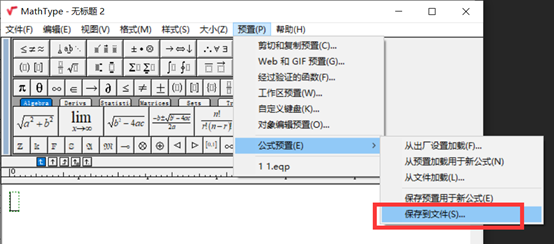
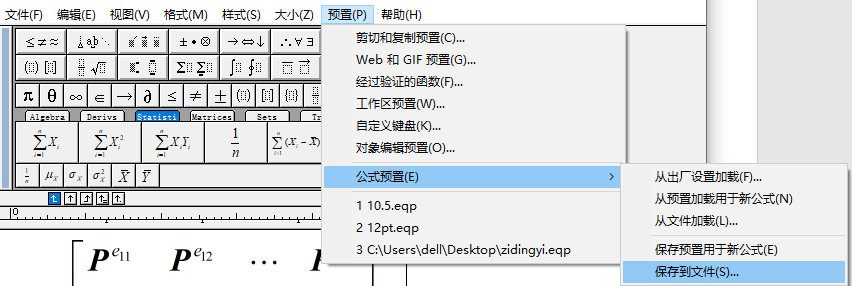
Chinese version: Click on the preset-formula preset in the menu bar - Save to the file, select Save our preset file path.
English: Click Preference - Equation Preference - Save to File in the menu bar, select Save our preset file path.
Step five
Once the MathType software is turned off, open the Word document we need to modify.
Chinese version: Click MathType in the Word document to format the formula, open the formula preset interface.
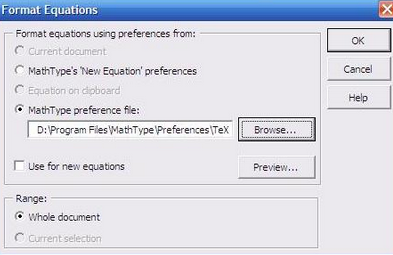
English: Click MathType - Insert Number - Format Equation in the Word document to open the Format Equation dialog.

English interface

Chinese interface
Step six
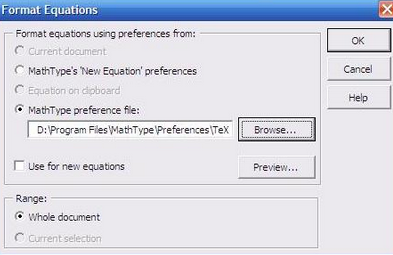
Chinese version: In the "Formula Preset" dialog box, select "MathType preset file" and click "Browse" to select the preset file we just saved, check the range as "whole document".
English version: In the "Format Equation" dialog box, select "MathType Preference File" and click "Browse" to select the preset file we just saved, check the range "whole document".
English interface

Chinese interface
Intelligent Recommendation
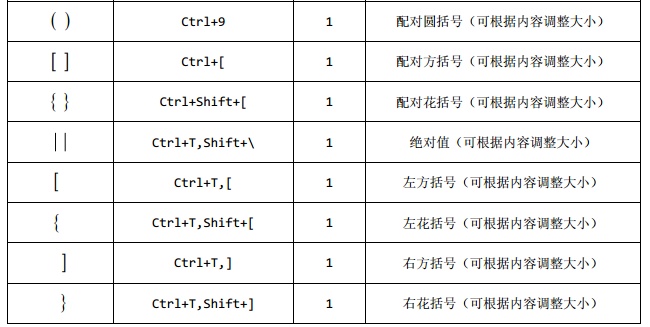
How to modify the content size in MathType Braces
2019 Unicorn Enterprise Heavy Recruitment Python Engineer Standard >>> In the writing of the paper, for novices using the MathType mathematical formula editor, it is often encountered by the ...
How to batch modify Word document Mathtype formula font
How to batch modify Word document Mathtype formula font First, save a copy of the font Then, bulk edit First, save a copy of the font Open a formula in word, change the formula font to the desired fon...
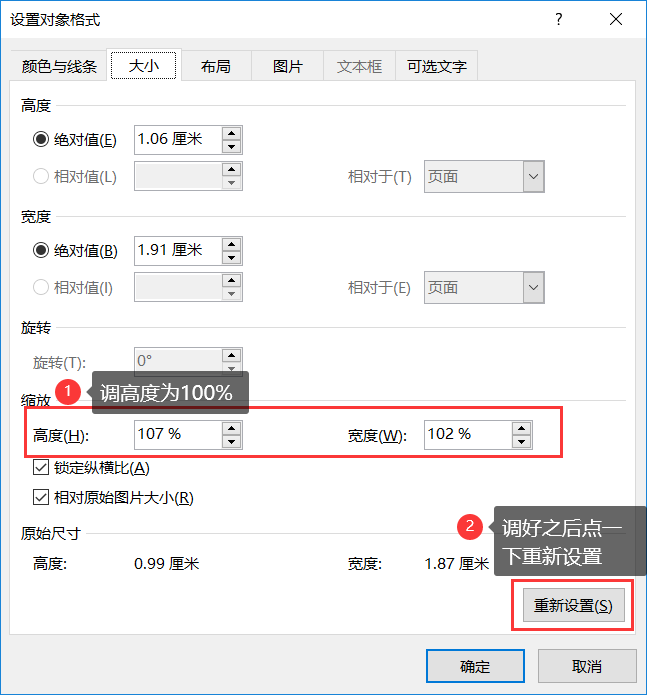
MathType formula is different in the Word size
problem Insert two identical font size formulas, the size displayed in Word is inconsistent. E.g Solution 1. Select a formula, right click to select the image 2, select size, adjust the height, point ...
Batch change formula size in mathtype
Chinese version: Click MathType in the word document - format formula to open the formula preset interface. English version: Click MathType—Insert Number—format equation in the word docume...
How does the Chinese version of MathType modify the font size of formulas in batches
1. Double-click any formula in Word to open the mathtype editor, and then click "Size" -> "Define" in the menu bar to enter the interface for defining font size. 2. Set the font...
More Recommendation
Detailed explanation of how to batch modify the font and size of formulas in MathType
Personal study records, if there is any infringement, please contact us to delete it. Reprint: https://www.mathtype.cn/jiqiao/piliang-xiugai-zitidaxiao.html When MathType is used in papers, sometimes ...
MathType batch modify font size
1. Double-click to open a formula Chinese version: Click the "Size - Define" command in the menu bar to open the "Define Size" dialog box. English version: Click the "size&mda...
How to delete the common formula of MathType
2019 Unicorn Enterprise Heavy Gold Recruitment Python Engineer Standard >>> MathTypeWhen editing formulas, it is very convenient to have a function, that is, you can save some of your favorit...

How to enter a fractal formula in MathType
2019 Unicorn Enterprise Heavy Recruitment Python Engineer Standard >>> Use the MathType mathematical formula editor to edit any you want to be based on mathematical formulas. For new users wh...
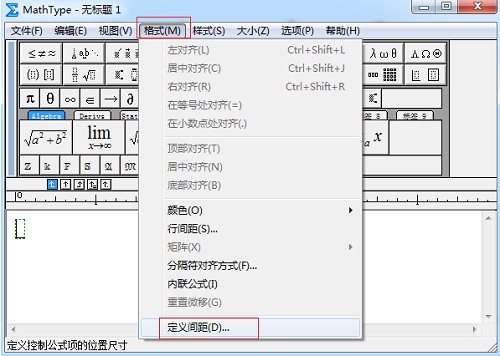
How to customize the pitch of the MathType formula
2019 Unicorn Enterprise Heavy Recruitment Python Engineer Standard >>> When we use the MathType mathematical formula editor editing formula, sometimes according to the layout of the format, e...