Starting from ejs-loader and html-loader, make your own loader
<!DOCTYPE html>
<html>
	<head>
		<meta charset="UTF-8">
		<title></title>
	</head>
	<body>
		<%=require("@tpl/container.tpl")({rightbox:require('./index.tpl')()})%>
	</body>
</html>
In this template I want to get container.tpl and inject the rightbox variable into it. This variable is the template of index.tpl. The content of the container template is as follows
<div class="container-fluid i ii">
	<%= require('./header.tpl')() %>
	<div class="user-container i ii">
		<%= require('./leftnav.tpl')() %>
		<div class="rightbox">
			<%= rightbox %>
		</div>
	</div>

</div>
<%= require('./footer.tpl')() %>
Then get the header, left navigation bar, footer template file, rightbox to store the template string variable into it in the container, let it be spliced into a complete page, html-loader does not have this function, so I thought of making a loader by myself, Combine html-loader and ejs-loader to make what you want to be able to transcode base64 and inject variables into it.
Some people may have said that loader in webpack can have dependency expressions, and an exclamation mark can be added to indicate dependency.
This method can be placed in the style file, it can be placed in js, or ts, but it is not allowed to be placed in the template file.
Why, let’s take a brief look at the source code of the html-loader and ejs-loader output interfaces:
html-loader
    var exportsString = "module.exports = ";
	if (config.exportAsDefault) {
        exportsString = "exports.default = ";

	} else if (config.exportAsEs6Default) {
        exportsString = "export default ";
	}

 	return exportsString + content.replace(/xxxHTMLLINKxxx[0-9\.]+xxx/g, function(match) {
		if(!data[match]) return match;
var urlToRequest;if (config.interpolate === 'require') {urlToRequest = data[match];} else {urlToRequest = loaderUtils.urlToRequest(data[match], root);}return '" + require(' + JSON.stringify(urlToRequest) + ') + "';}) + ";";
var lodash=require("lodash");ejs-loader
var template = _.template(source, _.extend({}, query, options));
  return 'module.exports = ' + template;
It can be seen that all these loaders return to you are a string starting with module.exports=, module.exports in html-loader is equal to a real html fragment, and ejs-loader writes a function function(x){var str='a'+x+'b'; return str;}, all the special characters you write are converted into a string with variable splicing, and require comes in as a function, so You need to execute the following for him, of course, you can also inject variables into it to get different strings,
When html-loader compiles these strings, the strings have been compiled into a form without spaces and line breaks. If the loader is loaded twice at the same time, the string obtained by the loader loaded for the second time is the first time the loader is loaded. The compiled string at the beginning of exports will only report an error.
Ever since, I made my own jcy-loader and said that I did it myself. In fact, I rewritten the html-loader. When it comes to this, some people may say that you are plagiarism and piracy, but I want to say The thing is, although this loader is rewritten based on html-loader, it has functions that html-loader does not have. If you can stand on the shoulders of giants, why bother to build a mountain by yourself. The job of our programmers is not a day-to-day creation, because your creation is likely to have been done by others, we should think more, imitate it and surpass it.
First quoted the lodash plugin loaded by ejs-loader
var lodash=require("lodash");Then comment out this code so that the input string will not be compiled. Then you can put it into the next loader for compilation. ,,,,,,,
//	if(config.interpolate && config.interpolate !== 'require') {
//		// Double escape quotes so that they are not unescaped completely in the template string
//		content = content.replace(/\\"/g, "\\\\\"");
//		content = content.replace(/\\'/g, "\\\\\'");
//		content = compile('`' + content + '`').code;
//	} else {
//		content = JSON.stringify(content);
//	}
In the html-loader, replace the image resource with +require()+ and add this sentence to the place where the character is transferred, and then return it
var d=content.replace(/xxxHTMLLINKxxx[0-9\.]+xxx/g, function(match) {
		if(!data[match]) return match;

		var urlToRequest;

		if (config.interpolate === 'require') {
			urlToRequest = data[match];
		} else {
			urlToRequest = loaderUtils.urlToRequest(data[match], root);
		}
		return "'+require("+JSON.stringify(urlToRequest)+")+'";
	}) + ";";
	return d;
In this way, it has the function of html-loader to load pictures, and a loader compiler that can have ejs-loader template syntax.
The source code can be seen directly by npm install jcy-loader
Intelligent Recommendation
HTML-loader, CSS-loader, style-loader brief description
The role of html-loader In development, if the template string is used in the .html file, the variable was used in the string, then the html-plguin cannot be treated, so the error will be reported. If...
From using loader to implementing loader · webpack
Stage 9: understand and understand the front-end construction 3 day I have seen a lot of loaders that talk about webpack on the Internet, and I have benefited a lot. From my personal point o...
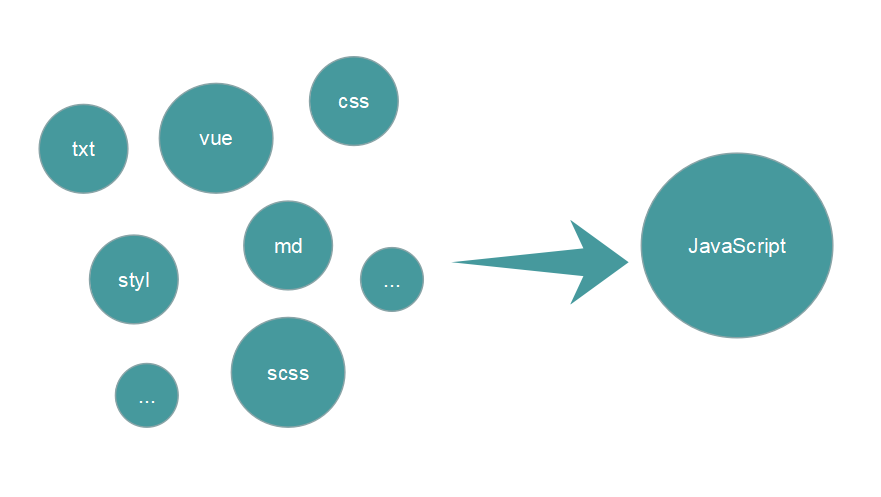
It turns out that the loader of webpack is so simple, you can easily write your own loader
This article is the second in a series of webpack articles. If you don't know anything about webpack, I hope you read the previous articles before reading this article. Start learning webpack packagin...

[Loader] Start from startingLoading () ..
The previous article mainly dealt with LoaderCallback, which saw that LoaderManager automatically called Loader's startLoading method after initLoader; this article continues to manage Loader! Finally...

Loader started from startLoading
The last article mainly dealt with LoaderCallback, which saw that LoaderManager automatically called Loader's...
More Recommendation
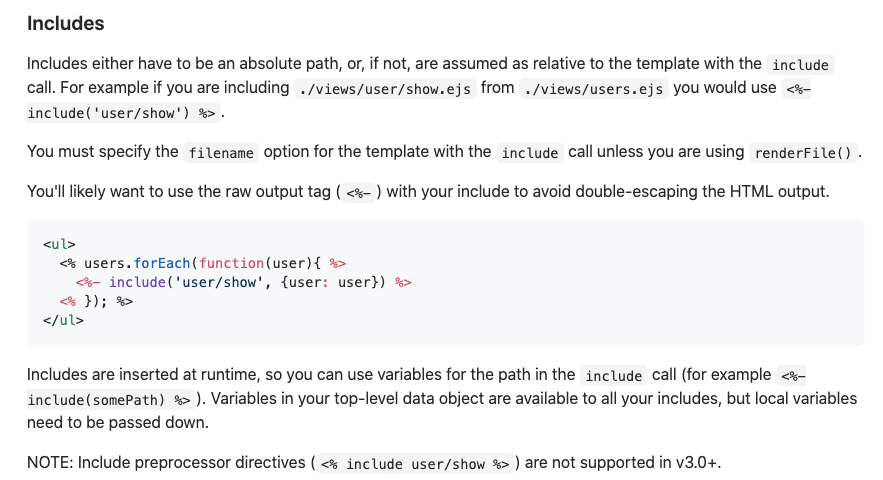
After ejs-compiled-loader is upgraded, run ejs file reports no such file
After the ejs-compiled-loader version is upgraded from ^1.1.0 to ^2, the time when running the ejs file reports no such file ejs-compiled-loader has been upgraded from ^1.1.0 to ^2, which is a break c...
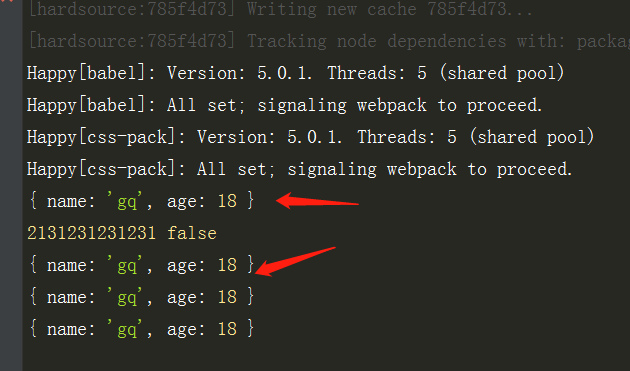
Hand in hand to lead you to write your own loader and plugin
Custom loader In the root directory, create a new loader folder and write a lader js with the default index Temporarily put these codes in the source is the scanned file option is the options configur...
Break the parent delegation model and customize your own class loader
ClassLoader loadeClass source code: 1. First check whether this class has been loaded 2. It has not been loaded. If the parent class is loaded, first call the loader of the parent class to load. If no...
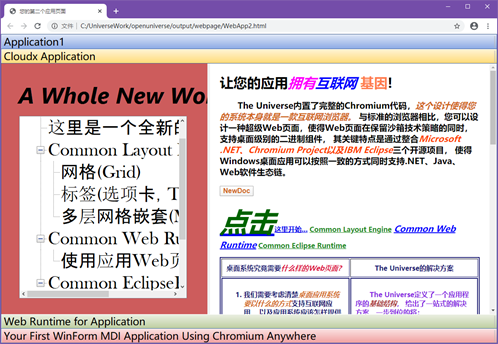
Construct your own personalized desktop application loader (Application Launcher)
Modern desktop applications have a class of design ideas based on Application Launcher, as an example of pop-roving technology such as Electron, Eclipse, PWA, in fact, there is a commonality in the ab...
webpack has its own loader
Why do you need a loader As the saying goes, it's cool for a while, and it's always cool for a while! With the diversification of needs, sometimes the existing loader of webpack can no longer meet our...