Thoroughly delete files and folders that require administrator privileges (Oracle uninstall stubborn legacy files, unable to delete access to permissions, etc.)
tags: Personal record
I have found a lot of example, some said that I have stopped Oracle service to delete an Oracle registry, I tried no matter whether it allows me to get administrator privileges, so I will get administrator privileges, but still can't work, but also Adding a group member local security, and finally I found this method, I still use it. (Here is a note, I am afraid it will be used later)
1:
Create a TXT document to copy the following code into and save the modified extensionregFormat
Windows Registry Editor Version 5.00

[HKEY_CLASSES_ROOT\*\shell\runas]

@="Get Administrator Rights"

"NoWorkingDirectory"=""

[HKEY_CLASSES_ROOT\*\shell\runas\command]

@="cmd.exe /c takeown /f \"%1\" && icacls \"%1\" /grant administrators:F"

"IsolatedCommand"="cmd.exe /c takeown /f \"%1\" && icacls \"%1\" /grant administrators:F"

[HKEY_CLASSES_ROOT\exefile\shell\runas2]

@="Get Administrator Rights"

"NoWorkingDirectory"=""

[HKEY_CLASSES_ROOT\exefile\shell\runas2\command]

@="cmd.exe /c takeown /f \"%1\" && icacls \"%1\" /grant administrators:F"

"IsolatedCommand"="cmd.exe /c takeown /f \"%1\" && icacls \"%1\" /grant administrators:F"

[HKEY_CLASSES_ROOT\Directory\shell\runas]

@="Get Administrator Rights"

"NoWorkingDirectory"=""

[HKEY_CLASSES_ROOT\Directory\shell\runas\command]

@="cmd.exe /c takeown /f \"%1\" /r /d y && icacls \"%1\" /grant administrators:F /t"

"IsolatedCommand"="cmd.exe /c takeown /f \"%1\" /r /d y && icacls \"%1\" /grant administrators:F /t"
Then run, and then you need a file or folder where administrator privileges before re-deleting.
2: There are also computers running with Win + Rgpedit.mscCan't pass this local group strategy editor
@echo off

pushd "%~dp0"

dir /b C:\Windows\servicing\Packages\Microsoft-Windows-GroupPolicy-ClientExtensions-Package~3*.mum >List.txt

dir /b C:\Windows\servicing\Packages\Microsoft-Windows-GroupPolicy-ClientTools-Package~3*.mum >>List.txt

for /f %%i in ('findstr /i . List.txt 2^>nul') do dism /online /norestart /add-package:"C:\Windows\servicing\Packages\%%i"

pause
ReplicationcmdIt's okay.
Intelligent Recommendation

You need to provide administrator privileges to delete folders
Help! ! win10 deletes a prompt window for a file But when I went to the security of the file - the advanced interface was found There is no way to add or delete The owner is S-1-5-21XXXX inherited or ...
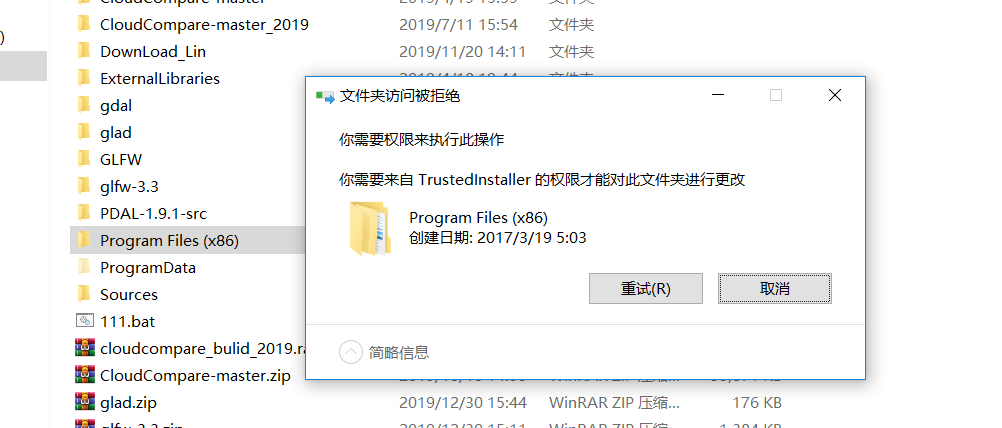
Delete Windows files that require permissions, Windows system files are forcibly deleted
When deleting some system files, you will encounter some problems that require permissions, as shown in the following figure Sometimes using the cmd del command does not succeed, but the actual file i...

Windows 10 delete files and other operations require administrator rights
File management on win10 sometimes requires administrator privileges, even when the administrator runs the terminal, the following is the solution. 1. win+R inputgpedit.mscEnter Group Policy. But some...
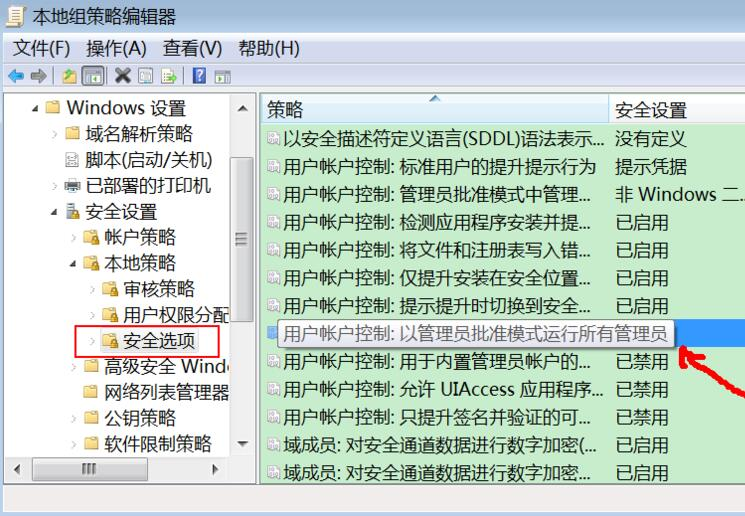
Win10 copy files, save files. . . All require administrator privileges, the solution
http://www.xujiahua.com/5324.html Today I copied some files from the USB flash drive to the local computer, and then the system prompted: "You need to provide administrator permissions to copy to...
More Recommendation
C# delete files and delete folders
Code: end...
Delete files and folders
Precondition: Some files have been transferred from another computer, but the video files cannot be used, so I want to delete these video files in batches....
Linux delete folders and files
Delete the folder instance: rm -rf /var/log/httpd will force the deletion of the httpd folder Delete file usage examples: rm -f /var/log/httpd/access.lo...