linux check firewall status, close firewall command
Linux needs to turn off the firewall when remotely connecting to the database and other operations, and the commands related to different Linux distributions are different. Here are a few of the systems I have on hand, and record their related commands (the system that I do n’t have, I have n’t tried it, do n’t dare to write blindly)
centos6.8
Check the firewall status:
service iptables status
Turn off the firewall:
service iptables stop
Turn on the firewall:
service iptables start
Icon:
centos7.5:
Check the firewall status:
firewall-cmd --state
Turn off the firewall:
systemctl stop firewalld
Turn on the firewall:
systemctl start firewalld
Icon:
ubuntu18.04
Check the firewall status:
ufw status
Turn off the firewall:
ufw disable
Turn on the firewall:
ufw enable
Icon:
Intelligent Recommendation
Linux view firewall status and open and close commands
--This article is transferred from:linux view firewall status and open and close commands...
Linux Firewall Command (Firewall)
Install command Open port command Add interval ports in batch Open firewall command Restart firewall command View port list Disable firewall Set boot Stop and disable boot View status...
FIREWALL Firewall Linux Command
FireWall firewall 1. View the firewall service status Active: Active (Running) cutting highlights indicates that it is a startup state. Active: inactive (dead) gray indicates to stop, see words. 2, ch...
Linux Close Permanent Firewall FireWalld (FireWall-CMD) command
Permanently close FireWallD firewall (It is only valid after restarting, you can also temporarily close this firewall) Temporarily close this firewall Expand the status of firewall refer to: FireWalld...

Linux CentOS7 Turn off the firewall command, CentOS7 close the firewall and Selinux
1. Close the firewall 1. Temporary shutdown (startup next time, automatically start the firewall) [root@localhost ~]#SystemCtl Stop Firewalld 2. View firewall status [root@localhost ~]#SystemCtl Statu...
More Recommendation
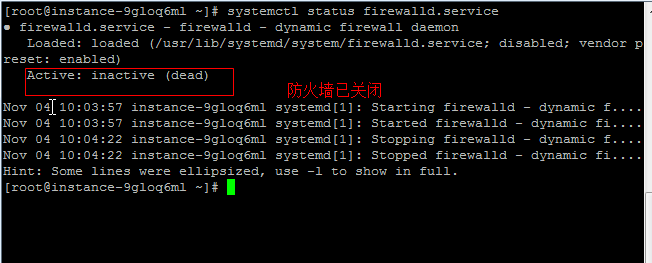
linux close open disable enable firewall command
View firewall command: systemctl status firewalld.service Execute the shutdown command: systemctl stop firewalld.service Disable firewall auto-start command on boot: systemctl disable firewalld.servic...
Linux firewall open / close port command
Firewall release 10239 port Firewall close 10239 to 10241 these ports The firewall is released or closed the port to refresh to take effect. Firewall View all current release ports Note: The above com...
linux firewall view status Firewall
I often encounter the environment built in the local browser to access the Linux virtual machine, and the interview failed. The reason is very simple. A new virtual machine has not opened many windows...
Check firewall status ubuntu
1. Review the current status of the firewall 2. Turn on the firewall 3. Turn off the firewall 4. Check the firewall version 5. The default external access native 6. Default Deny external access host 7...
C# check firewall status
Refer to the FirewallAPI.dll file in the C:\Windows\SysWOW64 or C:\Windows\System32 directory } }...