Git use study notes
tags: Git usage
Use of the environment: win10
Use Version:
First, know Git
Git is the world's most advanced distributed version control system, then it has no central server, each person's computer is a complete repository, so that when things do not need to work, because the versions are in their own computer on. Since everyone's computer has a complete repository, how much how individuals collaborate it? For example, to change their own files on the computer A, the others are changed A file on the computer, then, you just need to give each other their own changes pushed between the two, we can see each other's changed.
Two, win10 installed and turned Git
You can download and install its own from the Internet, then the default installation. This is my installed version. After installation is complete, double-click the desktop icon
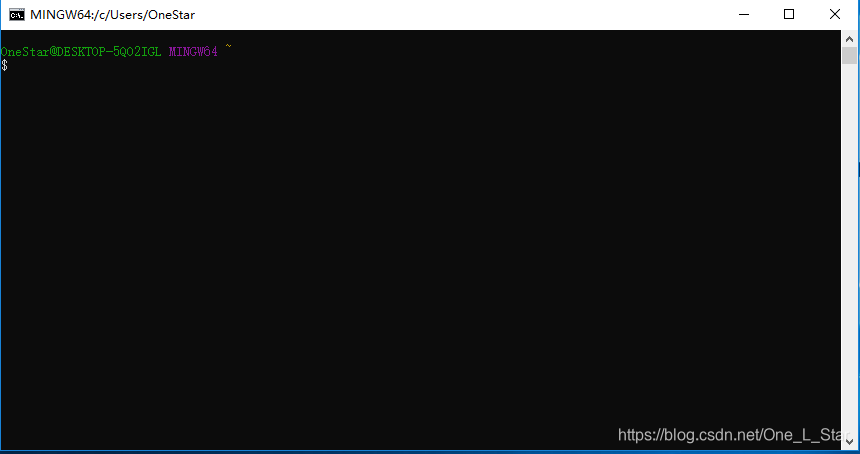
 , Then pop up a command window something similar, indicating that the installation was successful, as follows:
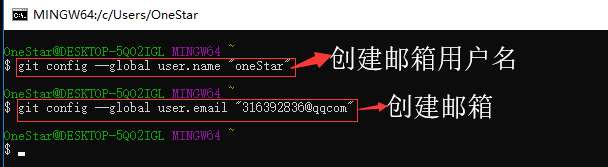
Because Git is a distributed version control system, you need to create a user name and mailbox as a logo, you can specify your own user name and mailbox, I was like this:
Three, Git basic operation
1. Create Repository
Repository also known as warehouse, (repository), equivalent to a directory, all files in this directory are Git to manage, modify each file, delete, Git can be tracked at any time in order to "restore"
Create repository as I created in the www directory D disk, create a testgit repository using the command mkdir testgit

By command git init this directory can become a warehouse management:
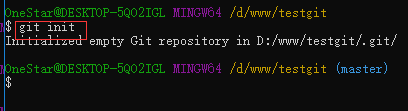
At this time will be one .git directory testgit directory, which is managed to track versions of Git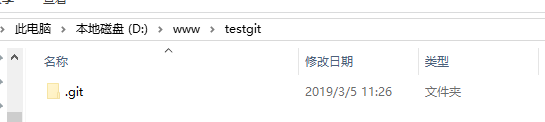
2, to add files to the repository
- In testgit create a text file test.txt and write to aaaaaa, then use git add test1.txt added to the cache area to:
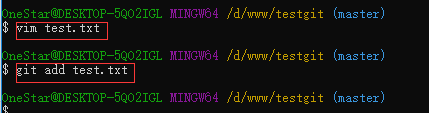
- The submission of documents to the repository, and submit written comments, the command: git commit -m "test.txt submit"
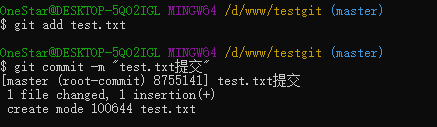
has now submitted a test.txt file, you can see whether there are documents not submitted, the command: git status
Description File no uncommitted - Test.txt modify the contents of the file, add a line bbbbbb, and continue to use git status to see the results:
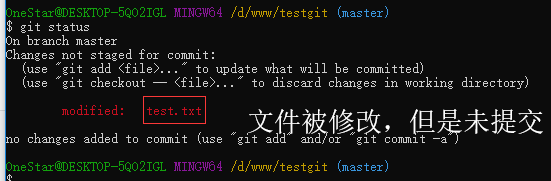
- View modify the contents of the command: git diff test.txt

found that there has been such a warning, this is a problem because different operating systems to bring a line break, solutions, command: git config - global core.autocrlf false, then use the command git diff test.txt view content, you can see content added bbbbbb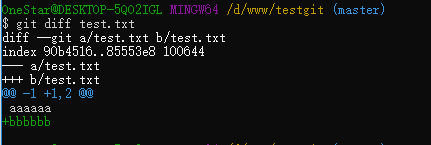
- Submit to the warehouse, the command: git commit, commit your changes and submit the file is the same (first step git add, the second step is git comment)

3, to see history
To continue to modify the file, and then add a line cccccc, and submit
View historical change log, the command: git log or git log --pretty = oneline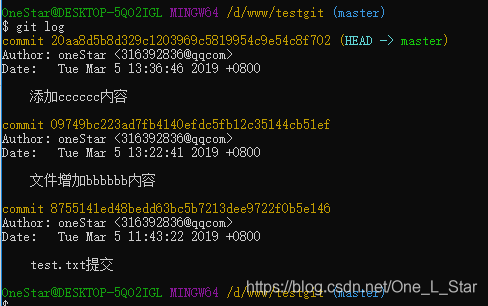

4, version rollback
- Fall back to the previous version of the previous version or the command: git reset --hard HEAD ^ or git reset --hard HEAD ^^

- Revert to previous versions, to get the version number, then in accordance with the version number to recover, the command: git reflog

4, revoke modify, and delete files
- Add a line dddddd content in test.txt file inside
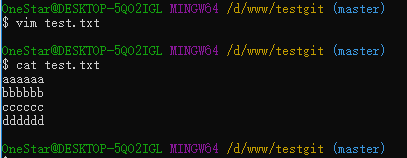
operation just now would like to withdraw, in addition to the above recovery method can also use the command: git checkout - test.txt
- Delete Files
to add a test2.txt file in the repository, then submit, you can use the rm command to delete files directly
- Recover deleted files
command git checkout - test2.txt, you can see the file back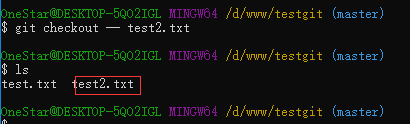
Fourth, the remote repository
First, sign up for a github account
Since the transmission between the local repository git and GitHub warehouse encrypted by SSH, so there need to set
- Creating SSH Key, enter the command prompt window, type the command: ssh-keygen -t rsa -C "[email protected]"

it appeared .ssh directory in the user's home directory
- Log GitHub, "open setting" in the SSH Keys page, click NEW SSH Key, fill in the title, paste the contents of the file id_rsa.pub in Key textbox

click on the ADD NEW Key, see key has been added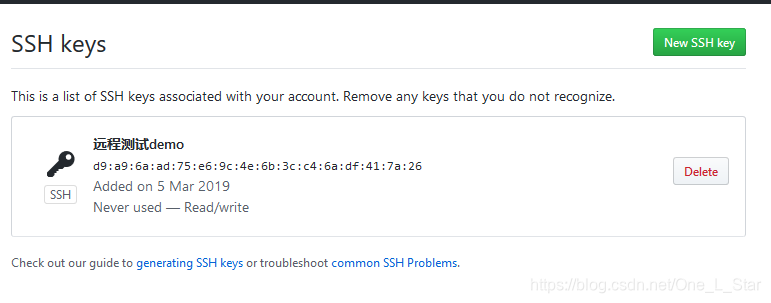
1, add a remote library
Log on GitHub, in accordance with the following:
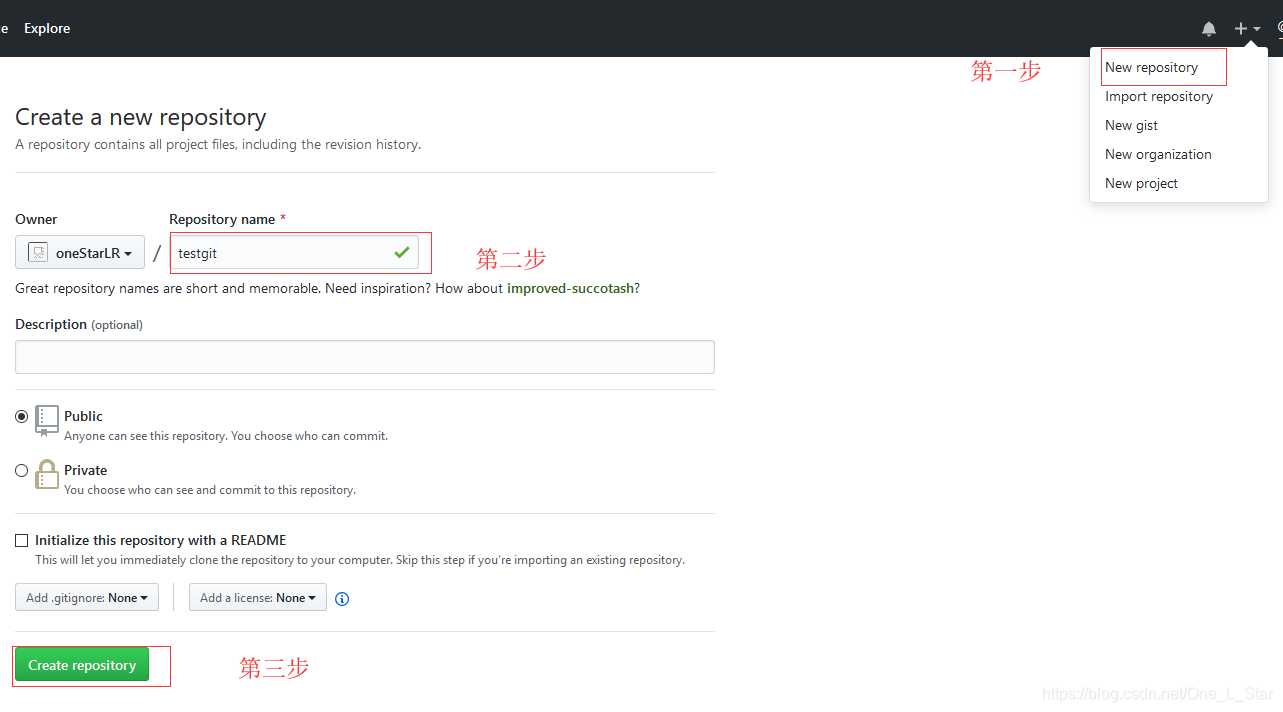
This will successfully created a new Git repository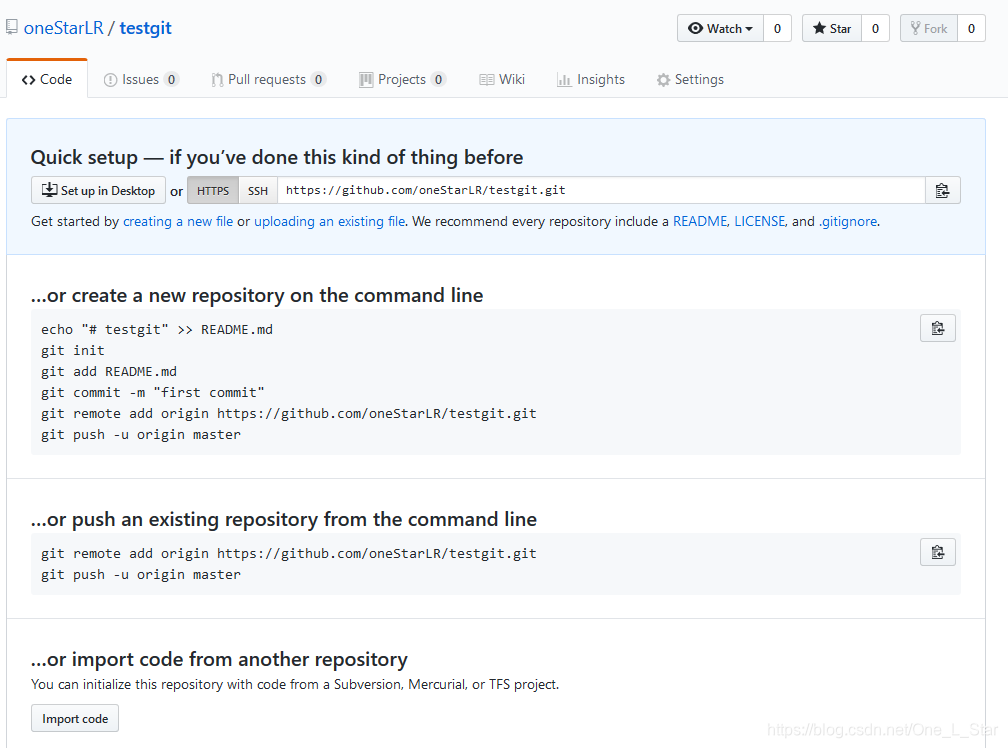
2, the local repository pushed to GitHub repository, follow the prompts to run the command:
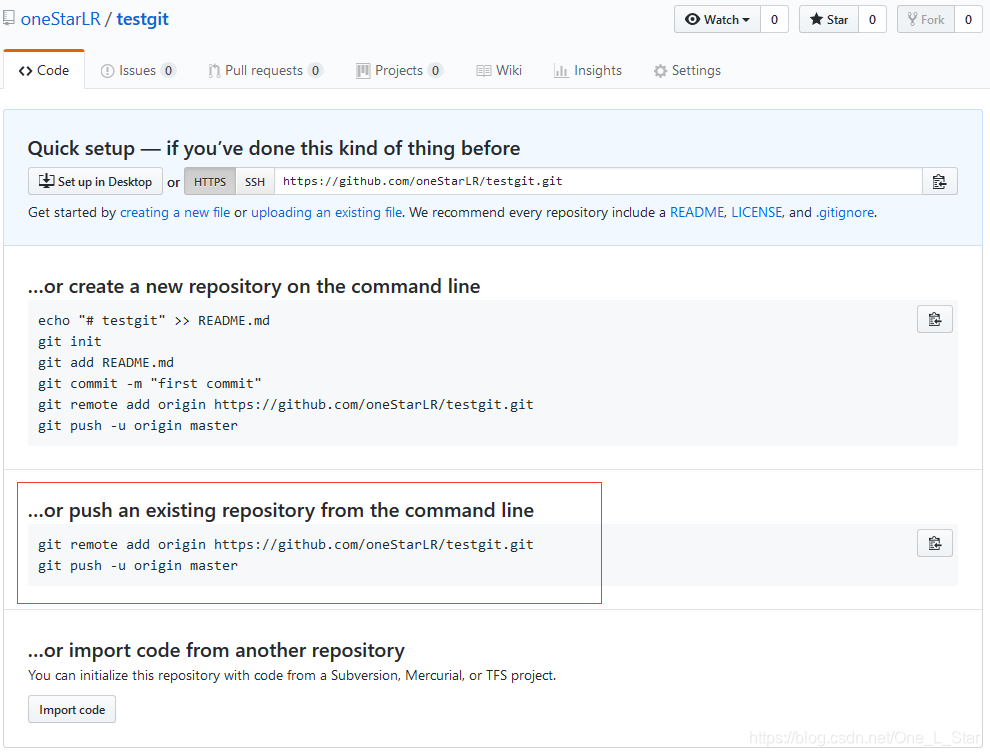
But here there was an error message, you need to change the DNS server 114.114.114.114 (not elaborate here)

Run the command again, there will be prompt interface, you need to log on GitHub
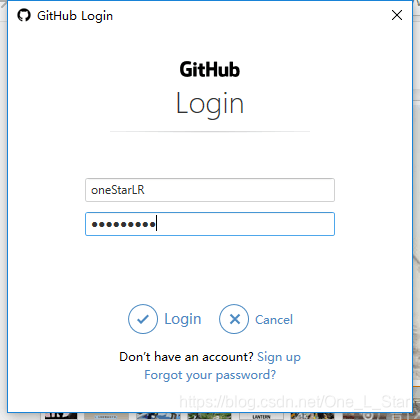
You can see uploaded successfully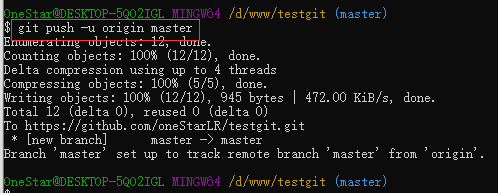

Intelligent Recommendation
GIT study notes 1-- basic use
2019 Unicorn Enterprises heavily recruiting engineers Python standard >>> Thanks linux Roc "look Diary learn git" tutorial series GitIt is madeLinus TorvaldsIn order to better manag...

Git study notes (7) - GitHub use
Git study notes Title VII, the main referenceLiao Xuefeng of Git tutorial, A good memory as bad written, documented learning outcomes, come on! Use GitHub We have been to GitHub as a remote library to...

Git use (2) --- basic (personal study notes)
Disclaimer: This is just a personal study note, only for my actual situation, if you have any dislikes, please comment. Explanation: There is a$ Symbol, This is just to simulate what the terminal look...

Git study notes (3) -------------------- the use of remote warehouses
1. Clone the local warehouse to the remote warehouse Find this page, click to create a warehouse, enter the warehouse name learngit and create directly. Then run git remote add origin [email protected]: ...
The use of git --- study notes to avoid stepping on the pit
git installation and command interpretation git install----windows Create a repository and submit code to the local repository Code version rollback How to change the style of text Insert links and pi...
More Recommendation

Front-end study notes-the use of Git
Git and Github Git is currently the world's leading distributed version management system (local) Github is an online project hosting platform (online) Simply understand the relationship between the t...
[Study notes] Git use and version control
Git usage and version control All the materials are fromhttps://morvanzhou.github.io/tutorials/others/git/. This article is just a note record of personal study. If you want to learn, I strongly recom...
GitHub study notes 2: Use Git
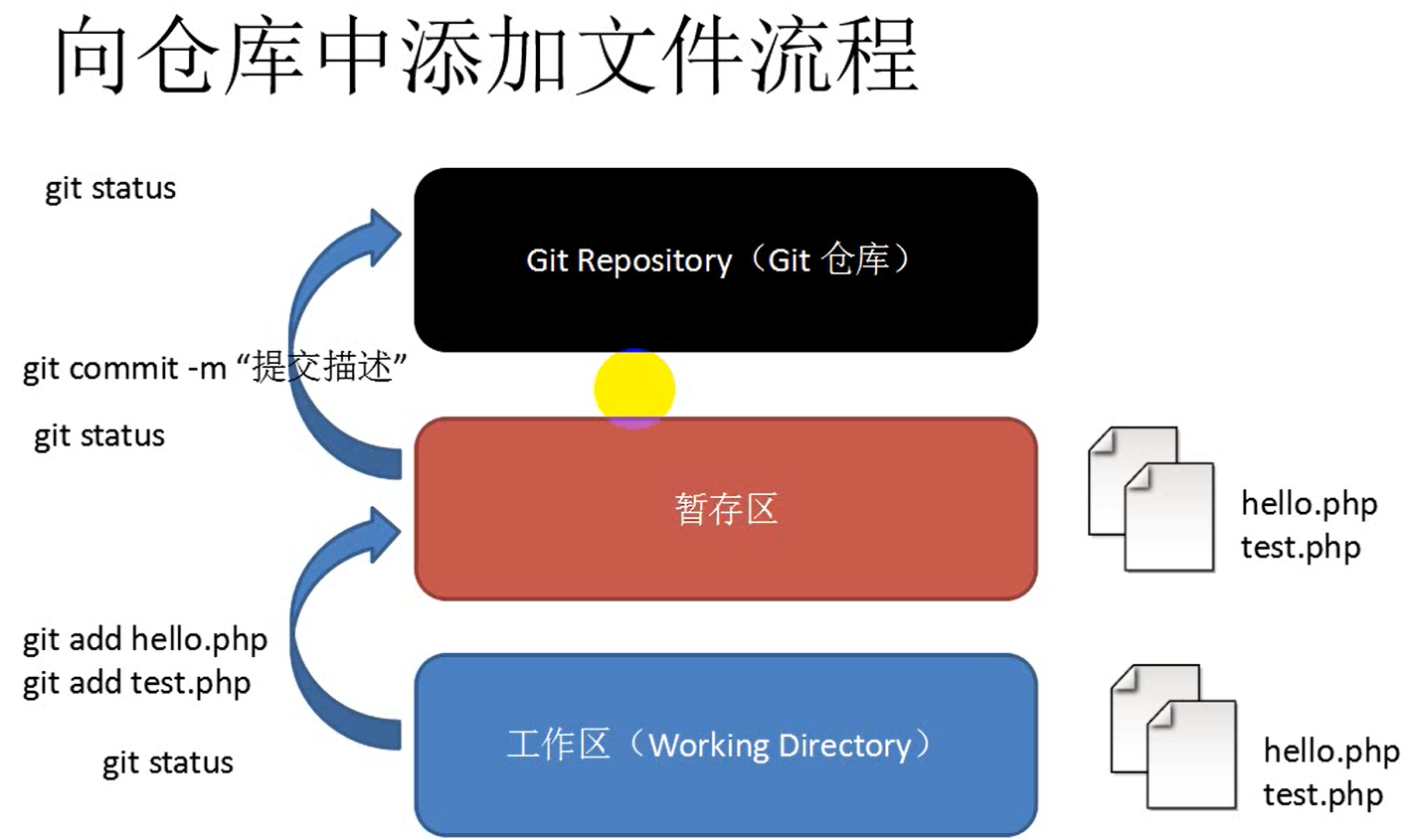
Course address: 2. Use Git 2.1 Install Git Git installation-excerpt 2.2 Use Git Set basic information Create & initialize a new warehouse Add files to the warehouse Practice record Modify warehous...
Git study notes (5): use github in idea
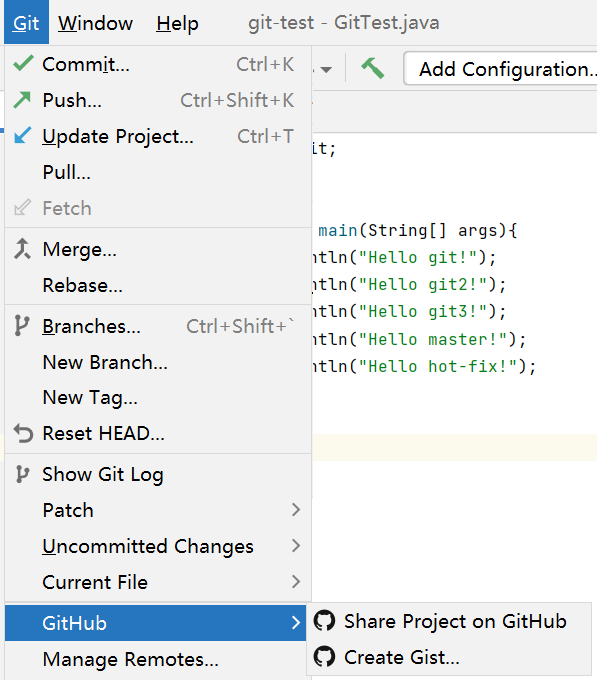
1. Configure github in idea File-Settings-search github in the upper left corner. If not, go to the plugin to download github. After clicking, jump directly to the browser (github is logged in) author...