UML drawing tool Plantuml and Visual Paradigm detailed explanation
tags: Architecture design plantUML visul paradigm
UML drawing tool Plantuml and Visual Paradigm detailed explanation
- 1. Business overview
- 2. Visual Paradigm
-
- 2.1 VP Introduction
- 2.2 VP function introduction
-
- 2.2.1 visual modeling tool
- 2.2.2 Enterprise architecture
- 2.2.3 Business analysis and design
- 2.2.4 Project management
- 2.2.5 agile & scrum development
- 2.2.6 Online chart table
- 2.2.7 User experience design
- 2.2.8 Customer experience design
- 2.2.9 code and database engineering
- 2.2.10 flowchart design tool
- 2.2.11 team collaboration
- 2.2.12 powerful document generator
- 2.3 VP classification
- 2.4 VP use
- 3. PlantUML
1. Business overview
In the process of business development, professional graphics often need to accurately express ideas and ideas. Before, I always thought that drawing is to express ideas. As long as you can express your thoughts, what graphics are not important. In fact Only to better convey the thoughts you want to express, so as to have better generality. So recording the drawing tools of the two makeup industries again, Plantuml and Visual Paradigm, to model the pre -software development field, data modeling, and business modeling, which can well support various UML diagrams, such Pictures, object diagrams, status diagrams, activity diagrams, etc.
2. Visual Paradigm
2.1 VP Introduction
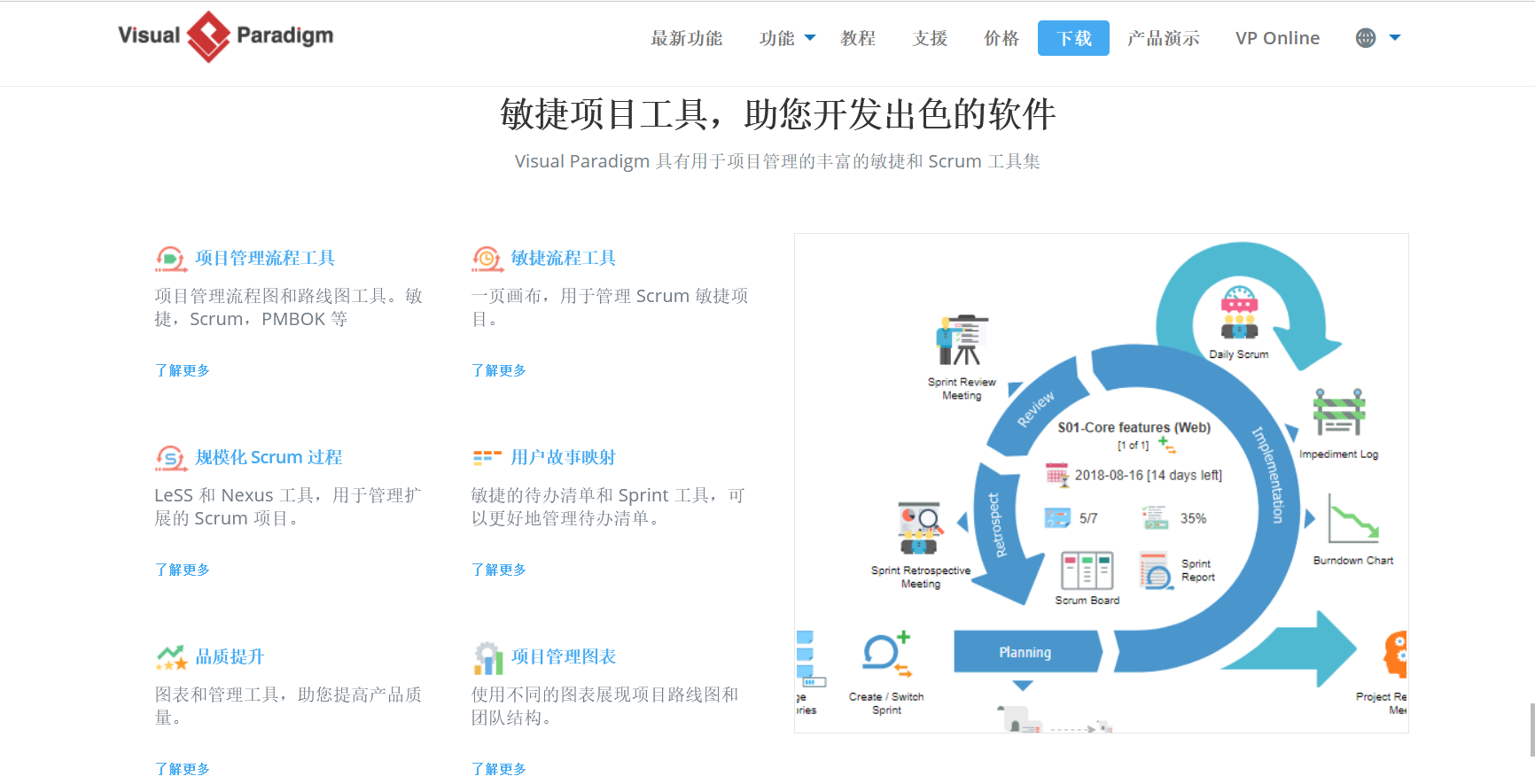
Visual Paradigm agile project tools help you develop excellent software.
Visual Paradigm has a rich agile and Scrum tool set for project management.
Official website address:https://www.visual-paradigm.com/cn/
2.2 VP function introduction
VisualParadigM function introduction:https://www.visual-paradigm.com/cn/features/
2.2.1 visual modeling tool
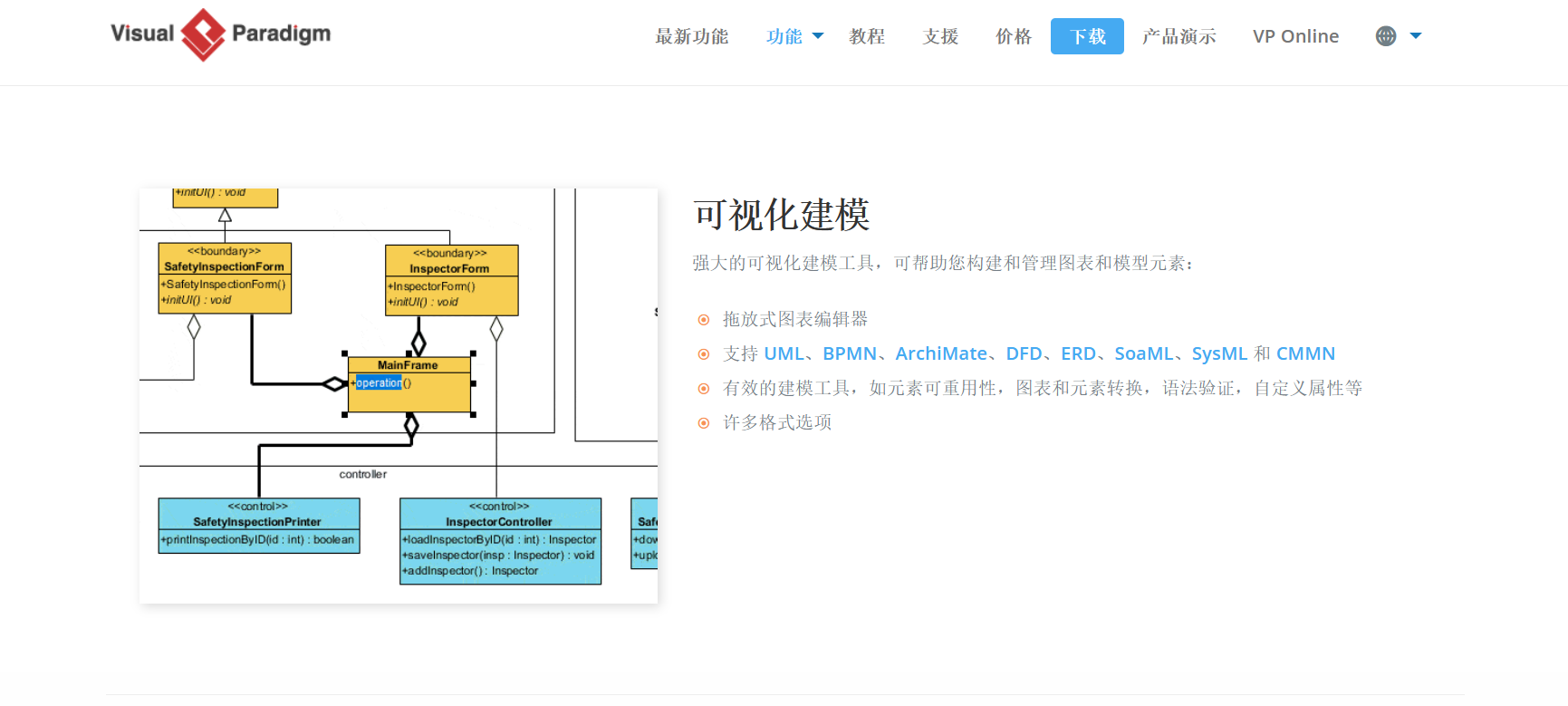
Strong visual modeling tools can help you build and manage charts and model elements:
1. Drag and drop chart editor
2. Support UML, BPMN, Archimate, DFD, ERD, SOAML, SYSML, and CMMN
3. Effective modeling tools, such as element reusability, charts and element conversion, syntax verification, custom attributes, etc.
4. Many format options.
2.2.2 Enterprise architecture
2.2.3 Business analysis and design
2.2.4 Project management
2.2.5 agile & scrum development
2.2.6 Online chart table
2.2.7 User experience design
2.2.8 Customer experience design
2.2.9 code and database engineering
Through our code and database engineering tools, the gap between system design and implementation.
1. Source code engineering tool:
Code positive and reverse generation (suitable for more than 10 languages)
Generate sequence diagram from Java
Hibernate (object relationship mapping)
Status machine code forward/reverse generation
Rest API design and generation
2. Database engineering tools:
Export database / DDL from ERD
Generate ERD from the database / DDL
2.2.10 flowchart design tool
2.2.11 team collaboration
2.2.12 powerful document generator
2.3 VP classification
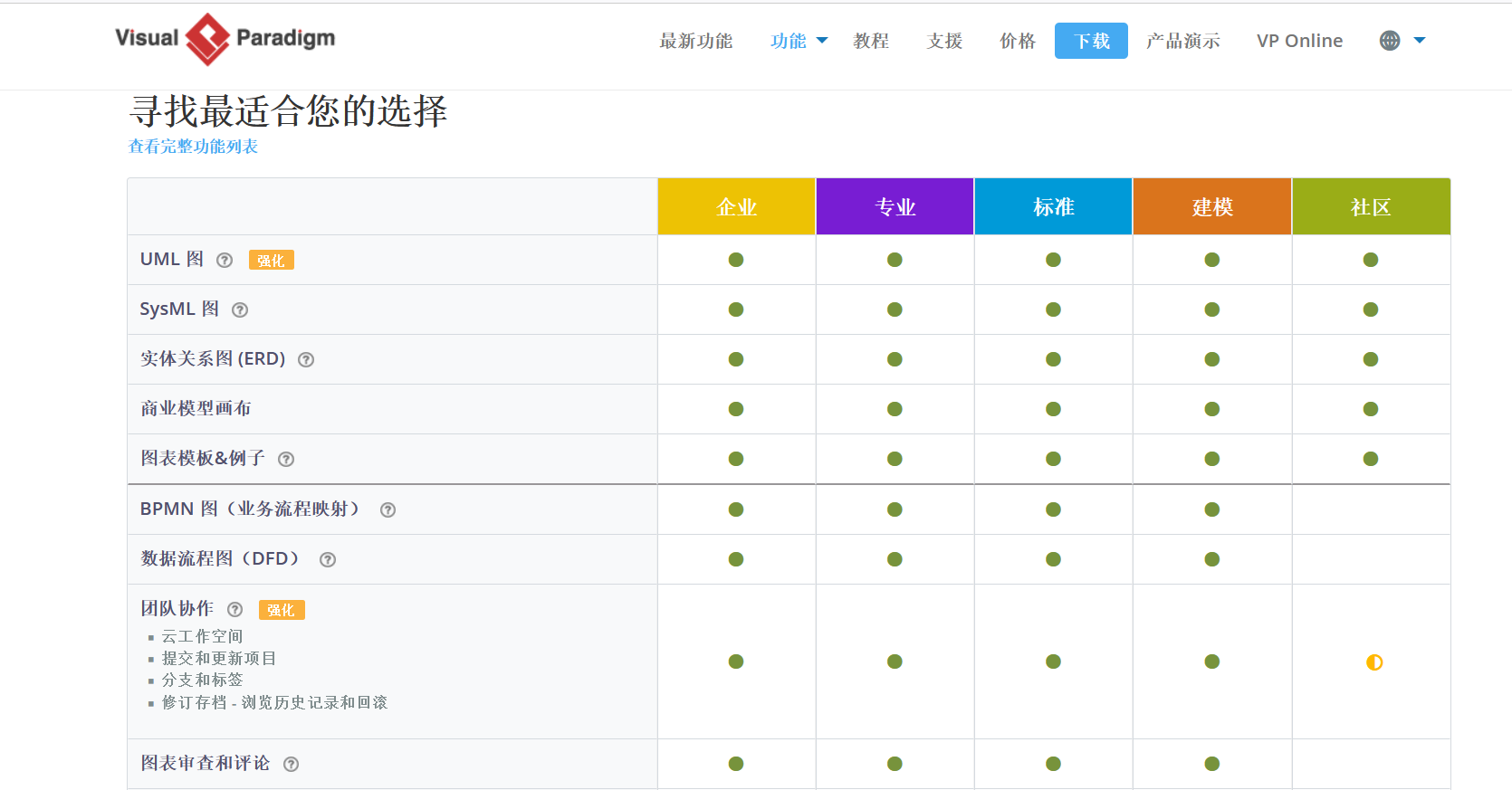
VP is divided into five versions of enterprises, majors, standards, modeling, and community. The functions are different. Among them, the community version is free.
2.4 VP use
3. PlantUML
3.1 Introduction to Plantuml
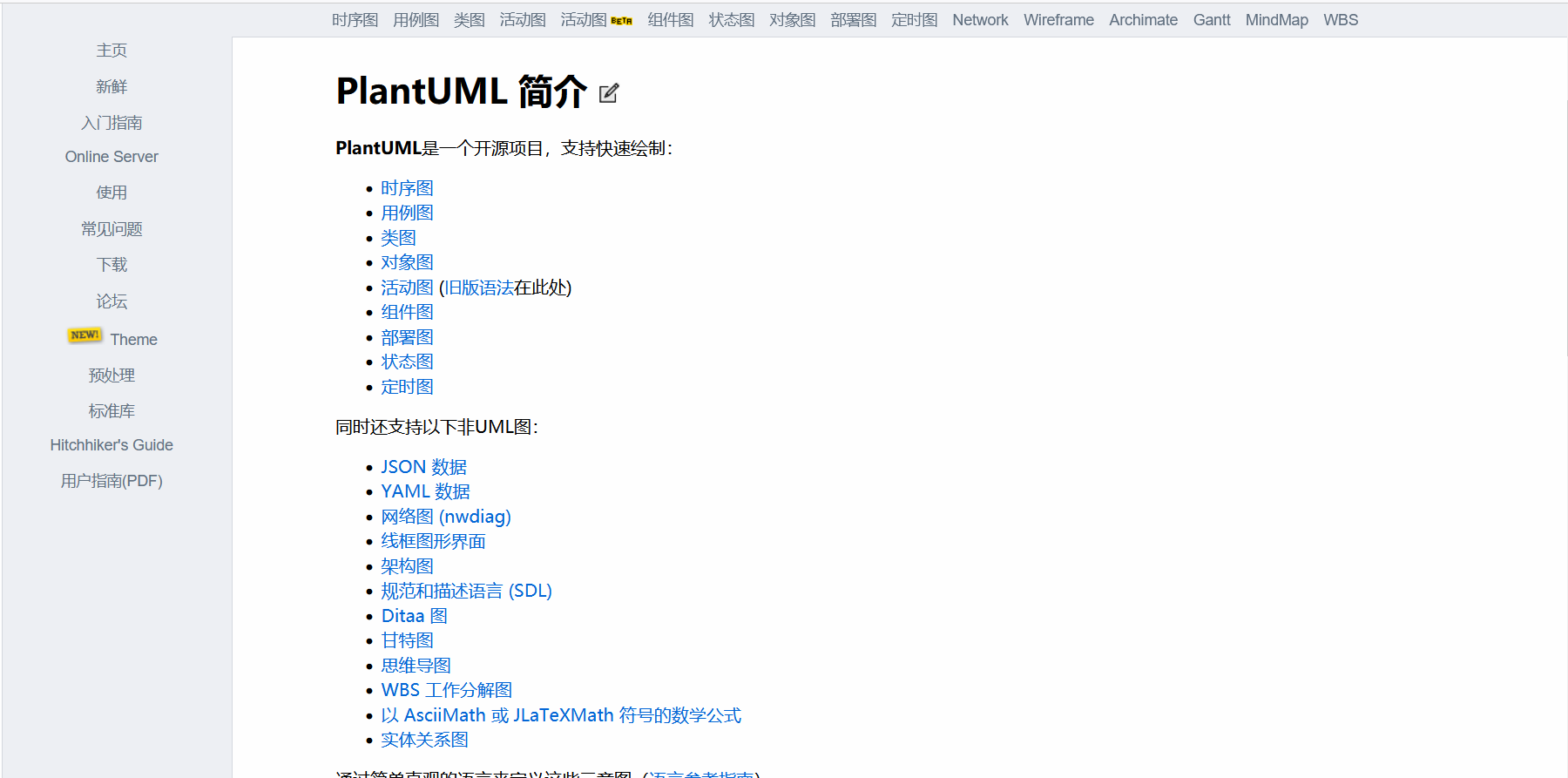
Plantuml is an open source project. Through a simple grammar format, it supports fast drawing tools for drawing various graphics.
The advantages of plantuml
Complete text editing, no controlling drag, automatic adjustment of the distance of the map, simple and beautiful
It has nothing to do with the development platform and is not limited by the platform. As long as there is a Plantuml jar package, the UML chart can be generated
Support the integration of multiple text editors and IDEs, such as Idea, Eclipse, NotePad ++, etc.
Idea installation Plantuml plug -in
As a Java Coder, Idea is usually used as the preferred development tool, and we are introduced by the use of IDEA.
File-> Settings -> Plugins search for Plantuml, find Plantuml Integration and install it.
https://plugins.jetbrains.com/plugin/7017-plantuml-integration/
Official website address:https://plantuml.com/zh/
Use documents:http://plantuml.com/zh/guide
online test:http://www.plantuml.com/plantuml/uml/SyfFKj2rKt3CoKnELR1Io4ZDoSa70000
3.2 Plantuml installation
1. Download and install:https://graphviz.gitlab.io/_pages/Download/windows/graphviz-2.38.msi
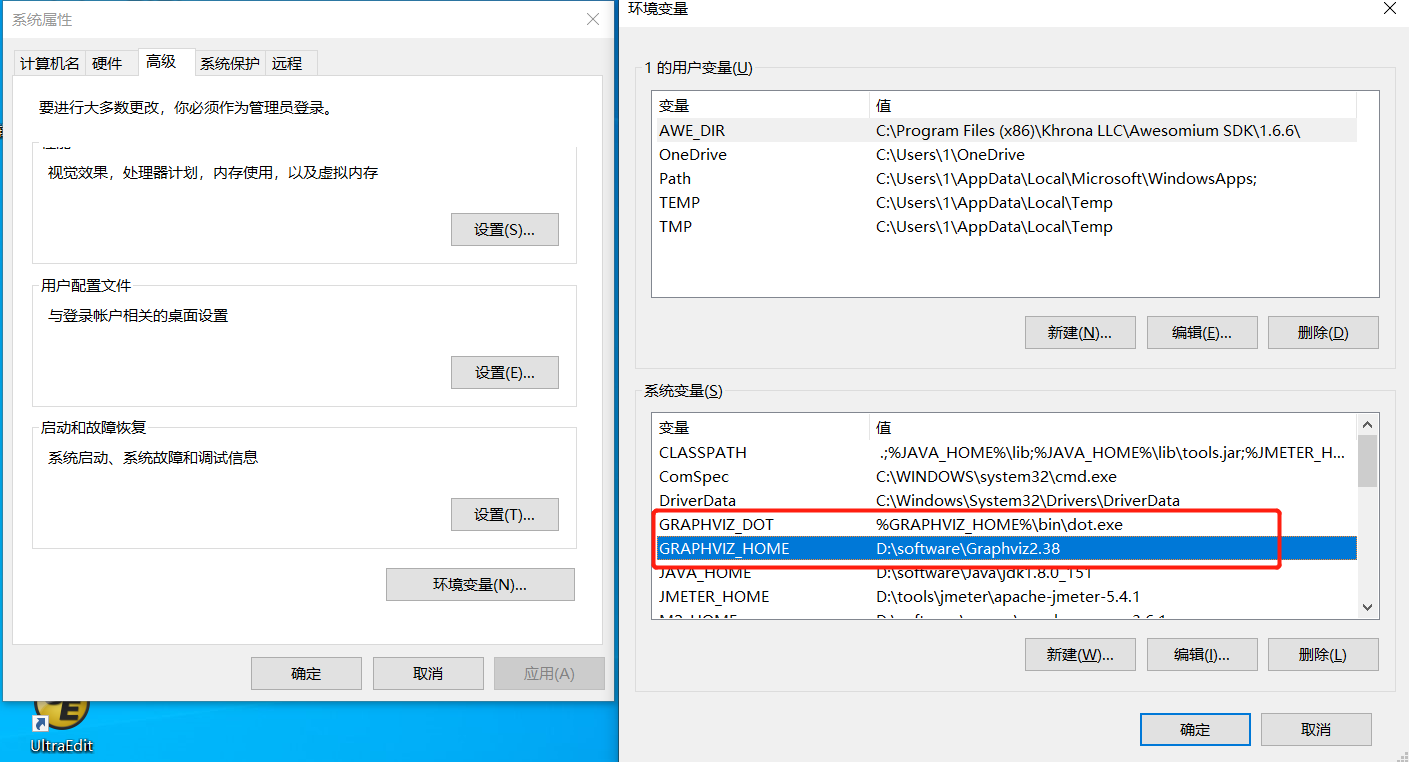
2. Configure environment variables
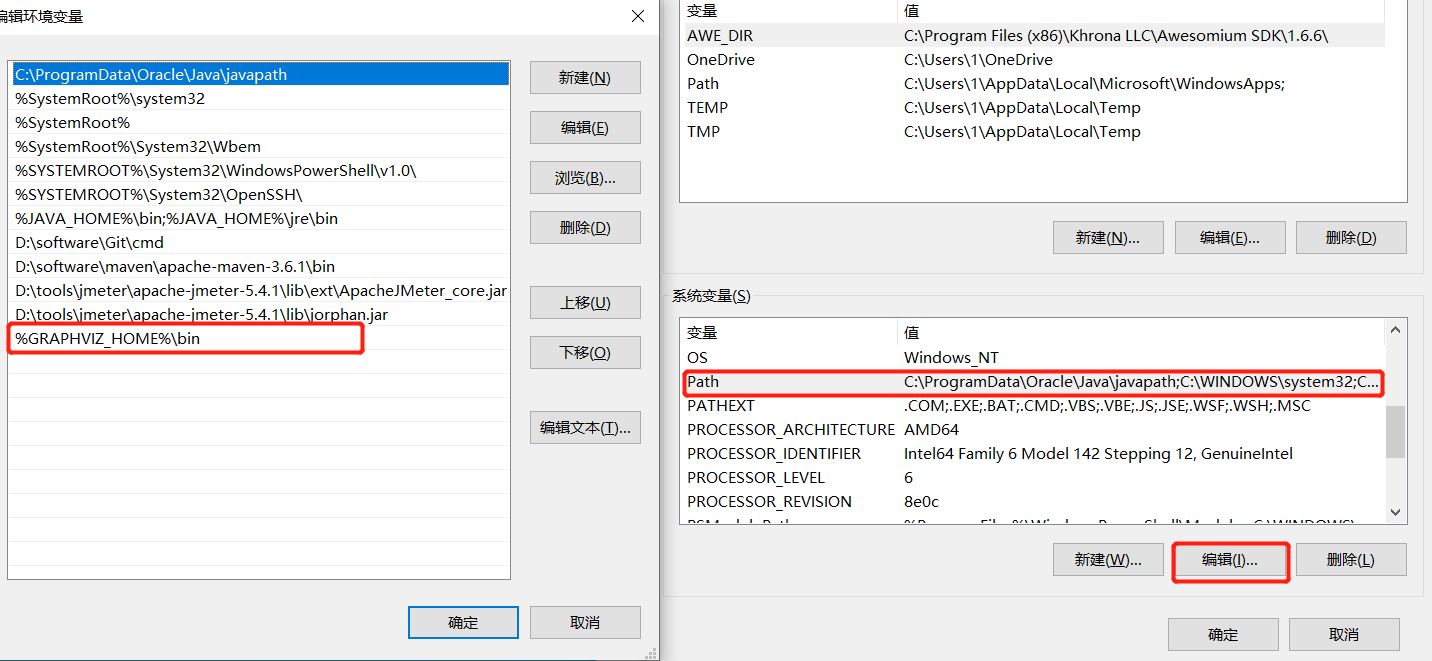
First add a variable name graviz_home. The variable value is the installation path d: \ workware \ graphviz2.38 to add%graphviz_home%\ bin in the path directory. Graphviz_home%\ bin \ dot.exe.
3. Environment variable detection
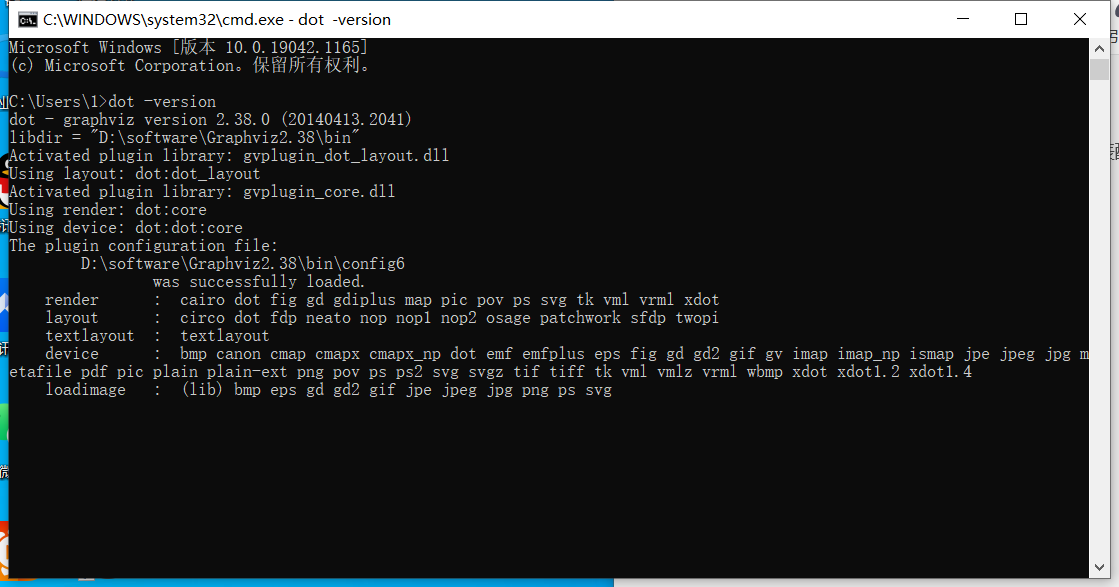
Open the Windows command line, and use the dot -version to appear the following page to represent normal configuration.
 4.IDEA configuration Graphviz
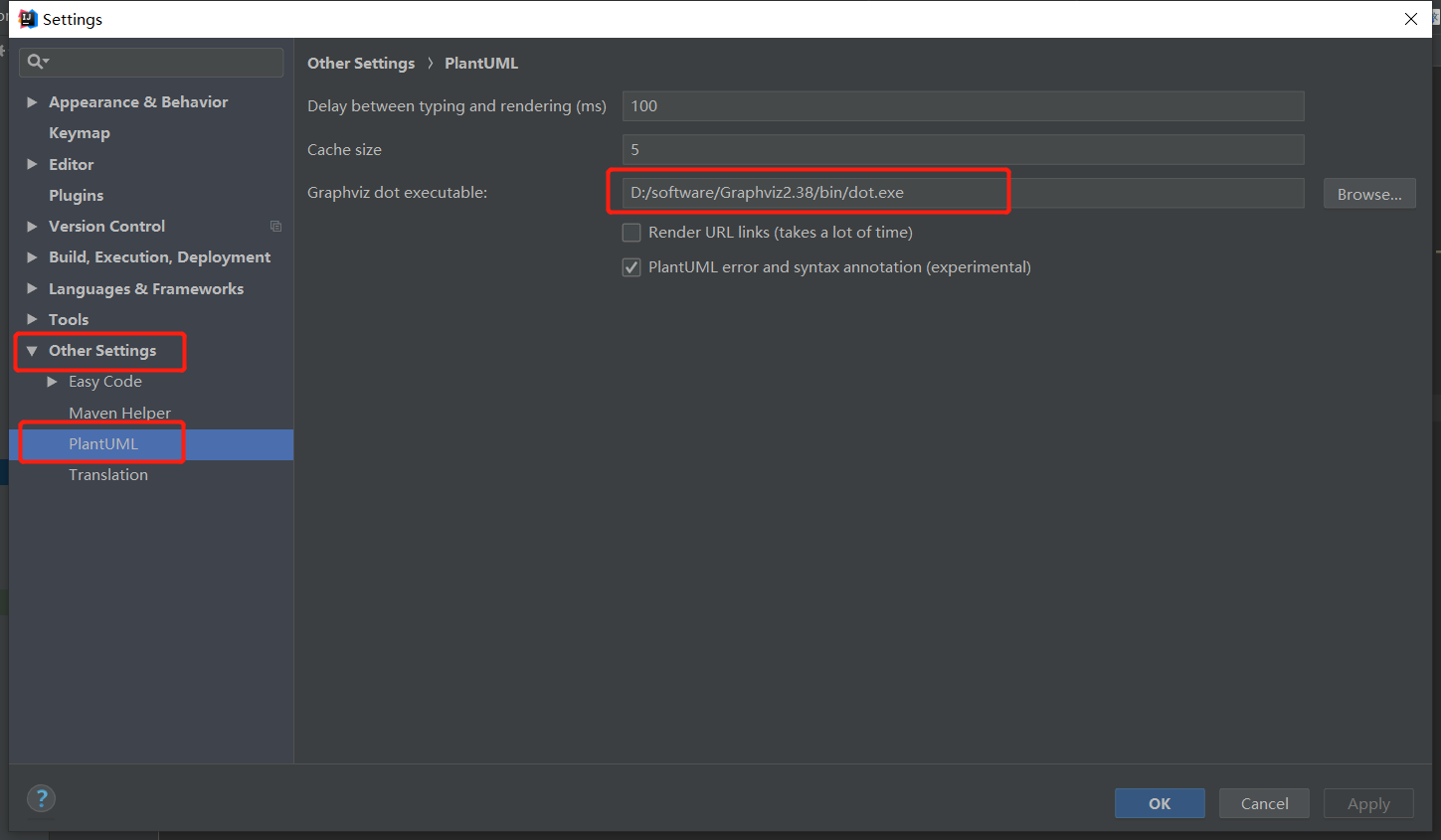
File -> Settings -> Other Settings -> PlantUML
3.3 Plantuml
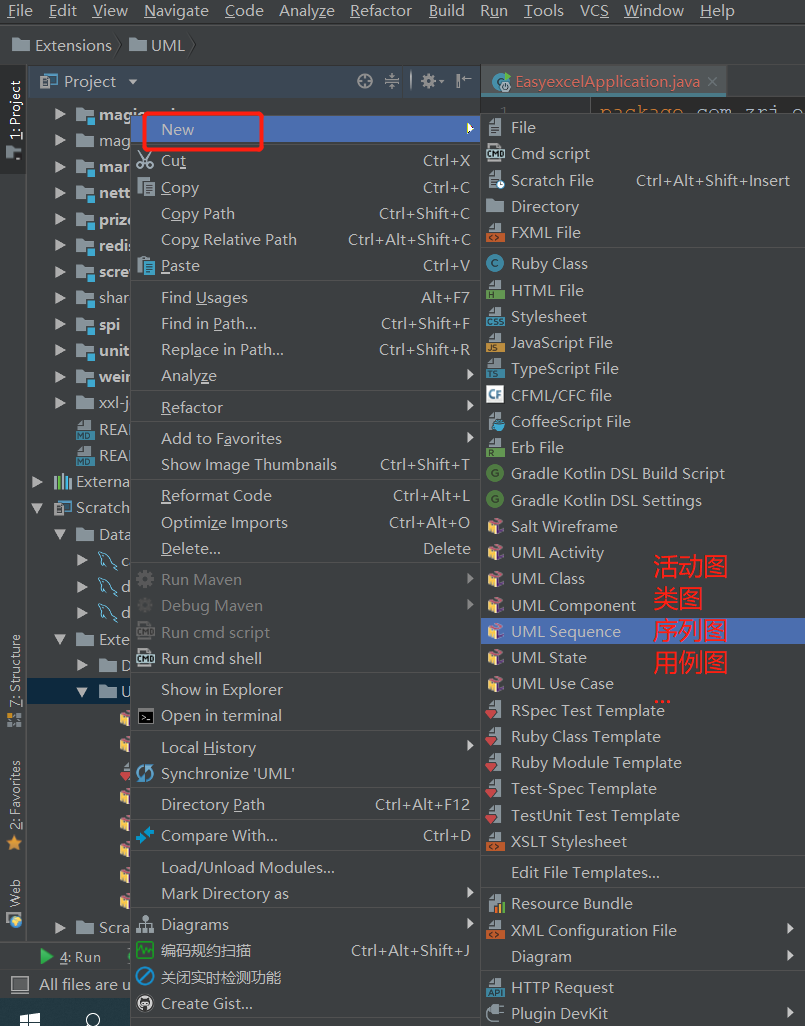
1.Dea creates UML diagram
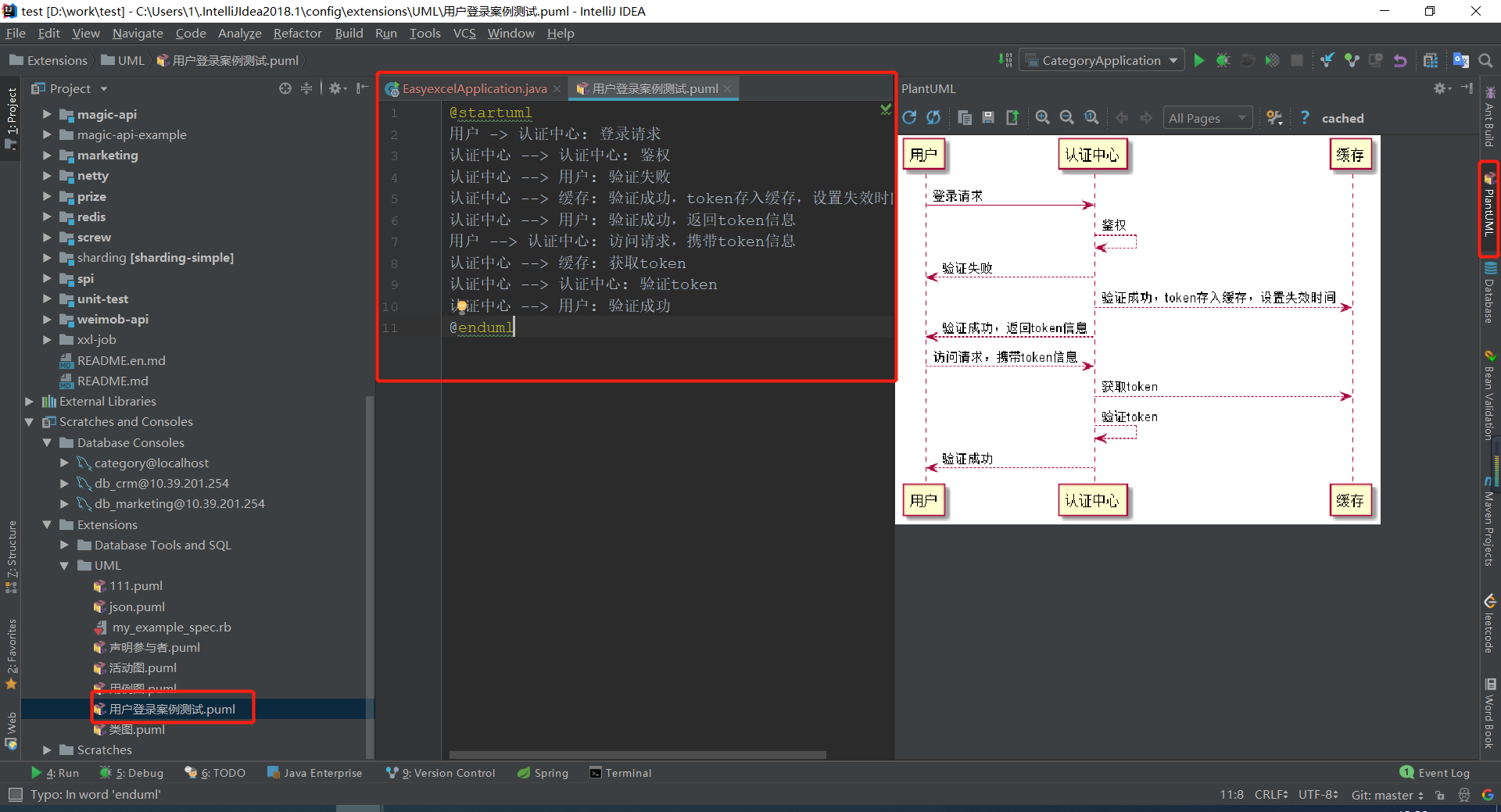
2. Writing case diagram
@startuml
User -> Certification Center: Login request
 Certification Center -> Certification Center: Legalization
 Certification Center -> User: Verification Fail
 Certification Center -> Caches: Successful verification, token stored in the cache, setting the failure time
 Certification Center -> User: Successful verification, return token information
 User -> Certification Center: Access request, bring token information
 Certification Center -> Caches: Get token
 Certification Center -> Certification Center: Verify token
 Certification Center -> User: Professional successful verification
@enduml
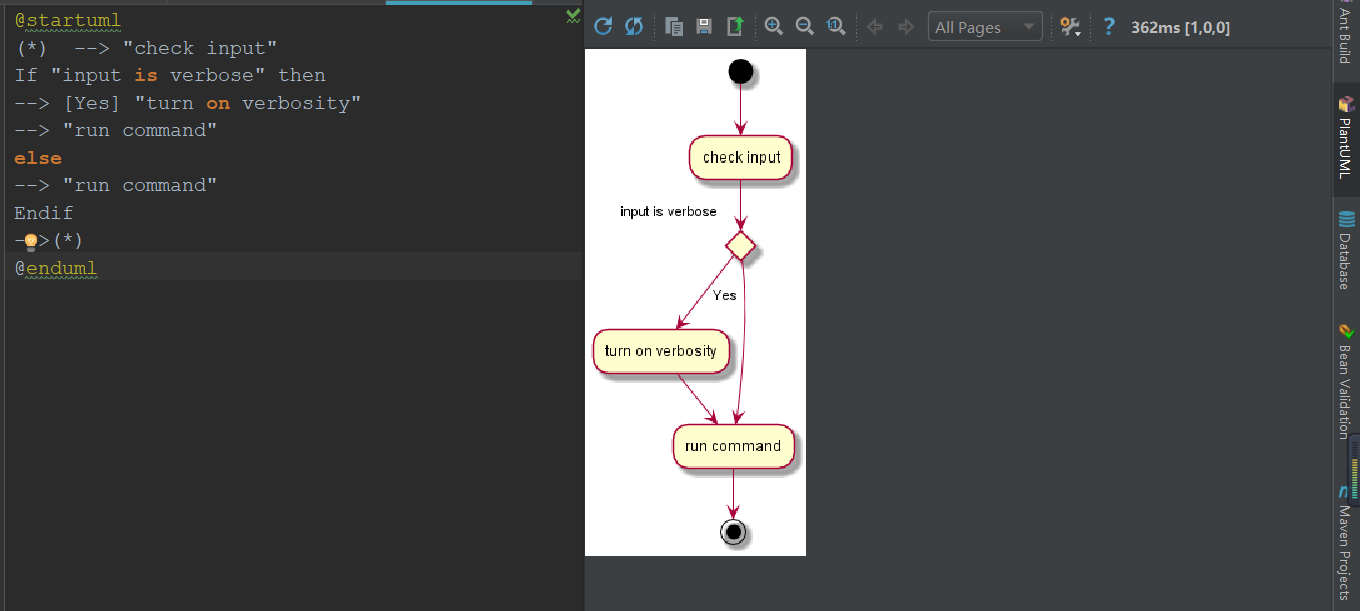
3. Activity chart
@startuml
(*)  --> "check input"
If "input is verbose" then
--> [Yes] "turn on verbosity"
--> "run command"
else
--> "run command"
Endif
-->(*)
@enduml
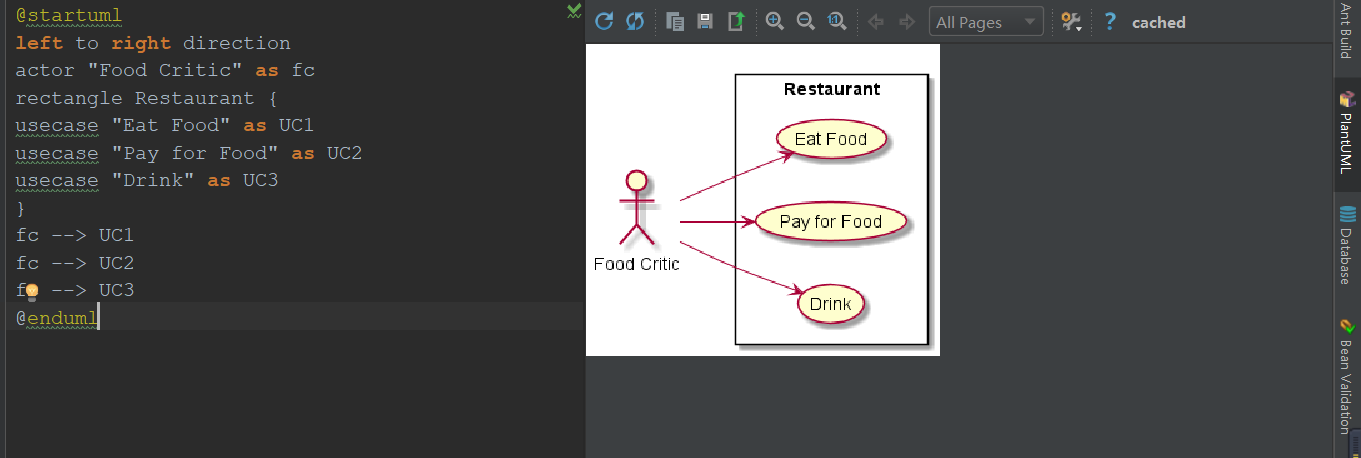
4. Use case diagram .puml
@startuml
left to right direction
actor "Food Critic" as fc
rectangle Restaurant {
usecase "Eat Food" as UC1
usecase "Pay for Food" as UC2
usecase "Drink" as UC3
}
fc --> UC1
fc --> UC2
fc --> UC3
@enduml
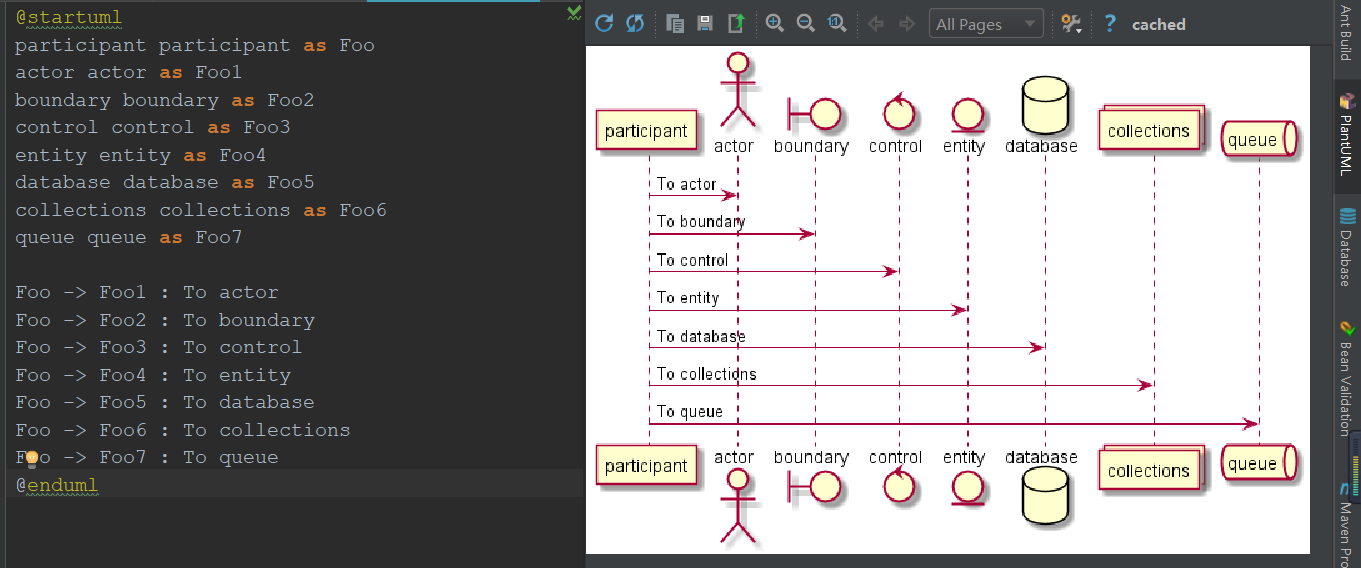
5. Sequence diagram
@startuml
participant participant as Foo
actor actor as Foo1
boundary boundary as Foo2
control control as Foo3
entity entity as Foo4
database database as Foo5
collections collections as Foo6
queue queue as Foo7

Foo -> Foo1 : To actor
Foo -> Foo2 : To boundary
Foo -> Foo3 : To control
Foo -> Foo4 : To entity
Foo -> Foo5 : To database
Foo -> Foo6 : To collections
Foo -> Foo7 : To queue
@enduml
Intelligent Recommendation
Programmer Drawing Tool-Plantuml
In the process of writing documents, drawing is often required. Although there are many visualized drawing tools like Viso, it still takes a lot of time on the dragging component, and the efficiency i...

Expre [2] uml, uml class diagram, UML drawing language -Plantuml
Timeliness The writing time of this article is 2021.11.9. Because the computer technology is changing with each passing day, all the contents of the blog are sometimes effective and the version restri...
[UML Topic-1]: plantUML, a free, efficient, software-designed drawing tool for programmers
Author homepage (Slow fire rock sugar silicon-based workshop):Wenhuo Bingtang (Wang Wenbing)'s Blog_Silicon-based Workshop of Wenhuo Bingtang_CSDN Blog URL of this article: Table of contents Foreword:...
[Tool use series] UML modeling tool PlantUML
PlantUMLIs an open source tool that allows users to create UML diagrams in plain text language. The language of PlantUML is an example of a domain-specific language. It uses Graphviz software to lay o...
PlantUML development tool for UML class diagram
PlantUML development tool for UML class diagram Windows environment setup Download Java Download Graphviz Download VSCoode PlantUML Reference link Preface concept other UML(Unified modeling language) ...
More Recommendation
How to use UML modeling tool PlantUML
UML (Unified modeling language) is a unified modeling language or standard modeling language. Through the use of UML's object-oriented diagram, it is possible to express more clearly and clearly some ...
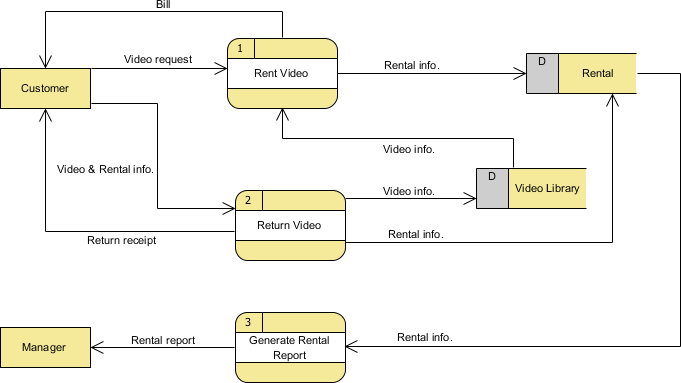
UML tool Visual Paradigm case: research on the data flow chart example of video rental system
Visual Paradigm is an enterprise project design tool that includes new features of design sharing, wireframe and database design. Now you only need such a single model software Visual Paradigm to comp...

UML tool Visual Paradigm tutorial: how to use work breakdown structure (WBS)?
Visual Paradigm is an enterprise project design tool that includes new features of design sharing, wireframe and database design. Now you only need such a single model software Visual Paradigm to comp...
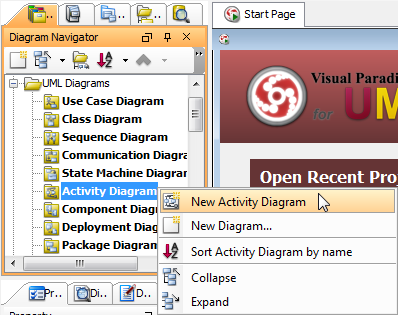
Visual Paradigm drawing activity diagram
Activity diagrams are flow chart-based diagrams that show the flow of motion from one activity to another. It shows concurrency, branches, action streams, and object streams. Lanes are used to separat...