Ubuntu16.04 Forgot your password
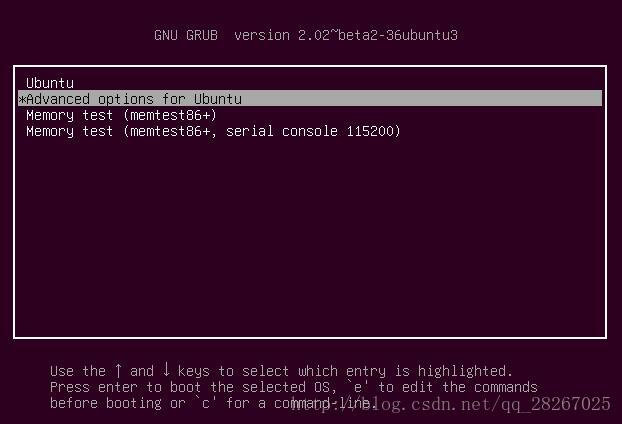
1, boot press shift, the following interface, select the following options:
2, press the Enter key to enter the following interface, and then select the option to have the recovery mode:
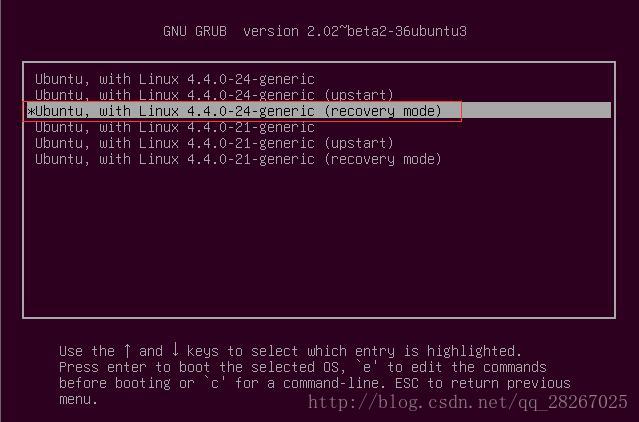
Recommended to select a higher version.
3, according to the following e to enter the interface (do not use the enter key), to find the recovery nomodeset FIG red box and delete it, and then in the (final surface) of the input line quiet splash rw init = / bin / bash
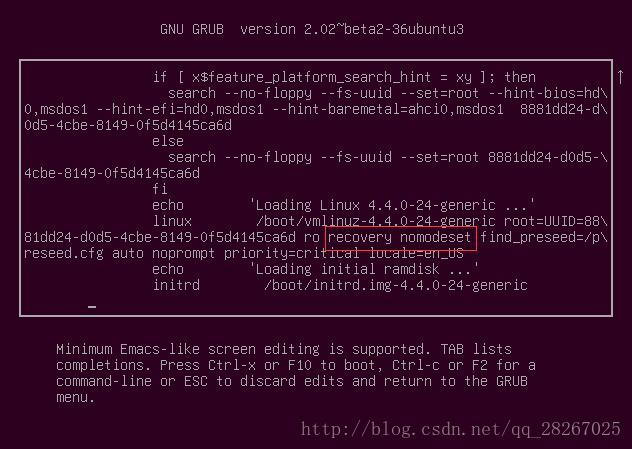
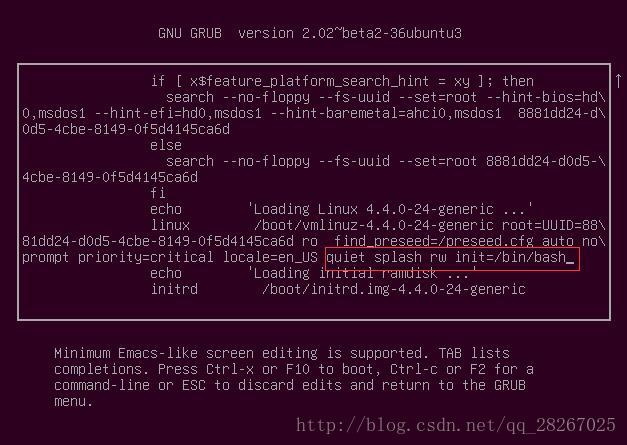
4, followed by the following interface F10 or ctrl + x appears to modify the password after passwd + usrname input on the command line:
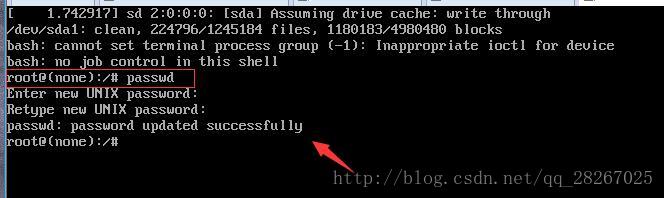
That appears password updates successfully changed successfully, enter shutdown or restart the virtual machine to direct. If the following problems
passwd: Authentication token manipulation error
passwd: password unchanged
is because the Internet, said recovery mode in the root partition is mounted read-only manner, it is necessary to remount, the following instruction can be input:
#> mount -rw -o remount /
Intelligent Recommendation
Forgot your password or username
Transfer: https://www.bt.cn/bbs/thread-1172-1-1.html The solution for forgetting Linux 3.X/4.x/5.x/6.x pagoda panel password River Monster published on Linux panel 2017-3-8 18:36 [Copy link]478783619 ...
Ubuntu16.04 forgot user login password and administrator password
References https://blog.csdn.net/w410589502/article/details/53611974 You can modify the user login password by following the information normally To modify the administrator password, just enter passw...

Ubuntu16.04 forgot login password reset password
1. Restart the system and enter the following interface 2. Use the up and down keys to move to the option "Advanced options for Ubuntu", and then press the "Enter" key to enter the...
Mysql Forgot your password or initialize your password
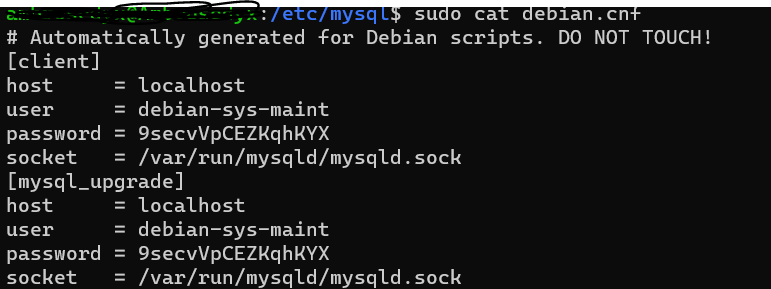
MySQL solves the login problem and modifies the password (Ubuntu / Debian) There is such a file in the above two types of systems, with users and passwords, you can use this account to log in to Mysql...
Grafana Forgot your password, reset your password
Today, I found that the Grafana webpage is inexplicably logged in. Google saves the password can't be used, then, reset it: 1, find grafana.db My directory is: /data01/grafana/data/grafana.db, but if ...
More Recommendation
Mysql Forgot your password and modify your password
Forgot your password solution 1. First check if the mysql service is started. If you have started, you will stop the service, you can run the command, use the command: Open the first CMD window, switc...
Mysql Forgot your password, change your password
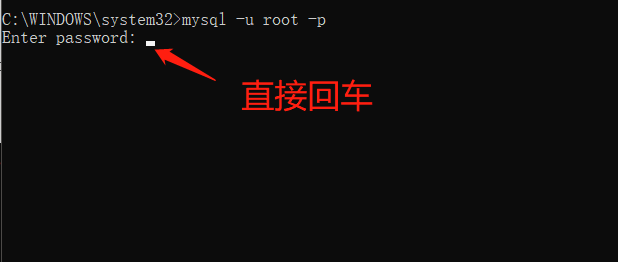
Windows system modified mysql password to apply mysql-5.7.9 or more 1, the administrator opens the CMD Stop MySQL service first, type: 2, set the mysql password is empty 3. Open another CMD as an admi...
CentOS forgot your password or username
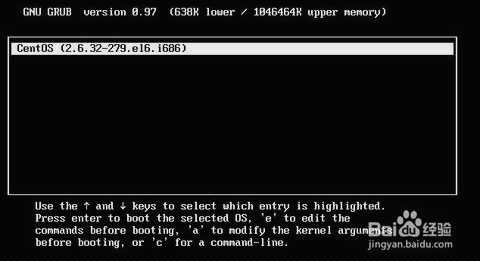
Method 1: If the username and password are forgotten, you can use the following method to retrieve it: (similar to the second big step, you need to pay attention to 3, 4 steps) 1. When the grub screen...

Experiment, WEB, forgot your password.
0x01 Just enter a mailbox name and know that step2.php exists. View the source code, you can see the following code. The description page is written in vim. 0x02 Try going to step2.php and find that i...

Experiment - WEB - Forgot your password
Forgot password Lose a look at 123, the results are returned as follows, do not know what is the use, and then return to step1.php Old rules, look at the source code and find that there is such a para...