Postgresql psql commonly used commands
tags: postgresql
Postgresql psql commonly used commands
psql is a command-line interactive client tool for PostgreSQL
1. View postgresql account
[root@localhost ~]#cat /etc/passwd
	root:x:0:0:root:/root:/bin/bash
	bin:x:1:1:bin:/bin:/sbin/nologin
	daemon:x:2:2:daemon:/sbin:/sbin/nologin
	postgres:x:26:26:PostgreSQL Server:/var/lib/pgsql:/bin/bash
2. Log in
[root@localhost ~]# su - postgres
-bash-4.1$ psql #Connect to the database server, you can enter the corresponding SQL statement or psql command, psql commands start with \
psql (9.6.3)
Type “help” for help.
3. View help
postgres=#? #You can see all the psql executable commands,
Please note that this command shows the commands that the psql client can use
General
\copyright shows the terms of use and distribution of PostgreSQL
\errverbose displays all current error messages as much as possible
\g [FILE] or; execute the query command (and output the result to a file or pipeline|)
\gexec executes the query command, and then displays all the values of the execution completion in the result
\gset [PREFIX] execute the query command and store the result in the psql variable
\q exit psql
\crosstabview [COLUMNS] execute the interpolate command and display the result in the crosstab
\watch [SEC] execute the query command every SEC seconds
Help
? [commands] Display help for backslash commands
? options show help in psql command line options
? variables Display help for a variable
\h [NAME] Description of SQL command syntax, use * to display all commands
Query Buffer
\e [FILE] [LINE] edit the query buffer (or file) with external editor
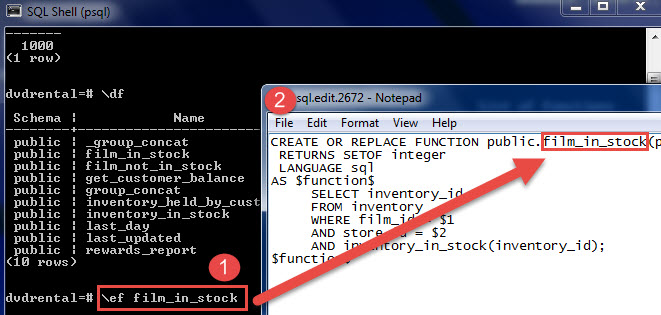
\ef [FUNCNAME [LINE]] edit function definition with external editor
\ev [VIEWNAME [LINE]] edit view definition with external editor
\p show the contents of the query buffer
\r reset (clear) the query buffer
\s [FILE] display history or save it to file
\w FILE write query cache to file
Input/Output
\copy… execute SQL COPY, the data stream points to the client host
\echo [STRING] write string to standard output stream
\i FILE execute command from file
\ir FILE Same as \i, but relative to the current script position
\o [FILE] Output all query results to a file or pipeline|
\qecho [STRING] write string to query output stream (see \o)
Informational
(options: S = show system objects, + = additional detail)
\d[S+] show all tables, views, and sequences
\d[S+] NAME displays the table structure of the specified name table, view, sequence, or index
\da[S] [PATTERN] show all aggregate functions
\dA[+] [PATTERN] show all access methods
\db[+] [PATTERN] show all table spaces
\dc[S+] [PATTERN] Display character code conversion
\dC[+] [PATTERN] show all type conversions
\dd[S] [PATTERN] Show comments for all objects
\ddp [PATTERN] show all default permissions
\dD[S+] [PATTERN] displays all common values
\det[+] [PATTERN] Show all external tables
\des[+] [PATTERN] show all remote servers
\deu[+] [PATTERN] show all remote server users
\dew[+] [PATTERN] Show all external data wrappers
\df[antw][S+] [PATRN] show [only agg/normal/trigger/window] function
\dF[+] [PATTERN] show all text search configurations
\dFd[+] [PATTERN] Show all text search dictionaries
\dFp[+] [PATTERN] Show all text search parsers
\dFt[+] [PATTERN] Show all text search templates
\dg[S+] [PATTERN] show all characters
\di[S+] [PATTERN] show all indexes
\dl displays all large objects, similar to \lo_list
\dL[S+] [PATTERN] Show all programming languages
\dm[S+] [PATTERN] show all specific views
\dn[S+] [PATTERN] show all modes
\do[S] [PATTERN] show all operators
\dO[S+] [PATTERN] show all sorting rules
\dp [PATTERN] Show all table view sequence access rights
\drds [PATRN1 [PATRN2]] Display the role settings of each database
\ds[S+] [PATTERN] show all sequences
\dt[S+] [PATTERN] show all tables
\dT[S+] [PATTERN] show all data types
\du[S+] [PATTERN] show all characters
\dv[S+] [PATTERN] show view
\dE[S+] [PATTERN] show all external tables
\dx[+] [PATTERN] show all extensions
\dy [PATTERN] Show all event triggers
\l[+] [PATTERN] #List all databases
\sf[+] FUNCNAME display function definition
\sv[+] VIEWNAME definition of display view
\z [PATTERN] Same as \dp
Formatting
\a Switch between misaligned and aligned output modes
\C [STRING] Set the header, or not if it is none
\f [STRING] Display or set the field separator for unaligned output
\H Switch HTML output mode (default is off)
\pset [NAME [VALUE]] Set table output options
(NAME := {format|border|expanded|fieldsep|fieldsep_zero|footer|null|
numericlocale|recordsep|recordsep_zero|tuples_only|title|tableattr|pager|
unicode_border_linestyle|unicode_column_linestyle|unicode_header_linestyle})
\t [on|off] Only display lines (currently off)
\T [STRING] Set up HTML
\x [on|off|auto] switch extended output (current default off)
Connection
\c[onnect] {[DBNAME|- USER|- HOST|- PORT|-] | conninfo} connect to the new database (currently “test”)
\encoding [ENCODING] Display or set the client character encoding
\password [USERNAME] modify user password
\conninfo Display current connection information
Operating System
\cd [DIR] Change the current working directory
\setenv NAME [VALUE] Set or cancel environment variables
\timing [on|off] Toggle command timing switch (default is off)
! [COMMAND] execute shell command or open internal shell command
Variables
\prompt [TEXT] NAME prompts the user to set internal variables
\set [NAME [VALUE]] Set internal variables, if there are no parameters, display all parameters
\unset NAME cancels (deletes) internal variables
Large Objects
\lo_export LOBOID FILE
\lo_import FILE [COMMENT]
\lo_list
\lo_unlink LOBOID operation of large objects
4. Some examples of common commands
(1) psql plus -E parameter can print out the actual SQL executed by various commands starting with "" in psql
-sh-4.1$ psql -E -h /var/opt/gitlab/postgresql -d gitlabhq_production
psql (9.2.18)
Type “help” for help.
gitlabhq_production=# \d
********* QUERY **********
SELECT n.nspname as “Schema”,
c.relname as “Name”,
CASE c.relkind WHEN ‘r’ THEN ‘table’ WHEN ‘v’ THEN ‘view’ WHEN ‘i’ THEN ‘index’ WHEN ‘S’ THEN ‘sequence’ WHEN ‘s’ THEN ‘special’ WHEN ‘f’ THEN ‘foreign table’ END as “Type”,
pg_catalog.pg_get_userbyid(c.relowner) as “Owner”
FROM pg_catalog.pg_class c
LEFT JOIN pg_catalog.pg_namespace n ON n.oid = c.relnamespace
WHERE c.relkind IN (‘r’,‘v’,‘S’,‘f’,’’)
AND n.nspname <> ‘pg_catalog’
AND n.nspname <> ‘information_schema’
AND n.nspname !~ ‘^pg_toast’
AND pg_catalog.pg_table_is_visible(c.oid)
ORDER BY 1,2;
If you want to close it immediately after using it
postgres=# \set ECHO_HIDDEN off
postgres=# \d
No relations found.
(2) Display all tables
gitlabhq_production=# \d
List of relations
Schema | Name | Type | Owner
--------±--------------------------------------------±---------±-------
public | abuse_reports | table | gitlab
public | abuse_reports_id_seq | sequence | gitlab
(3) \d is followed by a table name, indicating that the structure definition of this table is displayed
gitlabhq_production=# \d abuse_reports
Table “public.abuse_reports”
Column | Type | Modifiers
--------------±----------------------------±-----------------------------------------------------------
id | integer | not null default nextval(‘abuse_reports_id_seq’::regclass)
reporter_id | integer |
user_id | integer |
message | text |
created_at | timestamp without time zone |
updated_at | timestamp without time zone |
message_html | text |
Indexes:
“abuse_reports_pkey” PRIMARY KEY, btree (id)
(4) \d can be followed by a wildcard""or"?"
gitlabhq_production=# \d a
Table “public.abuse_reports”
Column | Type
| Modifiers
--------------±----------------------------±-----------------------------------------------------------
id | integer | not null default nextval(‘abuse_reports_id_seq’::regclass)
reporter_id | integer |
user_id | integer |
message | text |
created_at | timestamp without time zone |
updated_at | timestamp without time zone |
message_html | text |
Indexes:
“abuse_reports_pkey” PRIMARY KEY, btree (id)
(5)\d+ command, this command will display more detailed information than \d command
gitlabhq_production=# \d+
List of relations
Schema | Name | Type | Owner | Size | Description
--------±--------------------------------------------±---------±-------±-----------±------------
public | abuse_reports | table | gitlab | 8192 bytes |
public | abuse_reports_id_seq | sequence | gitlab | 8192 bytes |
public | appearances | table | gitlab | 8192 bytes |
(6) Display all table spaces
gitlabhq_production=# \db
List of tablespaces
Name | Owner | Location
------------±------------±---------
pg_default | gitlab-psql |
pg_global | gitlab-psql |
(2 rows)
(7) \d command to match different object types
Only display matching tables, you can use the \dt command
Only show the index, you can use the \di command
Only show the serial number, you can use the \ds command
Only display the view, you can use the \dv command
Only show functions, you can use the \df command
(8) If you want to display the SQL execution time, you can use the \timing command
gitlabhq_production=# \timing on
Timing is on.
sample_db=# select count(*) from abuse_reports;
count
69
(69 row)
Time: 3.48 ms
(9) Display all users or roles
gitlabhq_production=# \du
List of roles
Role name | Attributes | Member of
-------------------±-----------------------------------------------±----------
gitlab | | {}
gitlab-psql | Superuser, Create role, Create DB, Replication | {}
gitlab_replicator | Replication | {}
gitlabhq_production=# \dg
List of roles
Role name | Attributes | Member of
-------------------±-----------------------------------------------±----------
gitlab | | {}
gitlab-psql | Superuser, Create role, Create DB, Replication | {}
gitlab_replicator | Replication | {}
(10) The \dp or \z command is used to display the permission allocation of the table
gitlabhq_production=# \dp abuse_reports
Access privileges
Schema | Name | Type | Access privileges | Column access privileges
--------±--------------±------±------------------±-------------------------
public | abuse_reports | table | |
(1 row)
gitlabhq_production=# \z abuse_reports
Access privileges
Schema | Name | Type | Access privileges | Column access privileges
--------±--------------±------±------------------±-------------------------
public | abuse_reports | table | |
(1 row)
(10)\x command-you can split each column of data in each row of the table into a single row for display
gitlabhq_production=# \x
Expanded display is on.
gitlabhq_production=# \dp
Access privileges
-[ RECORD 1 ]------------±-------------------------------------------
Schema | public
Name | abuse_reports
Type | table
Access privileges |
Column access privileges |
(11) When the character encoding of the client is different from that of the server, garbled characters may be displayed. You can use the \encoding command to specify the character encoding of the client, such as using \encoding utf8 to specify the client The encoding method of the terminal is utf8
gitlabhq_production=# \encoding utf8
(12)\pset command
The \pset command is used to specify the output format, as follows:
\pset border 0: indicates the output content border
\pset border 1: indicates that the border is only inside, by default this command is used
\pset border 2: indicates that there is a border inside and outside
(13)\i <path of SQL file>
\i <path of SQL file> You can execute external SQL statements in pg, which is convenient for us to execute very complex SQL statements. Similar functions exist in MySQL, but the way of implementation is different, the way to execute SQL commands stored in external files in MySQL: source <full path of SQL file> or. <full path of SQL file>
Intelligent Recommendation
PostgreSQL commonly used basic commands
After the postgres installation is complete, it will be automatically inoperating systemAnd postgresdatabaseCreate a name calledpostgresThe same name and the same name are calledpostgresDatabase. 1. S...
PostgreSQL -Installation and commonly used commands
Articles directory Docker installation Installation command Environment variable Common commands Login database Console command Create users and databases Database operation Docker installation Instal...
[PG] commonly used commands Postgresql size of commonly used commands
from "ITPUB blog" link: http: //blog.itpub.net/29487349/viewspace-2375628/, For reprint, please indicate the source, otherwise it will be held liable. Reproduced in: http: //blog.itpub.net/2...
Project commonly used psql code
postgreSql basics 1 Enter the database \dt View table: display table \d View table structure \q Quit the database quit \c Switch database 2 Data type varchar int(long) numeric date(timestamp) 3 databa...
postgresql database commonly used commands (resources)
Access to the database #su - postgres # handover user, prompt the execution becomes '-bash-4.2 $' #psql -U postgres # Log into the database after the implementation of prompt changes to 'postgres = #'...
More Recommendation

PostgreSQL memo-commonly used database commands and examples
surroundings: Ubuntu 20.04 PostgreSQL 12.2 1. Create a database command: CREATE DATABASE Example: Note the semicolon at the end. 2. Modify the database command: ALTER DATABASE Example: The literal mea...
A set of common commands that must be mastered in PostgreSql psql
A set of common commands that must be mastered in PostgreSql psql This article takes you to learn a set of commonly used commands in PostgreSql to help you query data from PostgreSql faster and more e...
PostgreSQL Streaming Replication COMMAND used in psql
CF is discussing whether to add a function to view the database system id, pg_system_identifier(); http://www.postgresql.org/message-id/flat/[email protected]#[email protected] The...
PostgreSQL -psql
、 PostgreSQL : psql -h IP -p -U 、 1、 :\l 2、 :\c 3、 :\dt 4、 :\c interface 5、 :\d 6、 :select * from apps limit 1; 7、 :\encoding 8、 psgl:\q ===============================================================...
Postgresql high availability repmgr use eight commonly used commands
stop pgsql clone standby start pgsql register switchover –siblings-follow indicates that the upstream of all backup nodes is changed to the new master promote node rejoin cluster...