Creation and calling of C++ static library (lib) and dynamic library (dll)
tags: C++ Development language rear end
1. Creation and calling of static libraries
Recently, when programming, I used the creation and calling of static libraries and dynamic libraries. I summarized some of my experiences as follows. I hope it will be helpful to you. If there are any inappropriate points, please leave a comment.
For the difference between static libraries and dynamic libraries, please refer to the blog:The difference between static library lib and dynamic dll in windows and how to use it_dxzysk's column-CSDN blog_The difference between dynamic dll and static library
1. Creation of static libraries
In order to facilitate everyone's learning, we will demonstrate from empty projects and enter two numbers to find the sum of the two numbers and the difference between the two numbers. This article uses the VS2017 compiler.
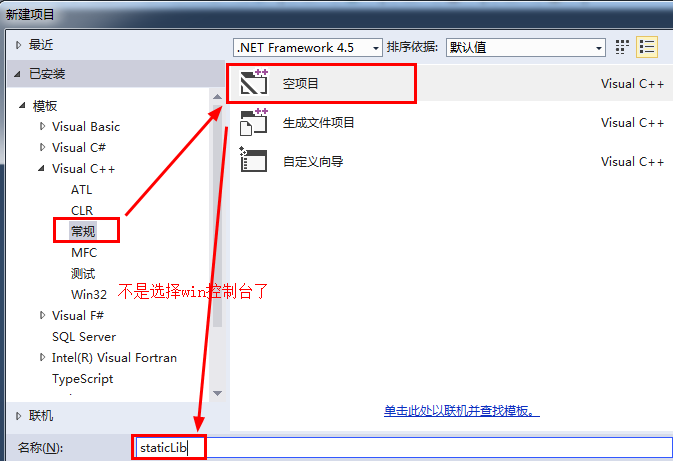
(1) Create an empty project

(2) Create a new header file.h and source file.cpp
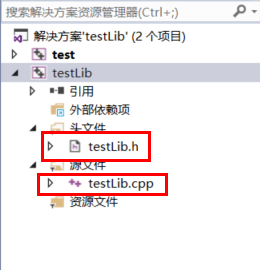
Among them, the test project is the subsequent test project, so there is no need to consider it now.
(3) Modify the project properties and modify the target file extension and configuration type to .lib
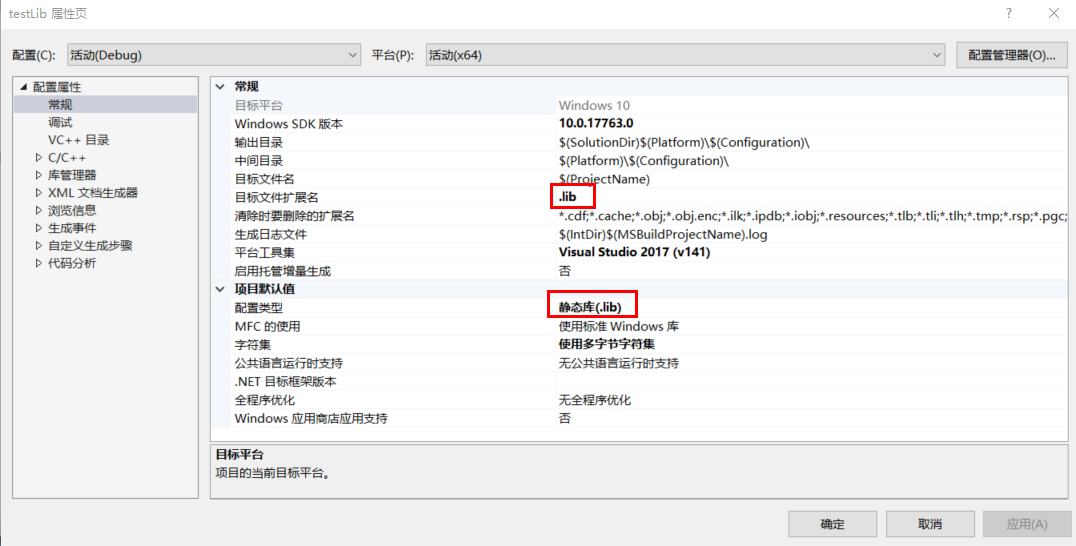
(4) Write code in the project header file testLib.h
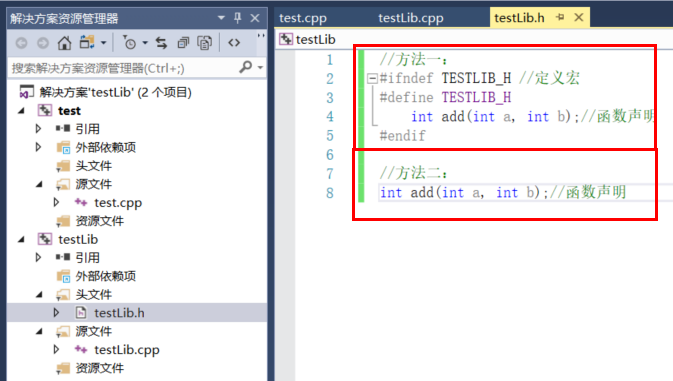
Method 1 and method 2 can be generated and called
(5) Write the source file testLib.cpp code
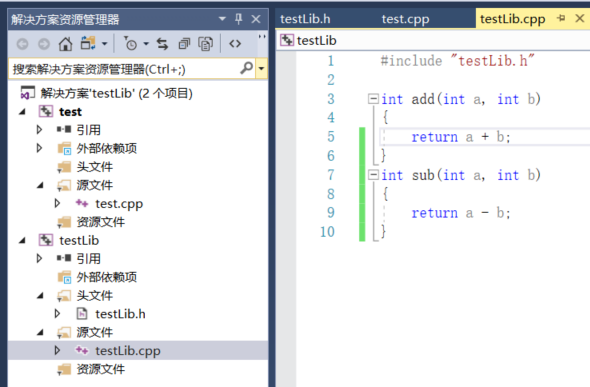
(6) Project generation
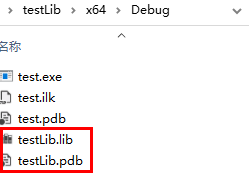
You can see that testLib.ib and testLib.pdb files have been generated in the project directory, which means that the static library is successfully generated.
2. Calling of static libraries
(1) For the convenience of demonstration, create a test project test under the same solution generated by the static library, and the console application is created locally.
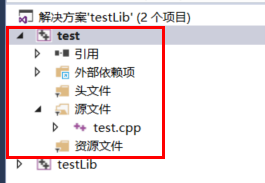
(2) After creating the test project, write a static library call program in the test.cpp file
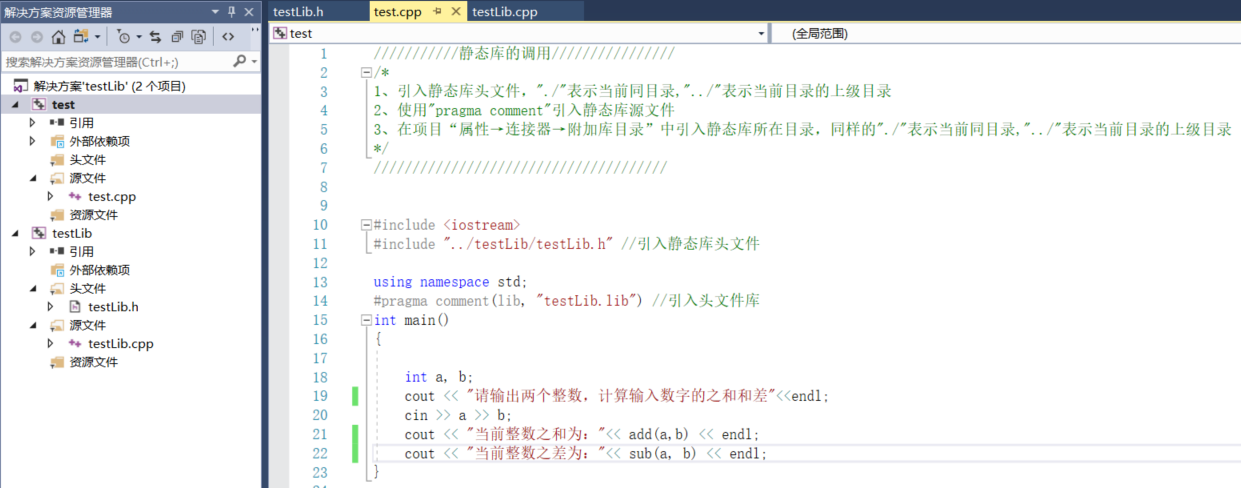
(3) Set the test project to start the project, compile and run, and an error will occur
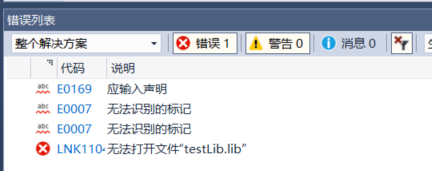
(4) For errors occurring in (3), it is necessary to introduce static library file paths into the project.
The static library generates engineering and testing engineering directories are as follows:

Relative paths to introduce static libraries
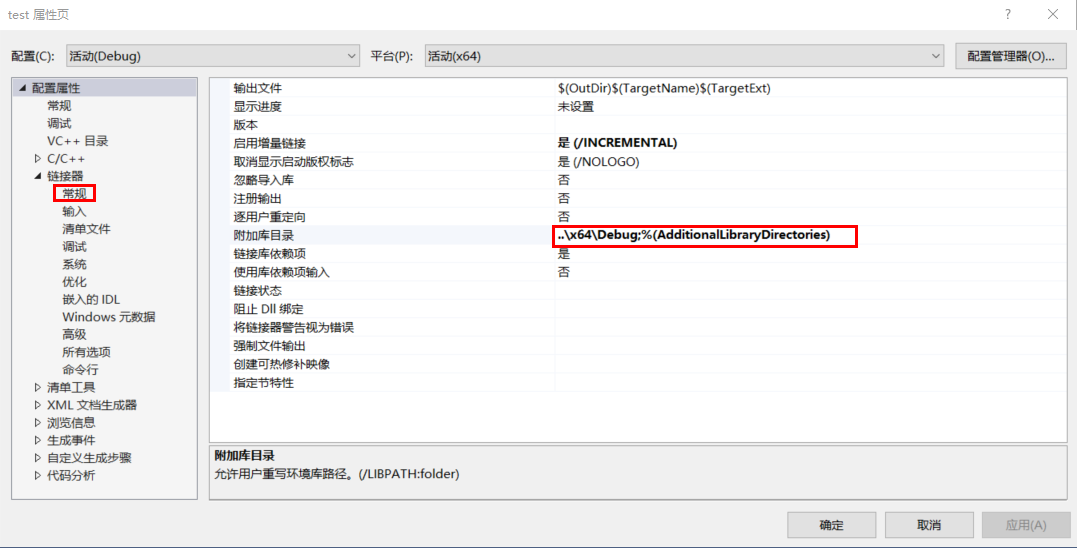
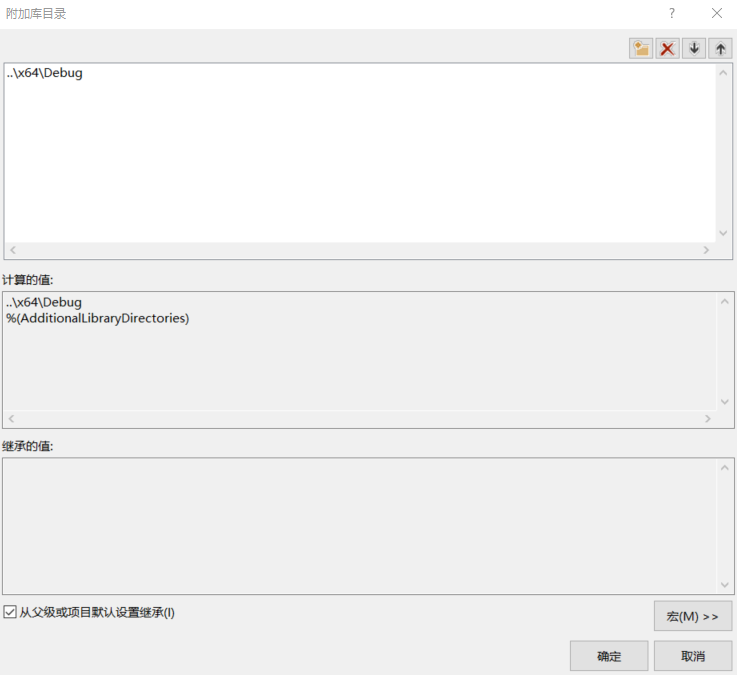
Compile again and you can succeed.
The operation results are as follows
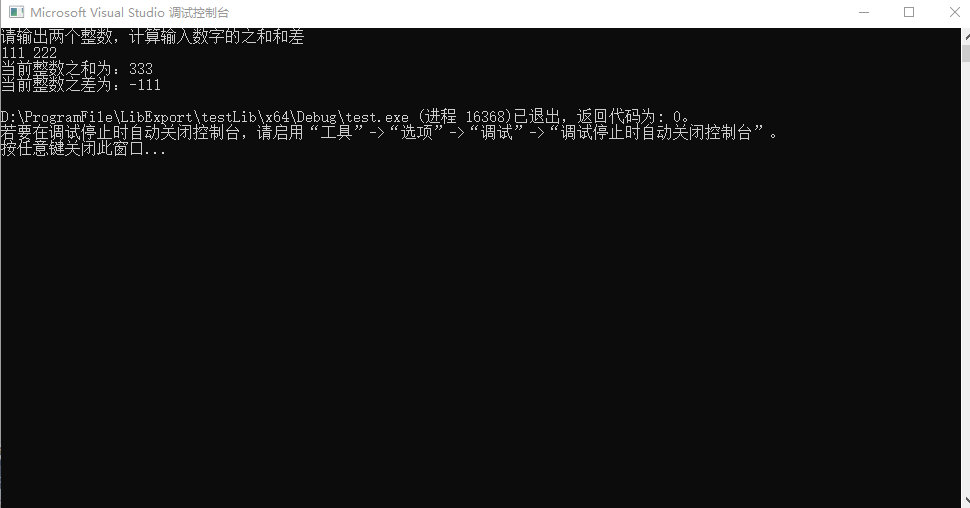
At this point, the creation and call explanation of the static library has ended.
2. Creation and calling of dynamic libraries
1. Creation of dynamic libraries
There are two ways to create dynamic libraries: __declspec(dllexport) and .def file export.
1.1. Creation of dynamic libraries (__declspec(dllexport))
(1) Create an empty project testDll like a static library, create header files and source files
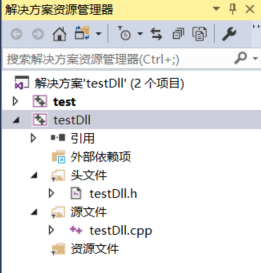
(2) Modify the project properties and modify the target file extension and configuration type to .dll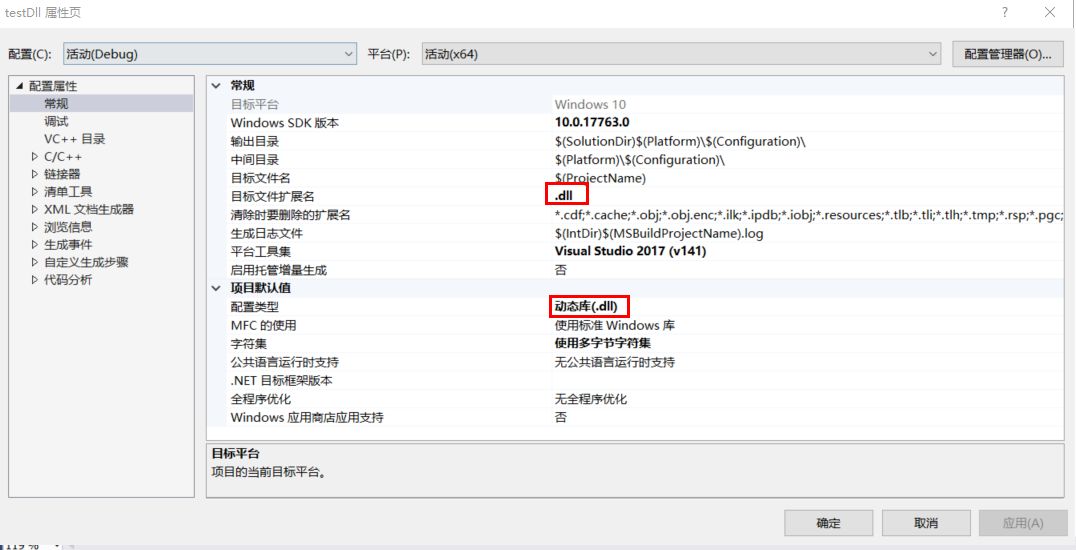
(3) Modify the project header file testDll.h. This article introduces three methods of generating dll libraries.
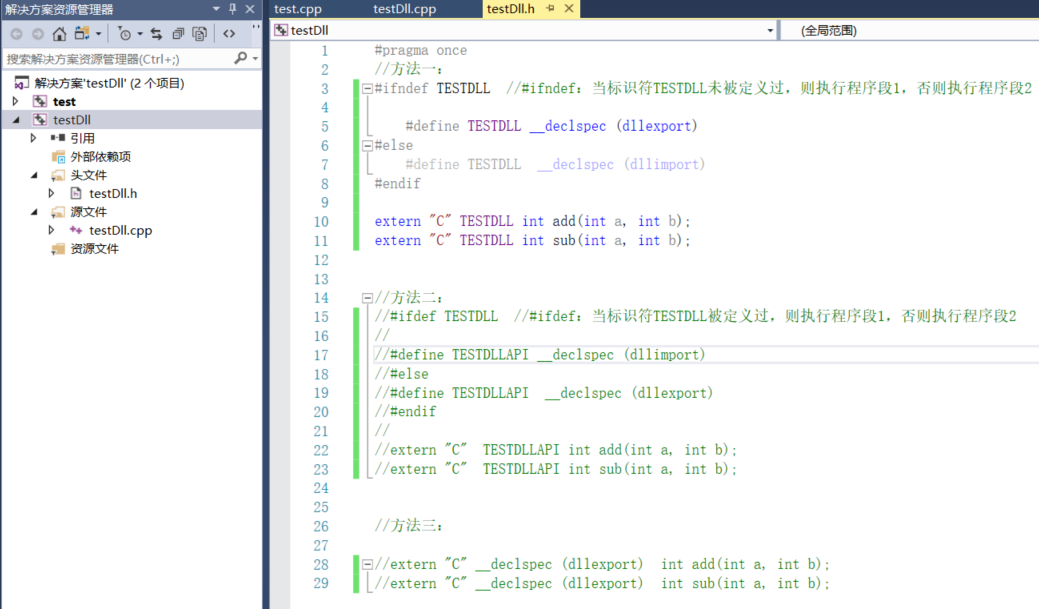
The keyword of the dynamically generated library is __declspec(dllexport)
The difference between method 1 and method 2 is whether the identifier is defined. If the identifier TESTDLL is defined, the identifier TESTDLLAPI is redefined and the function is exported using the redefined identifier; if the identifier TESTDLL is not defined, the function is exported using the currently defined identifier. The function of extern "C" is to perform C extensions, because without adding this sentence, sometimes the exported function name is not the written function name. as follows:

Of course, you can also use Method Three to export functions, but for the convenience of debugging, the first two methods are recommended.
The benefits of precompiling instructions using methods 1 and 2 can also facilitate the import of dynamic libraries. Generally speaking, when using the method to export a dynamic library, #define TESTDLL __declspec (dllexport) will be executed to indicate library export; when calling dynamically, since the identifier TESTDLL is defined, #define TESTDLL __declspec (dllimport) will be executed for dynamic library import.
(4) Modify the source file testDll.cpp
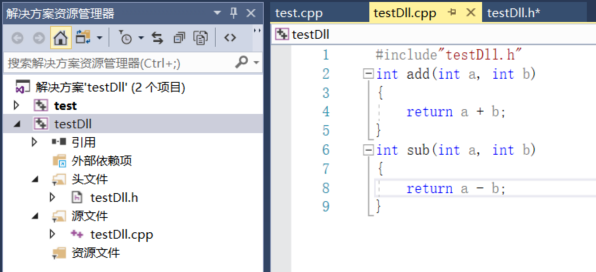
(5) Compile and run
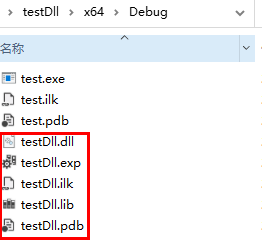
1.2. Creation of dynamic libraries (using DEF files (*.def) )
refer to:Export from DLL using DEF files | Microsoft Docs
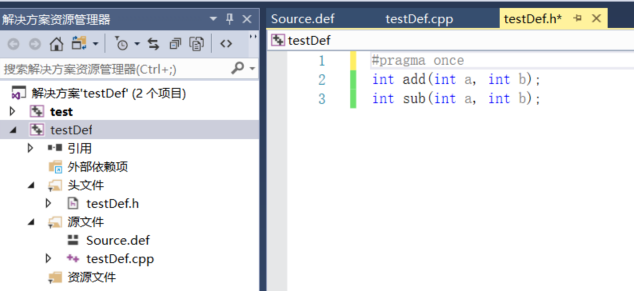
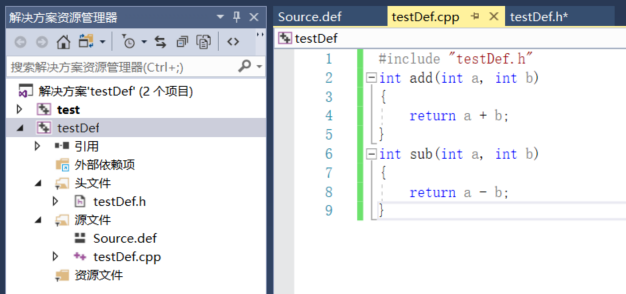
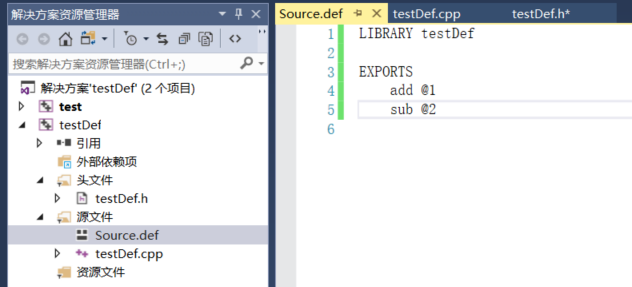
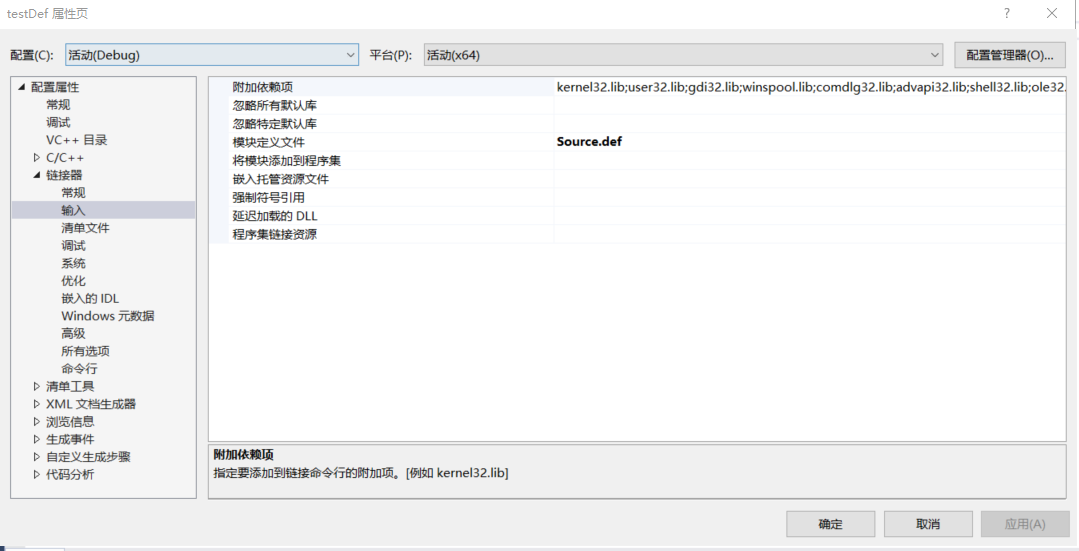
The operation method is as follows:
The testDef.h file is as follows:
The testDef.cpp file is as follows:
The Source.def file is as follows:
The project properties are set as follows:
Test project and dynamic library calls.
2. Calling of dynamic library
(1) Like static library testing, create a test project test and introduce two dynamic library calling methods.
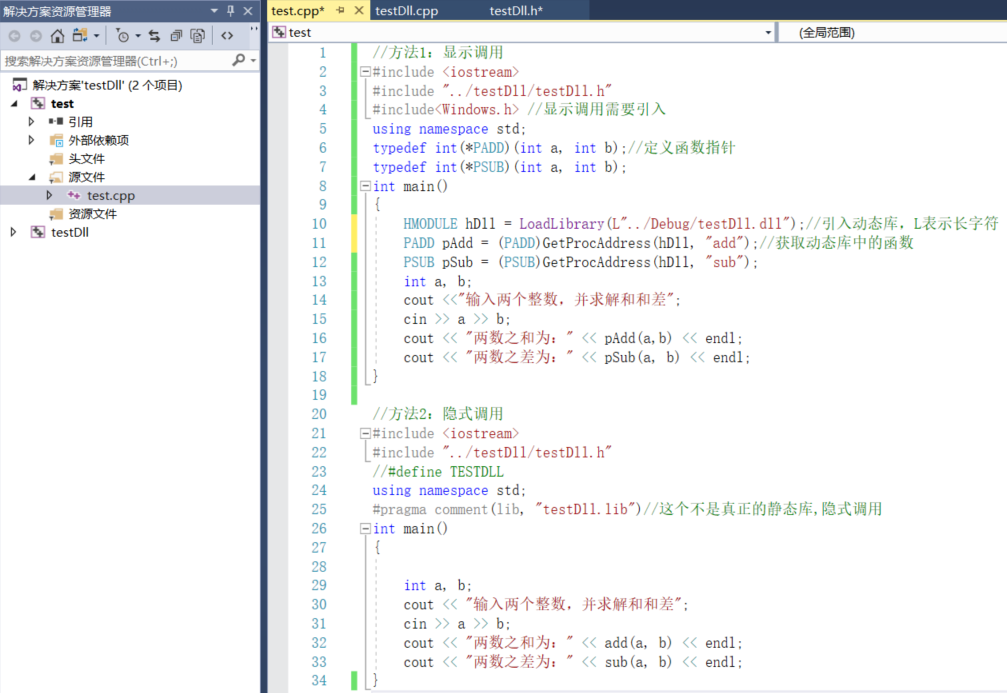
When using implicit calls, you need to add the address of the lib file to the project connector → attachment library directory (same as static library calls)
(2) Compile and run
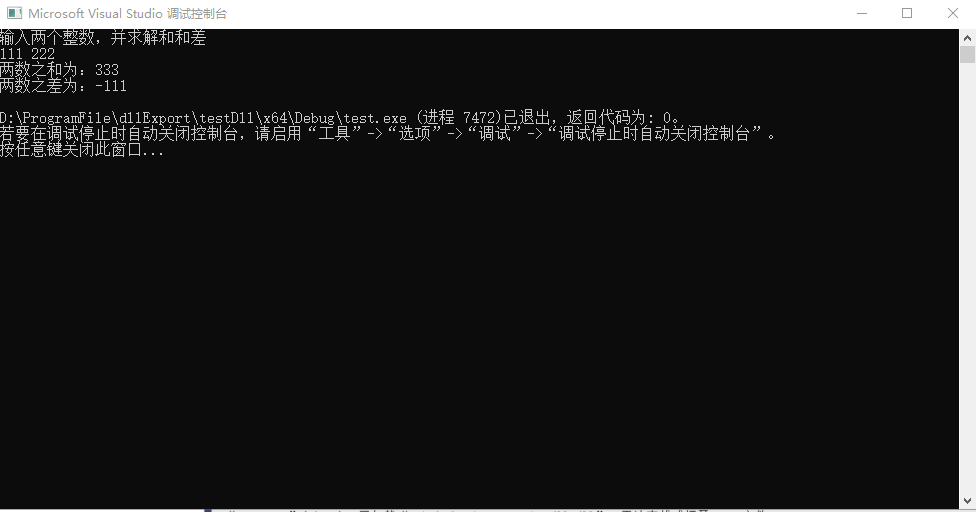
At this point, the dynamic library creation and call explanation has been completed.
If the content is not explained properly, I hope you can correct it.
Intelligent Recommendation
Call static function library (lib) and dynamic function library (dll)
1. When to statically link a library The static library usually contains a bunch of programmer-defined variables and functions, which are integrated into the executable file by the compiler and linker...
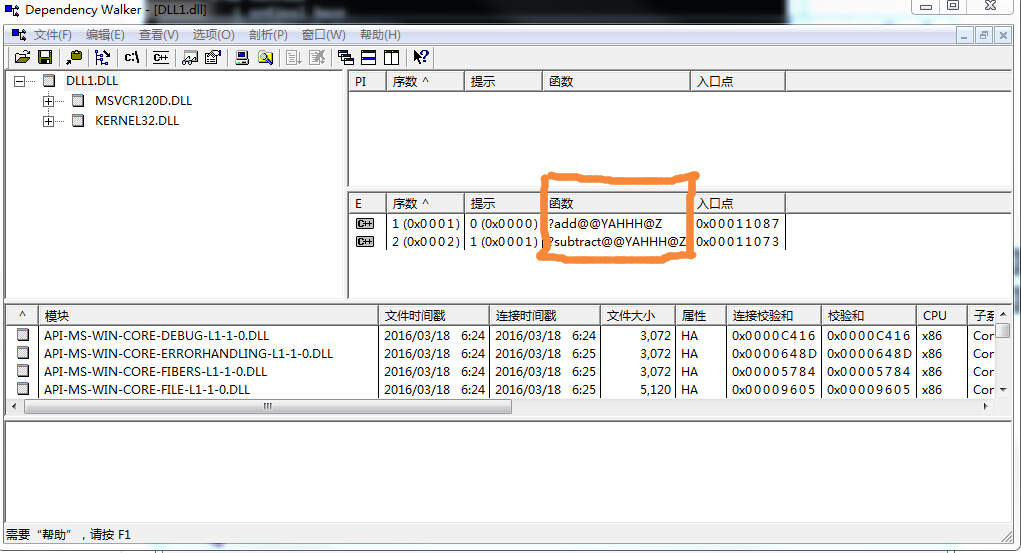
The difference between DLL dynamic library and static library Lib
I have had some doubts before. After reading this article, the idea is much clearer. I reprint it as follows: (I plan to implement this weekend from May 26 to 2018 and add my own insights to write an ...

VS2015 compiles SQLite3 dynamic link library DLL and static library Lib
Preface SQLiteIt is a simple and easy-to-use lightweight database. For related advantages, please refer to the information yourself. This article mainly uses VS2015 to compile the dynamic link library...
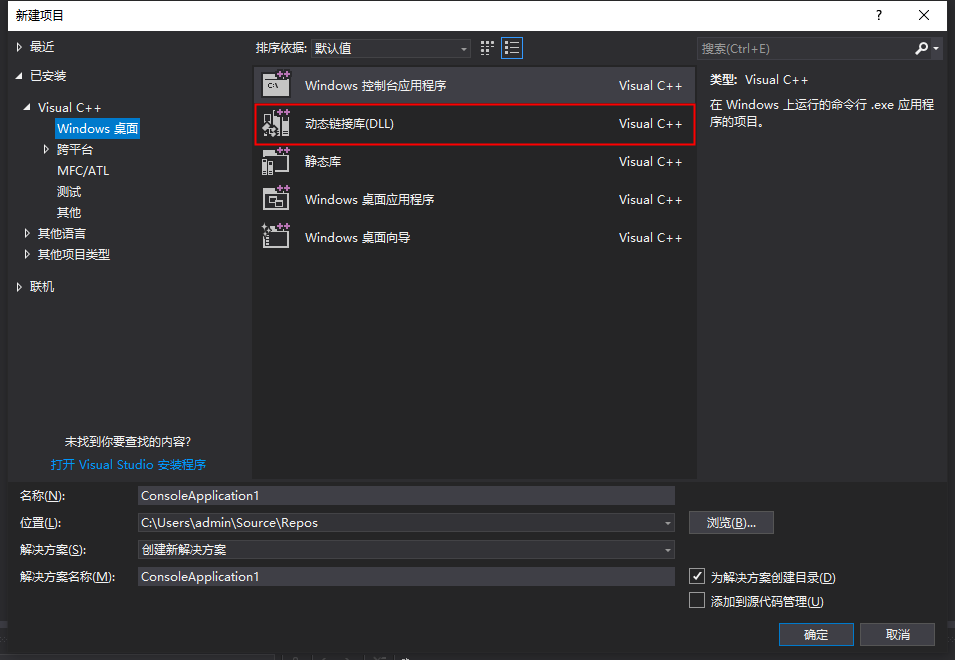
VS2017 generates dynamic library .dll and static library .lib and their calls
VS2017 generates dynamic library .dll and static library .lib and its calling steps 1. Open VS2017, create a new dynamic link library (DLL) 2. New header file-header.h 3. New source file-source.cpp 4....
More Recommendation
(20200508) Static link library (.lib) + dynamic link library (.dll)
Reference: 【1】 【2】 —————————————————— 20200508 first part: The creation of static link libra...
Dynamic link library (dll) and static link library (lib)
I. Introduction The dll (dynamic) dynamic link library contains the code and data executed by multiple programs. The dll is needed when the program is running; lib (static) static link library, contai...
Package dynamic library DLL and static library lib (principle and simple instance)
Development Process https://www.runoob.com/w3cnote/cpp-static-library-and-dynamic-library.html Article catalog Development Process LIB, DLL introduction Static library: Dynamic library: Generate and u...
Source File (CPP), Static Library (LIB), Dynamic Library (DLL)
background A function wants to call another function 1, the same file The easiest way is to call the function and the called function written in the same file. 2, source file Write the called function...
Load static library lib, load dynamic library DLL
Load static library LIB Load dynamic library ...