TensorFlow Learning -TF.KERAS interface saving and loading model
tags: Deep learning TensorFlow keras
After running a few deep -learning programs, I started to calm down to study the algorithm and code, because I just started to contact TensorFlow. The first way to block the use of various APIs, I don’t want to swallow jujube. , Each break.
Today is mainly the introduction of the TF.KERAS interface, and the preservation and loading of more models recently encountered.
1. Introduction to TF.KERAS
The TF.KERAS interface is the Keras interface encapsulated in TensorFlow. The Keras interface is a high -rise neural network API written in Python language that can be run on TensorFlow, CNTK, and Theano, that is, it can use these three frameworks as the background. Keras has the following advantages:
(1) User friendship, modularization, and expansion;
(2) Can support convolutional neural networks and circulating neural networks;
(3) Can be seamlessly supported by CPU and GPU.
The keyflow interface in TensorFlow has a comprehensive implementation of Keras. As long as TensorFlow is installed, you can use all the interfaces of Keras.
The TF.KERAS interface contains the source code of many mature models, including Densenet, NASNET, MOBILENET, etc. We can easily use these source code to train them. The parameter value is assigned to the weight of the model source code, and the model after assignment can be directly used to predict.
The key pages on GitHub have many models of the source code, structure, parameters, etc. students who need to make model evaluation can be viewed through the following links. For example, we need to understand the parameters of the model some time ago. D.
GitHub - keras-team/keras-applications: Reference implementations of popular deep learning models.
2. Model preservation and loading
Save the model can use the following API:
model.save()
#or
tf.keras.models.save_model()
Model loading:
tf.keras.models.load_model()The model preservation format can be the SaveDmodel format of TensorFlow, or the Keras H5 format. Savedmodel format is the default format of Model.save (). If you want to save it in H5 format, there are two ways to achieve:
(1) When calling the save () function, pass the save_format = 'h5';
(2) Pass the file name ending with .h5 or .keras to the save () function.
2.1 Savedmodel model
Savedmodel example is as follows, the example comes fromOfficial tutorial。
def get_model():
    # Create a simple model.
    inputs = keras.Input(shape=(32,))
    outputs = keras.layers.Dense(1)(inputs)
    model = keras.Model(inputs, outputs)
    model.compile(optimizer="adam", loss="mean_squared_error")
    return model


model = get_model()

# Train the model.
test_input = np.random.random((128, 32))
test_target = np.random.random((128, 1))
model.fit(test_input, test_target)

# Calling `save('my_model')` creates a SavedModel folder `my_model`.
model.save("my_model")

# It can be used to reconstruct the model identically.
reconstructed_model = keras.models.load_model("my_model")

# Let's check:
np.testing.assert_allclose(
    model.predict(test_input), reconstructed_model.predict(test_input)
)

# The reconstructed model is already compiled and has retained the optimizer
# state, so training can resume:
reconstructed_model.fit(test_input, test_target)
transfer model.save('my_model')Will create a name calledmy_modelThe folder contains the following content:

Model architecture and training configuration (including optimizers, losses and indicators) stored insaved_model.pbIn the middle, the weight is preservedvariables/ Under contents.
2.2 H5 model
Keras also supports saving a single HDF5 file, which contains the architecture, weight value andcompile() information. It is a lightweight alternative option for SaveDModel.
The official tutorial examples are as follows:
model = get_model()

# Train the model.
test_input = np.random.random((128, 32))
test_target = np.random.random((128, 1))
model.fit(test_input, test_target)

# Calling `save('my_model.h5')` creates a h5 file `my_model.h5`.
model.save("my_h5_model.h5")

# It can be used to reconstruct the model identically.
reconstructed_model = keras.models.load_model("my_h5_model.h5")

# Let's check:
np.testing.assert_allclose(
    model.predict(test_input), reconstructed_model.predict(test_input)
)

# The reconstructed model is already compiled and has retained the optimizer
# state, so training can resume:
reconstructed_model.fit(test_input, test_target)
The saved file is a separate My_H5_model.h5 file.
Time relationship, write here today, and then update more content according to the learning situation.
Intelligent Recommendation
tensorflow- model saving and loading (b)
tensorflow- model saving and loading (b) There are many TensorFlow model formats for different scenarios may use different formats. format Brief introduction Checkpoint Right model for saving weight, ...
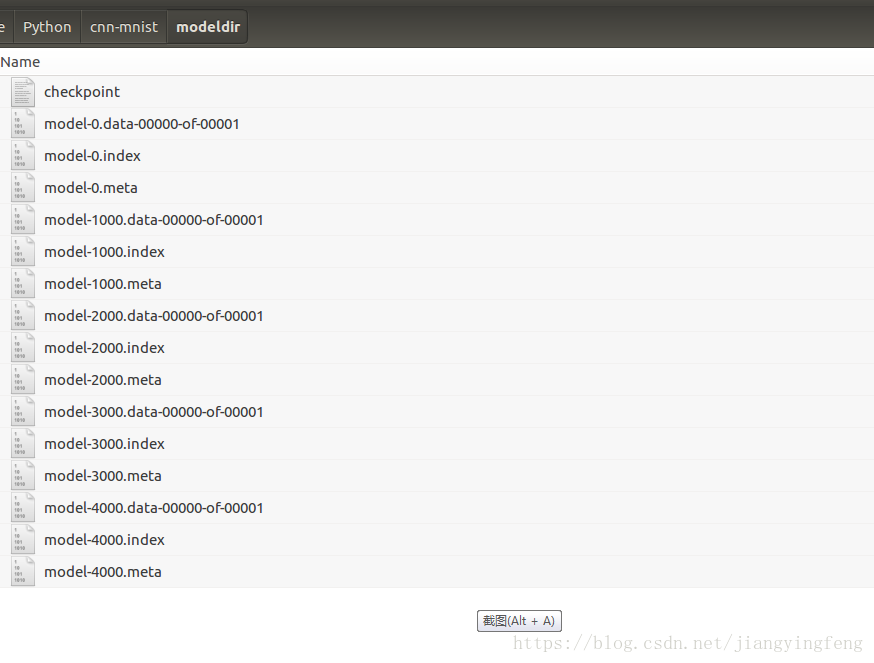
Saving and loading the TensorFlow training model
During the training process of building a TensorFlow model, there may be errors, or the training time is relatively long. We hope to save the parameter data and structure of the trained model, so it i...
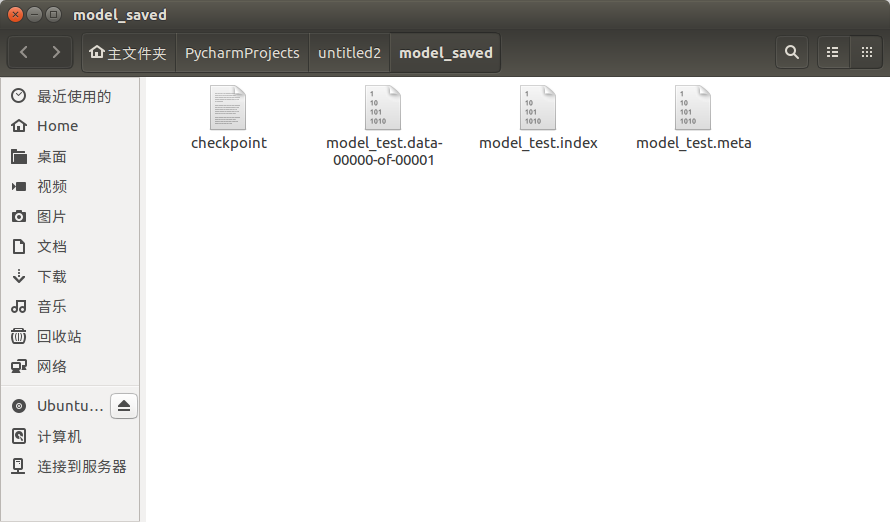
Persistent saving and loading of tensorflow model
Saving of model files tensorflow saves the model locally and generates 4 files: Meta file: saves the graph structure of the network, including variables, ops, collections and other information ckpt fi...
TensorFlow training model saving and loading
We often hope to save the training results after training a model. These results refer to the parameters of the model for the next iteration of training or for testing. Tensorflow providesSaverclass. ...
TensorFlow model saving and loading method
TensorFlow model saving and loading method Model save In this code, passsaver.saveThe function saves the TensorFlow model tomodel/model.ckptIn the file, the path specified in this code is"model/m...
More Recommendation
[Tool] Tensorflow Basic Learning II Model Saving and Loading
Tags: Tool DeepLearning When training the model, we often need to save some intermediate training results, so that we can continue the last training from checkpoints after interrupting the training; o...
[tf.keras] tf.keras loading AlexNet pre-training model
Article directory Export model parameters from PyTorch Step 0: Configure the environment Step 1: Install MMdnn Step 2: Get a model (pth file) where PyTorch saves the complete structure and parameters ...
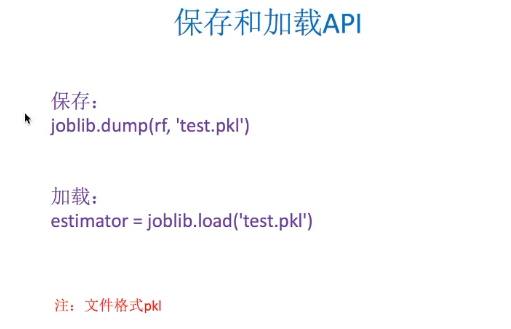
Tensorflow has operations on model saving, loading, etc.
Variables: create, initialize, save, and load When training the model, usevariableTo store and update parameters. The variable contains the tensor (Tensor) stored in the buffer area of the memory. T...