Solution for ubuntu 16.04 segment error (core dumped)
I wrote a test software because of the software requirements. I defined the size of two u8 bufs to be 1280*720*8, which is almost the same as the size of 15M. If there is no error in the syntax, I will report the segmentation error directly. Dump) error. Find the relevant information, record it here.
Here we need to use an instruction under Linux:
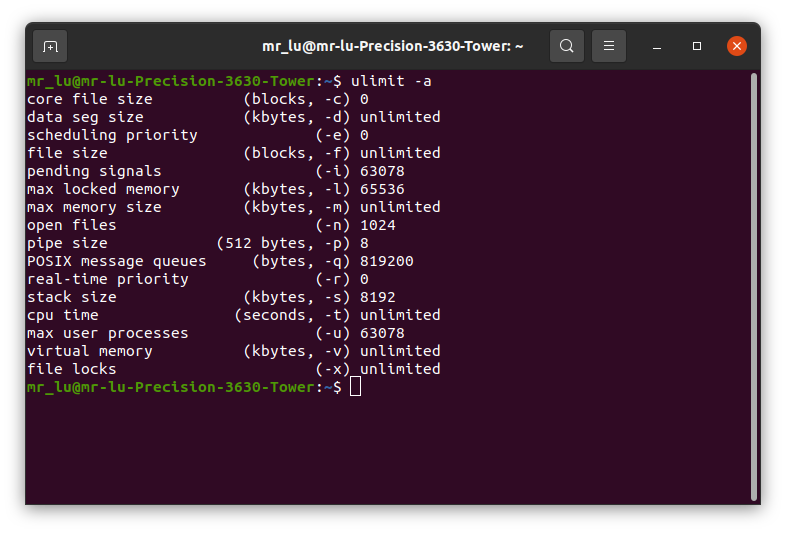
ulimit -a
The computer information is as follows:
core file size          (blocks, -c) 0
data seg size           (kbytes, -d) unlimited
scheduling priority             (-e) 0
file size               (blocks, -f) unlimited
pending signals                 (-i) 14694
max locked memory       (kbytes, -l) 64
max memory size         (kbytes, -m) unlimited
open files                      (-n) 1024
pipe size            (512 bytes, -p) 8
POSIX message queues     (bytes, -q) 819200
real-time priority              (-r) 0
stack size              (kbytes, -s) 8192
cpu time               (seconds, -t) unlimited
max user processes              (-u) 14694
virtual memory          (kbytes, -v) unlimited
file locks                      (-x) unlimited
Query the size of the current computer stack (stack), so the name is conceivable, the stack space is used to store data such as arrays, then the segmentation error should be that our storage array exceeds his size, I checked my computer's stack size is 8192, Obviously my 15M is already over, and solving this problem requires an order:
ulimit -s 102400
Change to the size that suits you, here is changed to 100M, then I have no problem with the compilation tool. Of course, this method is only a temporary method. Every time you open the terminal, you need to modify it once. This is more troublesome. If there are friends who know what better way to leave a message below.
Intelligent Recommendation
Due to modification ./bashrc, the problem of segment error segmentation fault (core dumped)
Write a directory title here There was a problem Problem solution Effect There was a problem Since the modified ./bashrc, the Glibc2.30 version was added. After Source, whether it is LS or VIM command...
Bus error (core dumped)
When running the crawler script on linux, an error is reported as follows: Through the query, the reason is that the disk space is full, passed under Linuxdf -lh Check the disk usage and you can see t...
Ubuntu install tensorflow-gpu: bus error (core dumped)
My environment is ubuntu16.04, cuda8.0, cudnn5.1, according to the official match, tensorflow-gpu can only be installed version 1.2.0, the article is attached with the corresponding matching version o...
(Core dumped) Core file solution
Foreword This error is particularly prone to writing C/C ++. At this time, you need to use GDB to debug better. Just check your blog as long as you wantulimit -c ulimitedThat's it, this means that it ...
Reporting error under Linux: a solution to Segmentation fault (core dumped)
Recently encountered a problem is very tricky, C + + program compiled in VS clearly have no problem, but transplanted to Linux using cmake to compile error Segmentation fault (core dumped). After revi...
More Recommendation
Segmentation fault (core dumped) solution
Encounter this error, of course, is to use gdb. Prerequisite is you have to have source code Step 1: Add the -g -rdynamic option when using the gcc compiler command. is compiled using many current app...
When Ubuntu 20.04 downloads cuda11.1, a segment fault occurs (the core has been dumped)
When Ubuntu 20.04 downloads cuda11.1, a segment fault occurs (the core has been dumped) Problem Description: solution: Changing the stack size can solve the problem Problem Description: Every time the...
Starting RVIZ after the occurrence of the error (core dump) Segmentation Fault (Core Dumped) Solution
First, encounter problems I used RVIZ, but the problem of unsuccessful RVIZ started a certain day, and the occurrence of the RVIZ (core has been dump) Second, the solution Through Baidu, it was found ...
Ubuntu 16.04 apt package update error solution
When we use the apt (or apt-get) command to update the package, the last time the apt update is not terminated due to network and other reasons, resulting in an error message 11. This time can be solv...
After upgrading Ubuntu 16.04 error Solution
Error Solution After upgrading Ubuntu 16.04: Solution: Go in your safe mode by hitting SHIFT key or ESC. select networking , then drop to root prompt. Then run following commands. Now, ...