CentOS 7 installation FreeRadius + Daloradius web management Asus router +
Foreword
FreeRADIUS is the GNU General Public License developed high-performance open source RADIUS server. FreeRADIUS is the world's most used on the RADIUS server. FreeRADIUS with a Web-based user management tool is a modular, scalable and rich feature set.
Note: This article All commands are done by the root command.
Install CentOS-7-X86_64-Minimal and configure a static IP here is not to describe (IP set to 192.168.1.211, behind this is to fill in the radius IP)
Before starting the installation, the proposed closure SELinux or set to disabled, the best advice is permanently closed SELinux:
# sed -i 's/^SELINUX=.*/SELINUX=disabled/g' /etc/selinux/config
Reboot the system: After reboot, reboot is complete view SELinux

Check firewall status, the state can start adding rules, centos7 default firewall is firewall
# firewall-cmd --state
Turn off the firewall and the firewall turned off the boot:
Directly off the firewall
# Systemctl stop firewalld.service
Prohibit firewall boot
# Systemctl disable firewalld.service
First, install the Apache server
1, the installation
# yum -y install httpd httpd-devel
2, set the boot and start the Apache service
# systemctl enable httpd
# systemctl start httpd

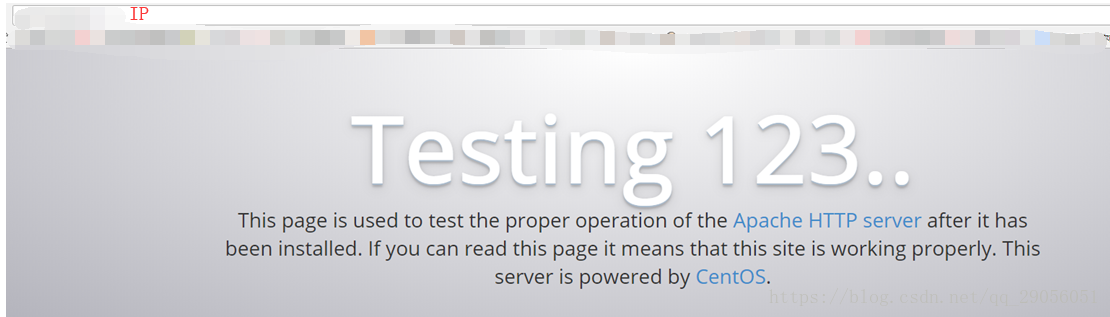
3, after starting the browser, enter the machine ip, you can see Apache Home
Second, install MariaDB
Why not Mysql?
A: MariaDB MySQL database management system is a branch, mainly by the open source community in the maintenance, under the GPL license. One reason for the development of this branch is: after Oracle's acquisition of MySQL, there are potential risks to MySQL closed source, so the branch community a way to avoid this risk.
1, the installation
# yum install -y mariadb-server mariadb
2, set the boot and start MariaDB MariaDB services
# systemctl start mariadb
# systemctl enable mariadb

3, see the MariaDB state, running is already running
# systemctl status mariadb

4, initial setting MariaDB, set the root password;
For security reasons, consider removing the anonymous user and disable remote root login, see the following sample configuration,
# mysql_secure_installation
Set root password? [Y/n] y
New password: Re-enter new password:
Password updated successfully! Reloading privilege tables..
... Success!
Remove anonymous users? [Y/n] y
Disallow root login remotely? [Y/n] y
Remove test database and access to it? [Y/n] y
Reload privilege tables now? [Y/n] y
5, Radius create the database and user name and password
# mysql -u root -p
MariaDB [(none)]> CREATE DATABASE radius;
MariaDB [(none)]> GRANT ALL ON radius.* TO radius@localhost IDENTIFIED BY "radius";
MariaDB [(none)]> FLUSH PRIVILEGES;
MariaDB [(none)]> exit
Third, the installation PHP7
1, the installation
# curl 'https://setup.ius.io/' -o setup-ius.sh
# bash setup-ius.sh
# yum remove php-cli mod_php php-common
# yum -y install mod_php70u php70u-cli php70u-mysqlnd php70u-devel php70u-gd php70u-mcrypt php70u-mbstring php70u-xml php70u-pear
2, view the php version
# php -v

3, the test PHP
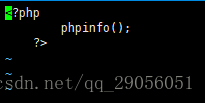
New info.php page with the directory under the Apache website, after typing press Ins press esc,: wq save and exit.
# vi /var/www/html/info.php
Fill in the following test elements:
<?php phpinfo(); ?>
4, restart the Apache server
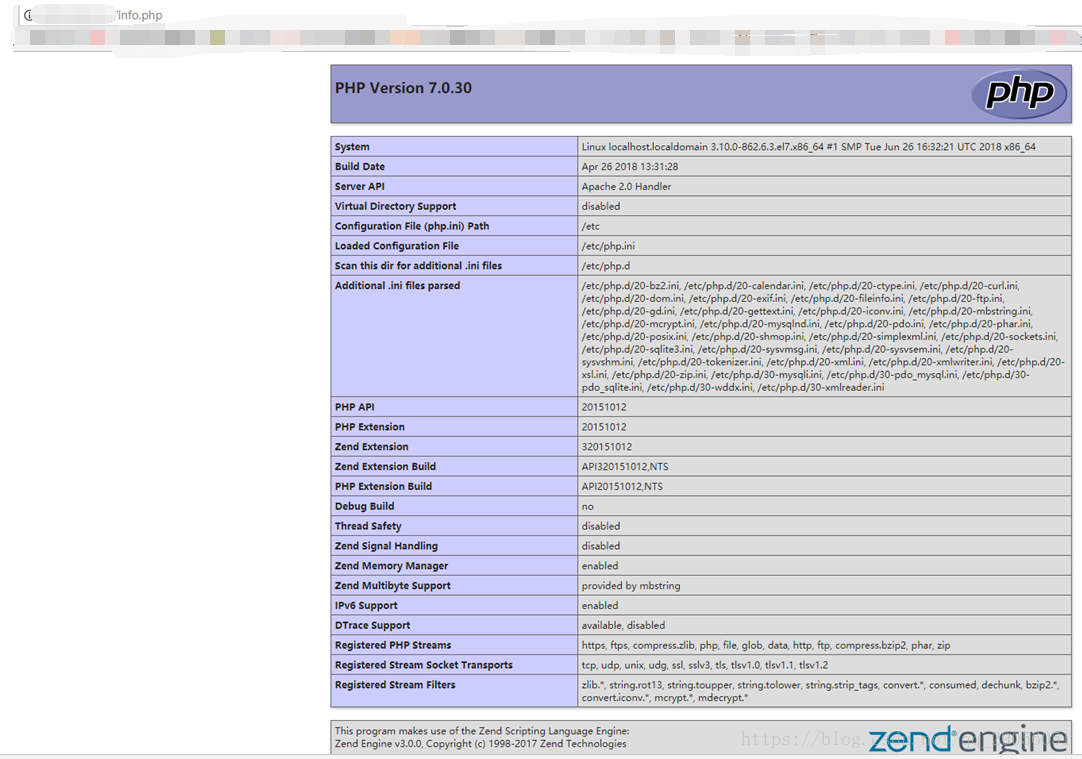
Open info.php page, php display information that is normal. IP / info.php
# systemctl restart httpd.service
Fourth, the installation FreeRadius
1, the installation
# yum -y install freeradius freeradius-utils freeradius-mysql
2, set the start radius and start-up
# systemctl start radiusd.service
# systemctl enable radiusd.service

3, configuration FreeRadius
3.1 Radius introduced into the database in the database maiadb
# mysql -u root -p radius < /etc/raddb/mods-config/sql/main/mysql/schema.sql
3.2, / raddb / mods-enabled to create a soft link to / etc
# ln -s /etc/raddb/mods-available/sql /etc/raddb/mods-enabled/
3.3, SQL module configuration / raddb / mods-available / SQL, and change the database connection parameters to fit the environment:
# vi /etc/raddb/mods-available/sql
sql {
# The sub-module to use to execute queries. This should match
# the database you're attempting to connect to.
#
# * rlm_sql_mysql
# * rlm_sql_mssql
# * rlm_sql_oracle
# * rlm_sql_postgresql
# * rlm_sql_sqlite
# * rlm_sql_null (log queries to disk)
driver = "rlm_sql_mysql"
dialect = "mysql"
# Connection info:
server = "localhost"
port = 3306
login = "radius"
password = "radius"
# Database table configuration for everything except Oracle
radius_db = "radius"
......
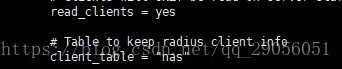
# Set to 'yes' to read radius clients from the database ('nas' table) # Clients will ONLY be read on server startup.
read_clients = yes
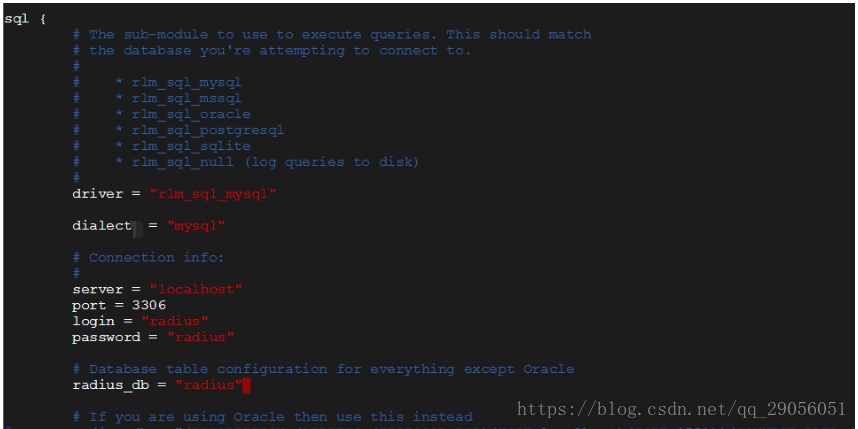
Other no need to change the default configuration.
3.4, then the / etc / raddb / mods-enabled / sql owning group are changed radiusd:
# chgrp -h radiusd /etc/raddb/mods-enabled/sql
3.5, is added to start the service, and to adjust the boot sequence FreeRadius the MariaDB, FreeRadius MariaDB be started after startup, [Unit] section, increasing After = mariadb.service, as shown below:
# systemctl enable radiusd.service
# vi /etc/systemd/system/multi-user.target.wants/radiusd.service
After=mariadb.service

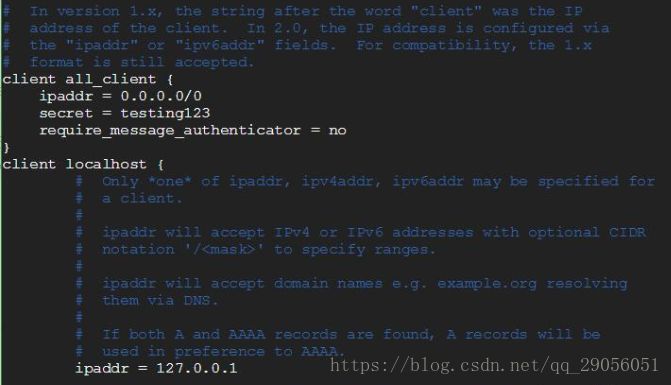
3.6, add a client connection settings, add all users are allowed access. For specific access ip, ip can be freely changed.
# vi /etc/raddb/clients.conf
client all_client {
ipaddr = 0.0.0.0/0
secret = testing123
require_message_authenticator = no
}
Fifth, install FreeRADIUS management interface Daloradius
1, into the Apache root of the site, download the source files
# cd /var/www/html/
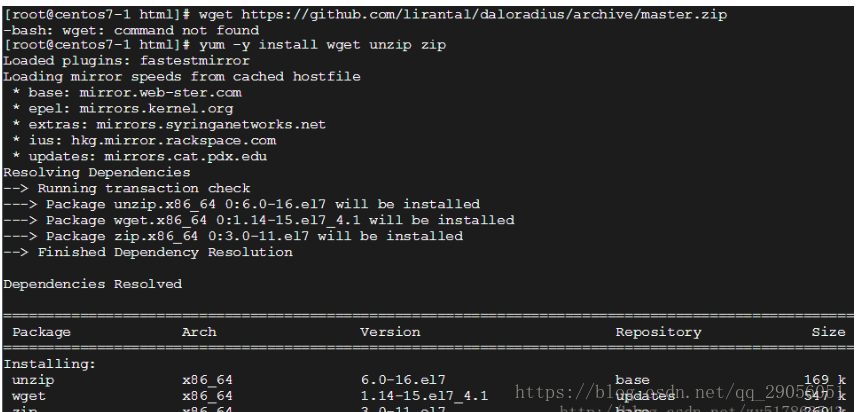
# wget https://github.com/lirantal/daloradius/archive/master.zip
In case of -bash: wget: command not found, etc. to install the appropriate software, did not appear to ignore this step.
# yum -y install wget unzip zip
2, extracting archive, modify the folder name
# unzip master.zip
# mv daloradius-master/ daloradius
3, download daloradius-0.9-9.tar.gz, after extracting merged into daloradius folder
# unzip master.zip
# mv daloradius-master/ daloradius
4, enter daloradius directory, database import daloradius
# cd daloradius
# mysql -u root -p radius < contrib/db/fr2-mysql-daloradius-and-freeradius.sql
# mysql -u root -p radius < contrib/db/mysql-daloradius.sql
5, set daloradius directory user groups and users, set permissions daloradius.conf.php
# chown -R apache:apache /var/www/html/daloradius/
# chmod 664 /var/www/html/daloradius/library/daloradius.conf.php
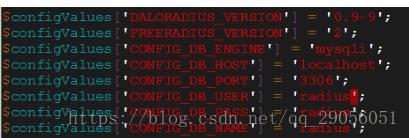
6, a connection information database daloradius
Open daloradius.conf.php file, modify CONFIG_DB_USER, CONFIG_DB_PASS, CONFIG_DB_NAME.
# vi /var/www/html/daloradius/library/daloradius.conf.php
7, restart the service
# systemctl restart radiusd.service
# systemctl restart mariadb.service
# systemctl restart httpd
If the prompt: Warning:. Radiusd.service changed on disk Run 'systemctl daemon-reload' to reload units

The above tips will not ignore this step
# systemctl daemon-reload
# systemctl restart radiusd.service
8, installed php-pear
# yum install php-pear
# pear install DB
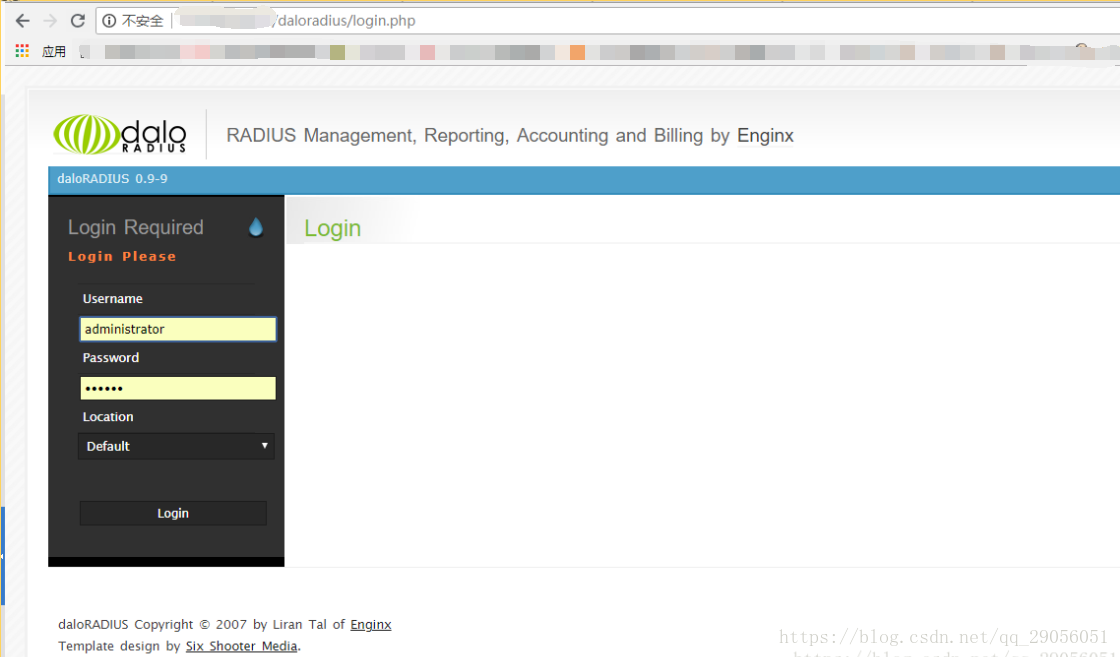
9, login the web interface
default user name: administrator
Password: radius
http://ip-address/daloradius/login.php
Create a user after logging in Management wisoft for testing
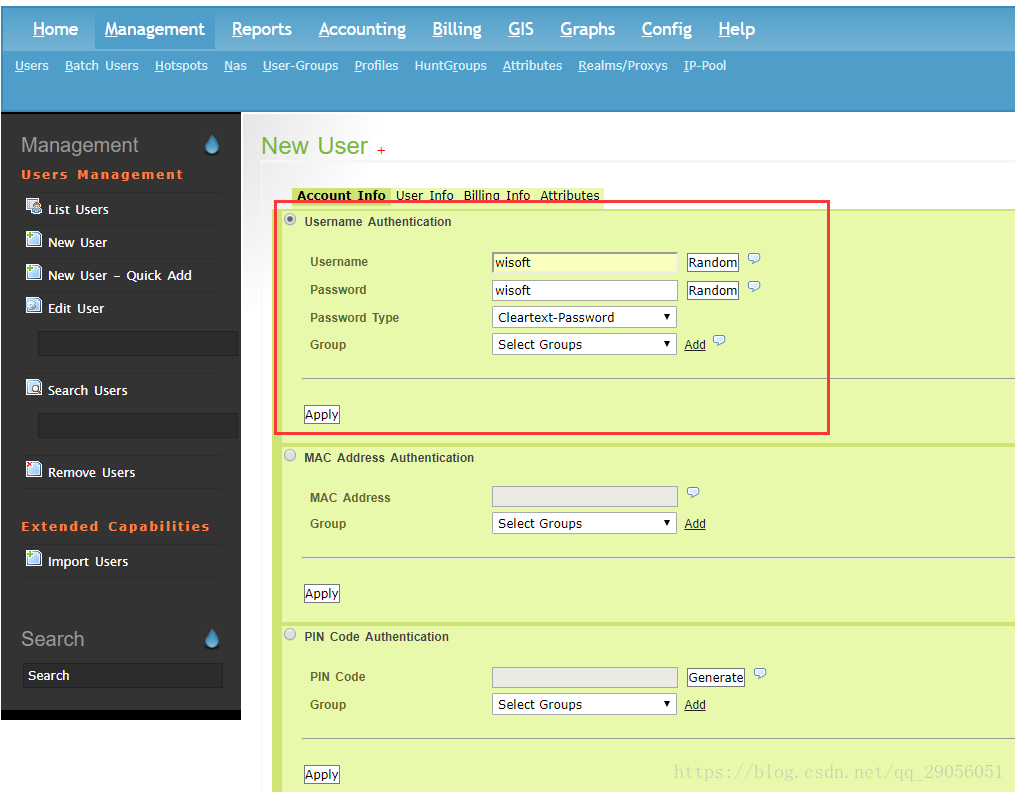
So far FreeRadius + Daloradius + web management interface has been installed successfully
Six test
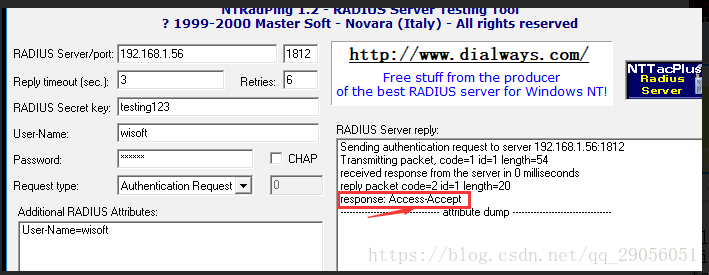
Radiustest use third-party testing tools to verify that the server installation was successful, successful interface is as follows, accessories
Seven, AP router settings
(Firmware ASUS RT-N56U)
Reset After resetting the device, enter the management pagehttp://192.168.123.1/
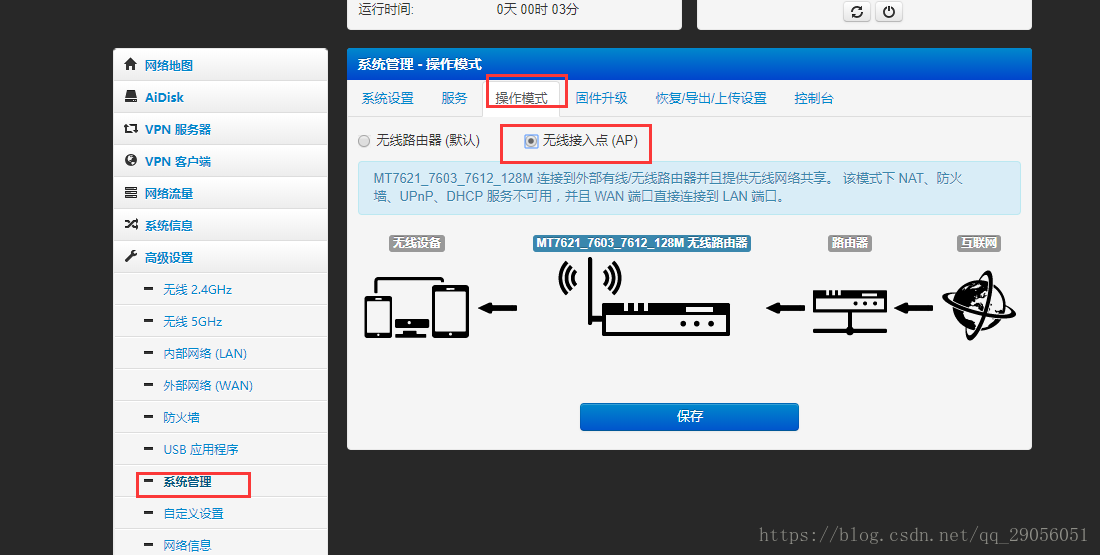
1, change the routing operation mode to AP mode
2, is provided a RADIUS 2.4GHz wireless set
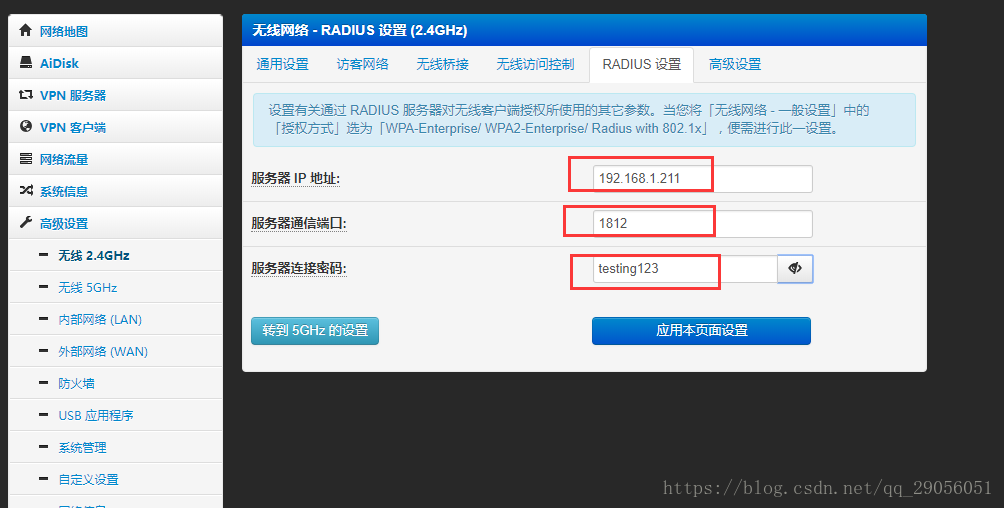
3, set up a wireless network License
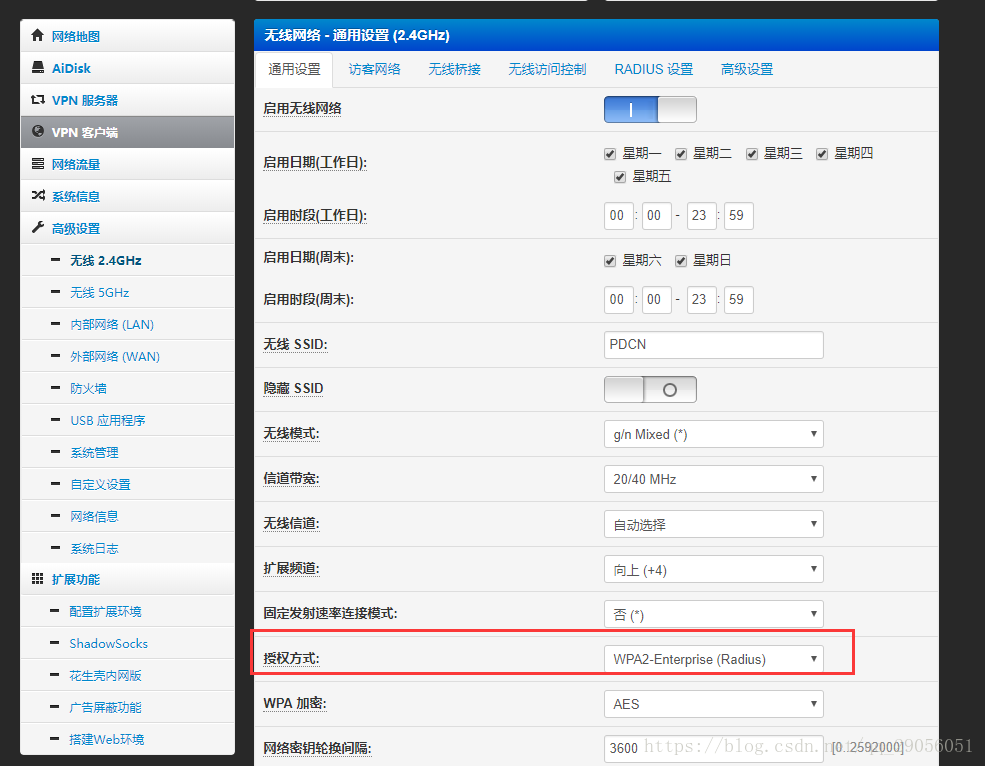
Reference Bowen:
Official website:
There's one virtual machine, not tested
Intelligent Recommendation
The detailed configuration process of FreeRADIUS+daloradius+OpenPortal under CentOS and the method to achieve flow control
1. Install PHP 7 First delete the existing PHP:yum remove php* Then update the yum source: Execute yum statement to install PHP: Adapt to Apache: In the Apache configuration file httpd.conf<IfModul...
Installing Freeradius and DaloraDius on Ubuntu 16.04 LTS server
FreeRadius opens the source solution for AAA Radius Linux, DaloraDius is a graphical Web Administration Tool. Freeeradius is generally used to conduct account certification management, accounting mana...

Freeradius installation
0. Quote Freeradius installation A reference 1. Go to the official website to select a version Official website I chose the version 2_2_8:freeradius-2-2-8 My little record: I used a very new ver...
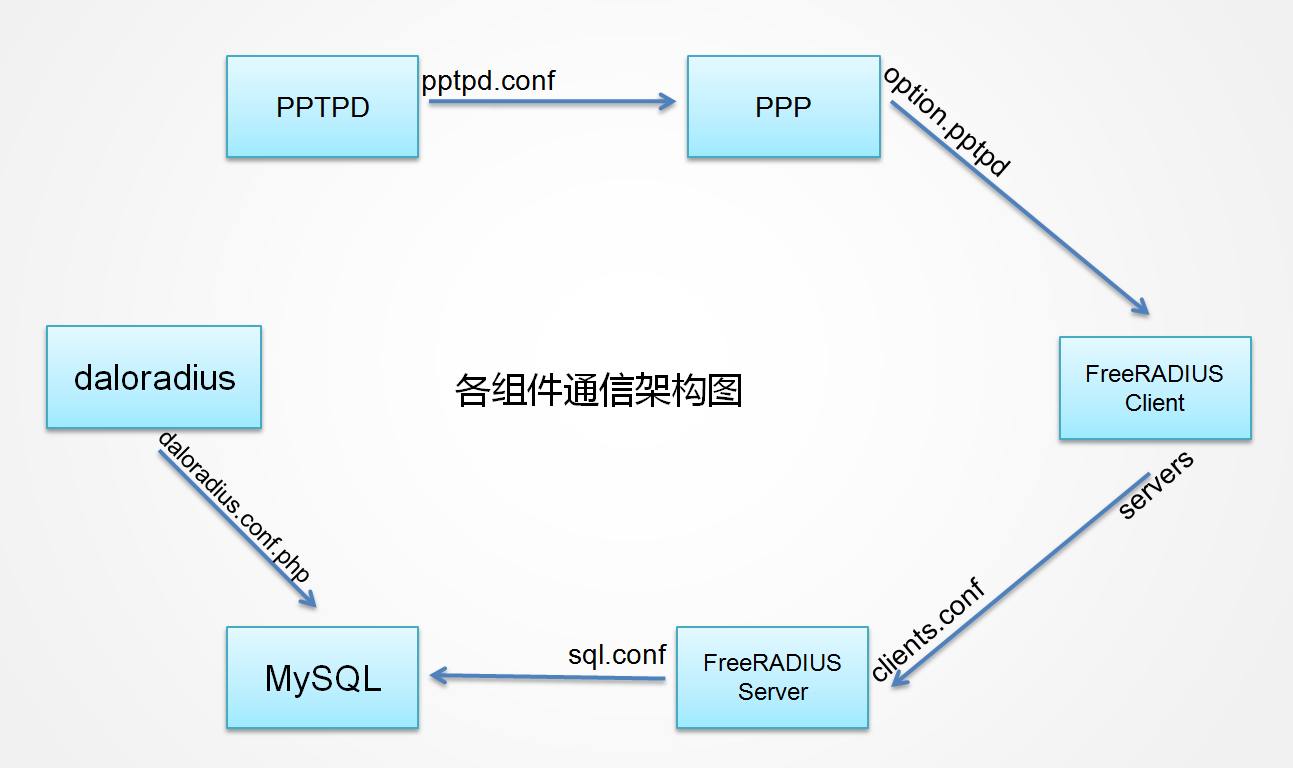
FreeRADIUS+DaloRADIUS implements PPTP *** Advanced User Control + Flow Control
First, the preconditions Before reading this article, you need to set up PPTP. If it is still not built, you can refer to it.Quick Install PPTP ***。 If you need to configure DaloRADIUS, then you also ...
Apache Web server configuration in the installation of 7 CentOS
Learn howCentOSHosted 7 of Apache on your own website, which is a reliable, popular and easy to configure Web server. I host my own site has a lot of years. 20 years since switching from OS / 2 toLinu...
More Recommendation
CentOS 7 Installation Management Command ifconfig
1. Install the needs background We know ifconfig command can be used to view, configure, enable or disable the specified network interface card configuration as an IP address, mask, broadcast address,...

Linux-CentOS 7-Software installation and management
Article Directory Package management system rpm package management Install packages View installed packages Uninstall the package Upgrade package yum package management View installed packages Search ...

FreeRADIUS 3.0 installation and configuration
This configuration radius can be run and tested OK, but from the VPN authentication failed. VPN configuration, next blog. PHP exchange group: 294088839, Python communication group: 652376983 &n...
freeradius installation and testing
freeradius official website freeradius github Installation method Non-source installation For example ubuntu: For Bionic Beaver (18.04), add to your apt source list (/etc/apt/sources.list): Start the ...
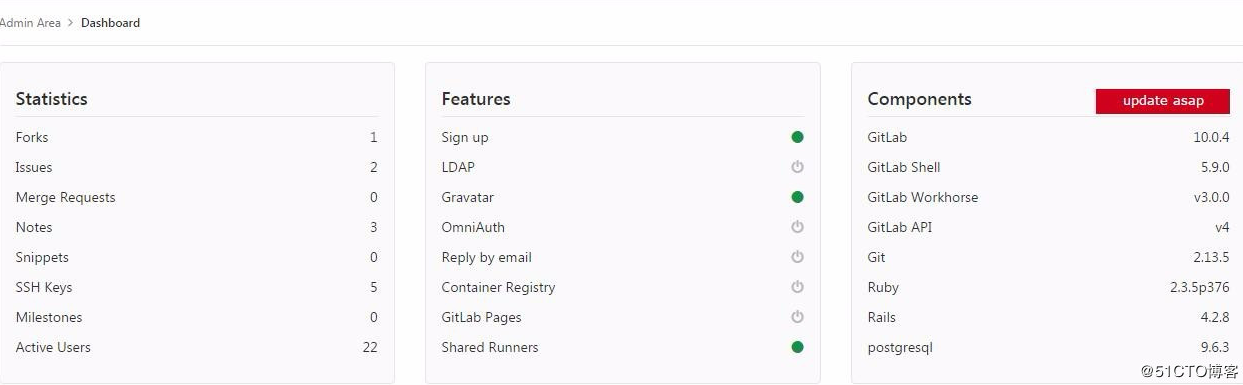
Version Management GitLab Installation and Management (CentOS 7) GitLab
I. Introduction GitLab leverages Ruby on Rails, an open source version management system, to implement a self-hosted Git project repository that provides access to public or private projects through a...