Use uvm makefile in vcs
UVM_VER = uvm-1.1
UVM_SUB_VER = d
UVM_HOME = /apps/uvm

VCS             = vcs
VCS_OPTS        = -sverilog +acc +vpi -timescale=1ns/1ns $(EXTRA_VCS_OPTS)

.PHONY:	clean vcs vcs_debug vcs_std

default:
	 # To use with VCS, enter:
	 #   make vcs	or	make vcs_debug
         # To remove temporary files, enter
         #   make clean

vcs:
	$(VCS) $(VCS_OPTS) -ntb_opts uvm $(INCDIRS) $(SRCS) -R $(EXTRA_VCS_RUNOPTS)

vcs_debug:
	$(VCS) $(VCS_OPTS) -ntb_opts uvm $(INCDIRS) $(SRCS) -R -gui $(EXTRA_VCS_RUNOPTS)

vcs_std:
	$(VCS) $(VCS_OPTS) +acc +vpi $(INCDIRS) +incdir+$(UVM_HOME)/src $(UVM_HOME)/src/uvm.sv  $(SRCS) \
	$(UVM_HOME)/src/dpi/uvm_dpi.cc -CFLAGS -DVCS -R $(EXTRA_VCS_RUNOPTS)

clean:
	@echo cleaning old simulation files and libraries...
	@ -$(RM) csrc simv* work *.bak *.log *.vpd transcript \
	waves.shm *.wlf mylib lib *.vstf .restart* \
	urgReport *.so vc_hdrs.h

# EOF
Another one has an error
///////////////////////////////////////////
UVM_REGISTER ?= ../../../../uvm_register-2.0
RTL ?= ../../../rtl
AGENTS ?= ../../../agents
TAR_PATH ?= ../../../../
TEST ?= spi_interrupt_test

all: build run

build:
vcs -timescale=1ns/10ps -sverilog -ntb_opts uvm-1.1 +incdir+$(RTL)/spi/rtl/verilog $(RTL)/spi/rtl/verilog/*.v \
+incdir+$(UVM_REGISTER)/src $(UVM_REGISTER)/src/uvm_register_pkg.sv \
+incdir+$(AGENTS)/register_layering $(AGENTS)/register_layering/register_layering_pkg.sv \
+incdir+$(AGENTS)/apb_agent $(AGENTS)/apb_agent/apb_agent_pkg.sv \
+incdir+$(AGENTS)/spi_agent $(AGENTS)/spi_agent/spi_agent_pkg.sv \
+incdir+../register_model ../register_model/spi_register_pkg.sv \
$(AGENTS)/apb_agent/apb_if.sv \
$(AGENTS)/spi_agent/spi_if.sv \
../tb/intr_if.sv \
+incdir+../env ../env/spi_env_pkg.sv \
+incdir+../sequences ../sequences/spi_bus_sequence_lib_pkg.sv \
+incdir+../sequences ../sequences/spi_sequence_lib_pkg.sv \
+incdir+../sequences ../sequences/spi_virtual_seq_lib_pkg.sv \
+incdir+../test ../test/spi_test_lib_pkg.sv \
+incdir+$(RTL)/spi/rtl/verilog ../tb/top_tb.sv

run:
./simv top_tb +UVM_TESTNAME="$(TEST)"

clean:
@rm -rf csrc
@find ../../../ -name "*~" -deleteIntelligent Recommendation
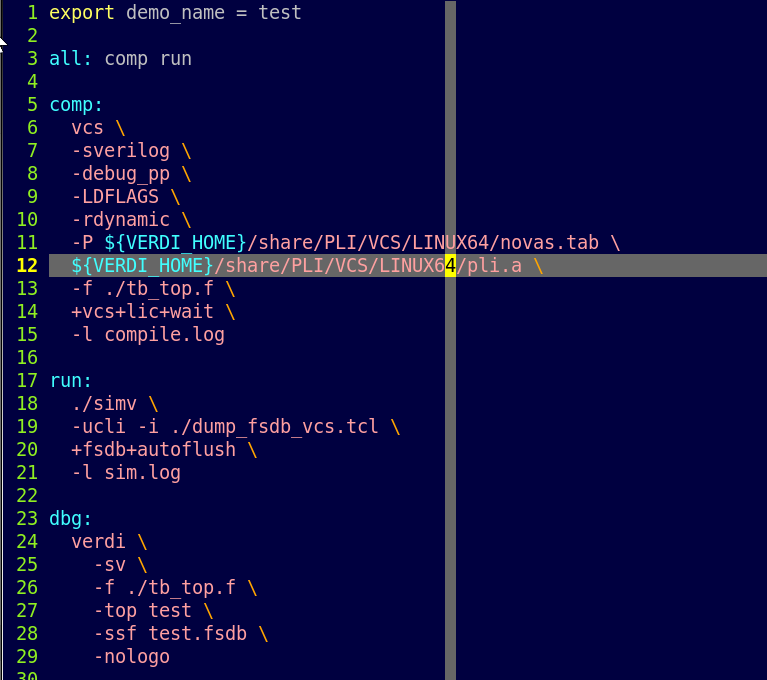
VCS + Verdi, and makefile
Before the command line, it will be an error in Tab. Entering Tab in GVIM, using CTR + V + I Use the TAB key directly to enter unsuccessful. Comment with # Below is makefile content L8: Optional debug...

VCS simulation process and installation and compilation of UVM library
VCS simulation process has two compilation modes 1: Open the terminal on the folder where the source file and the normal tb file are stored. Input command vcs -full64 -V -R tb.v source.v -o simv -gui ...

UVM combat example is compiled in linux + vcs
There are many ways to run this code, the following method may be the most stupid, but just started, after checking a lot of information on the Internet to get the following method, in order to let th...

uvm actual combat example 2.2.4 (linux + vcs)
Test file dut my_driver my_if.sv top_tb.sv makefile Type make all in terminal The result is...
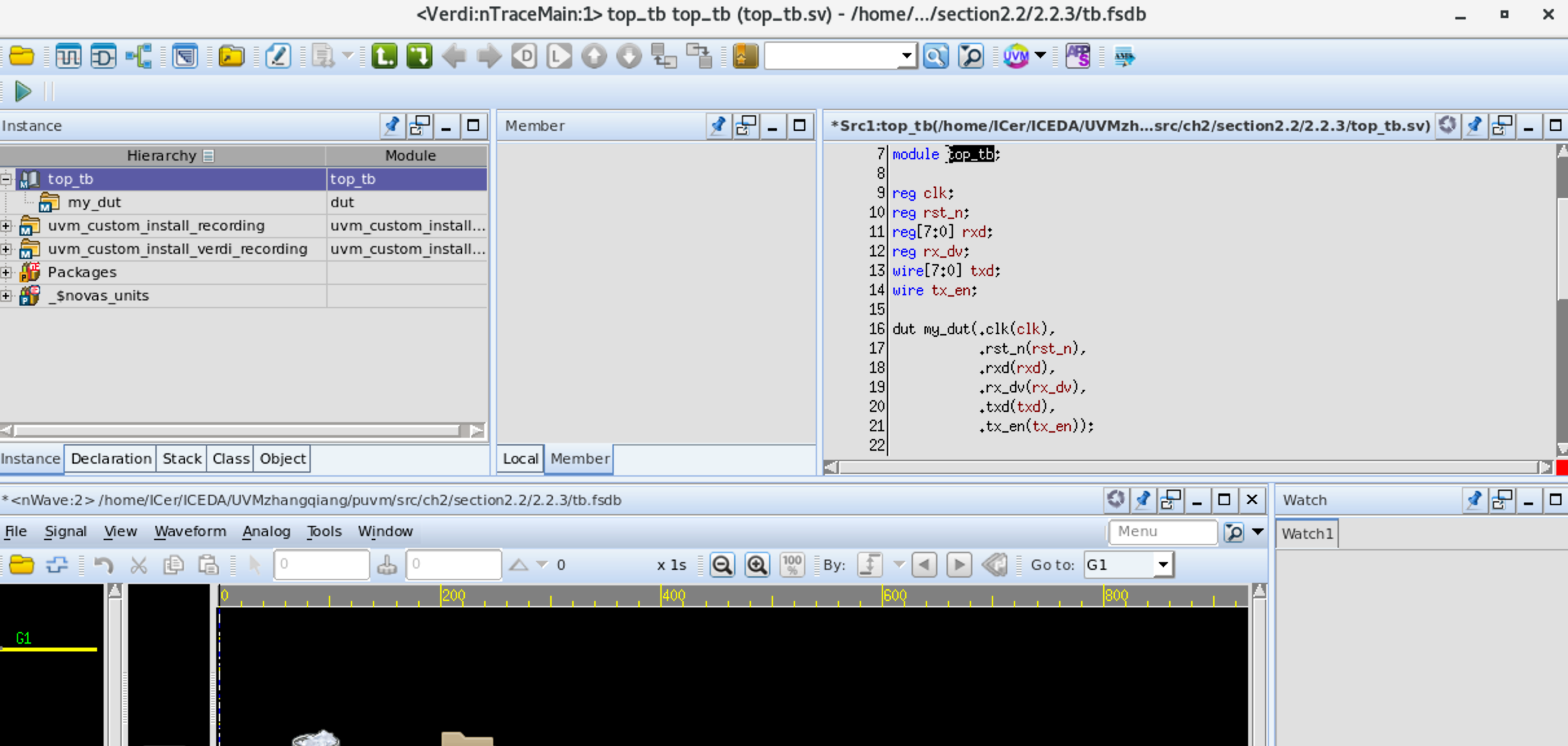
VCS + Verdi runs an example in the actual battle of UVM
1, pre-preparation Pre-download can be referred toBuilding a digital IC EDA environment (3): Centos7 installation EDA (VCS2018, Verdi2018, etc.) IC tools and scripts run the first project _ Hongqiang ...
More Recommendation

A simple Makefile writes VCS simulation
A simple Makefile writes VCS simulation 1 VCS Introduction VCS is a compilation Verilog Simulator that fully supports the OVI standard Verilog HDL language, PLI, and SDF. VCS has a higher simulation p...
VCS Compilation Simulation Makefile Directive
Use Verdi to add catalog libraries Aspect: Coverage option Compilation: simulation Waveform See coverage...

Compilation and Simulation of VCS Based on Makefile
content 1. VCS 1.1. Elaborate / Complie Design example 1.2. Simulate with DVE -gui -ucli 2. Makefile Mainly explaining how to compile Verilog or SystemverIlog in a Linux environment and use VCS's own ...
VCS+VERDI MAKEFILE successfully run
First enter your own folder, write DU and TB, and then write the absolute path of these two files into a .f file. Finally, write the makefile. The file directory is as follows: ! [Insert a picture des...
Makefile script run VCS simulation
Linux learning notes Makefile script run VCS simulation 1. File TB.List: TesetBech file directory RTL.List: RTL code file directory TC_TESET.V: Test case code 2. Makefile script 3. Command [Note]: Per...