Implementation of HDMI (DVI) Receiver with Xilinx FPGA
tags: FPGA design hdmi dvi fpga verilog
Implementation of HDMI (DVI) Receiver with Xilinx FPGA
1. Problem-HDMI receiver
1.1 ADV7511
Generally speaking, if you want to use HDMI as a video transceiver protocol, you will configure the HDMI codec chip. Common ones are ADV7511 (HDMI transmitter) and ADV7611 (HDMI receiver). In this way, the HDMI design part of the developer can be transformed into data interaction with the HDMI receiving or transmitting chip. When designing with FPGAs, some FPGAs have HDMI interfaces but not HDMI codec chips. How to use HDMI interface at this time?
One solution is to use an external HDMI module daughter card through the FMC interface, so that the HDMi codec chip can be used. Alternatively, you can use the HDMi IP built into the FPGA. Next I will introduce the realization of HDMI receiver using Xilinx IP.
For the HDMI transmitter part, of course, Xilinx IP can also be used.
2. HDMI (DVI) receiver
2.1 IP settings
This article uses the genesys2 development board of Digilent, and the IP provided by Digilent. It should be noted here that when you install vivado, the IP of Digilent will not be integrated into the IP of vivado. You need to download it manually by the developer and add it to vivado.
2.2 IP settings are as follows
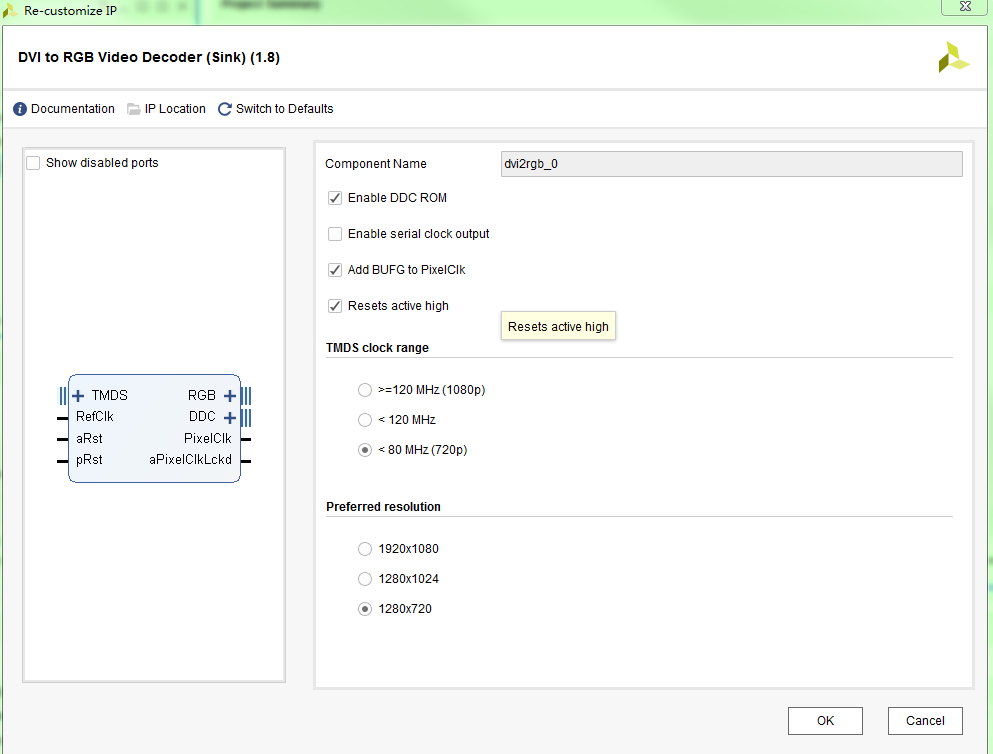
First, set the operating frequency of TMDS. The most important thing is to enable Enable DDC ROM, which will set the resolution acceptable to the DVI receiver. When connected to the DVI transmitter, the transmitter will automatically read the resolution that the receiver can handle from the receiver. Send data at this resolution. If the Enable DDC ROM is not enabled, the sender will not be able to detect the HDMI receiver and cannot send data.
3. HDMI to VGA
The following code is a simple HDMI-VGA converter. After the FPGA is set up, connect it to the PC, and then connect the FPGA to a VGA display. The picture information will be sent from the PC and displayed on the VGA display via the FPGA.
```handlebars
module  hdmi_input(
input             clk_in1_n,
input             clk_in1_p,
input  			  sys_rst,		//High level reset

//dvi interface
  input TMDS_Clk_p,
  input TMDS_Clk_n               ,
  input [2:0]TMDS_Data_p         ,
  input [2:0]TMDS_Data_n         ,
    inout   DDC_0_scl_io,
  inout    DDC_0_sda_io,
  output   hpa,

  output   led1                  ,
	output				vga_hsync,
	output				vga_vsync,
	output[4:0]			vga_r,
	output[5:0]			vga_g,
	output[4:0]			vga_b

);

wire  rst;
wire     clk_200m;
wire     locked;
assign  hpa = 1;
wire SDA_I ;
wire SDA_O ;
wire SDA_T ;
wire SCL_I ;
wire SCL_O ;
wire SCL_T ;

wire [23:0]vid_pData;
wire vid_pVDE;
wire  vid_pHSync;
wire  vid_pVSync;
  wire  PixelClk;
  wire  aPixelClkLckd;
reg   pRst;

reg [10:0]   hcnt;
reg [9:0]    ycnt;
sys_rst_hdmi     u_sys_rst(
.rst       (rst),
.sys_rst   (!locked & sys_rst),
.clk       (clk_200m)
    );

clk_hdmi   u_clk_hdmi(
  .clk_200m            (clk_200m)  ,
  .reset               (sys_rst)   ,
  .locked              (locked)    ,
  .clk_in1_p           (clk_in1_p) ,
  .clk_in1_n           (clk_in1_n)
  );
  IOBUF DDC_0_scl_iobuf
       (.I(SCL_O),
        .IO(DDC_0_scl_io),
        .O(SCL_I),
        .T(SCL_T));
  IOBUF DDC_0_sda_iobuf
       (.I(SDA_O),
        .IO(DDC_0_sda_io),
        .O(SDA_I),
        .T(SDA_T));
dvi2rgb_0  u_dvi2rgb(
  .TMDS_Clk_p                       (TMDS_Clk_p),
  .TMDS_Clk_n                       (TMDS_Clk_n),
  .TMDS_Data_p                      (TMDS_Data_p),
  .TMDS_Data_n                      (TMDS_Data_n),
  .RefClk                           (clk_200m),
  .aRst                             (rst),
  .vid_pData                        (vid_pData),    //Output Data
  .vid_pVDE                         (vid_pVDE),     //Data valid enable signal
  .vid_pHSync                       (vid_pHSync),
  .vid_pVSync                       (vid_pVSync),
  .PixelClk                         (PixelClk),
  .aPixelClkLckd                    (aPixelClkLckd),
  .SDA_I                            (SDA_I),
  .SDA_O                            (SDA_O),
  .SDA_T                            (SDA_T),
  .SCL_I                            (SCL_I),
  .SCL_O                            (SCL_O),
  .SCL_T                            (SCL_T),


  .pRst								(pRst)
);
always@(posedge PixelClk)
begin
     pRst <=  rst;
end
assign vga_hsync = vid_pHSync;
assign vga_vsync = vid_pVSync;
assign vga_r  = vid_pData[23:19];
 assign      vga_g  = vid_pData[15:10];
 assign      vga_b  = vid_pData[7:3];

endmodule
Intelligent Recommendation
DP, HDMI, DVI, VGA interface
At present, there are four common interfaces for computer monitors: DP, HDMI, DVI, and VGA. Performance ranking: DP>HDMI>DVI>VGA. VGA is an analog signal and has been eliminated by the mainst...
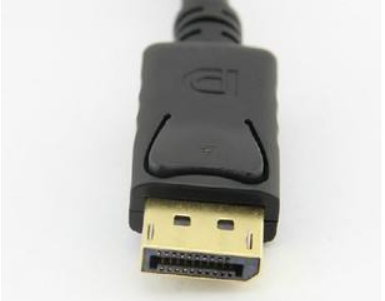
DVI, HDMI, DP, VGA interface
Define the Baidu Baike 1.DP(DisplayPort) DisplayPort (DP for short) is aPCAnd chip manufacturer alliance development, Video Electronics Standards Association (VESA)standardizationThe digital video int...
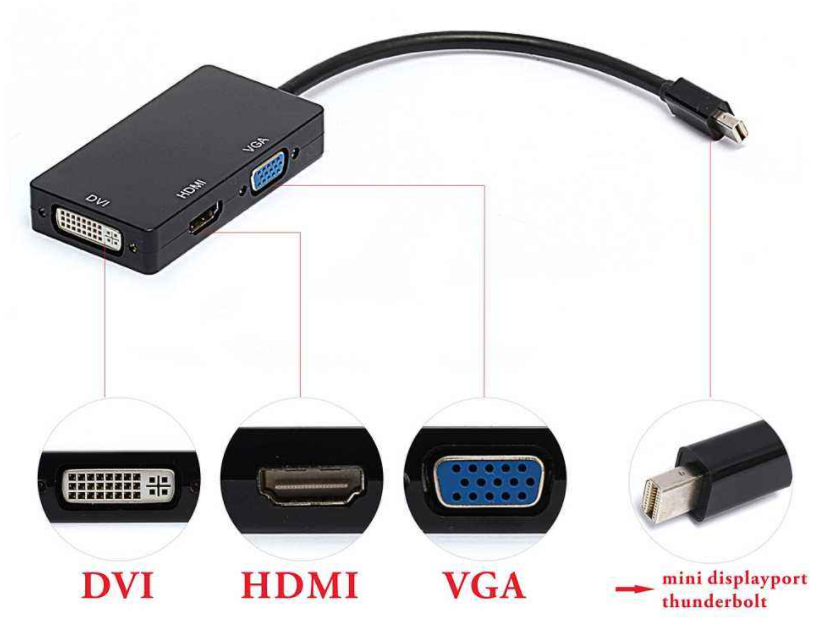
Display interface VGA, DVI, HDMI
It will be distinguished from the following aspects HDMICurrently supports up to 1920*1080P high-definition format. VGA support from640480 all the way up to 25601600Various resolutions, but VGA is eas...
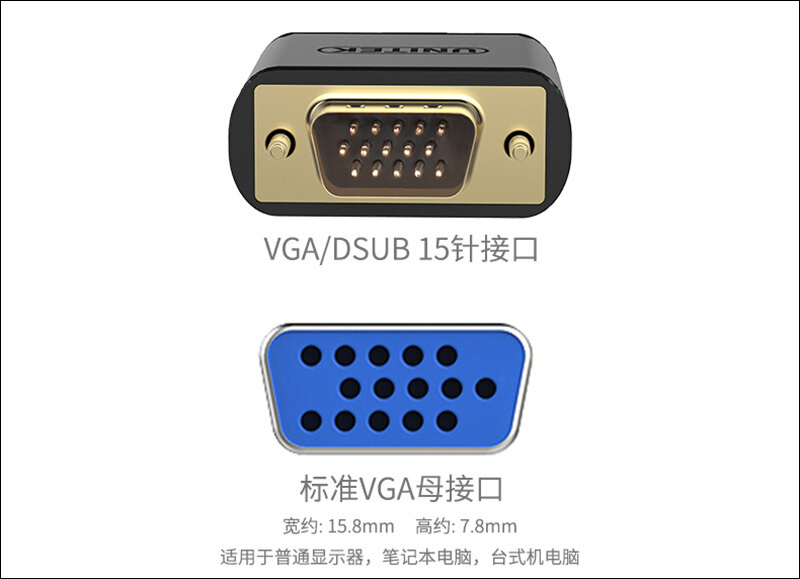
VGA DVI HDMI three interfaces
There are differences between male and female pins in the adapters of the three interfaces. VGA connector VGA is a 15-pin video interface with three rows of holes, five in each row. It is mainly used ...
Three-level SVPWM xilinx FPGA implementation [summary]
Description: This blog post is only used as a personal record, the content is not detailed, focusing on the main idea, or the one or two income in the process of solving the problem. //***************...
More Recommendation

Pulse compression VIVADO Xilinx FPGA-based implementation and
This design generates an echo signal, and the coefficient documents used by MATLAB. Then use VIVADO software development and FPGA simulation program. Software architecture process is shown: 3. Results...

Xilinx-7Series-FPGA High-Speed Transceiver Use Learning - Introduction to RX Receiver
The previous blog post introduced the GTX transmitter. This article will introduce the RX receiver of GTX. The structure of the GTX RX receiver is similar to that of the TX transmitter. The data flow ...

Display interface VGA, DVI, HDMI, DP
1. Description For the display interface type, Common interfaces are VGA, DVI, HDMI, and DP. Of course there are other types of interfaces, This article mainly introduces the above four interfaces. de...
VGA, DVI, HDMI three video signal interfaces
At present, the common interfaces of computer monitors mainly include four types of interfaces: HDMI, DP, DVI, and VGA. Display data linePerformance ranking:DP>HDMI>DVI>VGA. Among them, VGA i...
Use HDMI to DVI cable set dual screen
1 Introduction During the work of the landlord, because the unit is a secret-related unit, the internal and external networks cannot be directly interconnected through the Internet. When carrying a pe...