Solve Python When using PIP: Warning: ignoring invalid distribution -ywin32 and other information
tags: python
Solve Python When using PIP: Warning: ignoring invalid distribution -ywin32 and other information
At present, the author knows that there are two ways to solve
- Retreat version
- Delete Warning package
Retreat version
This method is that the PIP version returns from 21.2.4 to version 21.0.1, as follows:
python -m pip install --upgrade pip==21.0.1
But this step will still be reported to yellow, and the news of Huang has become

Let us upgrade the version of the PIP, but the number of rows of Warning becomes less.
Delete Warning package
We can directly jump to the address of the newspaper warnning package, delete the yellow package.
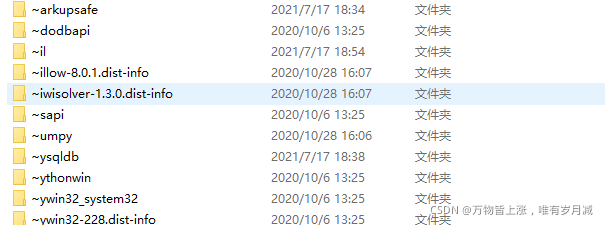
The front of these packages contain wavy lines, which is said to be broken.
After deleting these packages, we didn't report yellow when we used PIP.
Of course, there may be a compatriotthat afraid to delete the package, we can back up before deleting and then delete it.
The author deletes the damaged package and then the PIP uses no problem.
Summarize
These are the officials where the official does not update the PIP, I hope to solve everyone's problems.
Intelligent Recommendation
PIP installation appears: IGNORING Invalid Distribution -IP
PIP Warning: IGNORING Invalid Distribution -IP Just delete it in the installed Site-PACKAGES directory ~ The directory of the IP*wave line can be used. 1. Determine Site-Packages path 2. Enter the pat...
[Python] Warning: ignoring invalid distribution -ip (e: \ python \ python_dowmload \ lib \ site-packages)
Recently, the following warning message appears when using the PIP installation plug-in: WARNING: Ignoring invalid distribution -ip (e:\python\python_dowmload\lib\site-packages) Solution: Locate the l...
Handling Warning: Ignoring Invalid Distribution -Xpython (D: \ Software \ Python \ Python39 \ LIB \ Site-packages) Error
Recently, the following warning message appears when using the PIP installation plug-in: WARNING: Ignoring invalid distribution -xpython (d:\software\python\python39\lib\site-packages) Solution: Find ...
Warning: iGnoring invalid distribution -adlepaddle (D: Softpython36libsite -Packages))
Hollying (PIP installation module error) Warning: iGnoring Invalid Distribution -ADDLEPADDLE (D: \ Soft \ Python36 \ Lib \ Site -Packages Articles directory Error code Error translation Cause an error...
python-request ignoring warning
After https request plus Verify = False ignores SSL verification, a warning will warn InseREREQUESTWARNING: solve: All warnings are from the warnings module, ignoring the warning of the warnings modul...
More Recommendation
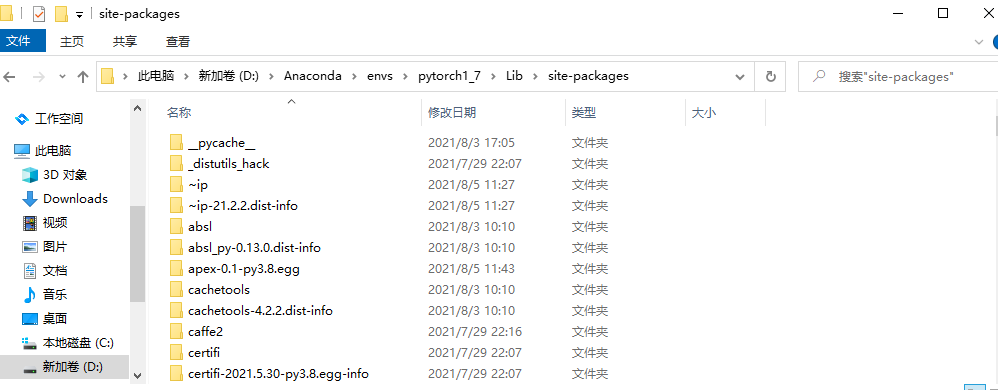
WARNING: Ignoring invalid distribution -ip (d:\anaconda\envs\pytorch1_7\lib\site-packages)
WARNING: Ignoring invalid distribution -ip (d:\anaconda\envs\pytorch1_7\lib\site-packages) Error message: Solution: 1. Find the directory 2. Delete the folder with ~ (this situation is caused by the p...

pip update 9.0.1 to 9.0.3, when using python -m pip install --upgrade pip not solve the problem
Appears as follows pip pip version of the problem with the installation package You are using pip version 9.0.1, however version 9.0.3 is available. You should consider upgrading via the 'python -m pi...
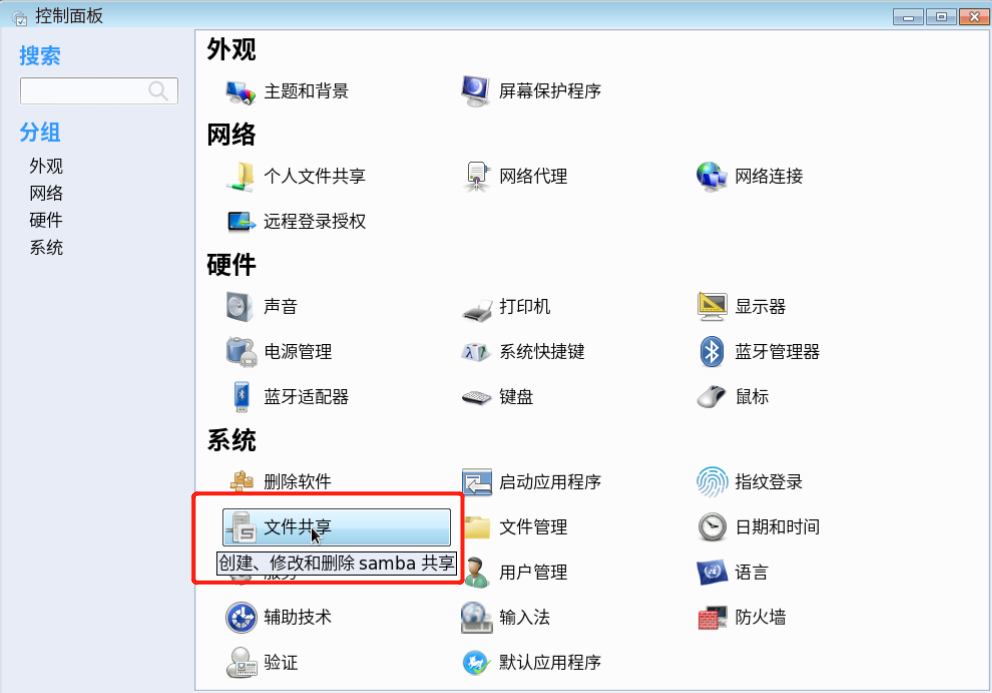
WARNING: Ignoring invalid value ‘share’ for parameter ‘security’
Nothing happens after clicking File Sharing? ? ? Try this. . . Open terminal input system-config-samba,The result is an error as shown below: (Because the version is too old, the security option after...
When Python uses PIP, WARNING: Retrying solution
Problem: As shown below, WARNING: Retrying appears when using PIP, followed by the exit program. Solution: Switch the PIP's mirror source to Ali Cloud's mirror sources:...
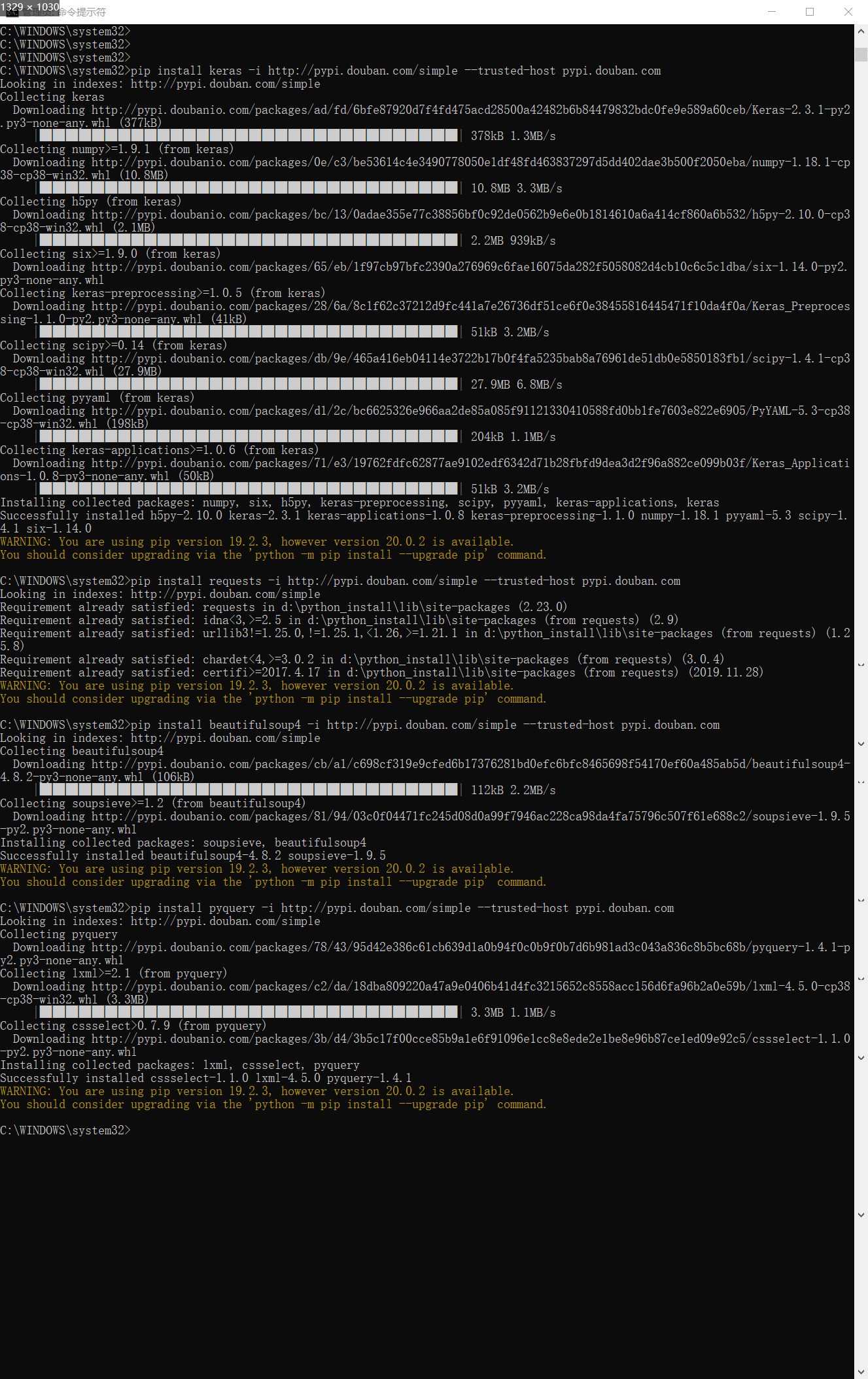
Solve the slow installation speed of python-pip|WARNING: You are using pip version 19.2.3, however version 20.0.2 is available. Y
Find a better one: command: (The keras is what you need to download, change it according to your own needs) result: (Ignore the warning that will make the upgrade!) command: Screenshot: Passed: View t...