Mysql source code compilation installation under Linux
The entire installation process takes a long time
Go to MySQL official website to download mysql-boost-5.7.31.tar.gz, or download it in the resources I shared.
1, decompression
tar zxf mysql-boost-5.7.31.tar.gz
cd mysql-5.7.31/
2, install the package dependence
yum install -y gcc gcc-c++ make ncurses-devel bison openssl-devel zlib-devel cmake
3, compilation and installation
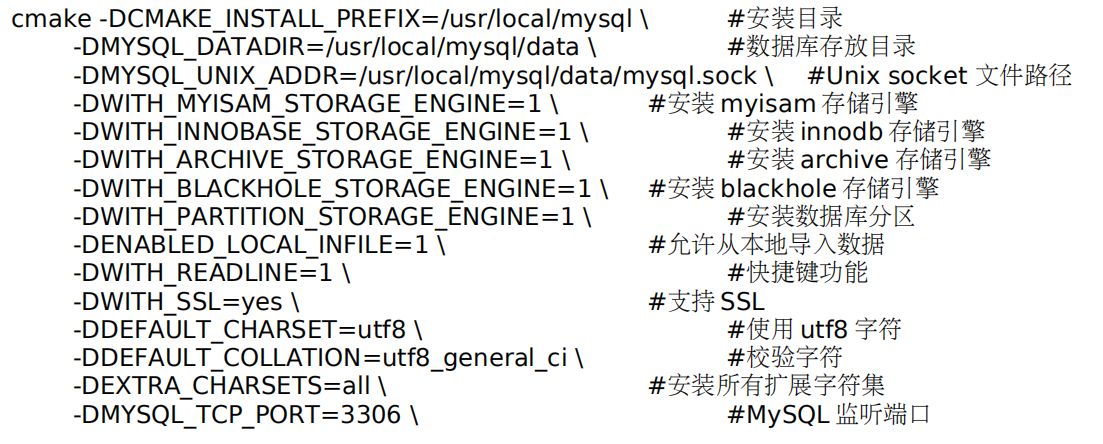
cmake -DCMAKE_INSTALL_PREFIX=/usr/local/mysql -DMYSQL_DATADIR=/usr/local/mysql/data -DMYSQL_UNIX_ADDR=/usr/local/mysql/data/mysql.sock -DWITH_INNOBASE_STORAGE_ENGINE=1 -DDEFAULT_CHARSET=utf8 -DDEFAULT_COLLATION=utf8_general_ci -DEXTRA_CHARSETS=all -DWITH_BOOST=/root/mysql-5.7.31/boost/boost_1_59_0
Related command role
make && make install
4. Compiling problems need to be recompiled to clear the old objects and cache files
make clean
rm -f CmakeCache.txt
5, login of database initialization
useradd -u 1000 -M -d /usr/local/mysql/data -s /sbin/nologin mysql   # Create mysql users
cd /usr/local/mysql/support-files/
#### This step can not operate ####
#CP support-files / my-large.cnf /etc/my.cnf # Copy the mysql configuration file according to your host memory
#chown -R mysql.mysql .
#scripts/mysql_install_db --user=mysql --basedir=/usr/local/mysql --datadir=/usr/local/mysql/data
#chown -R root .
#chown -R mysql data
##############################
cp support-files/mysql.server /etc/init.d/mysqld
# service mysqld start
# chkconfig mysqld on
vim ~/.bash_profile    # Add to environment variable
PATH=$PATH:/usr/local/mysql/bin
source ~/.bash_profile   #
mysqld --initialize --user=mysql    # Initialize the database, generate a random password
/etc/init.d/mysqld start    # start up
mysql_secure_installation  #The random password generated by prompting initialization and change the password to complete the mysql security settings, the production environment is recommended, the first two direct ENTER, the subsequent Y completed.
Intelligent Recommendation
mysql source code compilation and installation
MySQL installation directory table of Contents Include content bin Start commands for server and client data Default data directory data/mysql Mysql library file in the data directory data/mysql/user....
Linux, MySQL 5.5 source code compilation and installation Full Record
Original Address: Preface: As of mysql 5.5 version, mysql source installation started using the cmake, compiled and installed with the previous version a bit different. First, the installation steps o...
Linux source code compilation and installation
1. Download cmatrix-master compile and install autoreconf -i ./configureGenerally used to generate Makefiles, ready for the next build makeThis step is to compile, most of the source code packages are...

Source code compilation and installation of software under linux (take nginx source code installation as an example)
installation steps Download source files View source code type Prepare the compilation environment Pre-compilation Check dependencies and version compatibility Compile installation Take the installati...
Compilation and installation of erlang source code under ubuntu
You can use apt-get to install erlang directly, but the version is a bit old. This article is how to compile an erlang available from ubuntu from source. You can use the following command to view othe...
More Recommendation
CMAKE source code compilation installation under CentOS
Installation Excuting an order View status 2. Test Create a test folder and two files incmaketest.cpp as follows CMakeLists.txt as follows implementcmake implementmake Executing executable See the fol...
Boost Source Code Compilation and Installation under CentOS
Installation To compile and install Boost in addition to GCC and GCC-C ++, you need two development libraries in addition to GCC and GCC-C ++.bzip2-devel andpython-devel Therefore, it should first ens...
Compilation and installation of NTP source code under Ubuntu
Download and extract 2. Compile the source code 3. Profile /Etc/ntp.conf, not created one 1) Allow any IP client to be synchronized Modify "RestrictDefault Kod Nomodify NOTRAP NOPEER NOQUERY"...
Ethereum source code compilation and installation under Ubuntu
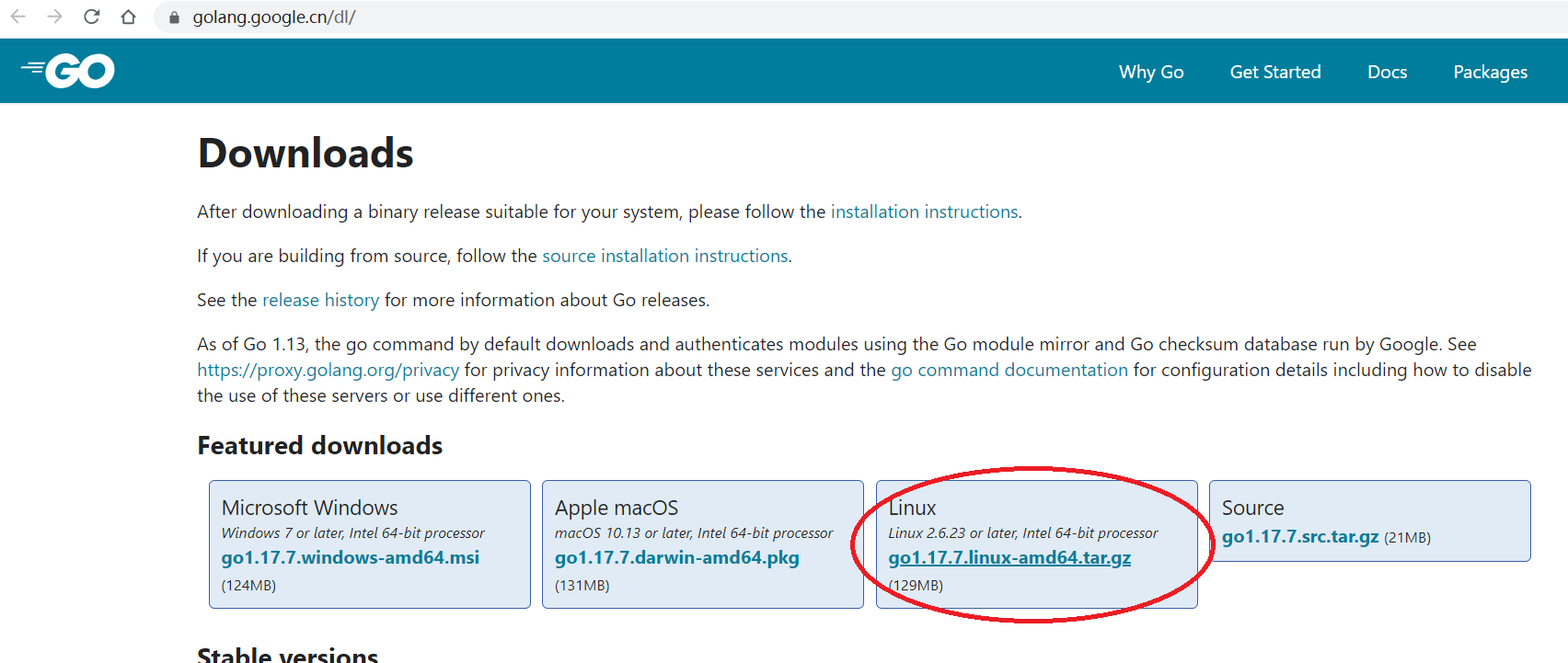
In recent years, the development of blockchain has developed rapidly. The emergence of Ethereum has made the blockchain enter the 2.0 era. It supports smart contracts and decentralized applications, m...
The source code installation and compilation of llvm under win10
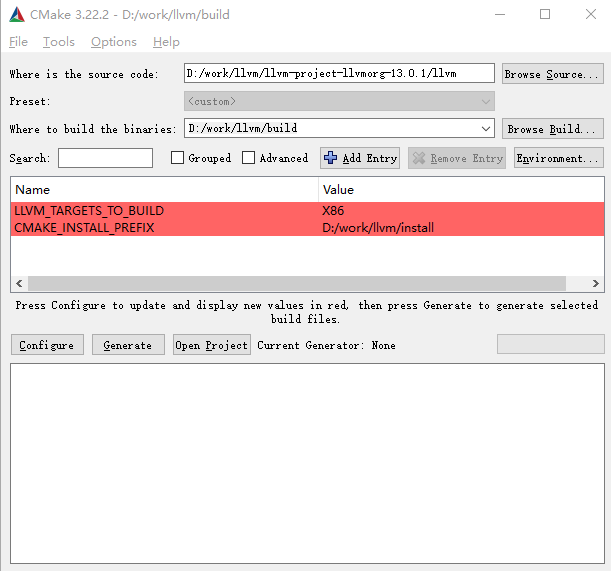
The source code installation and compilation of llvm under win10 1. Download llvm source code 2. Download and install cmake Hello! If you need to reprint, please indicateSource of this article。 1. Dow...