Java Keytool generate keystore command
Java Keytool generate keystore command
Keytool is a Java data certificate management tool. Keytool stores the key and certificates in a file called keystore. In the keystore, it contains two types of data: key entity-key ( secret key) or a private key and a paired public key (asymmetric encryption) trusted certificate entries (trusted certificate entries)-contains only the public key.
keytool.exe tool location
Go to JDK installation directory JDK \ bin \ keytool.exe
Open the command window CD to the directory where keytool.exe is located
executekeytool -genkey -alias bieming -keyalg RSA -validity 2000 -keystore five.keystore
Follow the prompts to enter the password, name, city, country, etc.
Finally, enter the alias key

Variable interpretation
-genkey creates a default file ".keystore" in the user's home directory, and also generates an alias of mykey, which contains the user's public key, private key and certificate (not specified) (In the case of the generated location, the keystore will exist in the user system default directory)
-alias Generate aliases Each keystore is associated with a unique alias, which is usually not case sensitive
-keyalg specifies the key algorithm (such as RSA DSA, the default value is DSA)
-validity specifies how many days the created certificate is valid (default 90)
-keystore specifies the name of the keystore (the various types of information generated will not be in the .keystore file)
At the end of execution, a * .keystore file will be generated in the same directory of keytool.exe

Intelligent Recommendation
Generate system signature keystore. ./keytool-importkeypair: Permission denied
Convert the system signature platform.x509.pem, platform.pk8 to the signature file platform.keystore that can be used directly by android studio. An error occurred: Keytool download address: https://g...

Java-generate keystore
There is a requirement that signature should be added when generating PDF files. Easy to operate PDF, use: Adding a signature can use this method: Then I use the PdfStamper object.getSig...

java keytool command
Runnable files under java jre environment, install java environment, can be used directly after configuration keytool command enter:keytool -help genkeypair enter:keytool -genkeypair -help Use referen...
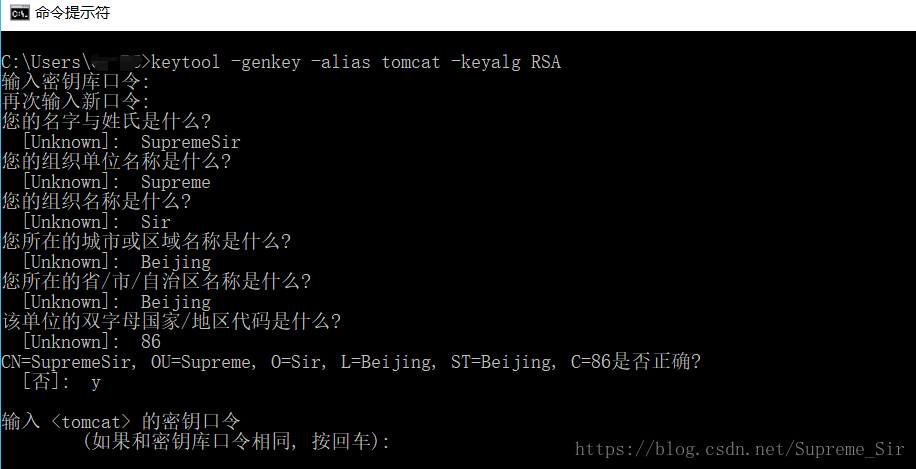
Generate an HTTPS certificate with the Java keytool
Generate an HTTPS certificate with the Java keytool 1. Open a command prompt 2. Enterkeytool -genkey -alias tomcat -keyalg RSA 3. Enter your custom keystore password and confirm your entry 4. Enter th...
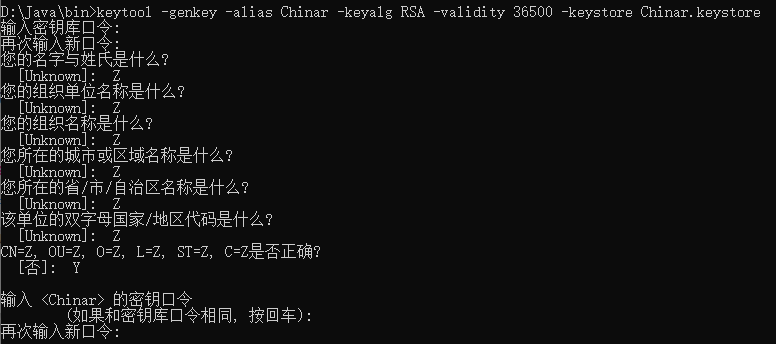
Use keytool to create a keystore
Keytool tool path: D:\Java\bin Win+R Open the cmd window and enter the keytool folder Keytool commands Format: Key Tool -Generate Secret Key -Alias Name of Key -Encryption Method Asymmetric -Validit...
More Recommendation
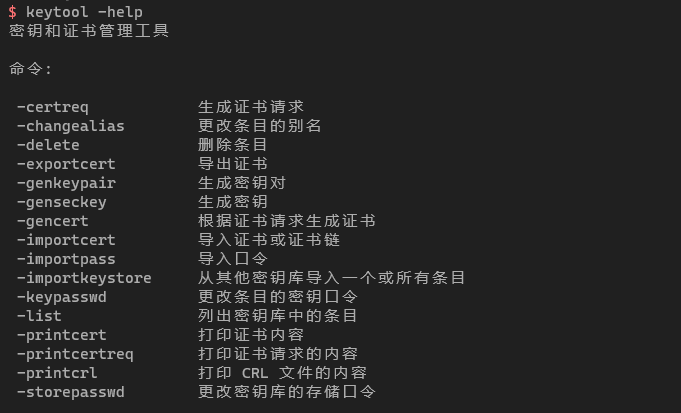
KeyTool generates keystore
KeyTool generates keystore keytool Yes JDK Self-contained tools, location Have these orders can be used generatekeystoreuse-genkeypairLet's see the usage of this command So, I can ultimately use this ...
Java KeyStore keystore file is generated with the command
1. Generate keyStore file Execute the following commands at the command line: Shell Code Collection Code among them -genkey represent key generation -validity specify the certificate is valid, here it...
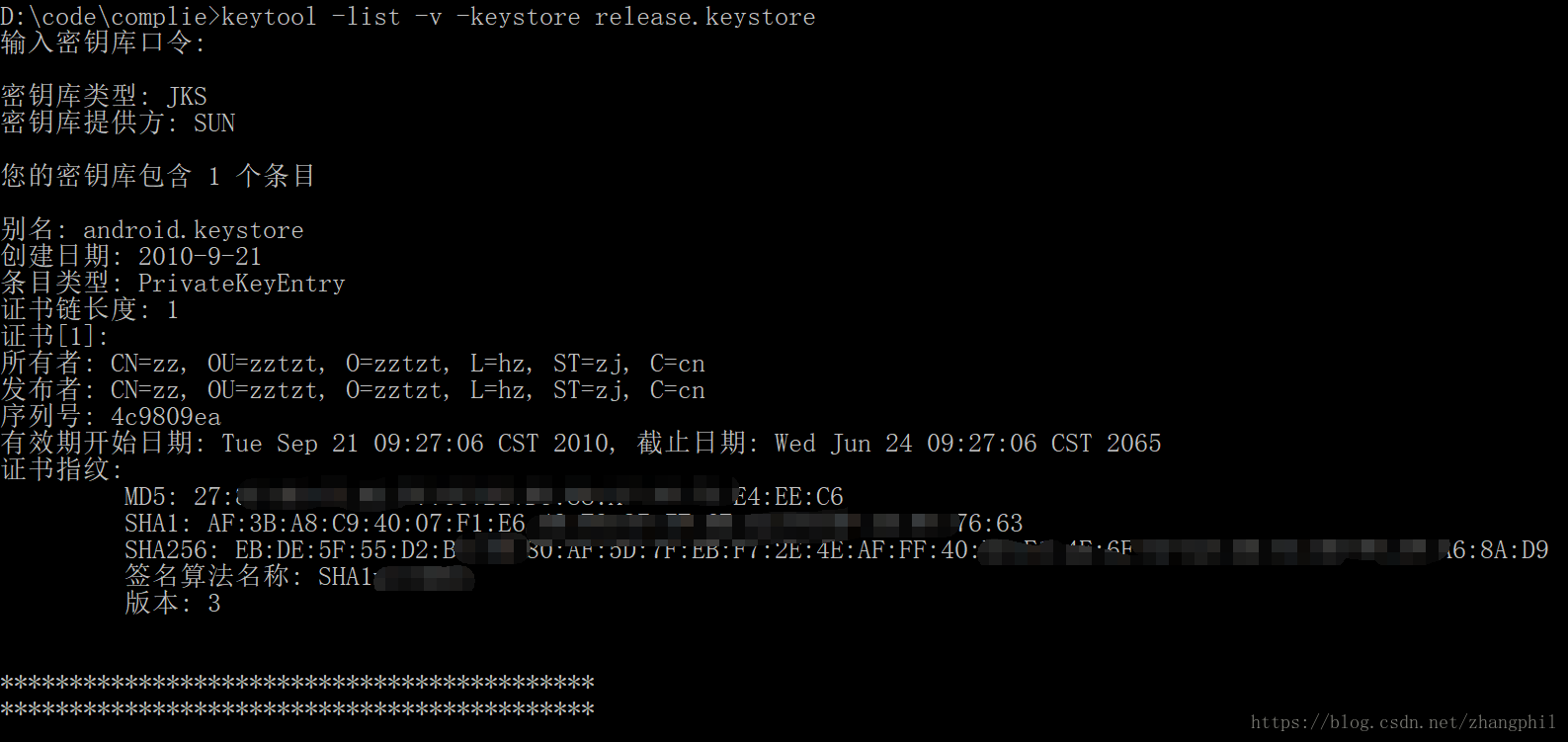
Java/Android keytool to view the md5 value of the Android keystore
Java/Android keytool to view the md5 value of the Android keystore Android released a formal version to go out and need a keystore file signature, packaged and issued a formal package to the market. I...

Opensll and keytool generate certificate command line combing
1 jdk generation tool keytool 2 View keystore The following is the command line execution result 3 keytool generate certificate command description The following description is from the documentation:...
Java Keytool command line tool
What is Java Keytool? KeyTool is a key (key) and certificate management tools provided by Java for managing the public key/private key pair and related certificates. Keytool is a tool for Java to inst...