SecureCRT color scheme settings
Environmental requirements:
SecureCRT8.0 and above
lab environment:
SecureCRT8.5.0
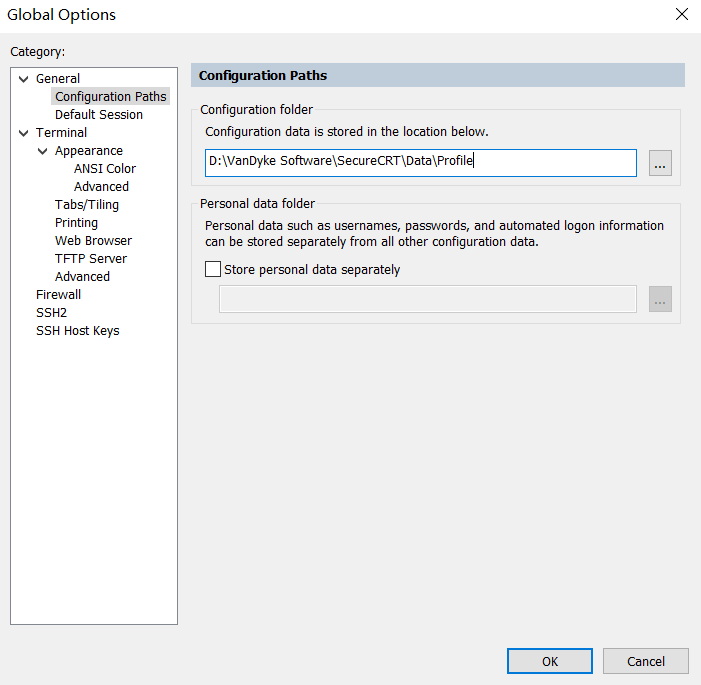
Open Options->Global Options->Configuration Paths, check the directory where your Secure CRT configuration file is stored, and place the colorful-network.ini file in the \Keywords directory.
The colorful-network.ini file is as follows:Local tyrant
D:"Match Case"=00000000
Z:"Keyword List V2"=00000016
 "(no(t)?(connect)?)|((shut)?(down)?)",000000ff,00000001
 "(dis((able(d)?)|(connect(ed)?)|(allow(ed)?)|(card(ed)?))|(error(s)?))|(fail((ure)|(ed))?)|((city)?[w]{2}m)|(den((y)|(ied)){1})",000000ff,00000001
 "red|administratively|undo|unknown|fault|block|refused|problem|warnings|alerts|critical|delete|inactive|unassigned",000000ff,00000001
 "(([7-9]\d)|(100))(\.\d{0,2})?\%",000000ff,00000001
 "green|up|forward|full|active",0000ff00,00000001
 "(connect(ed)?)|(permit(ed)?)|(estab(lish)?(ed)?)|(enable(d)?|(allow(ed)?))",0000ff00,00000001
 "(([0-3](\d)?)|\d{1})(\.\d{0,2})?\%",0000ff00,00000001
 "(bgp|(ospf(v3)?)|(rip(ng)?)|eigrp|static|odr|unr|(is(\-)?is)|pim|direct)(\-\d*)?",00ff8000,00000001
 "cyan|ipv6|tcp|udp|(i(c|g)mp)|gre|esp|ah|isakmp|(arp(a)?)|dhcp|(http(s)?)|dns|((t)?ftp)|telnet|ssh|www|ntp|radius|tacacs|pop\d|smtp|ppp|fr(ame(\-)?relay)?|hdlc",00ff8000,00000001
 "standby|vrrp|glbp|(mst(p)?)|((r)?stp)|spanning\-tree|dot1q|802\.1q",00ff8000,00000001
 "ldp|tdp|mpls|aaa|(account(ing)?)|(auth((entication)|(orization)))|nat|bfd|nqa|sla|rtr|vrf|vpn(\-instance)?",00ff8000,00000001
 "(((passive\-)|(silent\-))?interface)|(in|out)((bound)|(put))?",00ff00ff,00000001
 "magenta|router|redistribute|(import(\-route)?)|export|network|neighbor|peer|area|acl|(class((ifier)|(\-map)))|behavior|policy(\-map)?",00ff00ff,00000001
 "access\-((list)|(class)|(group))|ip\-prefix|prefix\-list|(route(\-.*)?)|(traffic.*)",00ff00ff,00000001
 "[4-6]\d((\.\d{0,2})?)\%",00ff00ff,00000001
 "((fast)?|(gigabit)?)ethernet((\d)?\d\/)*(\d)+(\.\d{1,4})?",000080ff,00000001
 "\d{1,3}\.\d{1,3}\.\d{1,3}\.\d{1,3}(\/(\d){0,2})?",000080ff,00000001
 "([A-Fa-f0-9]{1,4}::?){1,7}[A-Fa-f0-9]{1,4}(\/(\d){0,3})?",000080ff,00000001
 "([0-9a-fa-f]{4}[.|-][0-9a-fa-f]{4}[.|-][0-9a-fa-f]{4})|([0-9a-fa-f]{2}[.|-]){5}[0-9a-fa-f]{2}",000080ff,00000001
 "\d{1,2}\.([0-9a-fA-F]{2,4}.){1,11}\d{1,2}",000080ff,00000001
 "(orange|ge|fa|fe|(eth((\-)?(trunk)?))|null|loopback|tunnel|dialer|bri|serial|atm|pos|(vlan(if)?))(((\d)?\d\/)*(\d)+)?",000080ff,00000001
 "((virtual\-(template|ppp|access))|(channel\-group)|(port\-channel)|(ether(\-)?channel))(((\d)?\d\/)*(\d)+)?",000080ff,00000001
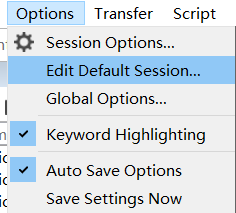
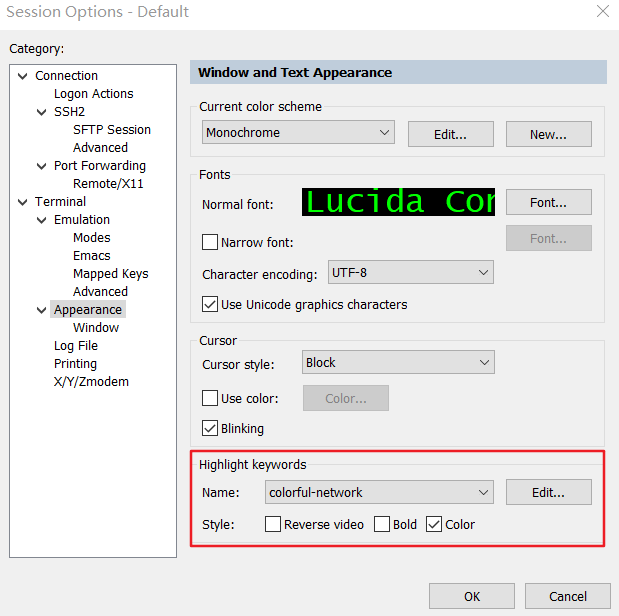
Options->Edit Default Session->Appearance->Highlight keywords
Intelligent Recommendation

SecureCRT permanently set and color scheme
Disclaimer: This reference to several online tutorials, some pictures directly copy online, the end of the article there is a link to delete invasion. SecureCRT optimal adjustment: 1. Set up the confi...
Note the color scheme of two SecureCRT
Aesthetic type: Here are the steps: 1. Set the background color and font color: Options (Options)==》Session Options(Sessions options)==》Terminal(Terminal)==》Emulation Options (Options)==...
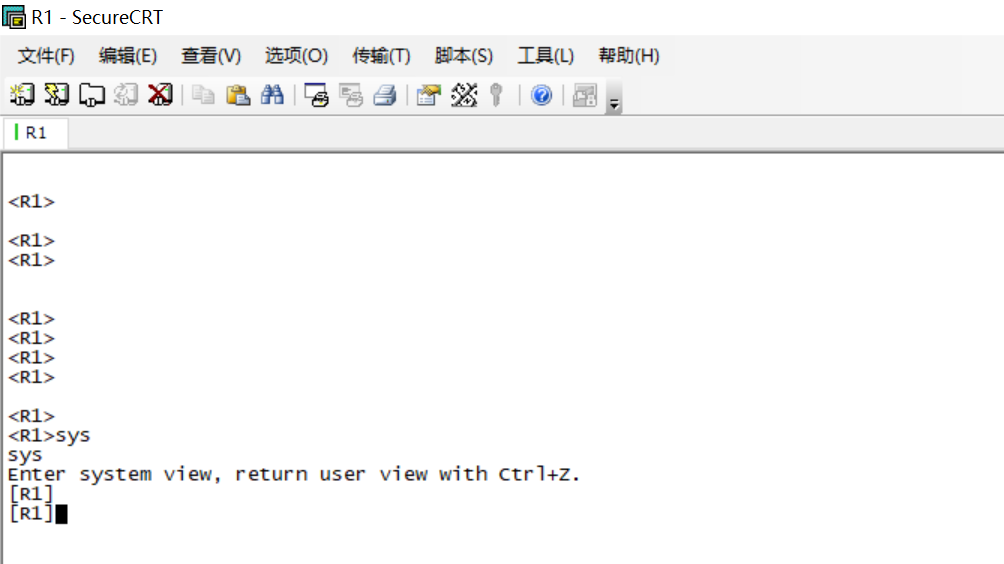
Eye protection of SecureCRT color scheme
Eye protection of SecureCRT color scheme Appreciation of the ordinary Color matching process Options-->Global Options Session Options-->Appearance font color background color Click "OK"...

More good SECURECRT color scheme
2019 Unicorn Enterprise Heavy Recruitment Python Engineer Standard >>> Set the way to see:SecureCRT is a great color scheme, protect your eyes The specific color value has been changed (it is...
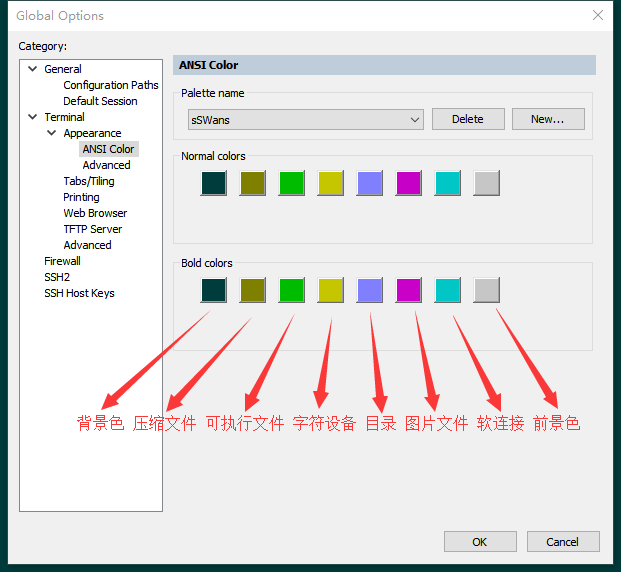
SecureCRT sets a comfortable color scheme ANSI color
Menu location Options→Global Options→Terminal→Appearance→ANSI Color You can modify the Standard palette scheme, or you can create a new one yourself 1: Background col...
More Recommendation
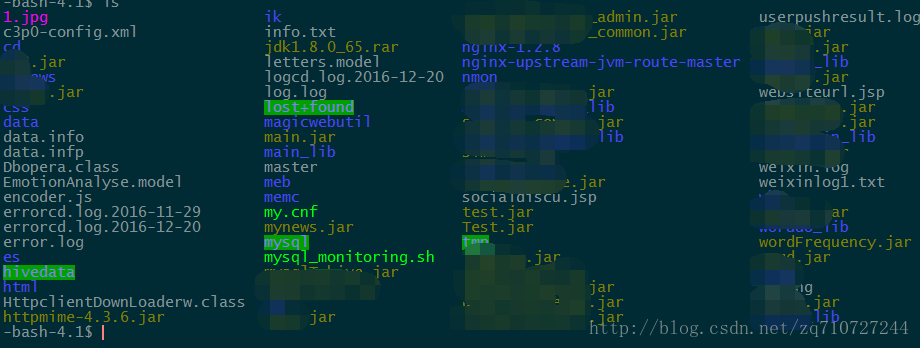
SecureCRT color matching and permanent settings
Transfer from test environment 1. secureCRT8.0.0 2. centos 6.3 remote development machine is effective I finished the small demand in the morning, and I had nothing to think about in the afternoon. I ...

SecureCRT color recommendation and permanent settings
I completed the small demand in the morning, and I had nothing to do in the afternoon. I remembered that I had thought about changing the SCRT color matching problem for a long time, so I played with ...

CodeBlocks color scheme settings
final results (official sublime modified version) official Color codeblocks is a very powerful programming software, our software by default after installation codeblocks is black and white interface,...
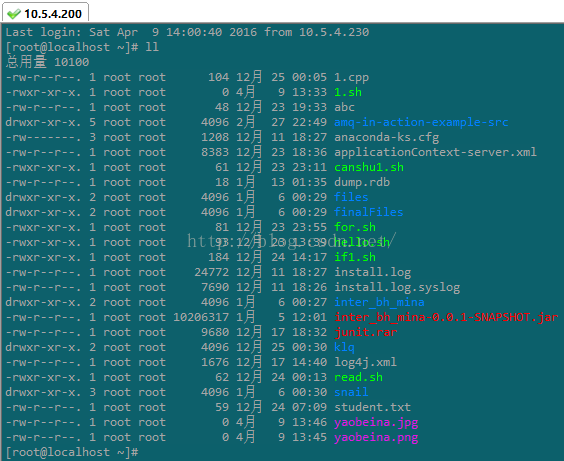
secureCRT permanent setting, eye protection, color scheme
2019 Unicorn Enterprise Heavy Gold Recruitment Python Engineer Standard >>> The effect after color matching is as follows: Start color matching below 1, Options == "Sessions options"...

SecureCRT basic configuration and a color scheme (modeled solarized)
1 overall configuration Options -> Global ptions -> General -> Default Session -> Edit Default Settings...->Terminal 2 log configuration Options -> Global ptions -...