Huawei eNSP-single-arm routing technology
tags: Huawei eNSP basics The internet switch Huawei
table of Contents
One, single arm routing
1.1.1 Introduction to single-arm routing
- 1. One-arm routing (router-on-a-stick) refers to the realization of different VLANs that are originally isolated from each other by configuring subinterfaces (or "logical interfaces", there is no real physical interface) on an interface of the router (Virtual Local Area Network) interconnection and intercommunication.
1.1.2 Advantages and disadvantages of single-arm routing
-
1. Advantages: to realize the communication between different VLANs, which helps to understand and learn VLAN principles and sub-interface concepts
-
2. Disadvantages: it is easy to become a single point of failure in the network, the configuration is slightly complicated, and it is of little practical significance
2. Case
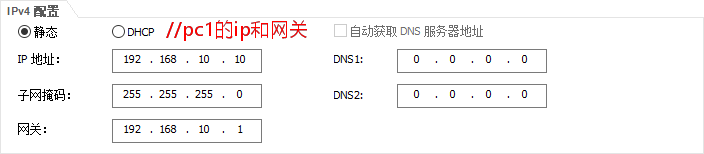
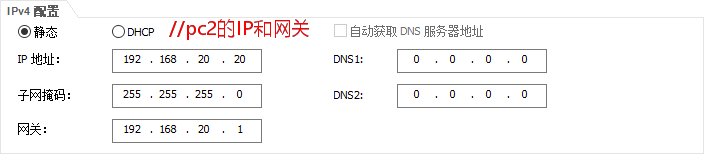
2.2.1, requirements to achieve communication between different VLANs
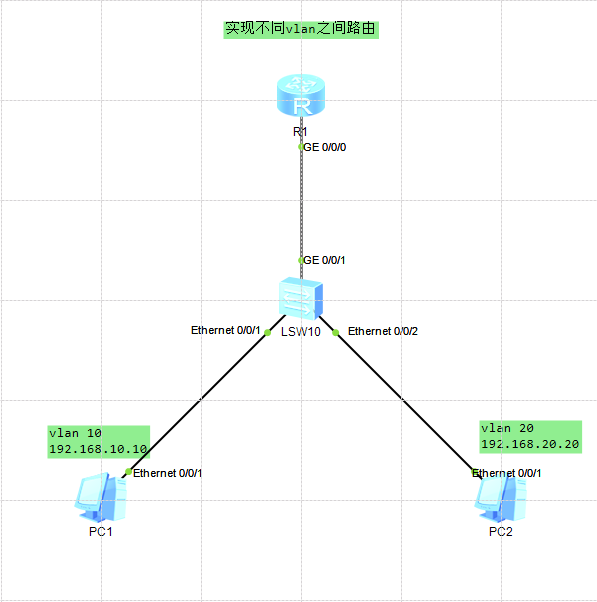
2.2.2, environmental preparation
- 1. Huawei equipment used: one layer 2 switch S3700, one router, two PCs
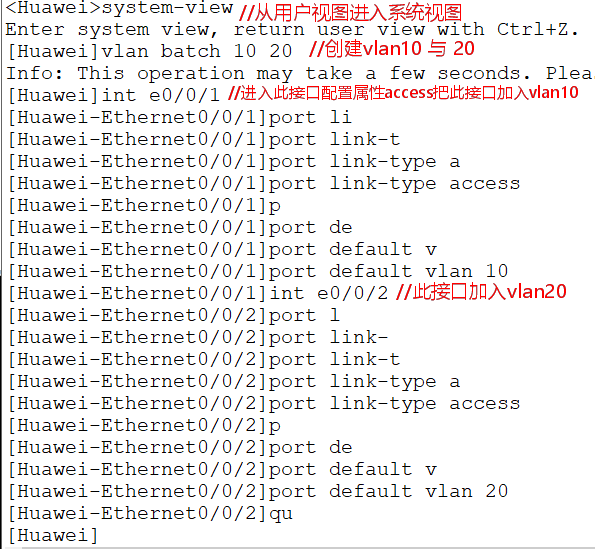
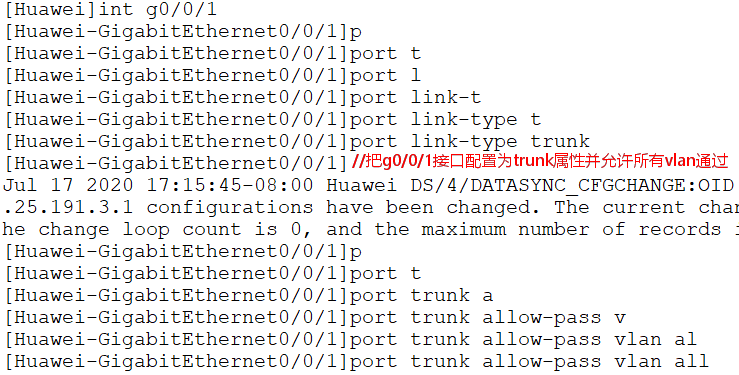
2.2.3, configure the switch
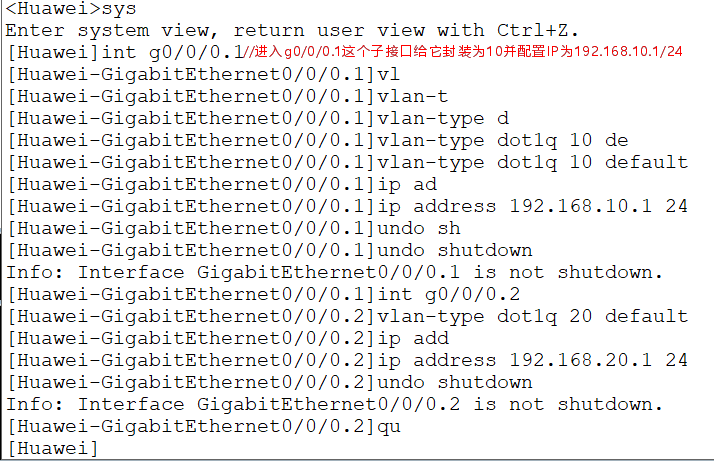
2.2.4, configure the router
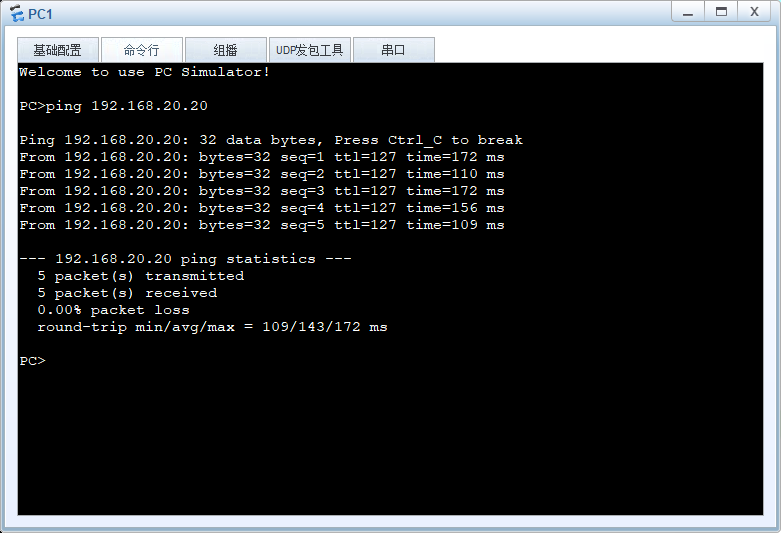
2.2.5, use the ping command to test
Intelligent Recommendation
Huawei eNSP experiment-single-arm routing for network communication
Layer 2 switch-router experiment (single arm routing) R1: The device is running! u t m Info: Current terminal monitor is off. sys Enter system view, return user view with Ctrl+Z. [Huawei]sys [Huawei]s...
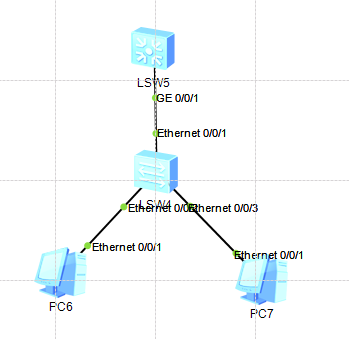
Huawei eNSP Layer 3 switch single-arm routing configuration
1. Experimental topology 2. IP address self-planning design and VLAN division 3. Configure the device (1) Layer 2 switch configuration (2) Layer 3 switch configuration 4. Experimental results PC2 ping...
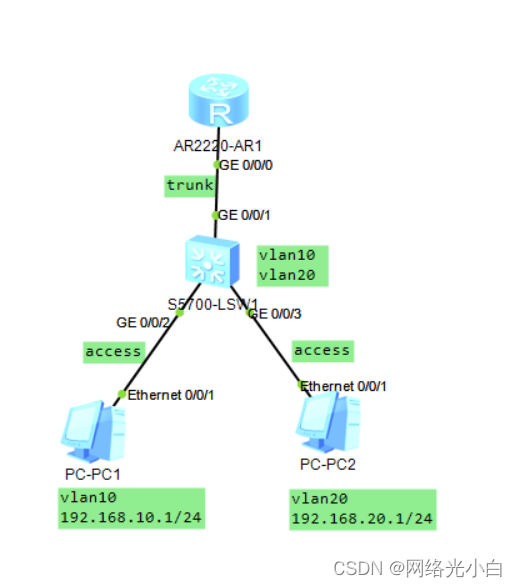
Huawei Ensp Simulator Experiment: Single-arm routing to realize VLAN communication
Experimental networking: I won’t give too much explanation to VLAN here, mainly to explain the experiment. The first step is to configure the corresponding IP address and gateway for the PC mach...

Huawei ENSP-single arm route
#Ensp single arm routing # Structure topology PC side configuration PC1 IP:192.168.1.1 Subnet mask: 255.255.255.0 Gateway: 192.168.1.254 PC2 IP:192.168.2.1 Subnet mask: 255.255.255.0 Gateway: 192.168....
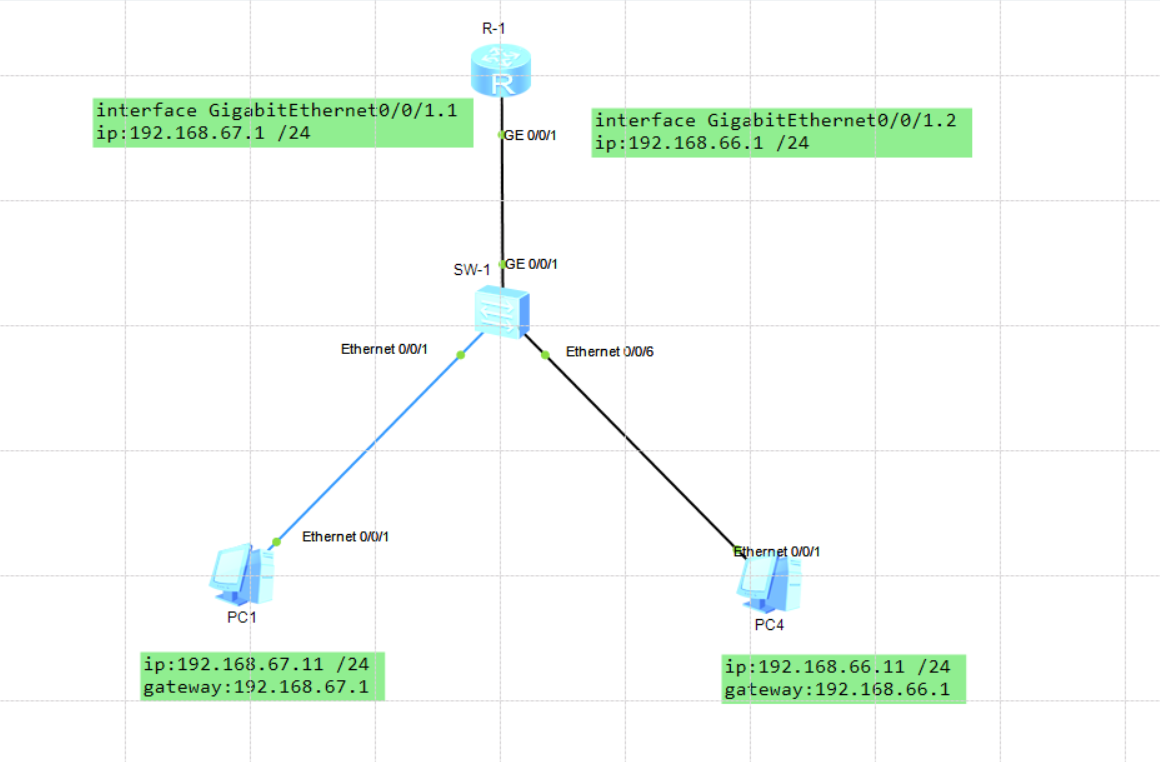
Huawei ENSP single arm route
Single arm routing configuration Network topology: PC1: ip:192.168.67.11 /24 gateway:192.168.67.1 PC2: ip:192.168.66.11 /24 gateway:192.168.66.1 SW-1 switch configuration: R-1 router configuration 1)....
More Recommendation
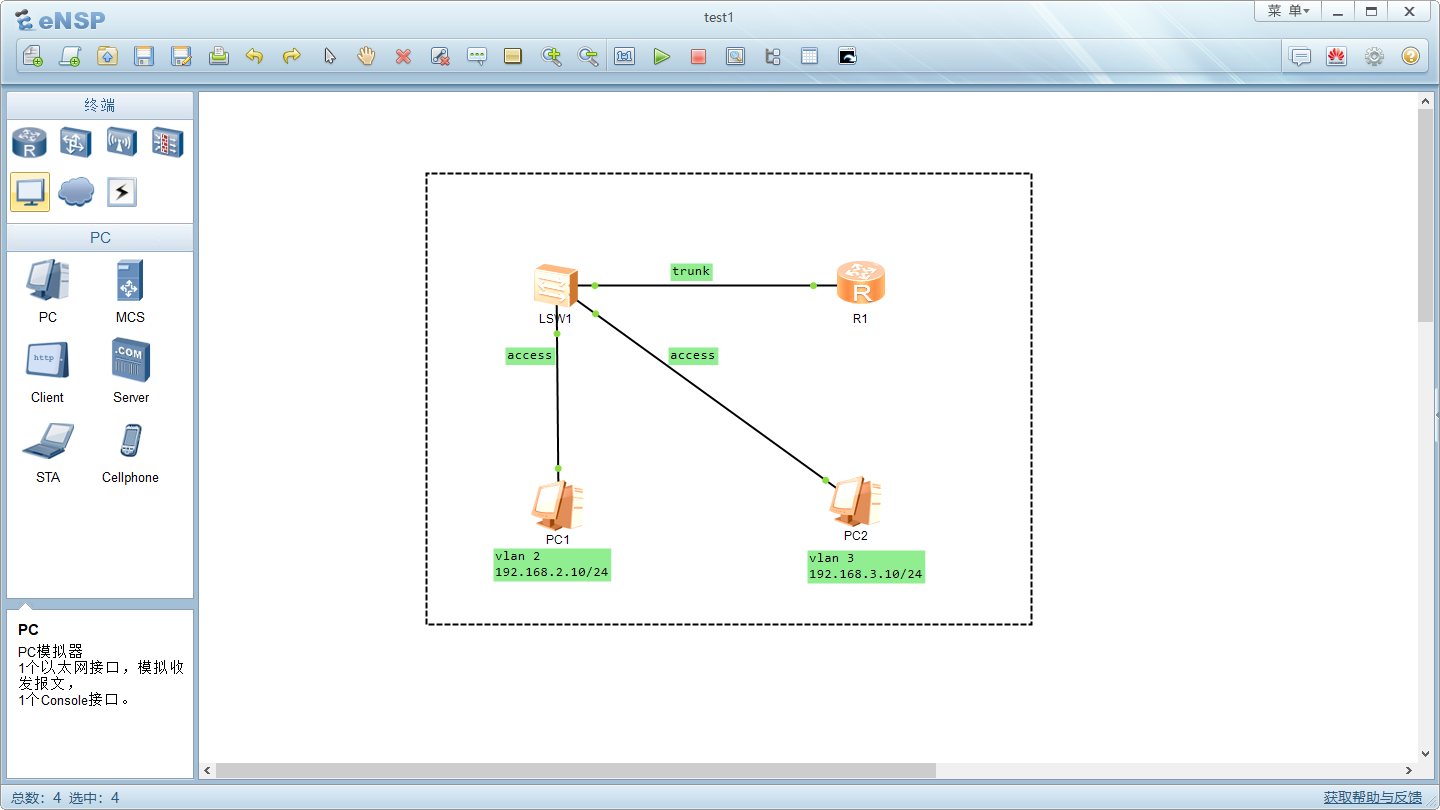
Huawei Ensp Single-arm Router
Topology diagram: 1. Configure the IP addresses, masks and gateway addresses of the two hosts: Enter the command vlan2 vlan 3 Enter interface e0/0/1. Because it is connected to PC1, the interface mode...
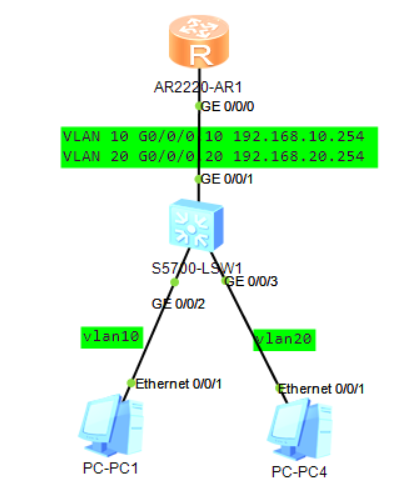
Ensp achieve single-arm routing
Switch Configuration Trunk interfaces to connect to the router pc connected to G0 / 0/2 ports of the housing Access pc connected to G0 / 0/3 the ports for Access Router configuration Enter the G0 / 0 ...
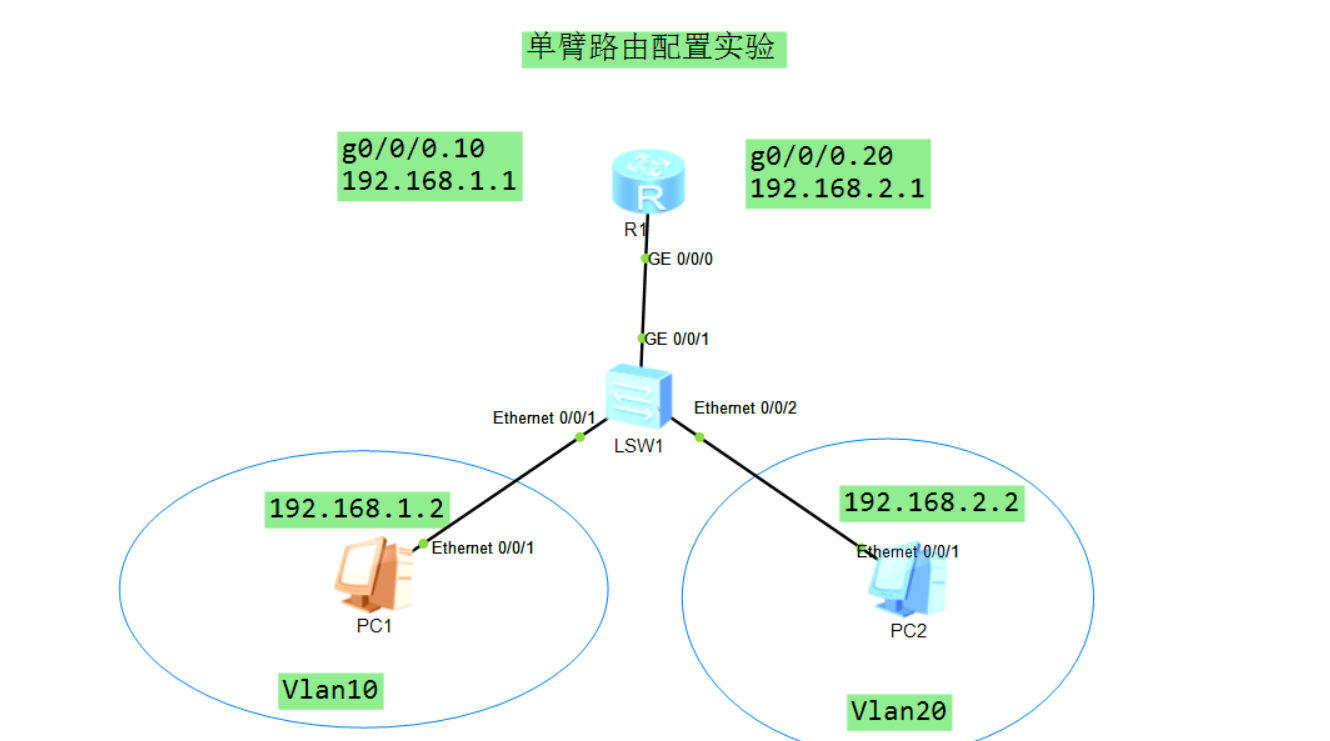
ensp-single arm routing experiment
The experimental topology is as follows: Router R1 configuration: Switch SW1 configuration Note that the gateway of PC1 should be set to192.168.1.1 The gateway of PC2 should be set to192.168.2.1 Exper...
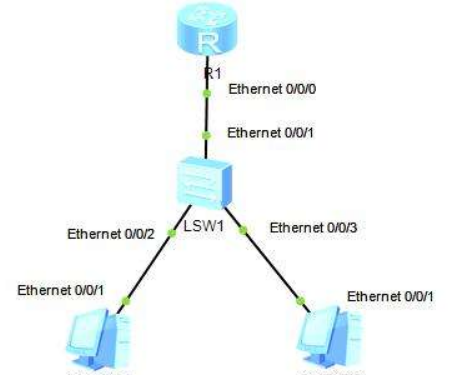
Ensp practice-single arm routing
Topology 1. Configure PC 2. Configure switch LSW2 3. Configure R1 4. Unicom test PC1 PC2...
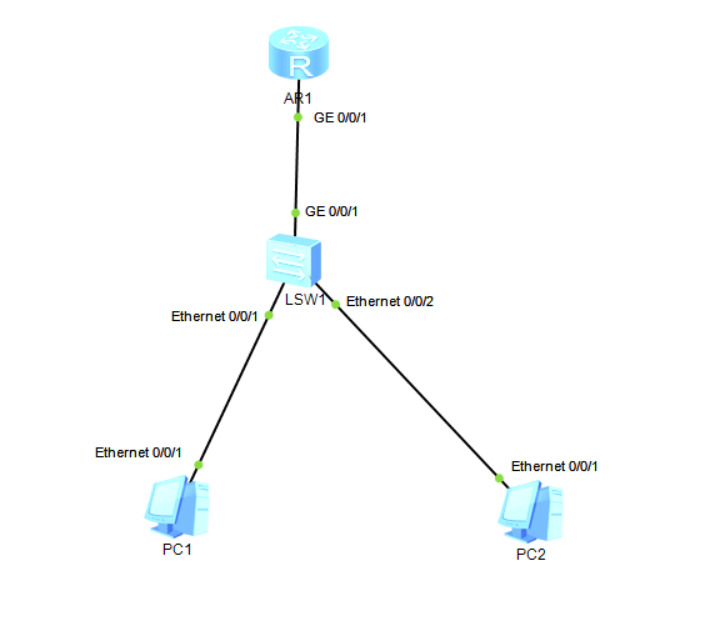
eNSP single-arm routing configuration
1. Network topology diagram 2. Configure router and switch to realize mutual communication between two PCs Configure the switch Configure the router Configure two PCs (1)PC1 (2)PC2 test Use two PCs to...