ngrinder pressure test grpc protocol solution
1. Relevant knowledge points of grpc, look at it first
Before you begin
Prerequisites
JDK: version 7 or higher
Download the example
You’ll need a local copy of the example code to work through this quickstart. Download the example code from our Github repository (the following command clones the entire repository, but you just need the examples for this quickstart and other tutorials):
$ # Clone the repository at the latest release to get the example code:
$ git clone -b v1.13.1 https://github.com/grpc/grpc-java
$ # Navigate to the Java examples:
$ cd grpc-java/examples
Run a gRPC application
From the examples directory:
Compile the client and server
$ ./gradlew installDistRun the server
$ ./build/install/examples/bin/hello-world-serverIn another terminal, run the client
$ ./build/install/examples/bin/hello-world-client
Congratulations! You’ve just run a client-server application with gRPC.
Update a gRPC service
Now let’s look at how to update the application with an extra method on the server for the client to call. Our gRPC service is defined using protocol buffers; you can find out lots more about how to define a service in a .proto file in gRPC Basics: Java. For now all you need to know is that both the server and the client “stub” have a SayHello RPC method that takes a HelloRequest parameter from the client and returns a HelloReply from the server, and that this method is defined like this:
// The greeting service definition.
service Greeter {
  // Sends a greeting
  rpc SayHello (HelloRequest) returns (HelloReply) {}
}

// The request message containing the user's name.
message HelloRequest {
  string name = 1;
}

// The response message containing the greetings
message HelloReply {
  string message = 1;
}
Let’s update this so that the Greeter service has two methods. Editsrc/main/proto/helloworld.proto and update it with a new SayHelloAgain method, with the same request and response types:
// The greeting service definition.
service Greeter {
  // Sends a greeting
  rpc SayHello (HelloRequest) returns (HelloReply) {}
  // Sends another greeting
  rpc SayHelloAgain (HelloRequest) returns (HelloReply) {}
}

// The request message containing the user's name.
message HelloRequest {
  string name = 1;
}

// The response message containing the greetings
message HelloReply {
  string message = 1;
}
(Don’t forget to save the file!)
Update and run the application
When we recompile the example, normal compilation will regenerate GreeterGrpc.java, which contains our generated gRPC client and server classes. This also regenerates classes for populating, serializing, and retrieving our request and response types.
However, we still need to implement and call the new method in the human-written parts of our example application.
Update the server
In the same directory, opensrc/main/java/io/grpc/examples/helloworld/HelloWorldServer.java. Implement the new method like this:
private class GreeterImpl extends GreeterGrpc.GreeterImplBase {

  @Override
  public void sayHello(HelloRequest req, StreamObserver<HelloReply> responseObserver) {
    HelloReply reply = HelloReply.newBuilder().setMessage("Hello " + req.getName()).build();
    responseObserver.onNext(reply);
    responseObserver.onCompleted();
  }

  @Override
  public void sayHelloAgain(HelloRequest req, StreamObserver<HelloReply> responseObserver) {
    HelloReply reply = HelloReply.newBuilder().setMessage("Hello again " + req.getName()).build();
    responseObserver.onNext(reply);
    responseObserver.onCompleted();
  }
}
...
Update the client
In the same directory, opensrc/main/java/io/grpc/examples/helloworld/HelloWorldClient.java. Call the new method like this:
public void greet(String name) {
  logger.info("Will try to greet " + name + " ...");
  HelloRequest request = HelloRequest.newBuilder().setName(name).build();
  HelloReply response;
  try {
    response = blockingStub.sayHello(request);
  } catch (StatusRuntimeException e) {
    logger.log(Level.WARNING, "RPC failed: {0}", e.getStatus());
    return;
  }
  logger.info("Greeting: " + response.getMessage());
  try {
    response = blockingStub.sayHelloAgain(request);
  } catch (StatusRuntimeException e) {
    logger.log(Level.WARNING, "RPC failed: {0}", e.getStatus());
    return;
  }
  logger.info("Greeting: " + response.getMessage());
}
Run!
Just like we did before, from the examples directory:
Compile the client and server
$ ./gradlew installDistRun the server
$ ./build/install/examples/bin/hello-world-serverIn another terminal, run the client
$ ./build/install/examples/bin/hello-world-client
2. Write grpc-client code
According to the defined proto file of grpc, the code is automatically generated, which is mainly the basic package of grpc. It includes grpc, stub, service services, etc.;
3. Dependency package of related lib library is needed, grpc project package lib library. I built the 1.6.1 lib library as a whole and put it in the project library. Easy to call;

4. I wrote a gis-client package to call grpc;
The debugging example is: the code appears to indicate that grpc is successfully tuned;

5. The code of grpc integrated into ngrinder;
Upload the jar to the lib directory. Introduced by groovy, just call it directly in @test;
Intelligent Recommendation
nGrinder Cluster Guide - Fun pressure measurement nGrinder
Simple Cluster Guide In nGrinder 3.3, nGrinder support the "Easy" cluster mode allows the controller to run on a multi-stage machine. Because they run on a single machine, there is no need t...
nGrinder Installation Guide - Fun pressure measurement nGrinder
prerequisites nGrinder combination web application (controller) and a Java application (agent, monitor). If you do not know what is the controller and agents, please refer tonGrinder Profile。 To insta...
GRPC interface pressure test --- GHz Tool
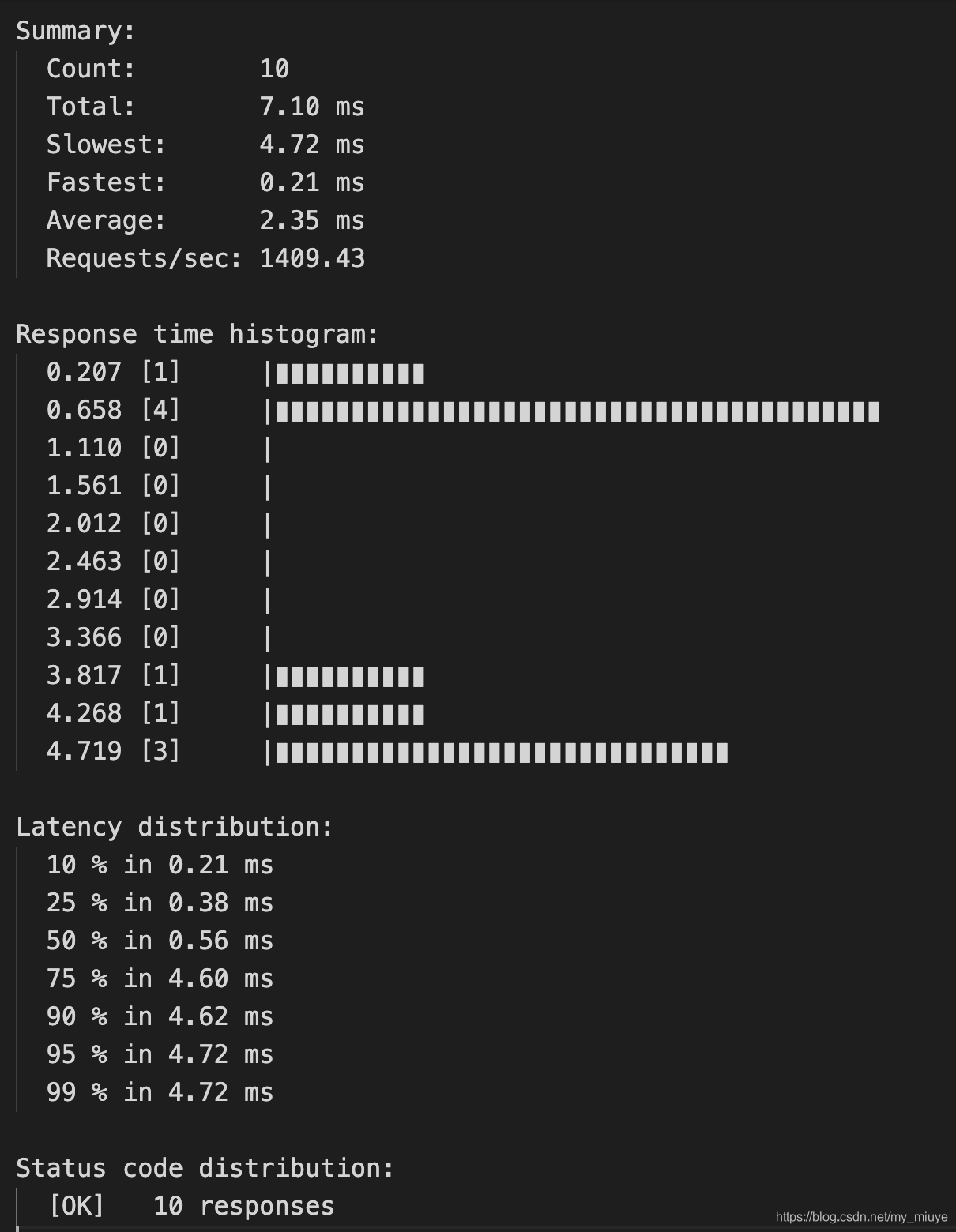
The pressure test tool for the GRPC interface is also very small, and it seems to be used in GHz. The official documentation of the tool:https://ghz.sh/docs/usage for example: result Parameter Descrip...
GHZ makes GRPC service pressure test
The GRPC service built is a line of service, but it requires QPS to be higher, then you will take a pressure test. Prepare GHz: https: //github.com/bojand/ghz/releases Directly download the correspond...
Use of nGrinder pressure measurement platform
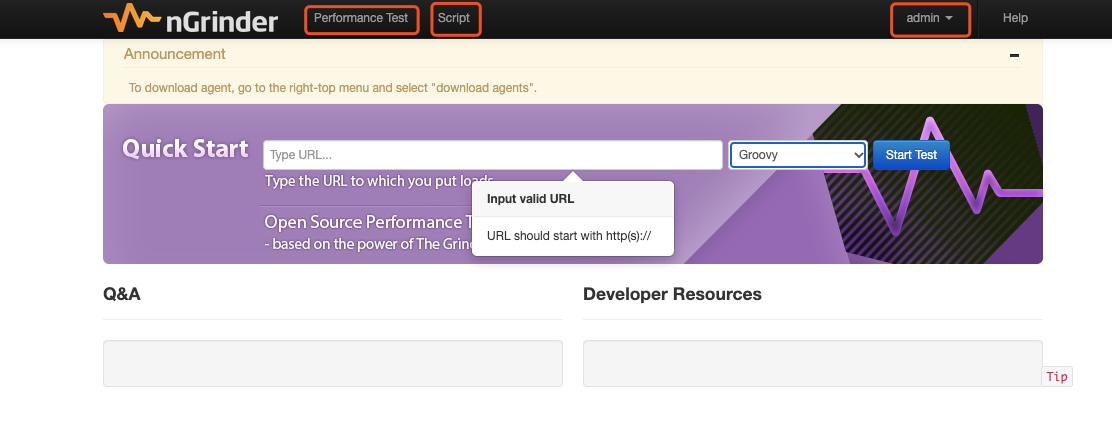
1. Homepage Performance Test: Click this item to view all pressure test experiments Script: pressure test script information admin (login user): Click to view other options of the platform 2. Create a...
More Recommendation
Pressure Tool NGRinder: Installation Guide
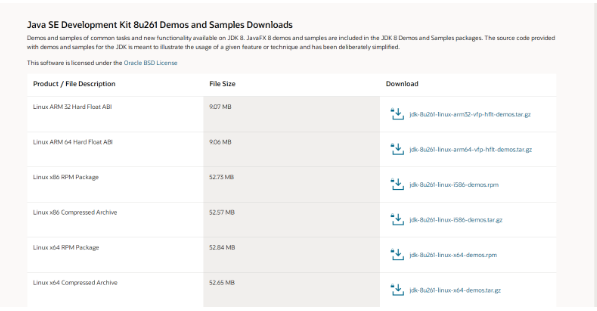
1 Introduction NGRinder is a performance test system based on Grinder development. It consists of a controller and a connection one or more agents. Users can manage and configure test parameters throu...

Locust's mqtt protocol pressure test
Why did you choose to use locust? In fact, Jmeter has ready-made plug-ins, which are also very convenient to use. The problem lies in the fact that the Internet of Things devices are measured on the b...
Locust pressure test WebScoket protocol
Locust is an easy-to-use distributed load test tool. Even if a LocUst node can support the concurrency of thousands of users in a process, it is mainly through the gevent. Locust is completely based o...

Ngrinder stress test
Article directory Another one Deployment demo Write script pressure test Target host monitoring May report an error to sum up: Another one Deployment demo Deploying my own demo for testing on the mach...

Performance test: Tool-nGrinder
Performance test: Tool-nGrinder 1. Open source, java, South Korea 2. Distributed pressure test is possible, there is a control platform, the test script uses python and Clojure language 3. You can mak...