Connect to the database and use in JSP
tags: JSP
table of Contents
- 1. Database management system
- 2、MySQL
- 3、JDBC
- 4. Database operation
- 4.1 Query
- 1. Result set and query:
- 2. The column name and number of the result set
- 3. Random query
- 4. Condition query
- 5. Sort query
- 4.2 Update, add, delete records
- 5. Use the result set to manipulate the tables in the database
- 6, prepared statement
- 7. Affairs
- 8. Summary
- 9. Examples of login detection
1. Database management system
A database is a base for providing data, it can store data and enable users to access data conveniently.
- DBMS is the abbreviation of (Data Base Management System), which is a collection of management database software.
- The DBMS contains user-oriented interface functions and system maintenance functions.
- The user-oriented interface function is to provide some necessary means for users to access the database.
- The system maintenance function is to provide database maintenance tools for database managers.
The current common database management systems are:
- Oracle
- Sybase
- Informix
- Microsoft SQL Server
- MySQL
2、MySQL
MySQL database management system, or MySQL for short, is the most popular open source database management system in the world.
At present, many Web development projects use MySQL, the main reason is that the community version of MySQL is an open source database management system, which can reduce the cost of software development and use.
The MySQL monitor provided by MySQL allows users to manage the database using the command line.
You need to open another MS-DOS command line window and use the MS-DOS command to enter the bin directory, and then use the default root user to start the MySQL monitor. The command is as follows:
mysql –u root
You can use Navicat to quickly operate, see for detailsclick to read
3、JDBC
JDBC (Java DataBase Connectivity) provides an API to access the database.
These Java classes and interfaces are part of the core class library of the Java runtime platform.
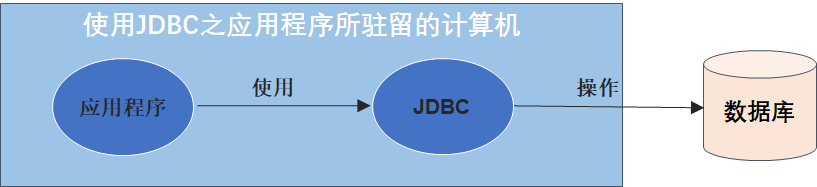
We often use JDBC for the following operations:
- Establish a connection with a database.
- Send SQL statements to the connected database.
- Process the results returned by the SQL statement.
Important interfaces and classes in JDBC-API (in the java.sql package):

Using the JDBC-database driver method to establish a connection with the database requires two steps:
- Load JDBC-database driver
- The specified database establishes a connection
borrowNovice TutorialIntroduction in:
jar package:
MySQL 5 version:mysql-connector-java-5.1.39-bin.jar
MySQL 8 version:mysql-connector-java-8.0.19.jar
After downloading, copy mysql-connector-java-<corresponding version>-bin.jar to the lib directory under tomcat.
The database connection of MySQL 8.0 and above is different:
com.mysql.jdbc.Driver Replace withcom.mysql.cj.jdbc.Driver
neednote: MySQL 8 + JDBC 8 + JDK 8 or MySQL 5 + JDBC 5 + JDK 7
String driverClass = "com.mysql.cj.jdbc.Driver";
String url = "jdbc:mysql://localhost:3306/user?useSSL=false&serverTimezone=UTC";
String urn = "root";
String psw = "123456";
Class.forName(driverClass);//Load driver
Connection con = DriverManager.getConnection(url,urn,psw);//Get connected
4. Database operation
4.1 Query
1. Result set and query:
Let the connection object con call the method createStatement() to create the Statement object that executes the SQL statement:
Statement sql=con.createStatement();
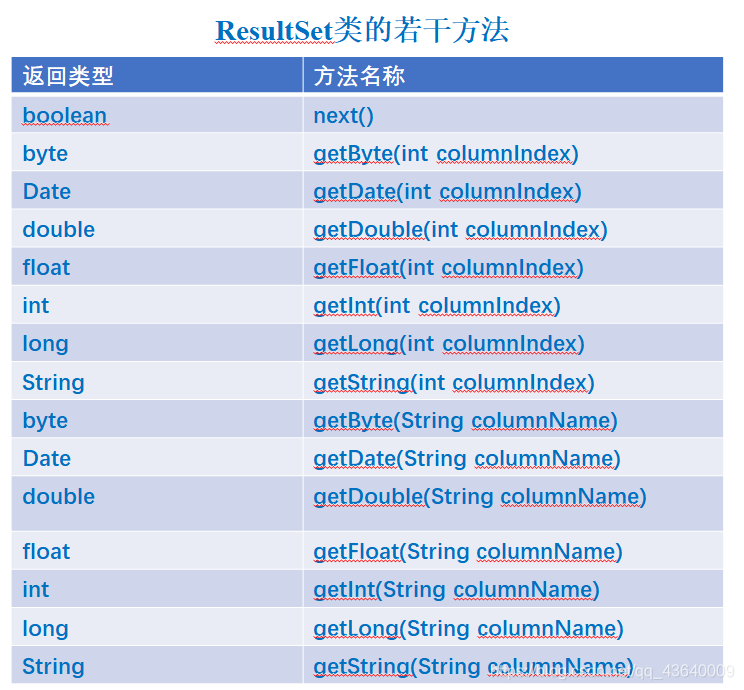
The sql object can call the corresponding method to query and modify the tables in the database, and store the query results in an object declared by the ResultSet class:
ResultSet rs=sql.executeQuery("SELECT * FROM product");
//product is the table name
2. The column name and number of the result set
When the program queries, you want to know the names of the fields (columns) of the database table and the number of fields in the table. One way is to use the result set returned to the program to obtain relevant information.
- (1) Get the metadata object metaData
ResultSetMetaData metaData = rs.getMetaData();
- (2) Get the number of columns in the result set, that is, how many columns are there in total
int columnCount = metaData.getColumnCount();
- (3) The name of the i-th column in the result set rs:
String columnName = metaData.getColumnName(i);
3. Random query
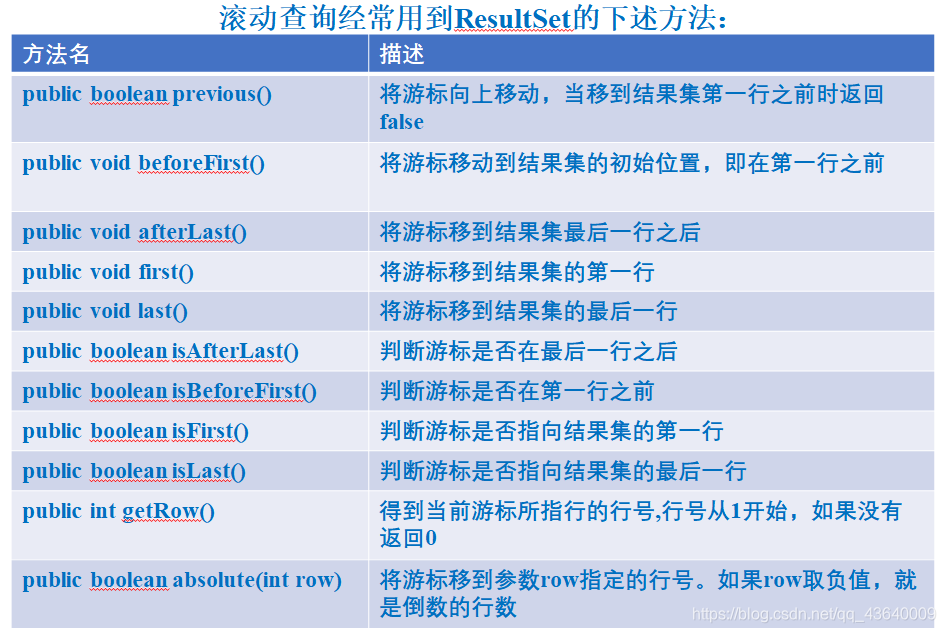
Use the next() method of Result to query data sequentially. In order to get a scrollable result set, you must first obtain a Statement object using the following method:
Statement stmt=con.createStatement(int type ,int concurrency);
Then, according to the type and concurrency of the parameters, stmt returns the result set of the corresponding type:
ResultSet re=stmt.executeQuery(SQLStatement);
The value of type determines the scrolling method, and the value can be:
- ResultSet.TYPE_FORWORD_ONLY :
The cursor of the result set can only scroll down. - ResultSet.TYPE_SCROLL_INSENSITIVE :
The cursor of the result set can move up and down. When the database changes, the current result set remains unchanged. - ResultSet.TYPE_SCROLL_SENSITIVE :
returns a scrollable result set. When the database changes, the current result set changes synchronously.
The concurrency value determines whether the result set can be used to update the database
- ResultSet.CONCUR_READ_ONLY:
The result set cannot be used to update the table in the database. - ResultSet.CONCUR_UPDATETABLE:
can update the tables in the database with the result set.
4. Condition query
select… from table where field conditions met
select * from product where price > 2000 and price<5000
select * from product where name = 'java'
Fuzzy query, use "%" to indicate zero or more characters, and "_" to indicate any character:
select * from product where name like 'Lee %'
5. Sort query
You can use ORDER BY sub-statements in SQL statements to sort records.
For example, the SQL statement to sort the query by total score:
SELECT * FROM student ORDER BY Total score
4.2 Update, add, delete records
Statement object call method:
public int executeUpdate(String sqlStatement);
Realize the update, add and delete records of the field values of the records in the database table.
//Update
executeUpdate("UPDATE product SET price = 6866 WHERE name='Haier TV'");
//Add to
executeUpdate("INSERT INTO students VALUES ('012','Magic Phone','2015-2-26',2687)");
//delete
executeUpdate("DELETE  FROM product WHERE number = '888' ");
5. Use the result set to manipulate the tables in the database
The steps to use the result set to update the value of a column in the nth row of the database table are:
- 1. The cursor of the result set rs moves to the nth row
rs.absolute(n); - 2. The result set updates the column value of a column in the nth row
For example, the date value of the updated column name is columnName is the value specified by x:
updateDate(String columnName, Date x); - 3. Update the table in the database
Finally, the result set calls the updateRow() method to update the nth row record in the database table with the nth row in the result set.
The following code snippet updates the value of the name column (field) in the third row of the product table.
rs.absolute(3);
rs.updateString("name", "IBM PC");
rs.updateRow();
Use the result set to insert (add) a row of records to the database table steps are:
-
1. The cursor of the result set rs is moved to the inserted row (the temporary storage area used to construct the row to be inserted)
rs.moveToInsertRow(); -
2. Update the column value of the inserted row
For example:
rs.updateString(1, “c002”);
rs.updateString(2, “IBM iPad”);
rs.updateDate(3,Date());
rs.updateDouble(4, 5356); -
3. Insert record
Finally, the result set calls the insertRow() method to insert a new row into the database table with the inserted row in the result set.
6, prepared statement
For JDBC, if the connection object con is established with a database using Connection, then con can be called
prepareStatement(String sql)
Then the pre object can call the following methods at any time to enable the underlying internal commands to be executed by the database, which improves the access speed of the database:
boolean execute()
int executeUpdate()
ResultSet executeQuery()
You can use the wildcard "?" to replace the field value when preprocessing SQL
prepareStatement pre=
con.prepareStatement("SELECT * FROM product WHERE price < ? ");
Call the corresponding method to set the wildcard "?", which represents a specific value
pre.setDouble(1,6565);
specifies that the value represented by the first wildcard "?" in the above prepared statement pre is 6565
The common methods for setting the value of the wildcard "?" in a prepared statement are:
void setDate(int parameterIndex,Date x)
void setDouble(int parameterIndex,double x)
void setFloat(int parameterIndex,float x)
7. Affairs
Transaction is an important mechanism to ensure the integrity and consistency of data in the database. The transaction processing steps are as follows:
- 1. The connection object uses the setAutoCommit(boolean autoCommit) method,
Set the parameter autoCommit to false to close the auto-commit mode:
con.setAutoCommit(false); - 2. commit() method
con calls the commit() method to make all the SQL statements in the transaction take effect. - 3. rollback() method
As long as any SQL statement in the transaction is not valid, a SQLException will be thrown. Where
When dealing with SQLException, you must let con call the rollback() method.
8. Summary
- JSP uses the API provided by JDBC to interact with the database. Once an application using JDBC has established a connection with the database, it can use the API provided by JDBC to operate the database.
- When querying the data in the ResultSet object, you cannot close the connection to the database.
- Using PreparedStatement objects can improve the efficiency of operating the database
9. Examples of login detection
	//Receive username and password
	String username = new String(request.getParameter("username").getBytes("ISO-8859-1"),"UTF-8");
	String password = request.getParameter("password");
	String driverClass = "com.mysql.cj.jdbc.Driver";
	String url = "jdbc:mysql://localhost:3306/user?useSSL=false&serverTimezone=UTC";
	String urn = "root";
	String psw = "123456";
	Class.forName(driverClass);//Load driver
	Connection conn = DriverManager.getConnection(url,urn,psw);//Get connected
	if(conn != null){
		String sql = "select * from user_info where username='"+username+"' and password='"+ password + "'";	//Verify account password
		Statement stmt = conn.createStatement();
		ResultSet rs = stmt.executeQuery(sql);
    		if(rs.next())
				response.sendRedirect("home.html");//Successful login, go to the homepage
    		else
				response.sendRedirect("fail.jsp");//Login failed, log in again
	}
	conn.close();
Intelligent Recommendation
jsp connect to oracle database
Basically, it’s just a little bit of the East and a little bit of the West that have solved their own problems, let’s share. First confirm whether your jdk environment, oracle database, an...
JSP JDBC connect to the database
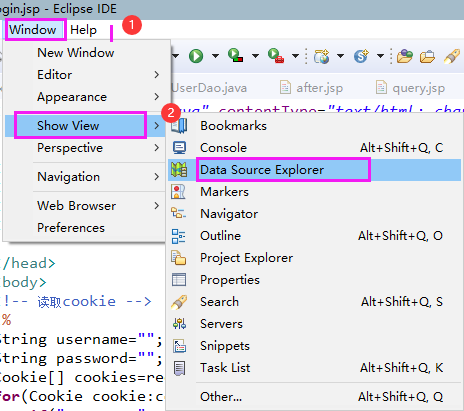
1. Create a database in MySql, create a table, The format of driver and url can also refer to the jar package, driver class name and URL format corresponding to various databases. Add database tables ...
JSP to connect to the database (Oracle)
The method of connecting to the database in Jsp (java server page): Load the database driver --- establish a connection --- send SQL statements to the database --- get the database return information ...
Jsp, Servlet to connect to the database
Here I use JDBC to connect to the database. I need to put the JDBC Jar package under WEB-INF/lib, click on the Jar package:download。 Jsp connection: Step 1: Add the following code to the jsp page that...
More Recommendation
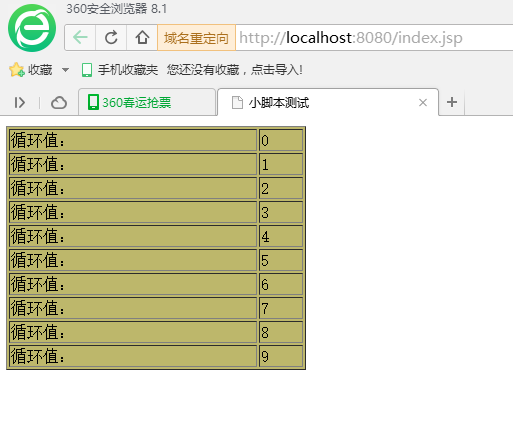
JSP script to connect to the database
getting Started Simple jsp file statement Variable output Small script test Connect to the database Note here, it needs to be configured in the editor, Otherwise, you cannot connect to the database! T...
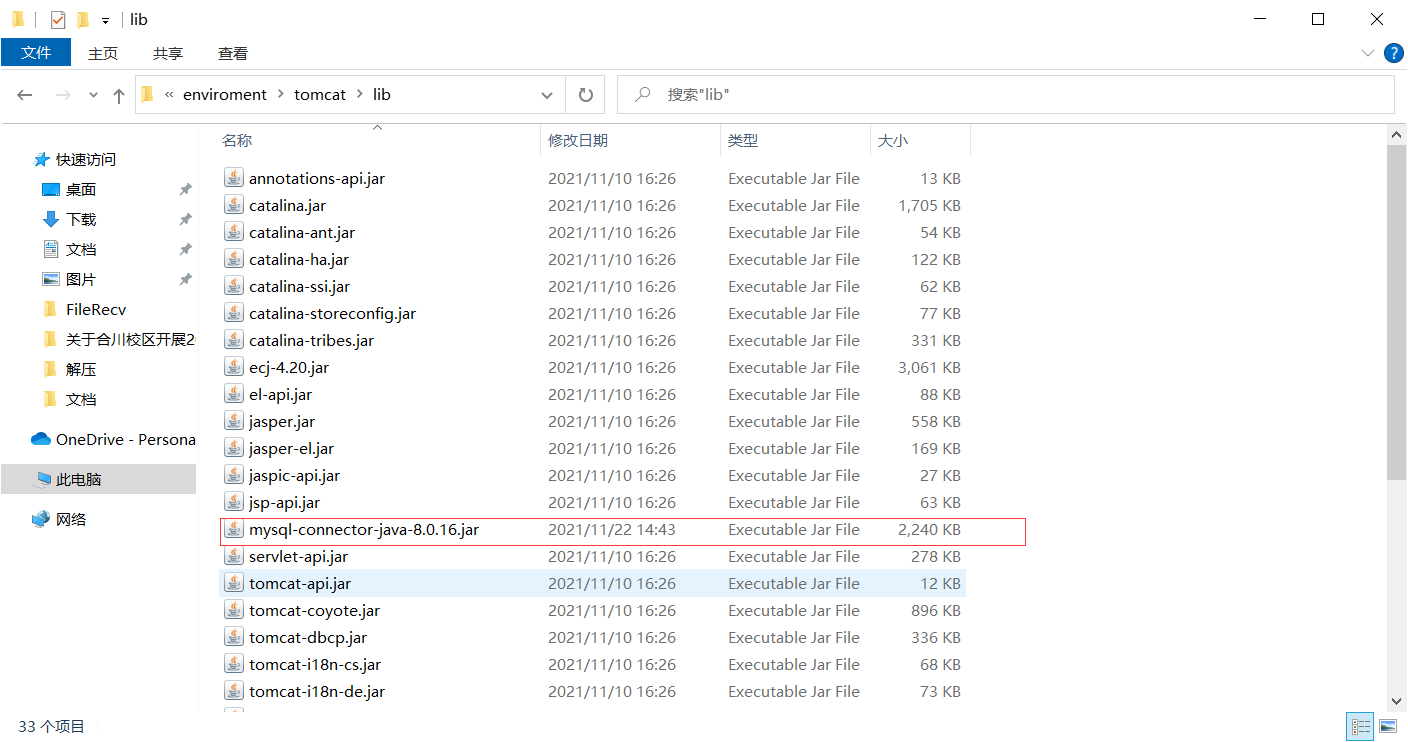
JSP Connect to Database in Idea
Software version used in this time: Idea: 2019.1.3 Professional Edition mysql:mysql 8.0.16 jdk:17.0.1 tomcat:tomcat 9.0 JDBC version: 8.0.16 Preparation: 1. Drive the JDBC in the Lib folder of Tomcat ...
Use jsp to connect to database and use data in d3 selector
Use jsp to connect to database and use data in d3 selector I want to complete a function in the web page. When the mouse is moved into the map, the epidemic data corresponding to the country can be di...
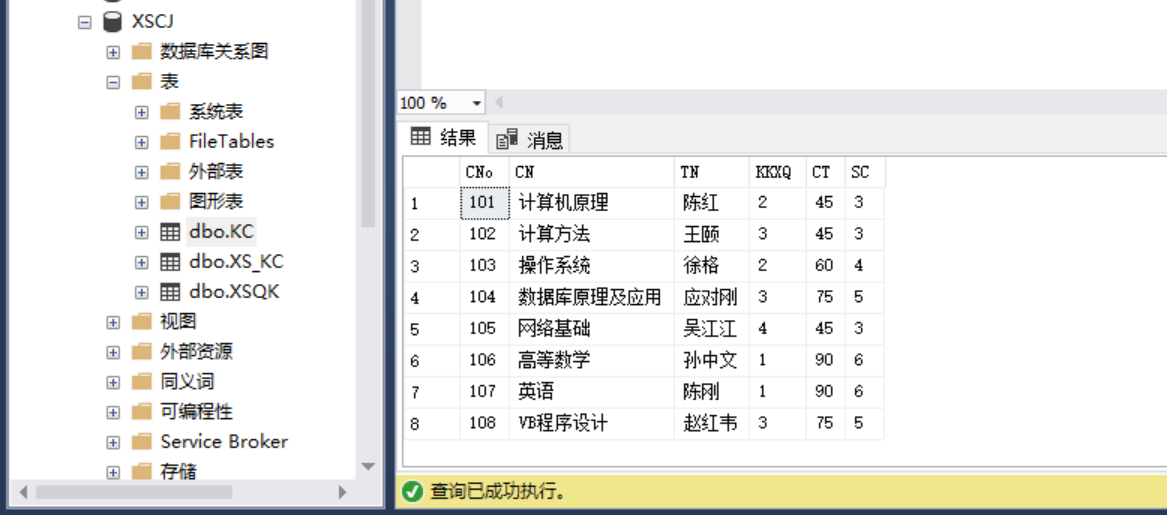
JSP | Use pure JAVA driver to connect to SQL Server database
The integrated development environment adopted by this program is eclipse The connection database is SQL server2017 The java connection driver of the SQL server used by this program:[Link: https://pan...
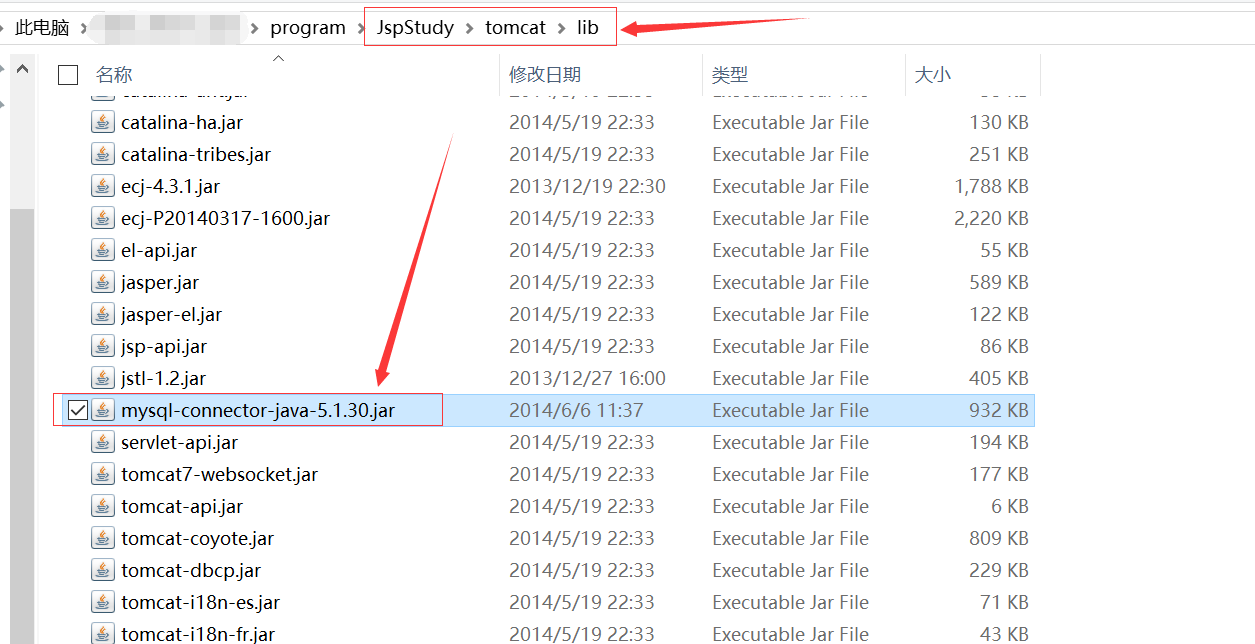
JSP | Use pure JAVA driver to connect to MySQL database
The integrated development environment adopted by this program is eclipse. The database used is the MySQL database integrated in JspStudy. The java connection driver for MySQL is in the Tomcat -> l...