[Huawei ENSP Simulator] The core configuration gateway realizes the intercommunication of multiple network segments
tags: networking Huawei server network
First attach the network topology diagram:
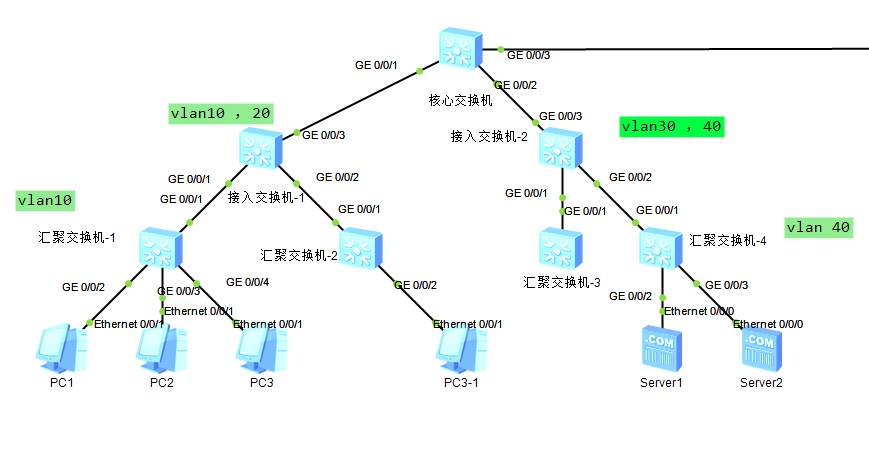
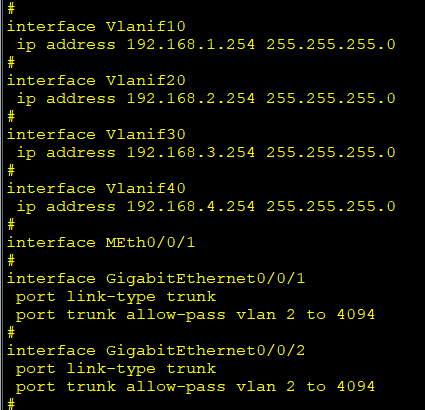
The aggregation switch is not configured with any policy, and the access switch is connected foolishly; the gateways of all network segments are configured on the core switch. The 4 vlan gateways and interfaces are configured as shown in the figure below:
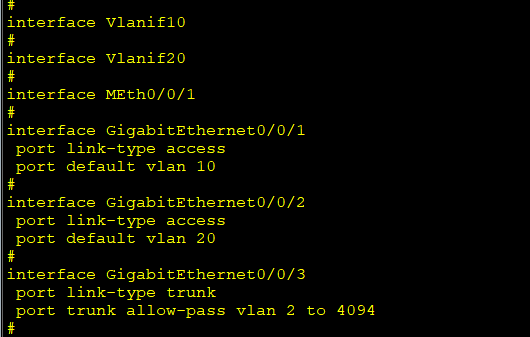
The access switch only divides two vlan10 20 according to business needs, and interface configuration
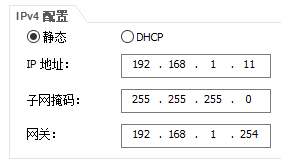
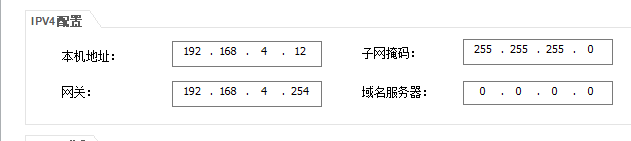
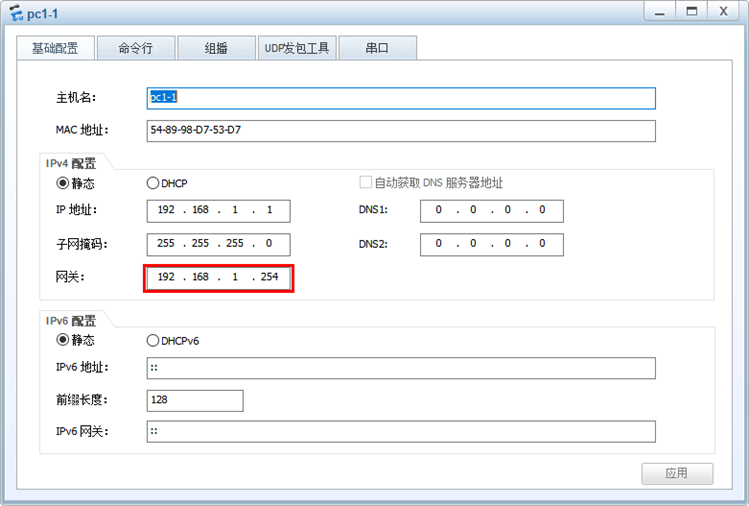
Finally, configure static IP and gateway on each terminal server to communicate with each other. The terminal configuration is as follows:
The server configuration is as follows:
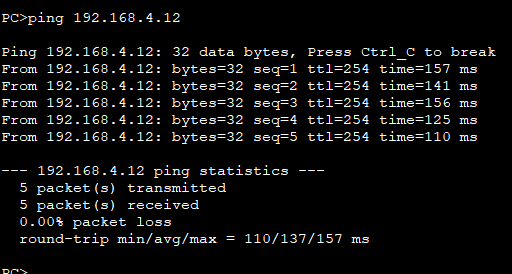
Renderings:
If you want to realize that different network segments do not communicate with each other on the secondary basis, you can set the vlan that the interface ge0/0/1, ge0/0/2 trunk passes through, such as port trunk allow-pass vlan 3
Or you can set the ACL policy to realize the non-communication of each network segment.
The next article will implement the acl policy to realize the non-communication between network segments.
Intelligent Recommendation
linux realizes network intercommunication between different network segments
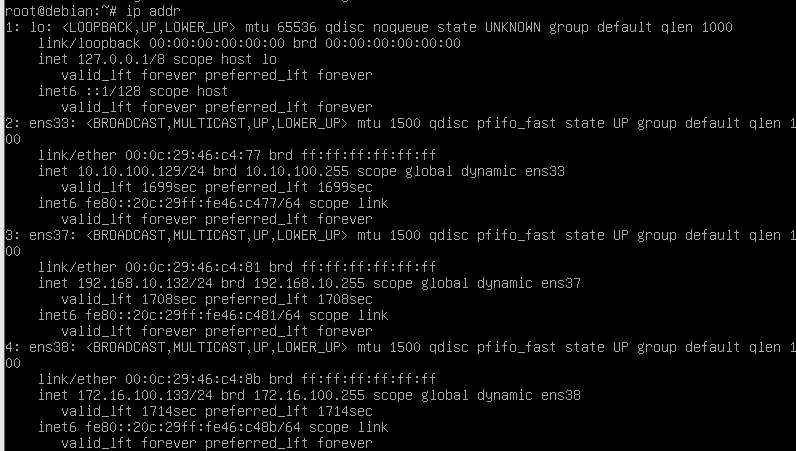
achieve: Network: 10.10.100.0/24 Network: 172.16.100.0/24 Network: 192.168.10.0/24 server1:10.10.100.128/24 server2:172.16.100.132/24 server3:192.168.10.131/24 server4: 10.10.100.129/24 172.16.100.133...
Vxlan intercommunication between different network segments of multiple hosts
[b]Multicast: test: On three machines 192.168.139.251 192.168.139.252 192.168.139.253 Each machine is set up to establish a namespace and is connected by vxlan. The vm built on any machine can communi...
NETBASE DAY05 (02): How to realize intercommunication among multiple network segments?
2.1 Problem This example requires the previous case as the basis to continue to improve the network configuration to realize that the two network segments connected by the router can communicate with ...
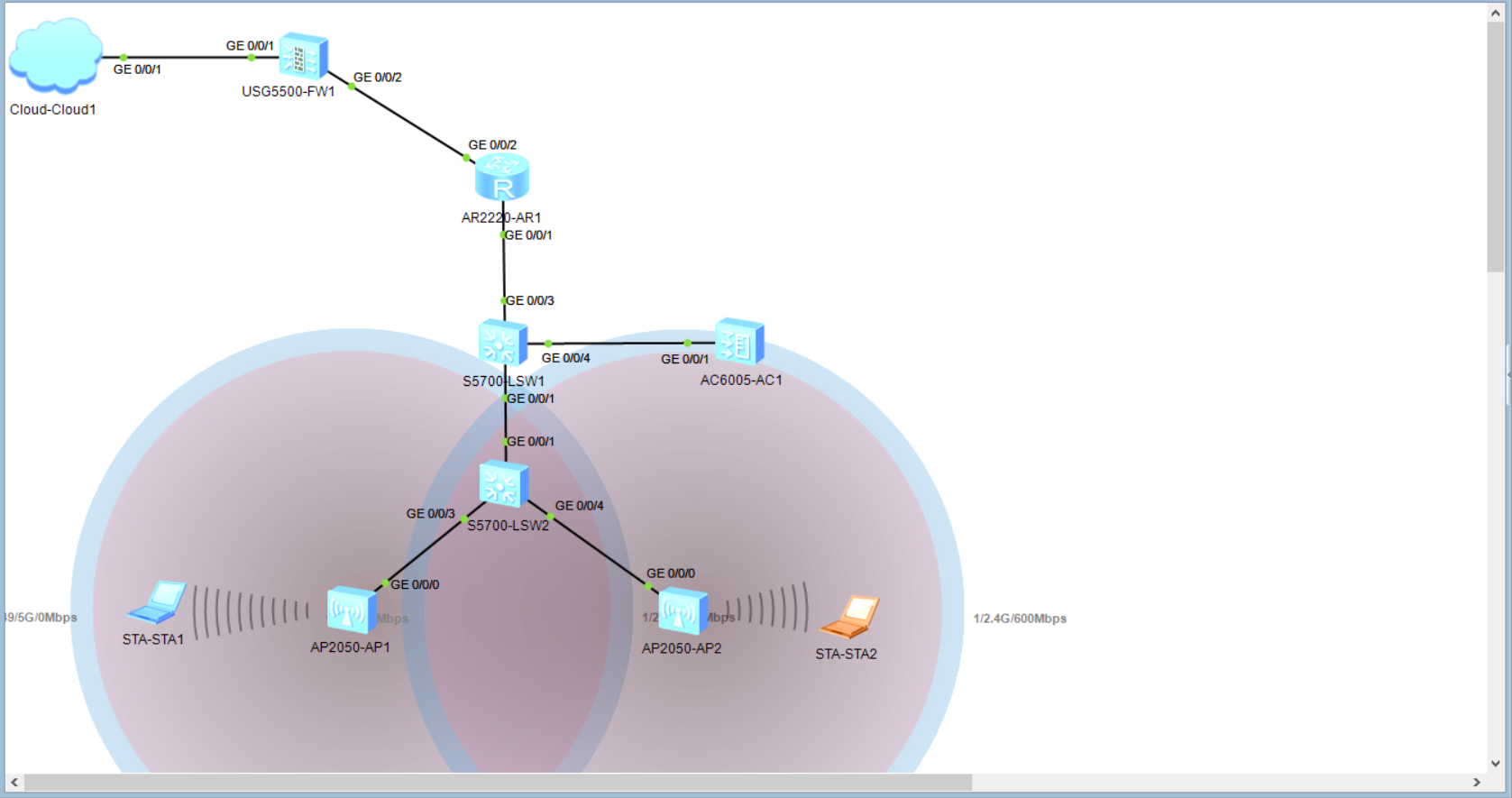
Huawei ensp simulator configures wireless network
Huawei ensp simulator configures wireless network 1. Topological diagram The two circles of the signal circle will appear after the STA is used to connect to the ssid 2. cloud1 configuration 3.LSW2 co...

eNSP Huawei network simulator installation steps
1. Related Introduction eNSP eNSP is a graphical network simulation platform. Through the simulation of real network equipment, the platform helps ICT practitioners and customers quickly familiarize t...
More Recommendation
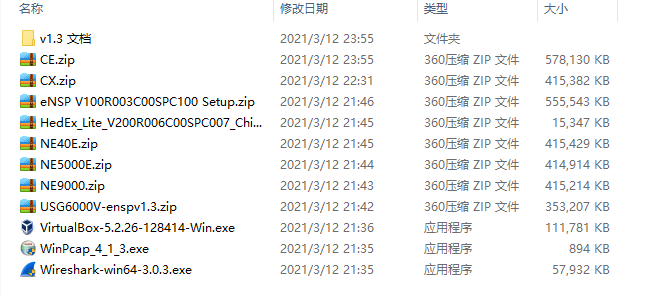
Install Huawei Network Building Simulator ENSP Documentary
At this time, I was also installed for the first time, I hope to go smoothly, and I will step on the pit. It is a bit small and nervous because Huawei This is quite a lot of files, but also VirtualBox...
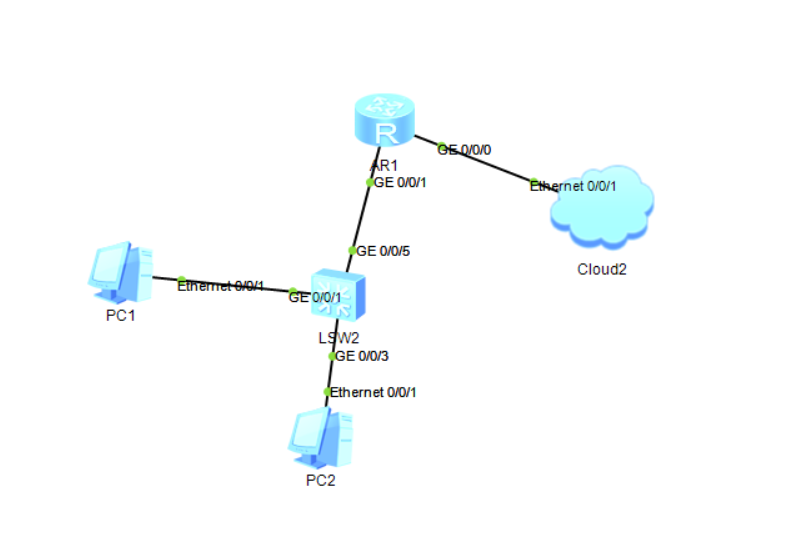
Huawei Simulator ENSP Equipment Access Network
This task is intended to achieve mutual access between the analog network equipment and the true external network in Huawei ENSP. First, install the software eNSP V1.2.00.510 VirtualBox-5...
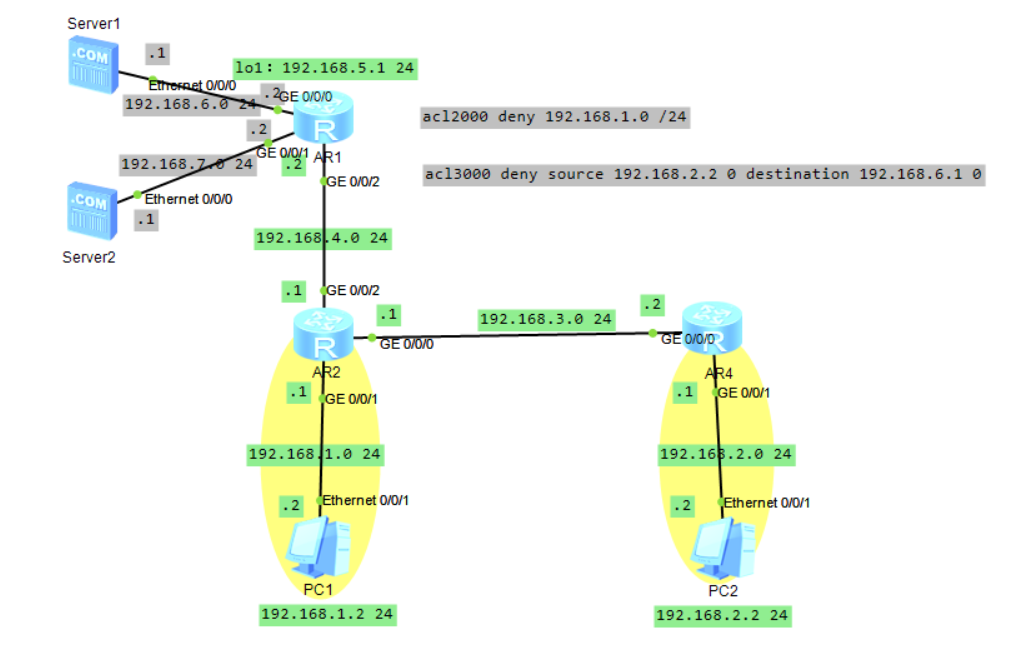
eNSP Huawei simulator acl configuration experiment
ACL basic configuration experiment ACL: access control list ACL can be divided into basic ACL and extended ACL The basic ACL is to filter the source IP address Extended ACL is to filter the destinatio...
eNsp Huawei simulator ospf configuration experiment
The basic ospf protocol configuration needs to pay attention to the location: ①When ospf is enabled, the area area needs to be declared, inIn the same areaTo communicate. (To achieve the configuration...
(ensp simulator) Huawei router simple OSPF configuration
Network topology: PC3 IP settings: PC4 IP settings: AR1 configuration: ①IP configuration ②OSPF configuration Configuration of switch AR2 Validation results: OSPF optimization The silent-interface comm...