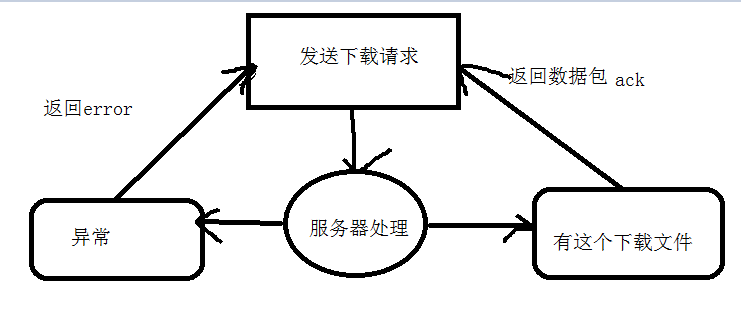
This article will briefly understand the TFTP protocol from several steps, such as concepts, operation examples, and protocol analysis.


Through this article, you can understand
◆What is the TFTP protocol?
◆TFTP function and general use
◆How to build TFTP and demonstrate its working process through examples
◆ Analysis of TFTP transmission process from the perspective of protocol
First, what is the TFTP protocol?
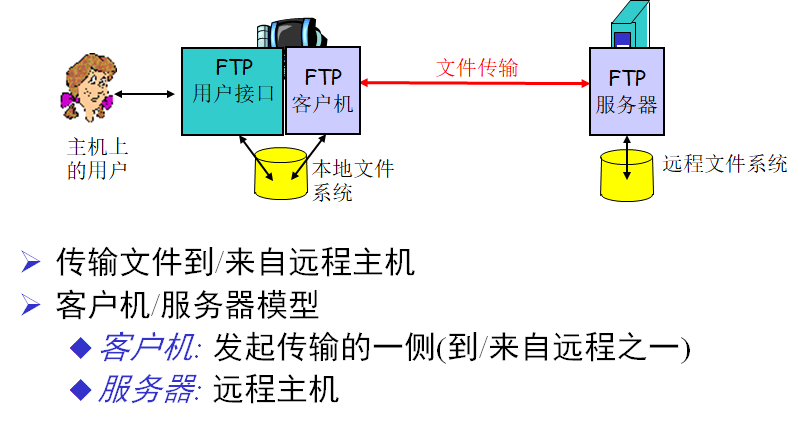
The TFTP protocol, Trivial File Transfer Protocol, is a protocol used in the TCP/IP protocol suite to transfer simple files between a server and a client. From the name point of view, it seems to be the common FTP protocol. Very similar, in fact, both are used to transfer files, but the difference is that TFTP is much smaller than FTP in transferring file size, which is more suitable for small files that need to be transferred. For example, when performing IOS upgrade or backup on CISCO devices, it is connected to CISCO's TFTP server through this protocol for related operations. In addition, TFTP operation is very simple, and its functions are very limited. It cannot implement many functions such as authentication and file directory query like FTP.
Second, build and test TFTP
1, get TFTP.EXE
Here is an example to show you how to build and use a TFTP server in Windows.
First, we need to get tftp.exe (see Annex 1). There are two ways to get this program:
1> You can use the expand command to extract the tftp.exe program from tftp.ex_ in the i386 folder on the Windows XP system CD.
2> In fact, this program has been built into the system, you can find it in C:\WINDOWS\system32.
2, build a TFTP server
Install a TFTP server? It sounds difficult, but it is very simple. The so-called TFTP server here is actually installing TFTP.exe as a service in the system, making it a built-in service, which will lay a solid foundation for providing stable TFTP transmission in the future. .
How to turn a program into a Windows service? In fact, many programming languages can be built with specific methods, but obviously, this method is not universal. Here I would like to recommend a small tool, which is built into Windows 2000 Resource Kits, named Srvinstw, which is a graphical The tool (see Annex 2), the operation is also very simple.
We use the most versatile way to install TFTP services.
Specific installation process:
Find Srvinstw
Run Srvinstw, where we can install a service, or uninstall the existing services in the system, just click [Uninstall Service].
Select [Installation Service], then click [Next]
If you want to install the service on a remote host, just select [Remote Host] and enter the host name. Here we select [localhost], then click [Next]
In [Service Name], enter the name you want to display in the service list. I entered TFTP here, and then click [Next].
Click [Browse] here to find the tftp.exe program, then click [Next]
By default, [System comes with service], and then click [Next]
By default, you can use [System Account] to log in to this service, and then click [Next].
Set the service startup type here, we select [Auto], and then click [Next]
Confirm the installed service and click [Finish].
OK, at this point, the TFTP program has been installed into the Windows system service.
Let's open the services.msc to check it out.
Although the service has been installed, it is stopped by default and needs to be started manually.
At this point, the TFTP server has been set up.
3. Test the TFTP server
The TFTP command is required to test the TFTP server, and the program is already built into the XP system, so we can run the TFTP command directly through the command line window.
As you can see, TFTP has very few command parameters and is very simple. The general command format is as follows.
TFTP [-i] host [GET | PUT] source [destination]
Detailed parameters
-i : indicates that file transfer is performed using binary.
Host : Specifies the host name or IP address of the TFTP server.
GET | PUT: download or upload files
The last two parameters are naturally the specified source file and target file.
The test environment is very simple. The IP address of the server where TFTP is installed is 192.168.1.100. There is a 1.txt file on the local C drive. Now we need to upload this file to 192.168.1.100 using the TFTP command. Run the command locally:
tftp -i 192.168.1.100 put c:\1.txt
As shown below:
Some friends may have a question. The destination is not specified in this command. Where is the file going? In fact, we don't need to specify the destination here, because the TFTP server will automatically be in the system after the command is over. The root directory, that is, the Tftpdroot folder created under the C drive, the uploaded file will be automatically saved in this folder. As shown below:
When we want to download files from the TFTP server, just put the files in this directory and download them with the GET command. The commands are as follows:
tftp -i 192.168.1.100 get down.txt e:\down.txt
As shown below:
Again, this command does not specify a specific source path, just a file is specified.
Third, the protocol perspective analysis of TFTP transmission
It can be seen from the above two examples that the TFTP protocol transmission process is very simple and efficient when transmitting small volume files. I want to analyze the TFTP upload process from the perspective of the protocol.
Basic environment introduction:
Client: 192.168.1.50
TFTP server: 192.168.1.100
Upload file: AAAA.TXT
Protocol Analysis Tool: Wireshark 1.1.1
First, run this command as shown below
From the above figure, we can see that the file is successfully transmitted. At this time, WIreshark has already captured the corresponding data packet, as shown below:
The following is the protocol analysis process
The first packet:
The second packet:
The third packet:
The fourth packet:
By analyzing these 4 data packets, it is a brief description of the TFTP upload process.
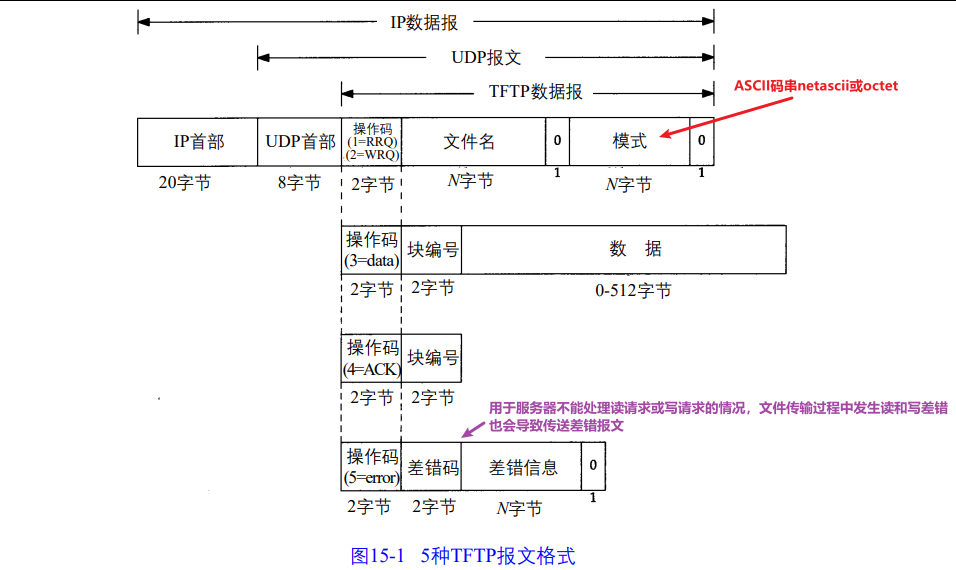
We can see that TFTP initiates the connection through port 69 and relies on the UDP protocol for data transmission. It can be seen that TFTP is a connectionless protocol type. In fact, there are many other operating details not mentioned, including the five kinds of Opcode of TFTP, etc. If you want to know more about the TFTP protocol, please refer to the RFC document numbered 1350.
This article is from
Xu Yijun's original technology blogBlog,