Use TensorFlow to randomly rotate images
tags: TensorFlow
useTensorFlow rotates images randomly
When using deep learning to train images, random rotation of the images helps to improve the model generalization ability. However, before doing preprocessing such as rotation, the image is first rotated and saved locally, and then the model is input for training. This process will increase the workload. If there are many pictures, the generated rotated image will take up More space. Randomly rotate the image directly during the training process, which can effectively improve work efficiency and save hard disk space.
Use TensorFlow to randomly rotate the image as follows:
TensorFlow version is 1.13.1
#-*- coding:utf-8 -*-
'''
    Example of random rotation of images using TensorFlow
'''

import tensorflow as tf
import numpy as np
import cv2
import matplotlib.pyplot as plt


img = cv2.imread('tf.jpg')
img = cv2.resize(img,(220,220))
img = cv2.cvtColor(img,cv2.COLOR_BGR2RGB)

def tf_rotate(input_image, min_angle = -np.pi/2, max_angle = np.pi/2):
    '''
         TensorFlow rotates images randomly
         :param input_image: image input
         :param min_angle: minimum rotation angle
         :param max_angle: maximum rotation angle
         :return: rotated image
    '''
    distorted_image = tf.expand_dims(input_image, 0)
    random_angles = tf.random.uniform(shape=(tf.shape(distorted_image)[0],), minval = min_angle , maxval = max_angle)
    distorted_image = tf.contrib.image.transform(
        distorted_image,
        tf.contrib.image.angles_to_projective_transforms(
            random_angles, tf.cast(tf.shape(distorted_image)[1], tf.float32), tf.cast(tf.shape(distorted_image)[2], tf.float32)
        ))
    rotate_image = tf.squeeze(distorted_image, [0])
    return rotate_image

global_init = tf.global_variables_initializer()
with tf.Session() as sess:
    init = tf.initialize_local_variables()
    sess.run([init, global_init])
    coord = tf.train.Coordinator()
    threads = tf.train.start_queue_runners(coord=coord)
    image = tf.placeholder(shape=(220, 220, 3), dtype=tf.float32)

    rotate_image = tf_rotate(image, -np.pi/2, np.pi/2)
    output = sess.run(rotate_image, feed_dict={image:img})
    # print('output:',output)
    plt.imshow(output.astype('uint8'))
    plt.title('rotate image')
    plt.show()
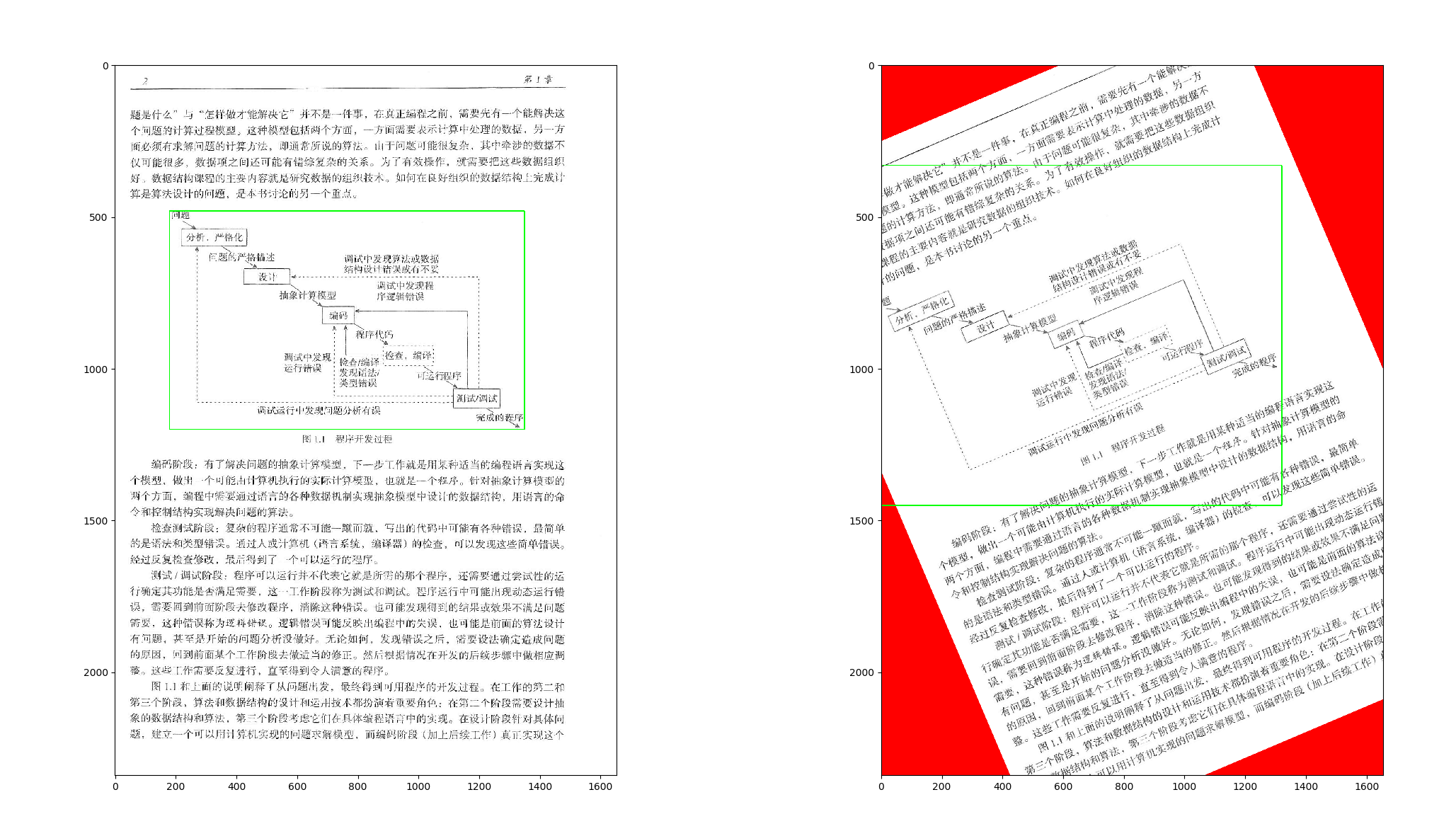
The results are as follows:
Original image:

Randomly rotated picture:

Intelligent Recommendation

Unity randomly gets background images
Get pictures Usually we get a picture in Unity is to create a public array that assigns arguments to array by dragging, which is easy to run when using the new Unity version. Just suitable for beginne...
Convert images to 3D images in WPF and rotate them
Original: Convert images to 3D images in WPF and rotate them The time stolen by the time is always precious that cannot be seen under our eyes. First of all, let's take a look at the initial ru...
PIL randomly rotate image and remove the black edge
Reference materials: Correct the error of Reference Data 1: Pil RoORATE uses the angle that does not need to turn to curved https://stackoverflow.com/questions/16702966/rotate-image-and-crop-out-black...
More Recommendation
How to use Python to randomly randomly
Problem Description In strengthening learning, we will learn a algorithm called Q-Learning, the core inside is Q-Table, the state-action table. Sometimes we will find two ways to have the same state, ...
Use tensorflow to achieve linear regression and draw images through matplotlib
code show as below:...
Tensorflow study notes eleven: use others trained models to classify images
Google trained an Inception-v3 model on the large image database ImageNet, which we can directly use for image classification. download link:https://storage.googleapis.com/download.tensorflow.org/mode...

Use Keras and TensorFlow 2.0 to build a deep learning model to classify images
In this article, we will build a deep learning model to classify objects in images. In order to build a convolutional neural network, we will use this data set provided by Kaggle. (Https://www.kaggle....
Use SSD to load model test images under Tensorflow
Use SSD to load model test images under Tensorflow 1. Download SSD-Tensorflow-master and unzip it directly to the current folder. github download address:https://github.com/balancap/SSD-Tensorflow 2. ...