Cesium: Introductory tutorial (two) data source loading
tags: GIS
Preface
After running the helloworld example successfully, the controls and data sources will be further explained below.
mouse
Left click and drag: Pan along the surface of the earth (adjust camera position)
Right click and drag: Camera zoom in and zoom out (adjust camera distance)
Scroll wheel: Camera zoom in and zoom out (adjust camera distance)
Middle press and drag: Rotate the camera around the surface of the earth (adjust the camera direction)
Control
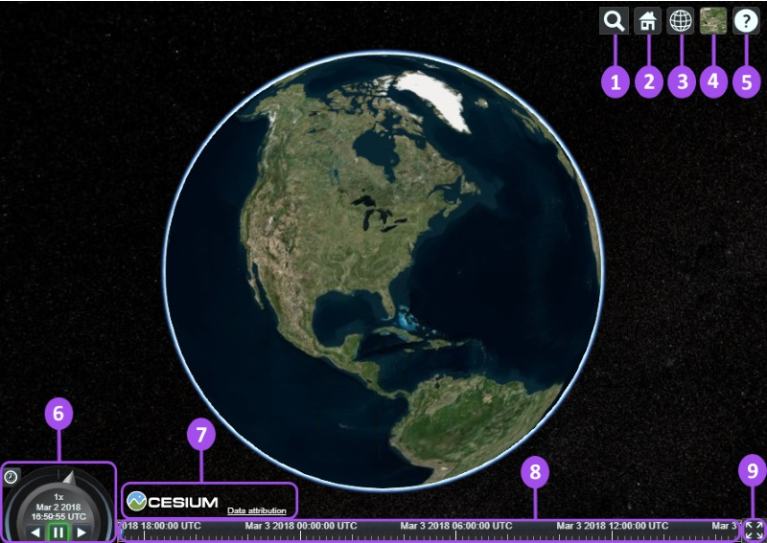
① Geocoder: Location query and positioning control, use bing map service by default
② HomeButton: Default camera position
③ SceneModePicker: 3D, 2D and Columbus mode switch button
④ BaseLayerPicker: select terrain, image and other layers
⑤ NavigationHelpButton: Display the default camera control prompt
⑥ Animation: Control the playback speed of scene animation.
⑦ CreditsDisplay: Display data copyright attributes.
⑧ Timeline: Time scroll bar.
⑨ FullscreenButton: Full screen switch.
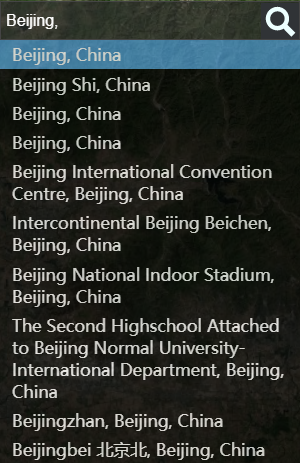
Geocoder
At①Geocoder The bing map service is used by default, which means that if we do not provide Cesium.Ion.defaultAccessToken, the search service cannot be used.

During normal use:
BaseLayerPicker
1. Imagery
At ④BaseLayerPicker The modules are mainly Bing, Mapbox and OpenStreetMap, and four map services of ESRI.
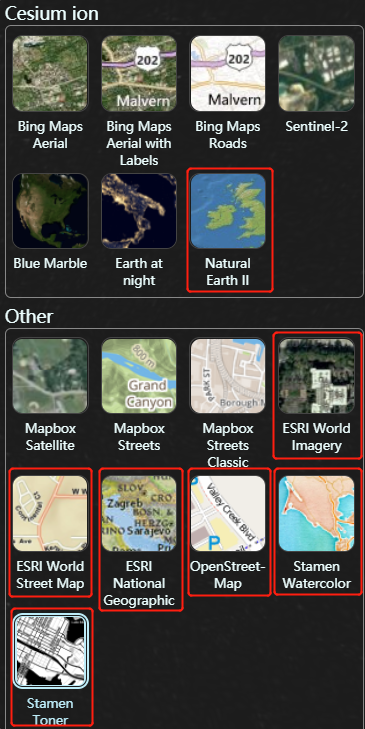
The boxes in the figure can be used directly without applying for token layers.
BING Map Need tohttps://cesium.com/ion/ Apply for token [Tutorials] (The operation is not complicated, you can get it soon
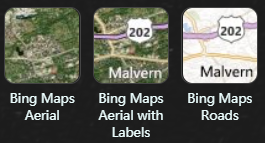
Cesium.Ion.defaultAccessToken ='Your token';MapBox Need tohttps://account.mapbox.com/access-tokens Apply for token

Cesium.MapboxApi.defaultAccessToken ='Your token';
However, Sentinel-2 and NASA’s Blue Marble and Earth at night cannot be loaded.
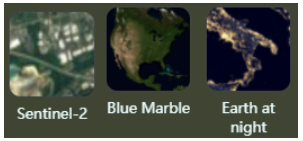
Almost all loading methods written by other people on the Internet are like this:
// assetId:3812 Earth at Night
// assetId:3845 Blue Marble
// assetId:3954 Sentinel-2
var viewer = new Cesium.Viewer('cesiumContainer', {
   imageryProvider: new Cesium.IonImageryProvider({ assetId: 3812 }),
   baseLayerPicker: false
});
After running, it is still not loaded, press F12 to view: XHR failed loading. Is it a token problem? To

Log in againhttps://cesium.com/ion/ , Suddenly a flash of light...
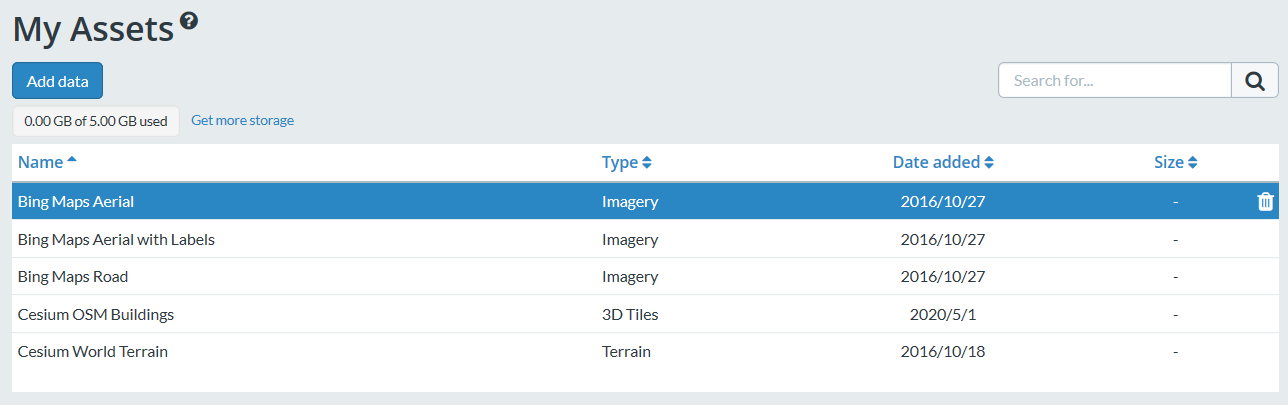
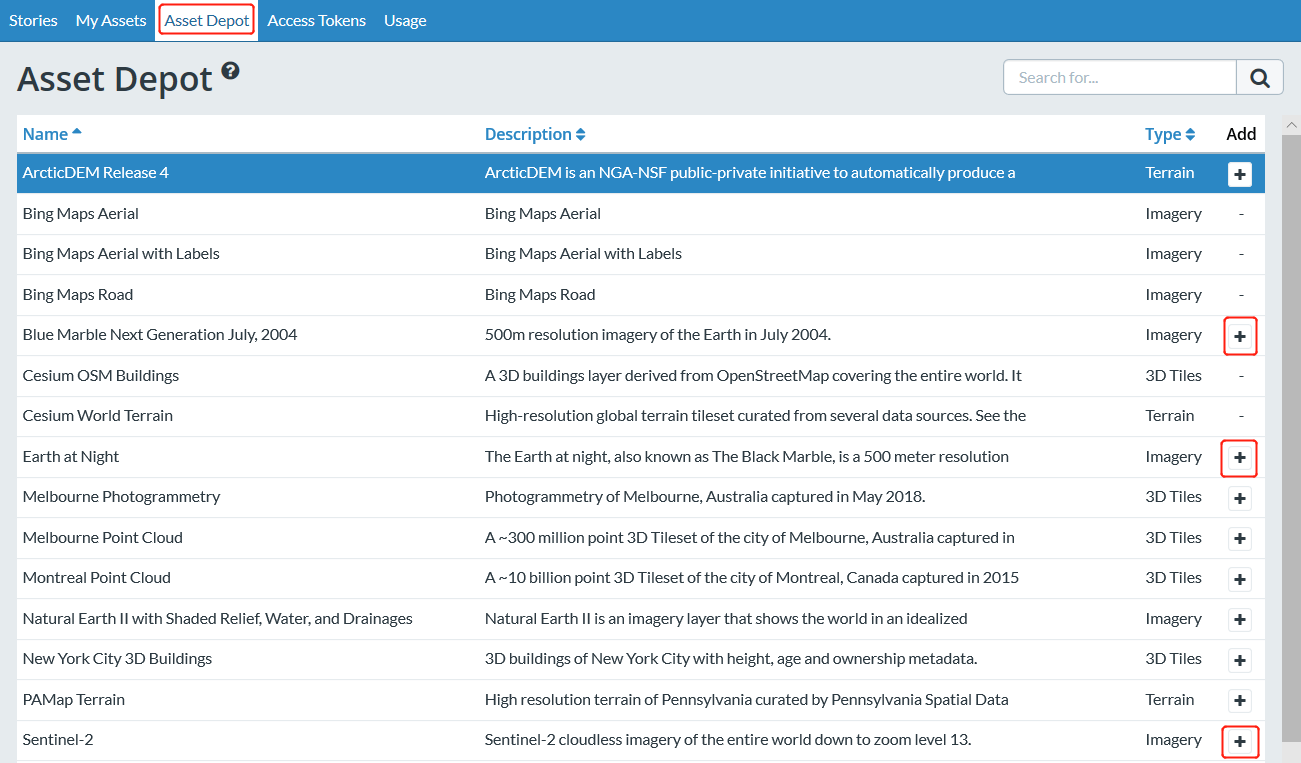
Enter Asset Depot, find these three layers and click Add
Confirm the successful addition in My Assets
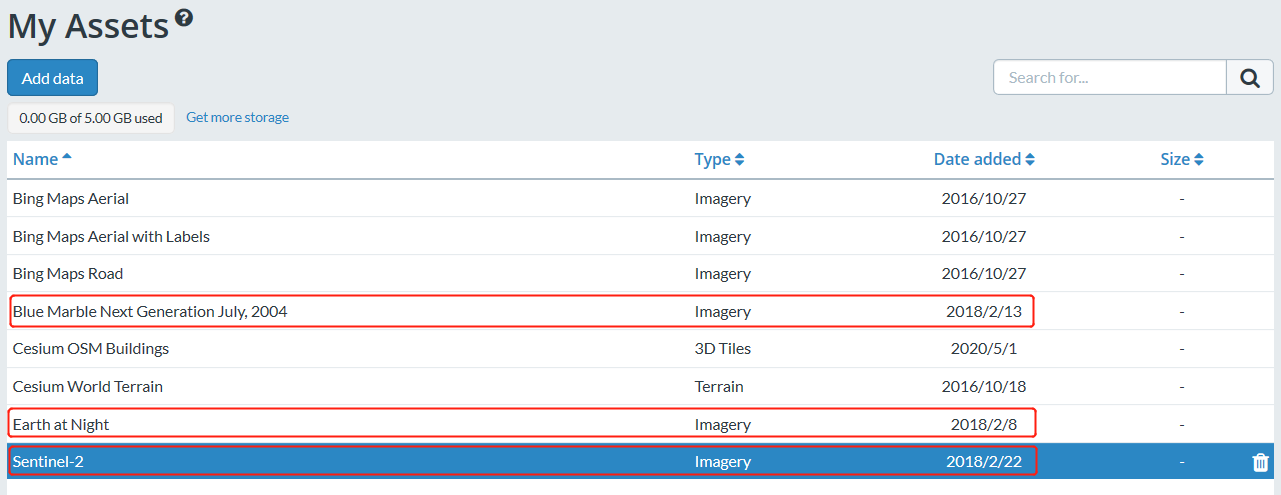
Now all data sources provided by Cesium can be loaded
<script>
    Cesium.Ion.defaultAccessToken ='Your cesium ion Token';
         Cesium.MapboxApi.defaultAccessToken ='Your Mapbox Token';
    var viewer = new Cesium.Viewer('cesiumContainer');
</script>
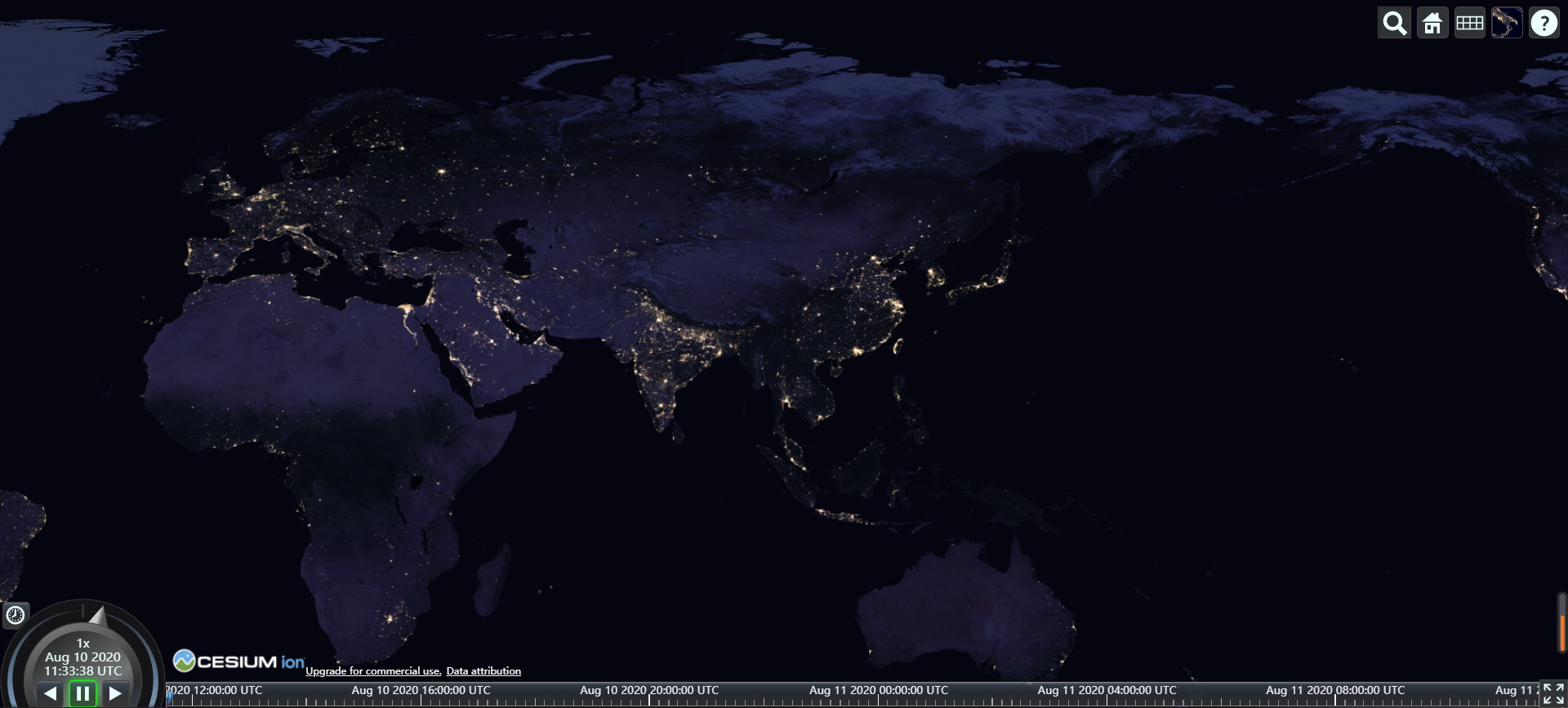
In addition to loading the official data source, you can also use the ProviderViewModel interface provided by Cesium to extend the data source yourself. Cesium provides variousinterfaceSupport various layer data sources.

For example, adding an esri custom data source process [link]
var esriMap = new Cesium.ArcGisMapServerImageryProvider({
    url:'https://services.arcgisonline.com/ArcGIS/rest/services/World_Imagery/MapServer',
    enablePickFeatures:false
});

 //Set ProviderViewModel
var esriMapModel = new Cesium.ProviderViewModel({
   name:'esri Maps',
   iconUrl:Cesium.buildModuleUrl('./Widgets/Images/ImageryProviders/esriWorldImagery.png'),
       tooltip:'ArcGIS Map Service',
   creationFunction:function () {
      return esriMap;
   }
});

var providerViewModels = [];
providerViewModels.push(esriMapModel);

var viewer = new Cesium.Viewer('cesiumContainer');
viewer.baseLayerPicker.viewModel.imageryProviderViewModels = providerViewModels;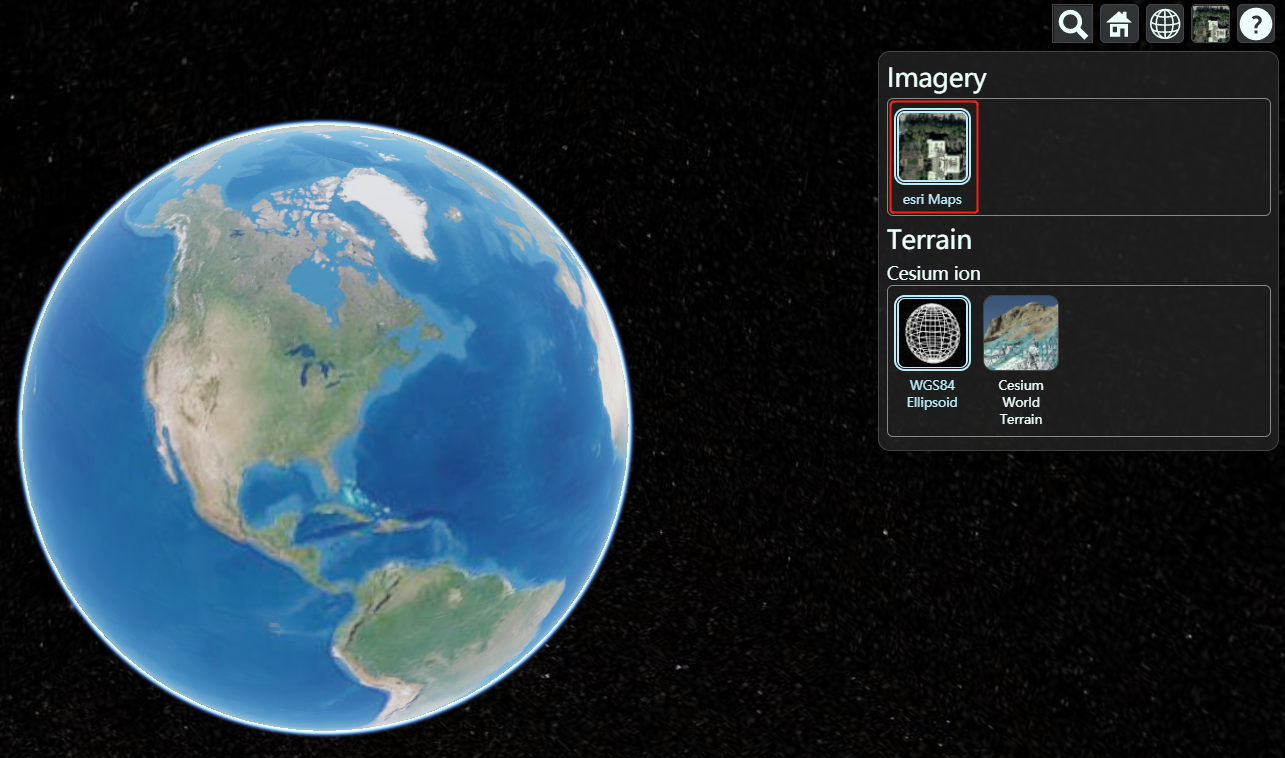
2. Terrain
Cesium supports streaming, visualized global elevation projection topography, water shape data, including oceans, lakes, rivers, mountains, canyons and other terrain data that can be displayed in three dimensions and have better effects than two dimensions. We useCesium World TerrainLayer. This layer is provided by Cesium ion and is provided by default in "My Assets".
After entering helloworld.html, we roamed to San Francisco to take a look. (Hold down CTRL and drag
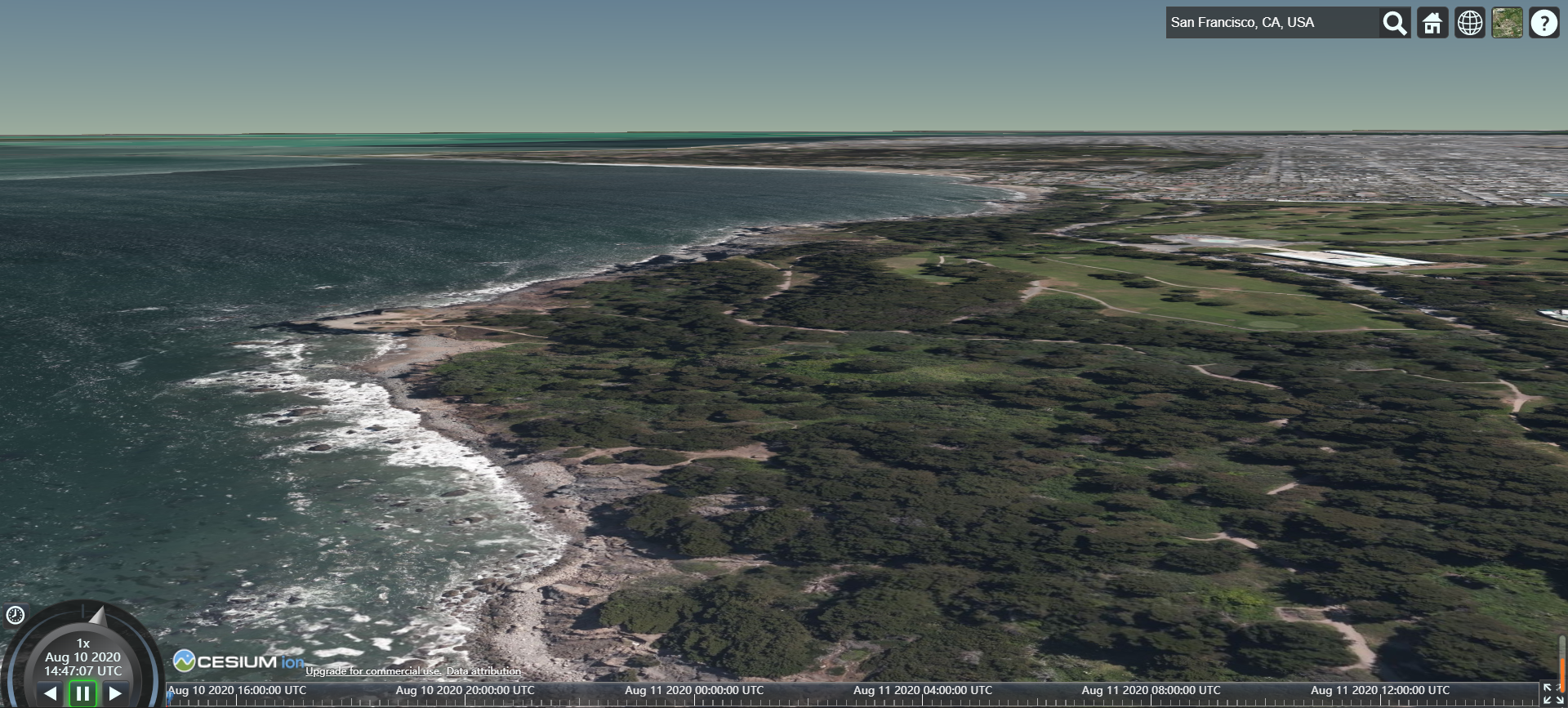
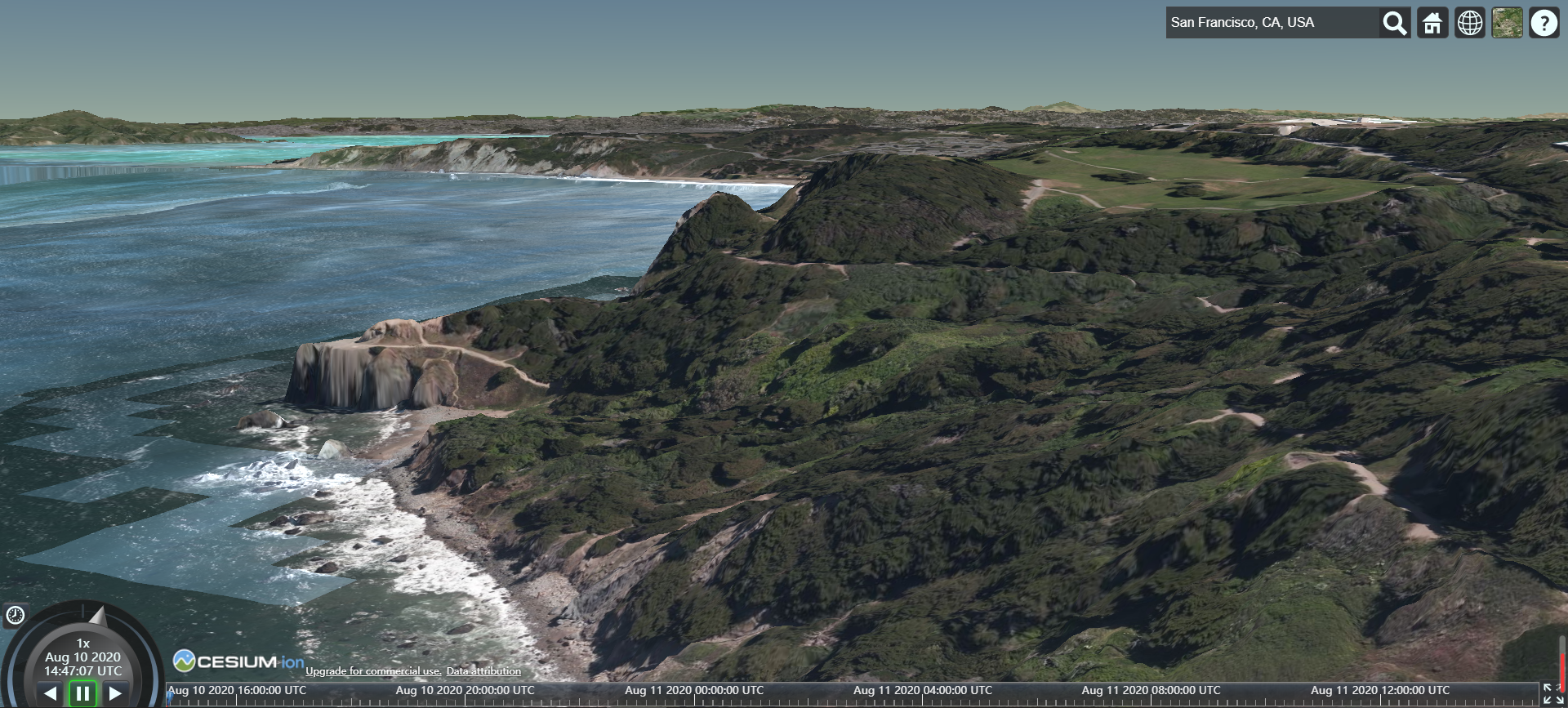
The default water and light data is not displayed, we can set it
var worldTerrain = Cesium.createWorldTerrain({
    requestWaterMask : true, // required for water effects
    requestVertexNormals : true // required for terrain lighting
});

var viewer = new Cesium.Viewer('cesiumContainer',{terrainProvider: worldTerrain});
CreditsDisplay
shut down ⑦CreditsDisplay
viewer._cesiumWidget._creditContainer.style.display = "none";
reference
Ceisum official tutorial 2-project example (workshop)
Cesium Intermediate Course 2-Layers
Cesium Application: Image Service (Part 1)
Intelligent Recommendation
cesium-loading point cloud data
cesium-loading point cloud data Point Cloud Data Introduction Point cloud data(Point Cloud Data) refers to a set of a set of vectors in a three -dimensional coordinate system. Scan the data recorded i...
Git introductory tutorial two
Original link: https://www.runoob.com/git/git-basic-operations.html Basic Git operation Git's job is to create and save a snapshot of your project and compare it with subsequent snapshots. This chapte...
Android introductory tutorial (two)
Hello World project First of all, when we start the virtual machine of Android Studio, we can see the first project Hello World, then how is Hello World! in the virtual machine written? Take a look at...
JSP introductory tutorial (two)
JSP syntax table of Contents Basic structure of JSP page JSP script elements JSP instruction tag JSP action tag 1. Basic structure of JSP page Adding dynamic elements related to Java in the HTML stati...
More Recommendation
RxSwift introductory tutorial (two)
*Creating an Observable that performs work Ok,now something more interesting.Let’s create that interval operator that was used in previous examples.This is equivalent of actual implementation fo...

Mycat's introductory tutorial (two)
In the previous tutorial, I initially introduced the use of mycat. Next, build an introductory tutorial of a split strategy (modulo or division by interval, etc.) to implement oneSub-database and sub-...
Redis introductory tutorial (two)
Recommended reading: Redis introductory tutorial (1) 5. Redis data structure 5.1 Introduction to Redis Data Structure Redis is an advanced key-value storage system, where value supports five data type...

WCF introductory tutorial two
basic knowledge: [ServiceContract] Attribute can have the following properties: CallbackContract Set the type of callback: Duplicate refers to two-way communication between Service Host and Client Con...
octave introductory tutorial (two)
size, length function size can be used to return the number of rows and columns of the matrix (you can also specify the parameter to display the number of rows or columns separately), length returns t...