Git use record notes
First, the commonly used git command
- Version rollback git reset
Method one git reset --hard 1094a(commit id number)
 Method 2 git reset --hard HEAD^(The previous version is HEAD^, the previous version is HEAD^^)
- View branch/switch branch git branch / git checkout branch name
- Undo changes git checkout - filename
git checkout -- readme.txt
Note:--Very important, no--, it becomes the command to "switch to another branch"
-
Delete Files
git rmUsually when we add files, we use
git addBut if we delete the file from the workspace, we need to use it.git rmDelete the files in the staging area to usegit commitsubmit -
Create branch
Git checkout -b dev (create and switch to the dev branch)
 Git branch -d feature1 (delete the feature1 branch)
 == The following two steps
 Git branch dev (git branch is to view the branch git branch dev create a dev branch)
 Git checkout dev (switch to dev branch)
- Merge branch
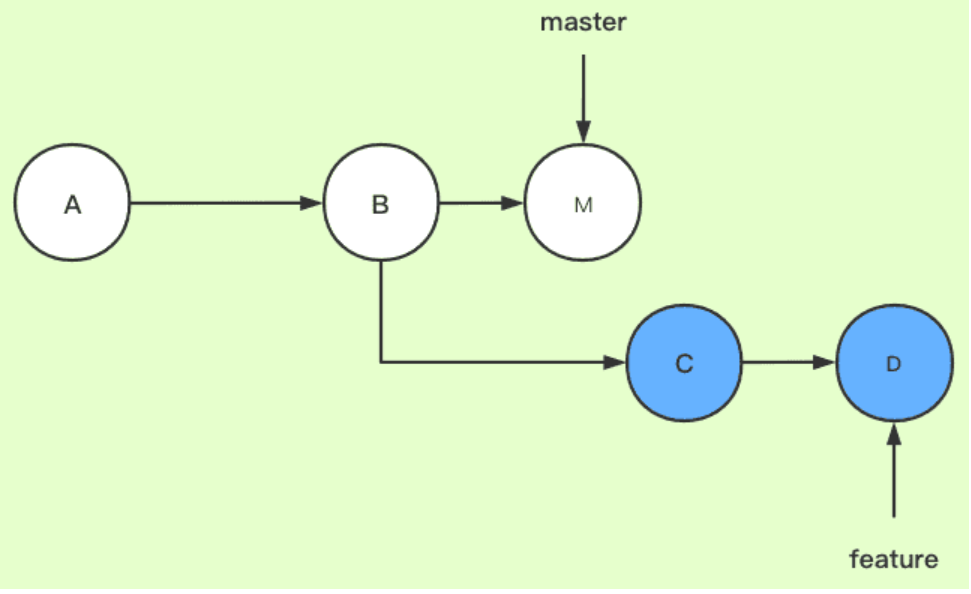
git merge dev
Used to merge the specified branch to the current branch (this is more important). For example, you want to merge the dev branch intomasterOn the branch, you need to switch tomasterBranch then executegit merge dev
-
Conflict resolution
When you merge branches, you will find that the branch and the branch to be merged have the same modification.

In this case, we need to open the conflicting file, edit the final version, and then executegit addwith git commit submit.
Second, the common problem solving
- Some auto-generated files appear, and modifying .gitignore doesn't work. For example, the .idea file in the Android studio project
git rm -rf --cached .idea
Intelligent Recommendation
Record Git use
Record Git use First, pull the existing project (vscode) In vscode, first initialize GIT Pull the project Second, create a branch Third, check the files under the current branch and the unloaded file ...
Git use record one
Gitbash dropped gitee branch Order Git Clone HTTPS Address git branch -a git checkout -b feature#I2M7ZY origin/feature#I2M7ZY Git Pull (generally not) Order Git Clone HTTPS Address // Clone warehouse ...
Git use process record
Download code Enter the code catalog Practical comparison tool comparison difference View status Add all files in the current directory to the temporary storage area: View status After adding to the b...
Git command use record
The blog is continuously updated. If there is something wrong or need to be perfected, please point out! vim: The commands that enter the VIM mode later will be replaced by VIM; The VIM editing mode i...
[Use in git, problem record]
1. GIT usage scenario: The author of the warehouse needs to recite to merge the branch hint"Pull request authors cant approve"That is to say, the submitters cannot review myself, but the cur...
More Recommendation
[Git notes] git use notes
contents First, pull the warehouse code, submit the code Second, new, switch branch First, pull the warehouse code, submit the code 1, pull the git project. 2, submit the code process Step1. View the ...
Use git record four: .git analysis
Use git record four: .git View files in .git directory HEAD recorded what? Look at the contents of the HEAD: refs to the refs / heads / master file, then we went to look at master file to see in the e...
[Git] Question record during git use
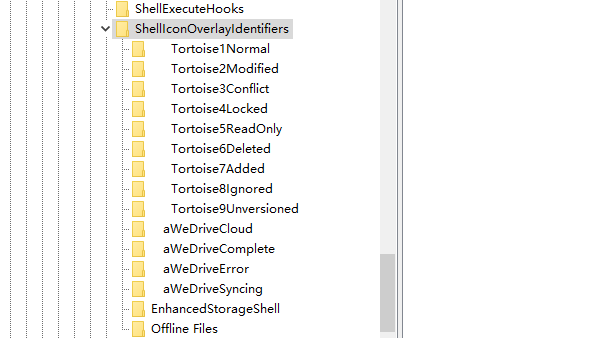
1. Git green and red icons do not display Press the Win+R key to open the running dialog box, enter regEdit.exe, prepare to modify the registry, find Create a new "string value" file under t...

Use git branch small record
1. Use git to download the code and there will be a hidden .git folder in the root directory. To display this folder out. 2. You can see the .git folder. There is a HEAD file in the 3.gi...
Git use, record convenient query
After installing the Git client first, configure ssh Create an SSH Key. Under Windows, check whether there are id_rsa and id_rsa.pub files under [c drive->user->your own username->.ssh], if n...