QListWidget adds custom widgets and automatically sorts
tags: QT
I have developed a stock intelligent analysis software, which is very powerful. Click the link below to get it:
1. Problem description
A custom widget needs to be added to the project, with picture text and buttons, as shown in the following figure, but Qlistwidget can only add pictures and text in general, you need to customize a widget to add content, and automatically sort by similarity.

2. Implementation steps
(1) Customize widgetItem interface
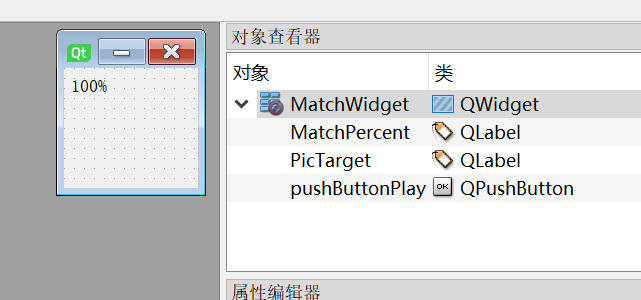
(2) Define the class to implement this interface
//head File
#ifndef COMPAREVIEW_H
#define COMPAREVIEW_H
#include <QWidget>
#include "ui_CompareView.h"
#include <QImage>
#include"FaceDefine.h"
class CompareView : public QWidget
{
	Q_OBJECT

public:
	CompareView(MatchData matchData);
	~CompareView();


private:
	Ui::MatchWidget ui;
	MatchData m_matchData;
};

#endif // COMPAREVIEW_H

 //Source File
#include "CompareView.h"
CompareView::CompareView(MatchData matchData)
{
	ui.setupUi(this);
	setWindowFlags(Qt::FramelessWindowHint);
	this->resize(120, 120);
	m_matchData = matchData;
	ui.MatchPercent->setText(QString::number(m_matchData.matchPercent*100)+"%");
	QPixmap pix(matchData.strTargetPath);
	pix = pix.scaled(this->size(), Qt::KeepAspectRatio, Qt::SmoothTransformation);
	ui.PicTarget->setPixmap(pix);
}

CompareView::~CompareView()
{

}
(3) Define the function added to it
int FaceMatch::AddToMatchList(MatchData matchData)
{
	 CompareView* cItemWidget = new CompareView(matchData);//New widget object
	 QListWidgetItem* pItem = new QListWidgetItem(QString::number(matchData.matchPercent));//Create an item of listwidget
	 pItem->setData(257, matchData.matchPercent);//Set similarity to facilitate sorting by similarity
	 pItem->setTextAlignment(Qt::AlignCenter);//Set the center display
	 pItem->setSizeHint(QSize(130, 130));//Set the size of an item
	 ui.listMatchWidget->addItem(pItem);//Join listwidget
	 ui.listMatchWidget->setItemWidget(pItem, cItemWidget);//Add the new widget to the item
	 ui.listMatchWidget->sortItems(Qt::DescendingOrder);//Automatic sorting
	 ui.labelMatchCount->setText(QString::number(ui.listMatchWidget->count()));//Set the total number
	return HPR_OK;
}
Intelligent Recommendation
QLISTWIDGET and custom interface item
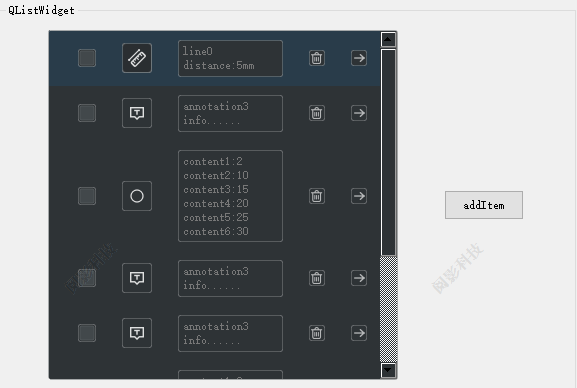
QlistWidget's item uses a custom interface to deal with the custom interface Custom interface Key function of the main interface Only Label is displayed in the default. When a certain item is elected,...
QLISTWIDGET in pyqt5 custom drag
QLISTWIDGET itself supports drag, but sometimes we may want to customize some behaviors and attributes. At this time, we need to rewrite the DropEvent method This code not only customizes the dragging...
How to add custom TIEMs in QListWidget in QListWidget
QWidget*container= newQWidget;...
Item Widgets in Qt Creator Deploy and use -qlistwidget, qtreeWidget, QTableWidget control
Item Widgets in Qt Creator Deploy and use -qlistwidget, qtreeWidget, QTableWidget control 1、QListWidgetControl Drag in design modeItem WidgetsmiddleList WidgetGenerate an empty list. Then return to th...
More Recommendation

Python programming instance-Pyqt5 GUI programming-widgets-QListWidget
QListWidget The QlistWidget class is a project -based interface that is used to add or delete items from the list. Each item in the list is an object of QLISTWIDGETITEM. QLISTWIDGET can be set to mult...
Odoo Custom Widgets (3)
Hello everyone, Then in the last chapter, the Widgets in odoo use methods. Last time, we talked about using the inheritance mechanism of the widget in odoo, inherited the fieldminxin class, and then a...
Chapter5 create custom widgets
Chapter5 create custom widgets Qt itself already contains most of our development process needed to form components, such as QPushButton, QLineEdit and so on, we also have contact with, it is easy to ...
odoo custom widgets (2)
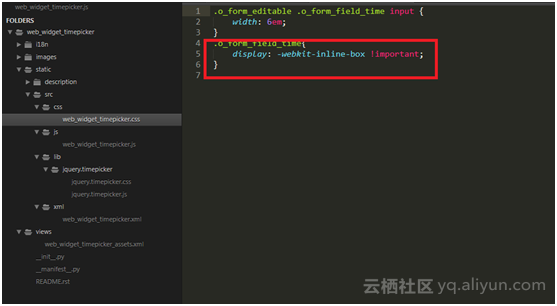
Hello everyone, In the tutorial in the previous chapter, we talked about the basics of Odoo Widget [pendant]. Including, basic methods and their uses. In this section, what we have to do is learn how ...

Custom desktop widgets
RemoteView custom desktop widget The effect is as shown in the figure above, class AppWidgetProvider extends BroadcastReceiver. It is not difficult to see that the desktop widget is essentially a broa...