nginx + rtmp build streaming server
tags: nginx + rtmp build streaming server
Reprinted:
nginx + rtmp build streaming server
First, install the nginx server
1. Path description:
Path: /usr/local/src
2. Download nginx-rtmp-module (my directory here is under /usr/local/src/)
cd /usr/local/src
The official github address of nginx-rtmp-module: https://github.com/arut/nginx-rtmp-module
git clone https://github.com/arut/nginx-rtmp-module.git
(If there is no git to install, yum install git)
3. Nginx version and installation
Download nginx-1.8.0.tar.gz to decompress and install
Wget http://nginx.org/download/nginx-1.8.0.tar.gz (If you cannot download it, please find it yourself)
tar -zxvf nginx-1.8.0.tar.gz (decompress)
cd nginx-1.8.0 (enter the directory)
./configure --prefix=/usr/local/src/nginx --add-module=../nginx-rtmp-module --with-http_ssl_module
make && make install
(If it is found that nginx lacks pcre, then proceed.
Error message:
./configure: error: the HTTP rewrite module requires the PCRE library.………………………………
Install pcre-devel and openssl-devel to solve the problem
yum -y install pcre-devel openssl openssl-devel
Here I downloaded and installed pcre-8.12.tar.gz and openssl-1.0.1c.tar.gz without the above error.
)

Nginx verification:

Nginx verification passed!
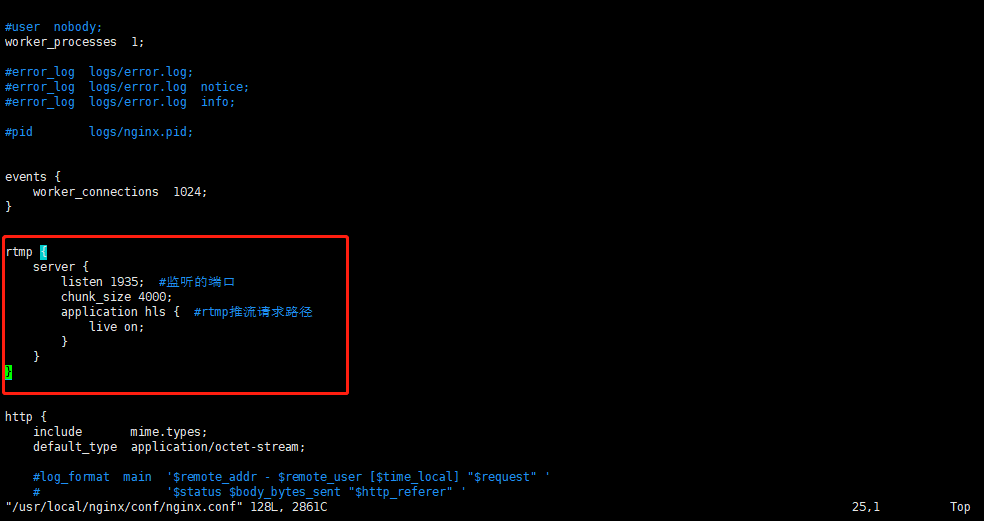
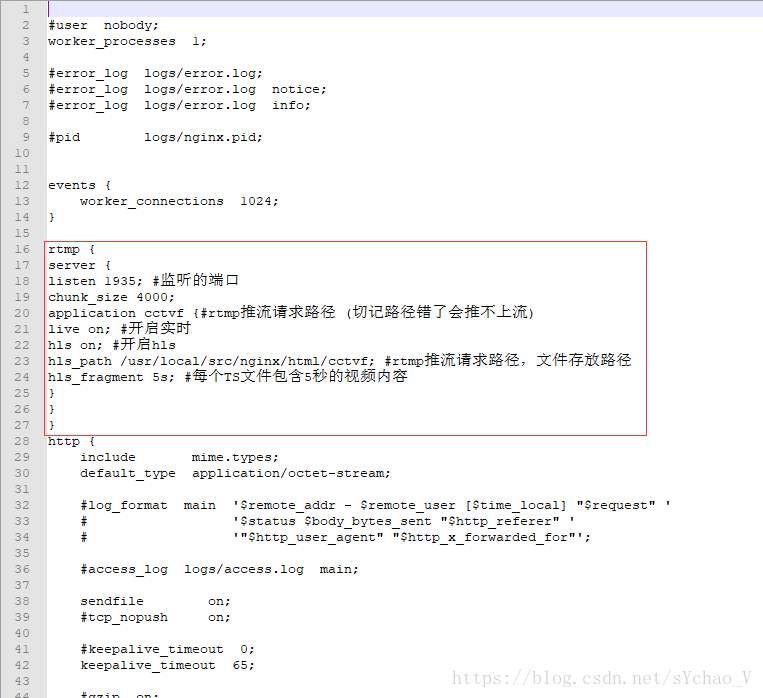
4. Modify the nginx configuration file
rtmp {
server {
listen 1935; #listening port
chunk_size 4000;
application cctvf {#rtmpPush stream request path (remember that the wrong path will not push upstream)
live on; #Turn on real time
hls on; # hls
hls_path /usr/local/src/nginx/html/cctvf; #rtmpPush stream request path, file storage path
hls_fragment 5s; #Each TS file contains 5 seconds of video content
}
}
}
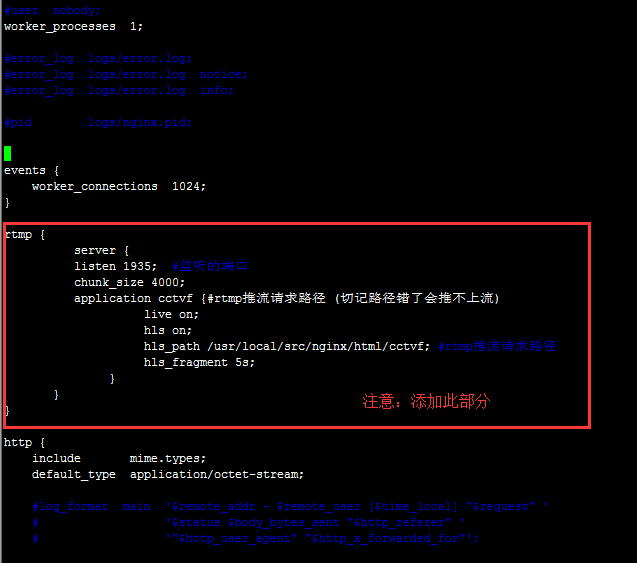
At this point, part of the configuration of nginx and nginx-rtmp-module is completed.
2. OBS download and installation
1. OBS version and installation
OBS version: 21.0.1
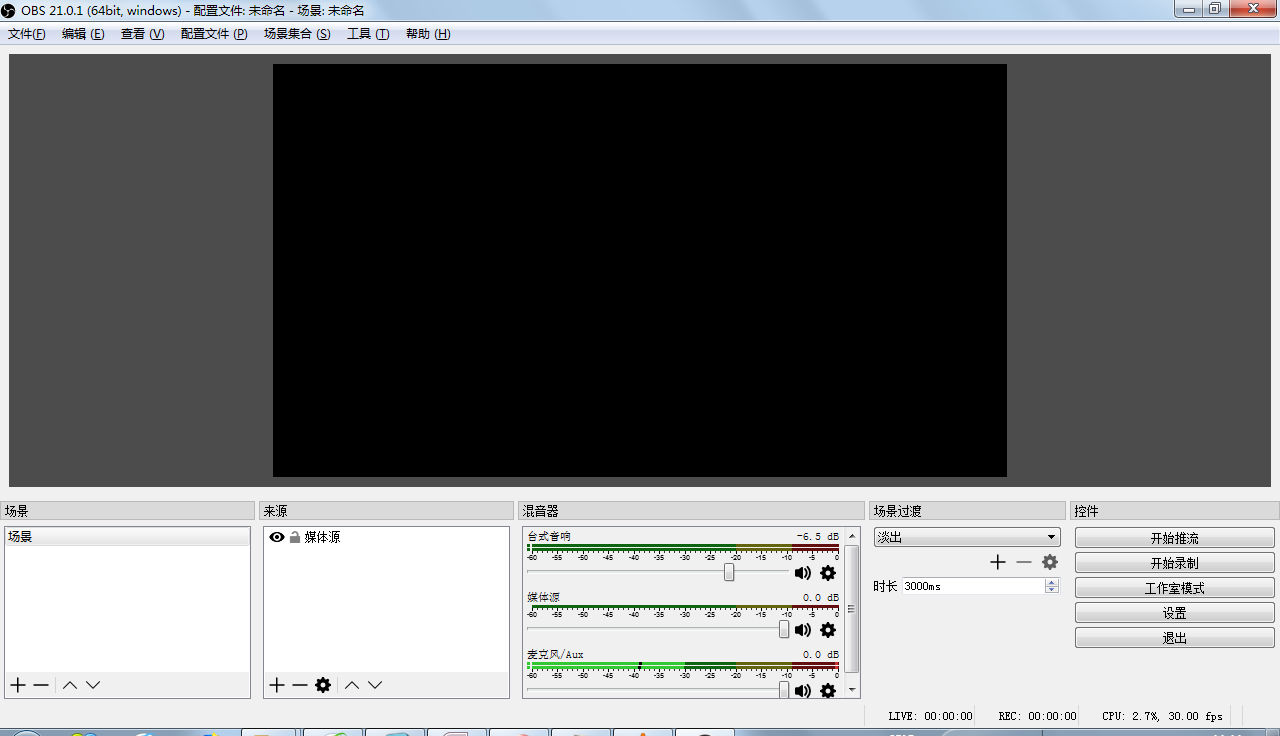
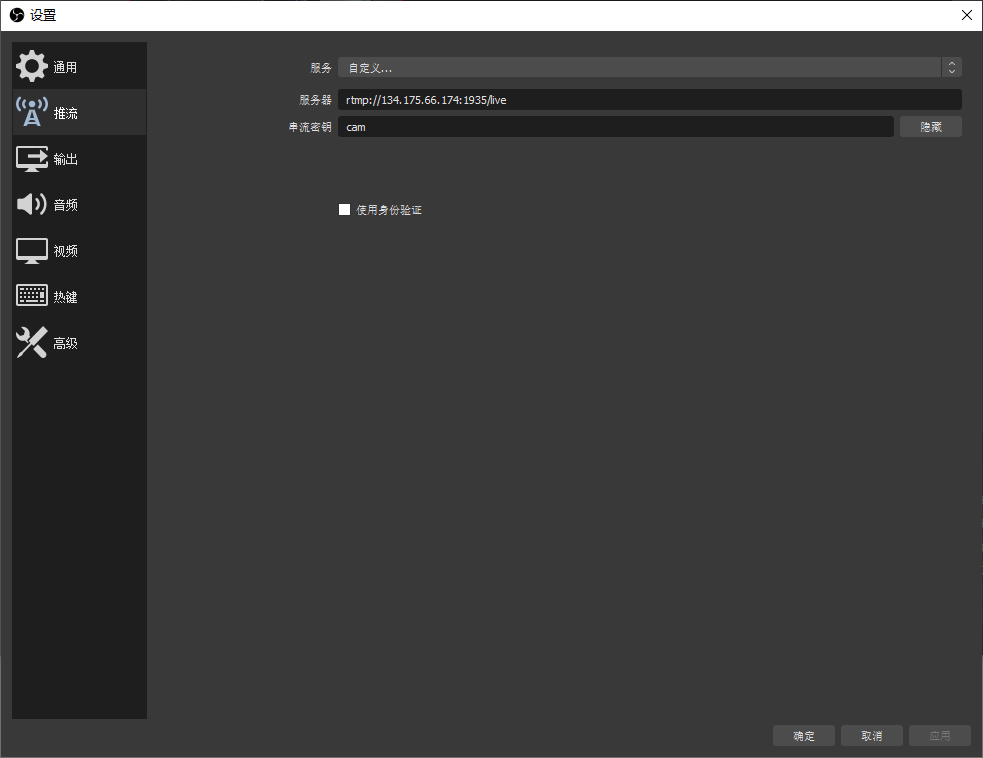
2. OBS configuration
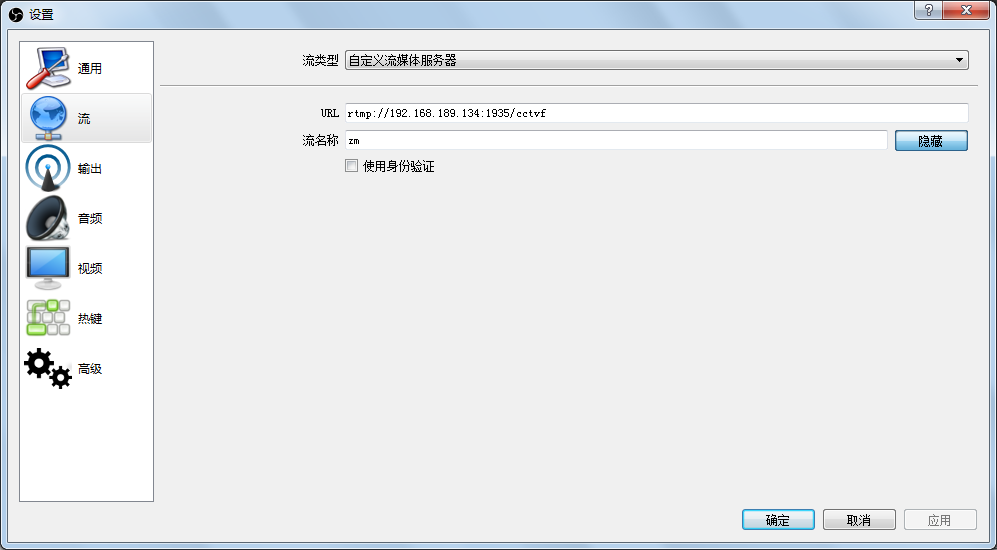
3. Push-pull flow test
1. OBS push streaming
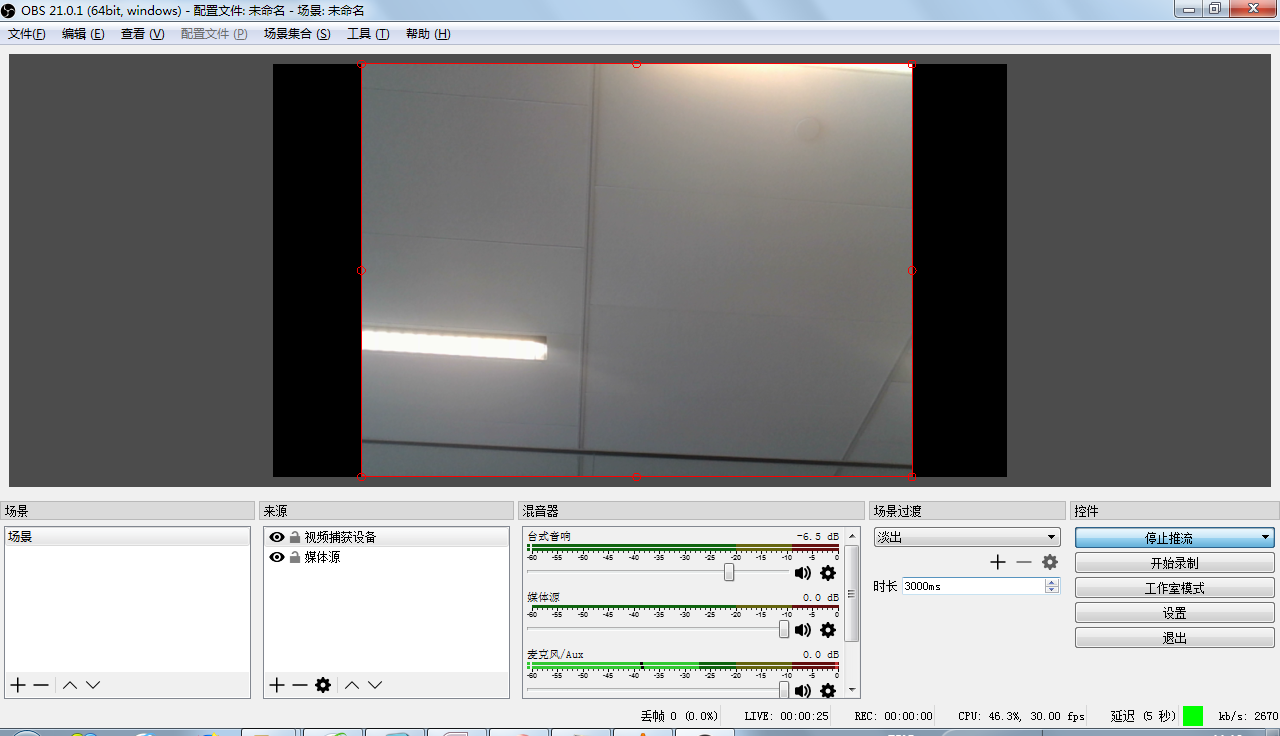
Verification:
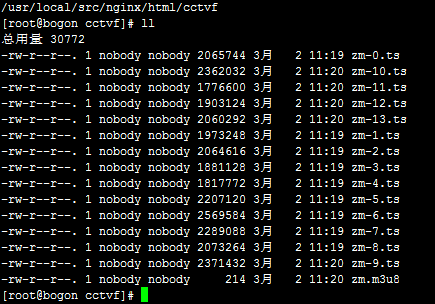
Video stream files already exist. . . . . .
2. http streaming streaming (played with VLC)
Stream address: http://192.168.189.134:85/cctvf/zm.m3u8

Http stream can be pulled. . . . . .
3. RTMP pull stream
3.1 Network Player Verification
(Network Pull Player Address: http://www.cutv.com/demo/live_test.swf)
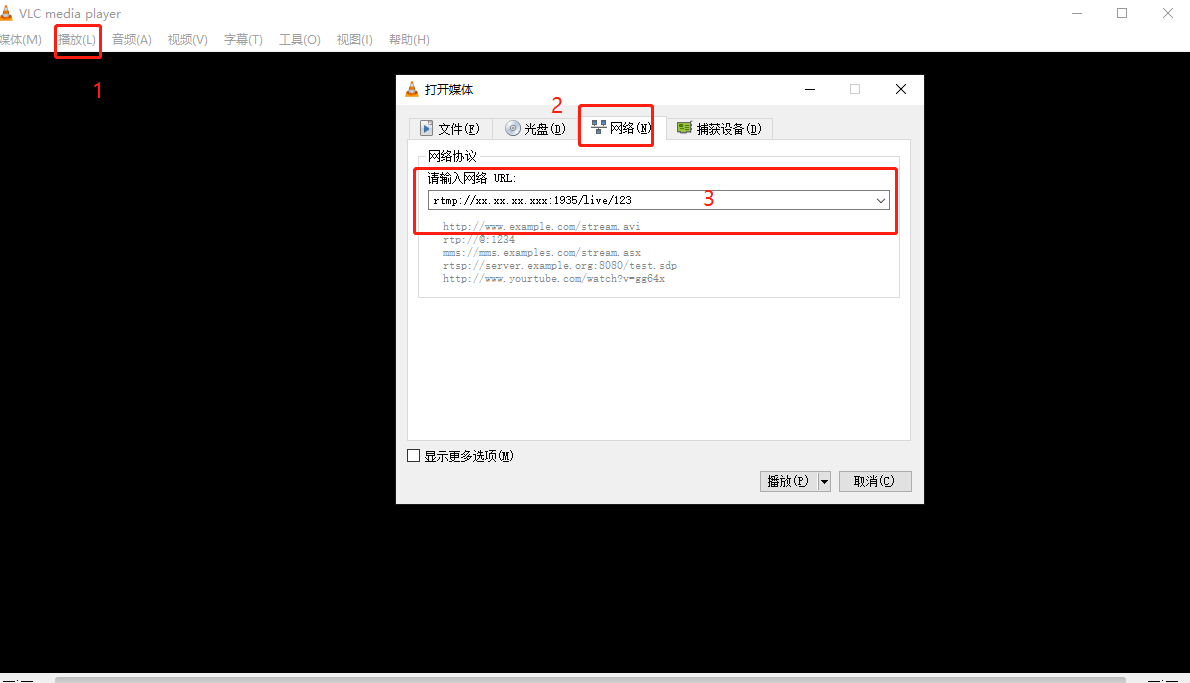
RTMP pull stream address: rtmp://192.168.189.134:1935/cctvf/zm
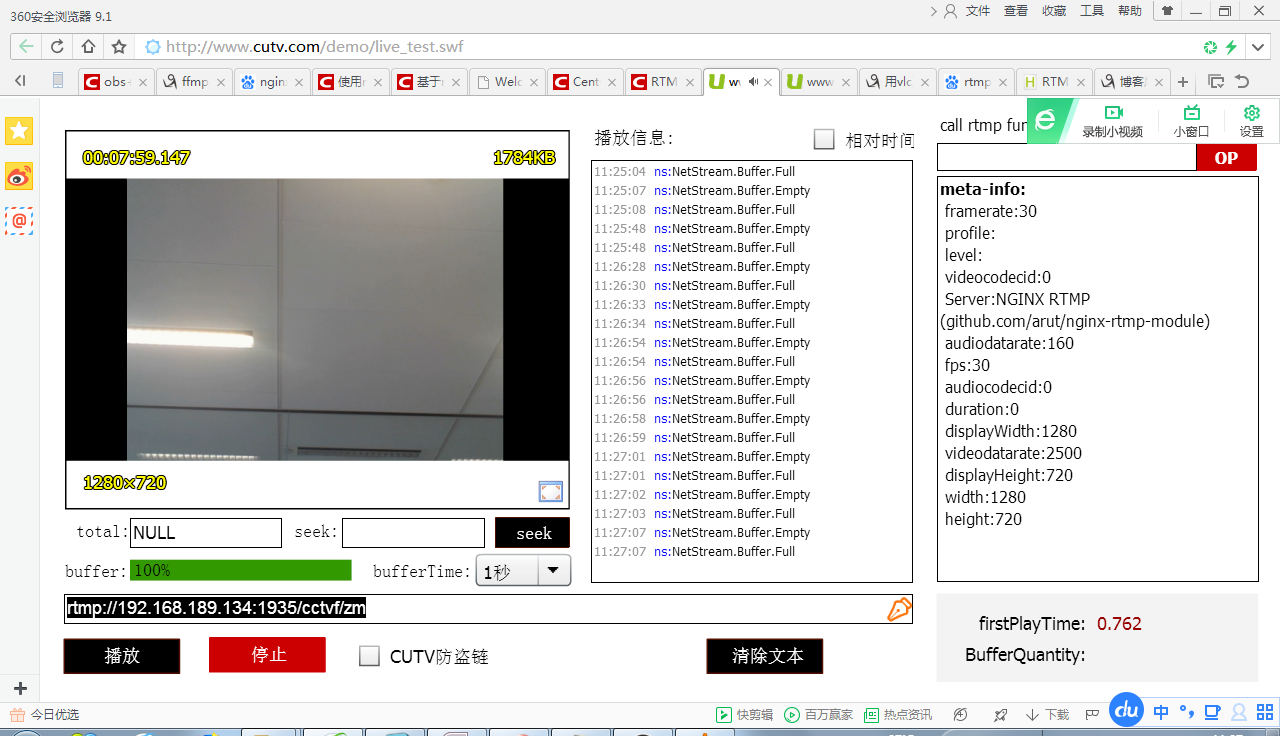
After the verification is passed, it can already be pulled to the stream. . . . . . .
3.2 VCL verification
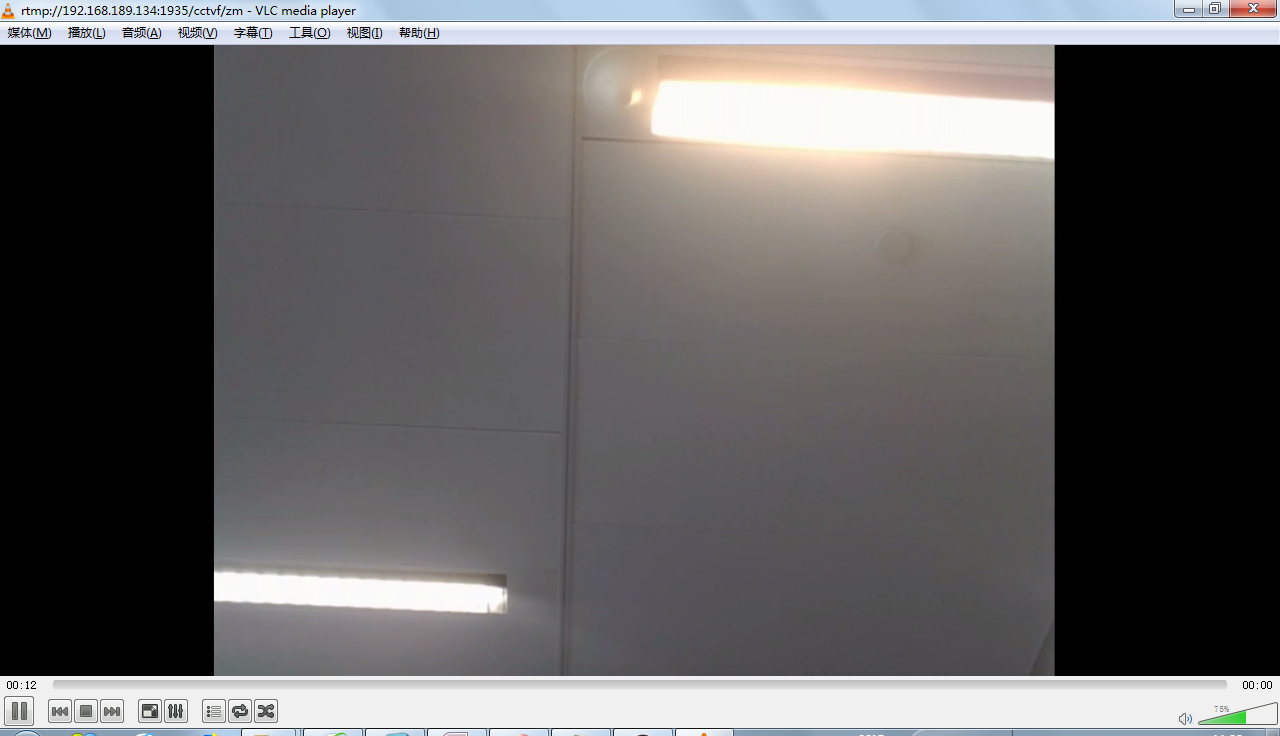
The verification is passed. . . . .
Intelligent Recommendation
Nginx+rtmp build streaming media server
table of Contents Preface Environment preparation and compilation test Problems encountered Preface RTMP is the acronym for Real Time Messaging Protocol. This protocol is based on TCP and is a protoco...
Centos7 Nginx+rtmp to build a streaming media server
1. gcc installation 2. PCRE pcre-devel installation 3. zlib installation 4. OpenSSL installation Five, install nginx and rtmp modules 1. Modify the configuration file. Enter the /usr/local/ngin...
Nginx builds RTMP to build a streaming media server
ENV Ubuntu 20.04 Windows 10 FFmpeg Pot Player Ubuntu uses nginx to build RTMP servers Install NGINX and RTMP modules Modify NGINX configuration file Additional content after the file Restart Nginx Use...
Build NGINX-RTMP streaming server + use FFMPEG
1. Path Description: 2, download nginx-rtmp-module (I am here in / usr / local / src / below) 3, Nginx version and installation Download nginx-1.8.0.tar.gz decompressed and installed 3.1 (if you find ...

Pagoda build Nginx RTMP streaming media server
Pagoda build Nginx RTMP streaming media server Installation environment description System environment: CentOS 7 Model: Dell R540 Preparation Nginx add module, compile and install nginx, download Ngin...
More Recommendation
Use nginx-rtmp-module to build rtmp streaming media server
Preface Use open sourcenginx-rtmp-modulewithNginxBuild a streaming server.NginxIs a very outstandinghttpserver,nginx-rtmp-moduleIs an open sourceNginxExpansion module, with many features, like receivi...
NGINX + NGINX-RTMP-MODULE + FFMPEG to build a streaming server server server
forward from: NGINX + NGINX-RTMP-MODULE + FFMPEG to build a streaming server server server TXP play Linux yesterday Foreword Today, I will share a copy of NGINX to build a streaming server. About NGIN...

nginx + rtmp streaming server
Current mainstream open source streaming service Streaming media solution Live555 (C++) Streaming media platform framework EasyDarwin (C++, domestic boutique) Real-time streaming media playback server...
Nginx rtmp build streaming server to achieve live streaming
Recently I have built a streaming media server using nginx rtmp to achieve the live broadcast process. I have referenced a lot of information on the Internet. Some of the information is difficult for ...
Build Nginx-Rtmp streaming media server and FFmpeg streaming
Reference:Build Nginx-rtmp streaming media server + use ffmpeg to push streaming Some details: Install pcre: sudo wget http://downloads.sourceforge.net/project/pcre/pcre/8.35/pcre-8.35.tar.gz When ins...