VS Code Server's offline installation process
tags: Development environment linux server
Because the Linux platform program is often developed, the working environment is only the Windows desktop end and the Linux server, and they are running in the internal network environment and cannot directly access the external network. If you want to find a development tool in this environment, you can run under the Windows system and have the Linux development environment (at least it can be automatically jumped and automatically replenished), so I chose to use VS Code + Remote SSH plug -in The plan, and the question is how to deploy the VS Code Server on the Linux server in the case of offline.
Need the following links:
1) Install the SSH tool
2) SSH-Remote plug-in
3) The server installs VSCode Server
4) Configure vscode setting.json
1. Install the SSH tool
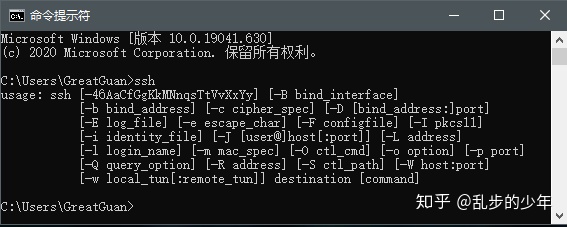
The VS Code and Linux server communication on the Windows side is the SSH protocol used, so the SSH software tools that can be used in CMD or Powershell terminals. There are many such tools. Even when installing GIT on Windows, SSH tools will be accompanied by. Win10 comes with the SSH tool, just open it. Therefore, if you install a SSH tool, enter the SSH command in CMD, and the information shown below appears to show that the SSH command has been supported on Windows.
Install the OpenSSH service on Windows
2. Install the Remote SSH plugin
arrive Remote - SSH - Visual Studio MarketplaceDownload the Remote -SSH plug -in package for offline installation.
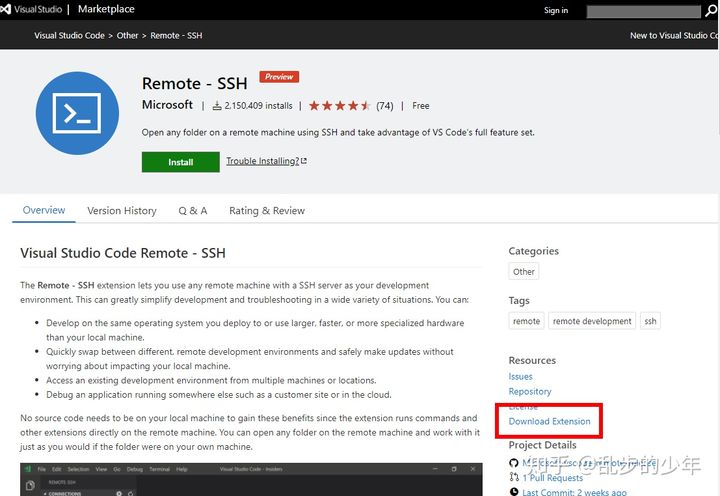
Download Remote-SSH plug-in package
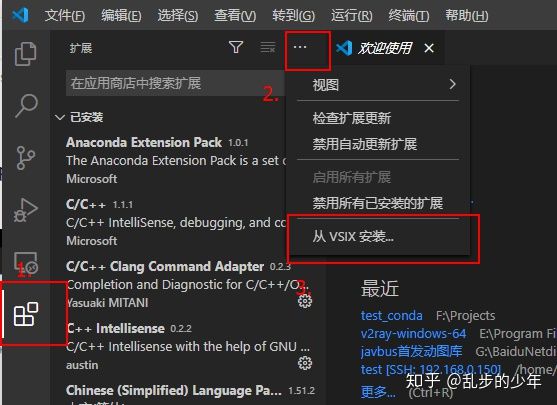
After the installation is completed, the VS CODE is re -loaded, and it is found that there will be a little more thing in the interface.

3. Install VS Code Server on the server
method 1:
Under the normal conditions connecting the external network, Click the green button in the lower left corner of the figure above, a command box will appear below the title bar, enter
SSH [Username]@[Server IP]You can start to connect to the server VS Code. After entering the login password, the server will automatically start downloading the corresponding version of the VS Code Server. After the installation is complete, a .vscode-Server folder will appear under the personal user directory $ Home, which contains three directory BIN, Extensions, and data. Below the bin directory is the VS Code Server program. The Extensions directory is a plug -in installed by the VS Code Server side, and the user data is in the data directory.
Then install the VS Code Server offline on the server, just create a new .vscode-Server folder under the personal user directory $ Home, establish a BIN directory in it, and place the "corresponding version" VS Code Server program.Click on the help in the menu bar-> About, you can see the Commit ID, just the same as the name of $ Home/.vscode-Server/Bin/Chinese folder. In fact, you only need to pack this folder and put it on the corresponding position on the server. It has been successfully installed. This is the most convenient method.
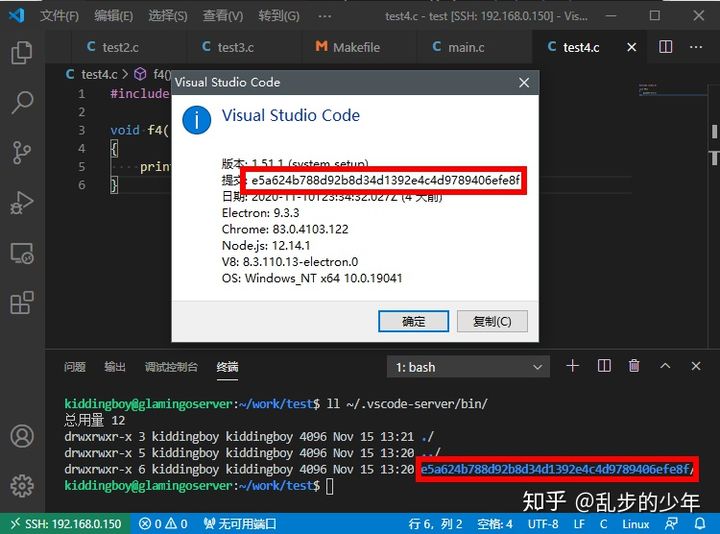
VS Code Server version corresponding to
Method 2:
However, in many cases, there is no ready -made VS Code Server program, you need to download manually.Remember the Commit ID above, you can download vSCode-Server-linux-x64.tar.gz through the link below.
$ commit_id=c47d83b293181d9be64f27ff093689e8e7aed054
$ curl -sSL "https://update.code.visualstudio.com/commit:${commit_id}/server-linux-x64/stable" -o vscode-server-linux-x64.tar.gzDownloadvscode-server-linux-x64.tar.gzThe file is copied to the home directory of the remote machine, and the following command is executed on the remote machine.
$ commit_id=c47d83b293181d9be64f27ff093689e8e7aed054
$ mkdir -p ~/.vscode-server/bin/${commit_id}
$ tar zxvf vscode-server-linux-x64.tar.gz -C ~/.vscode-server/bin/${commit_id} --strip 1
$ touch ~/.vscode-server/bin/${commit_id}/0
In this way, the installation of the VSCode server on the offline remote machine.
4) Configure vscode setting.json
This prompt representsvscodeNo ssh.exe was found. It is easy to know this, either the SSH.EXE path that the environment variable is not set well. Just set the environment variables to set it up; or it is not installed with OpenSSH or being destroyed. Re -install the OpenSSH Client.
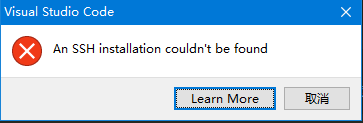
How to open Settings.json? Refer to the following articles.
How does vscode open settings.json
How to configure and refer to the following articles.
Intelligent Recommendation
VS Code Chinese plugin offline installation failed solution
Vs code offline installing Chinese plug-ins, prompts installation failed, the solution is as follows Problem Description:This problem is because the minimum installation version supported by Chinese p...
If VS CODE VUE is installed, it is still not highlighting offline installation plugin.
Foreword Because the company project is developed in the cloud desktop, there is no network, you need to install the vscode and plugin in the network, then compress it to the cloud desktop, but the VE...
Record the installation method of a VS Code (1.69.2) offline Chinese bag
Because work needs to install Visual Studio Code on the LAN, so download the latest version of 1.69.2. When installing the plug -in offline, other plug -in can be installed normally. Second, unsuccess...
VS CoDe download installation configuration process
VS CoDe download installation configuration process 1. Download and install vscode Official website address: (https://code.visualstudio.com/Download) 2. Install the cpptools plugin Open vscode, press ...
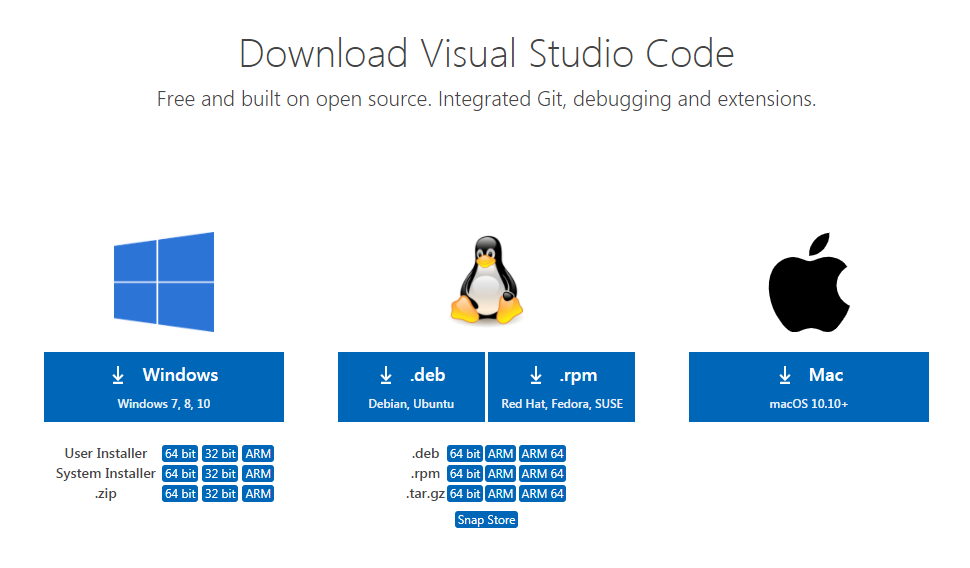
VS Code Ultrafine Installation Process (General Version)
VS CODE installation details In order to facilitate some questions encountered by VS Code, Xiaolizi share this installation process article, hoping to help everyone. Not much to say, go directly into ...
More Recommendation
VS CODE Offline Installation Plugin Remove Note To Install Extension 'Dart-Code.flutter' As It Is Not Compatible with VS Code
VS CODE Offline Mount Plugin Removal Unable To Install Extension 'Dart-Code.flutter' AS IT IS Not Compatible with VS Code '1.51.1'. Don't panic in this problem ~~ 1. Change the plug-in suffix name to ...

Offline Get Install VS/VS Code Plugin
1. Overview: Without network or company intranet, it is impossible to install plug-ins through the IDE's own expansion. At this time, you need to obtain the offline installation package and install it...

Offline installation and retest process
Preparation tools: On a networked machine, use the online installation method to install the deep learning environment, back up the entire library, all.tar file The first step: install anaconda3, sele...
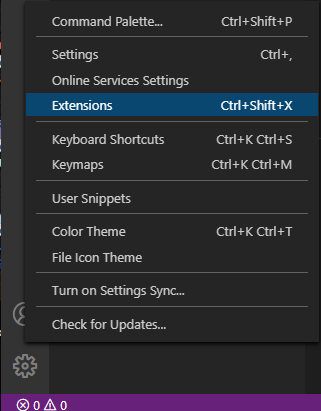
VS code C/C++ extension package depends on cpptools-win32.vsix offline installation
Environment: 64-bit win10, VS code version 1.48.2. When automatically installing the dependencies of the C/C++ extension package under visual studio code, you may encounter the following exceptions an...