37. Use DrawText, DrawTextEx, DRAWTEXTPARAMS to draw text
tags: win32 API
DrawText uses the font selection, text color and background color in the device environment to write text. DrawText crops the text and will not appear outside the specified rectangle unless DT_NOCLIP is specified. Unless formatted with DT_SINGLELINE, the rest of the format is considered to have multiple lines in the body.
WINUSERAPI
int
WINAPI
DrawTextA(
    __in HDC hdc, //Drawing device context
         __inout_ecount_opt(cchText) LPCSTR lpchText, //The string to be output
         __in int cchText, //string length
         __inout LPRECT lprc, //Drawing area
         __in UINT format); //Display control mode
WINUSERAPI
int
WINAPI
DrawTextW(
    __in HDC hdc,
    __inout_ecount_opt(cchText) LPCWSTR lpchText,
    __in int cchText,
    __inout LPRECT lprc,
    __in UINT format);
#ifdef UNICODE
#define DrawText  DrawTextW
#else
#define DrawText  DrawTextA
#endif // !UNICODE
The return value is int. If the function is successfully called, the return value is the height of the text (logical unit). If DT_VCENTER or DT_BOTTOM is specified, the return value is the offset value from lpRect->top to the bottom of the drawn text. If the function call fails, the return value is 0
Format parameter description:
/*
 * DrawText() Format Flags
 */
 #define DT_TOP 0x00000000 //Top alignment
 #define DT_LEFT 0x00000000 //Left aligned
 #define DT_CENTER 0x00000001 //Horizontal alignment
 #define DT_RIGHT 0x00000002 //Right justify
 #define DT_VCENTER 0x00000004 //Vertical center alignment
 #define DT_BOTTOM 0x00000008 //Bottom aligned
 #define DT_WORDBREAK 0x00000010 //Auto wrap
 #define DT_SINGLELINE 0x00000020 //Single line display
 #define DT_EXPANDTABS 0x00000040 // Tab character \t is available
 #define DT_TABSTOP 0x00000080 //User-controlled tab
 #define DT_NOCLIP 0x00000100 //Do not cut
#define DT_EXTERNALLEADING          0x00000200
 #define DT_CALCRECT 0x00000400 //Calculate multiple lines and display them in a rectangular area
#define DT_NOPREFIX                 0x00000800
#define DT_INTERNAL                 0x00001000

#if(WINVER >= 0x0400)
#define DT_EDITCONTROL              0x00002000
#define DT_PATH_ELLIPSIS            0x00004000
#define DT_END_ELLIPSIS             0x00008000
#define DT_MODIFYSTRING             0x00010000
#define DT_RTLREADING               0x00020000
#define DT_WORD_ELLIPSIS            0x00040000
#if(WINVER >= 0x0500)
#define DT_NOFULLWIDTHCHARBREAK     0x00080000
#if(_WIN32_WINNT >= 0x0500)
#define DT_HIDEPREFIX               0x00100000
#define DT_PREFIXONLY               0x00200000
#endif /* _WIN32_WINNT >= 0x0500 */
#endif /* WINVER >= 0x0500 */
DRAWTEXTPARAMS parameter control of TAB key in DrawTextEx function
typedef struct tagDRAWTEXTPARAMS
{
         UINT cbSize; //Data length
         int iTabLength; //How many characters are controlled by the tab key
         int iLeftMargin; //Left offset
         int iRightMargin; //right offset
         UINT uiLengthDrawn; //Used to return the number of characters successfully output
} DRAWTEXTPARAMS, FAR *LPDRAWTEXTPARAMS;
#endif /* WINVER >= 0x0400 */
When using DrawTextEx, you need to add the DT_TABSTOP parameter to the format parameter for control, disable the default TAB key setting, and use user-defined parameters
WINUSERAPI
int
WINAPI
DrawTextExA(
    __in HDC hdc,
    __inout_ecount_opt(cchText) LPSTR lpchText,
    __in int cchText,
    __inout LPRECT lprc,
    __in UINT format,
         __in_opt LPDRAWTEXTPARAMS lpdtp); //Parameter control of TAB key
WINUSERAPI
int
WINAPI
DrawTextExW(
    __in HDC hdc,
    __inout_ecount_opt(cchText) LPWSTR lpchText,
    __in int cchText,
    __inout LPRECT lprc,
    __in UINT format,
    __in_opt LPDRAWTEXTPARAMS lpdtp);
#ifdef UNICODE
#define DrawTextEx  DrawTextExW
#else
#define DrawTextEx  DrawTextExA
#endif // !UNICODE
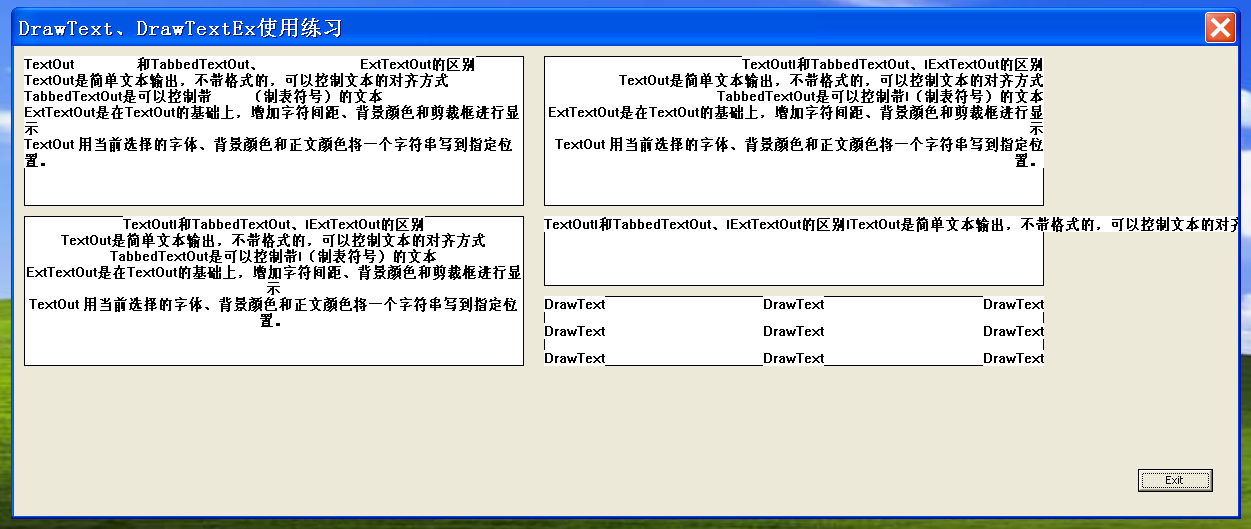
The source code is as follows:
#include <Windows.h>
#include "resource.h"
INT_PTR CALLBACK DlgMainProc(HWND hWnd,UINT uMsg,WPARAM wParam,LPARAM lParam)
{
BOOL bRet = true;
switch(uMsg)
{
case WM_COMMAND:
switch(LOWORD(wParam))
{
case IDC_BUTTON1:
EndDialog(hWnd,0);
break;
default:
DefWindowProc(hWnd,uMsg,wParam,lParam);
break;
}
break;
case WM_PAINT:
{
HDC hdc;
PAINTSTRUCT ps;
hdc = BeginPaint(hWnd,&ps);
WCHAR szBuffer[] = {TEXT("The difference between TextOut\t and TabbedTextOut and \tExtTextOut\nTextOut is a simple text output, without formatting, it can control the alignment of the text\nTabbedTextOut can be controlled with \t (tabulation symbol) The text\nExtTextOut is based on TextOut, adding character spacing, background color and cropping box to display\nTextOut uses the currently selected font, background color and body color to write a string to the specified location.")};
TCHAR szDt[] = {TEXT("DrawText")};
DRAWTEXTPARAMS param;
param.cbSize = sizeof(DRAWTEXTPARAMS);
param.iLeftMargin = 0;
param.iRightMargin = 0;
param.iTabLength = 16;
param.uiLengthDrawn = 0;
RECT rect;
rect.left = 10;
rect.top = 10;
rect.right = rect.left + 500;
rect.bottom = rect.top +150;
Rectangle(hdc,rect.left,rect.top,rect.right,rect.bottom);
//DrawText(hdc,szBuffer,-1,&rect,DT_LEFT|DT_TOP | DT_WORDBREAK|DT_EXPANDTABS);
DrawTextEx(hdc,szBuffer,-1,&rect,DT_LEFT|DT_TOP | DT_WORDBREAK|DT_EXPANDTABS|DT_TABSTOP,¶m);
rect.left = 530;
rect.top = 10;
rect.right = rect.left + 500;
rect.bottom = rect.top +150;
Rectangle(hdc,rect.left,rect.top,rect.right,rect.bottom);
DrawText(hdc,szBuffer,-1,&rect,DT_RIGHT|DT_TOP | DT_WORDBREAK );
rect.left = 10;
rect.top = 170;
rect.right = rect.left + 500;
rect.bottom = rect.top +150;
Rectangle(hdc,rect.left,rect.top,rect.right,rect.bottom);
DrawText(hdc,szBuffer,-1,&rect,DT_CENTER|DT_TOP | DT_WORDBREAK);
rect.left = 530;
rect.top = 170;
rect.right = rect.left + 500;
rect.bottom = rect.top + 70;
Rectangle(hdc,rect.left,rect.top,rect.right,rect.bottom);
DrawText(hdc,szBuffer,-1,&rect,DT_LEFT|DT_TOP | DT_SINGLELINE | DT_NOCLIP);
rect.left = 530;
rect.top = 250;
rect.right = rect.left + 500;
rect.bottom = rect.top + 70;
Rectangle(hdc,rect.left,rect.top,rect.right,rect.bottom);
DrawText(hdc,szDt,-1,&rect,DT_LEFT|DT_VCENTER | DT_SINGLELINE);
DrawText(hdc,szDt,-1,&rect,DT_RIGHT|DT_VCENTER | DT_SINGLELINE);
DrawText(hdc,szDt,-1,&rect,DT_CENTER|DT_VCENTER | DT_SINGLELINE);
DrawText(hdc,szDt,-1,&rect,DT_LEFT|DT_TOP | DT_SINGLELINE);
DrawText(hdc,szDt,-1,&rect,DT_RIGHT|DT_TOP | DT_SINGLELINE);
DrawText(hdc,szDt,-1,&rect,DT_CENTER|DT_TOP | DT_SINGLELINE);
DrawText(hdc,szDt,-1,&rect,DT_LEFT|DT_BOTTOM | DT_SINGLELINE);
DrawText(hdc,szDt,-1,&rect,DT_RIGHT|DT_BOTTOM | DT_SINGLELINE);
DrawText(hdc,szDt,-1,&rect,DT_CENTER|DT_BOTTOM | DT_SINGLELINE);
EndPaint(hWnd,&ps);
}
break;
case WM_CLOSE:
EndDialog(hWnd,0);
break;
default:
bRet = false;
break;
}
return bRet;
}
int APIENTRY WinMain(HINSTANCE hInstance,
HINSTANCE hPrevInstance,
LPSTR lpCmdLine,
int nCmdShow)
{
DialogBox(hInstance,MAKEINTRESOURCE(IDD_DIALOG1),NULL,DlgMainProc);
return 0;
}
Intelligent Recommendation

Android advanced advanced-drawing articles (two) Canvas draw text drawText detailed
Opening The last part introduced the basic operations of Canvas, drawing circles, rectangles, ellipses, arcs, etc. In addition to these operations, Canvas also has two more heavyweight drawing capabil...

Windows API one day practice (24) DrawText function-draw the text in the rectangle
Home directory portal Download the source code template for this study: 1. Baidu Cloud:Extraction code: 1ins learning target: inWin32API-13-14-window close and window display textLearn more text drawi...
Android canvas drawText() text centered
Recently, I was also learning custom controls. I used to play it myself. I always felt that it was difficult. It’s just working now. I’m going to take a look at the book every day and read...
FontMetrics and drawText() in Android text drawing
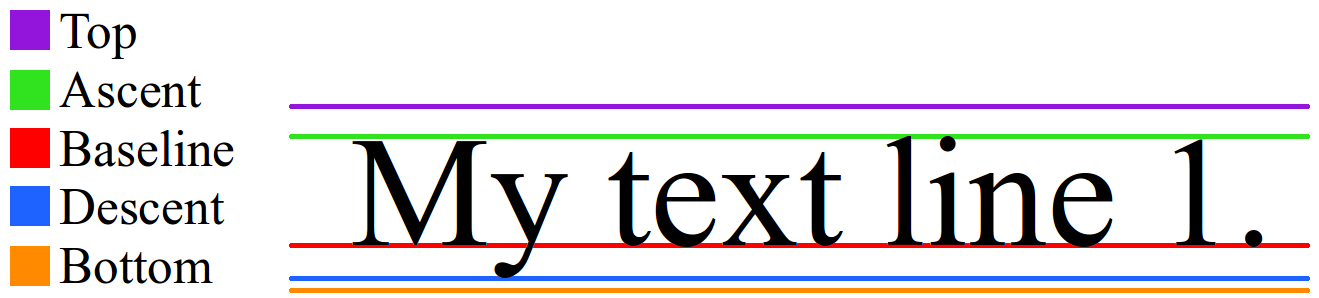
When drawing text, it is inevitable to useFontMetrics Class andCanvas#drawText() The method is described in detail here. FontMetrics First look at the picture below: FontMetrics Lines There are...
Android drawText() text centering problem
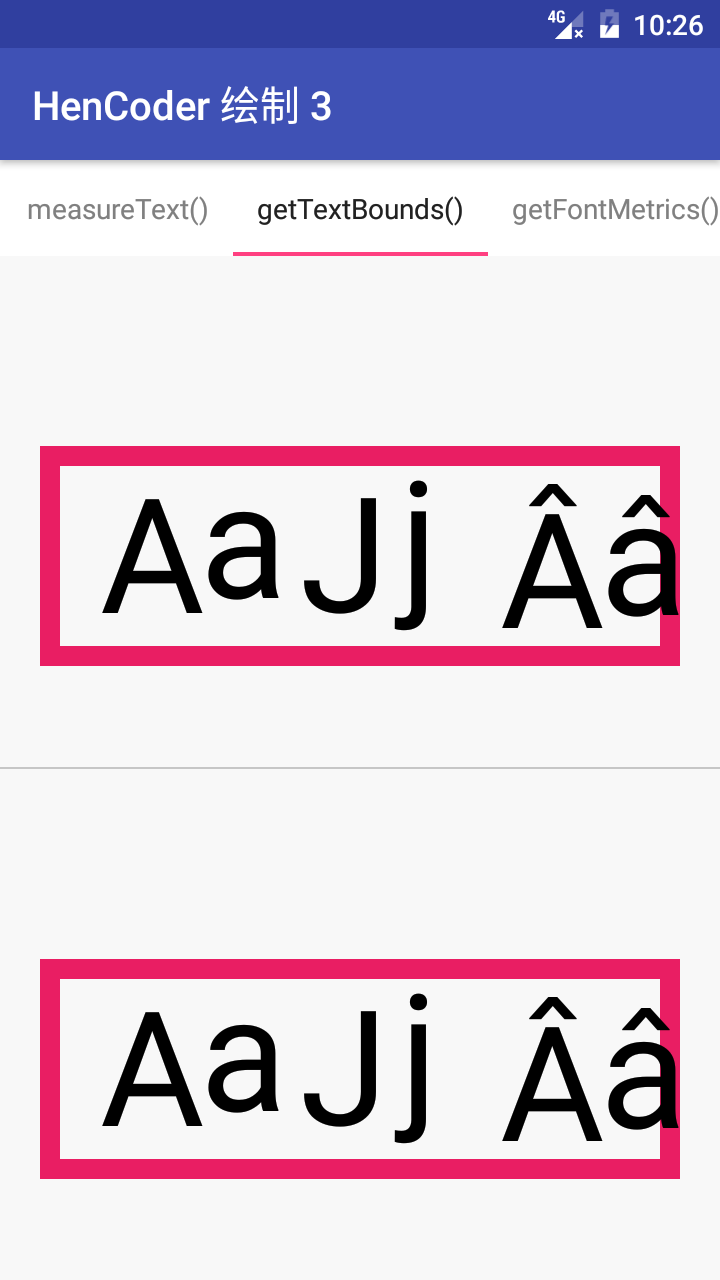
Android drawText() text centering problem The problem comes fromThis blog exercise by HenCoderPractice13GetTextBoundsView in Practice13GetTextBoundsView, about the problem of drawing the text in the c...
More Recommendation
ffmpeg drawtext text position and timestamp
When we push streaming on the Raspberry Pi, sometimes we need to add a timestamp, thendrawtextFilters can achieve this effect. ffmpeg drawtext Positions Top left Top center Top right Centered Bottom l...
WPF - Drawing text: DrawText and Drawglyphrun
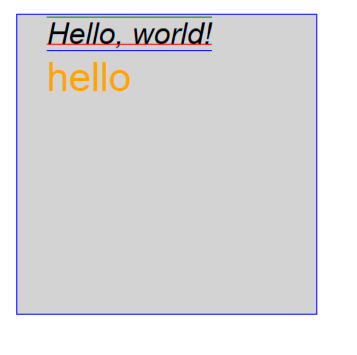
First of the top effect: The above Hello, World is drawn, and the Hello below is drawn by DrawText. The results of drawing cannot be copied. Front desk Backstage...
Use pygame to draw text
1. Use text to import a method freetype Specific method pygame.freetype.Font (“C: \ Windows \ Fonts \ Founder Rough Black Song Simplified.ttf”, 24) The former indicates the font type, the ...

Use TextPaint to draw text
Use TextPaint to draw text TextPaint is a subclass of paint, which can be used to draw text easily. Generally, when we encounter the need to draw text, we generally use the methods provided by TextP...
Use canvas to draw text
canvas draws text It is the embedded text in the painting software. Key code fillText("text", x, y) : Draw a solid text, the first parameter should enter the text you want, where the x and y...