Rotate images - images combat
tags: YUV RGB Image rotation
In developing the camera displays the camera preview data, sometimes the camera position is fixed, then we may need to use the correct image rotation, image rotation to obtain a certain angle we need. This article describes some of the common YUV, RGB data of the rotation method.
A, by rotating the image pixel
Consider the following one image:
Pixel1 Pixel2 Pixel3 Pixel4
Pixel5 Pixel6 Pixel7 Pixel8
Its image resolution iswidth x height
- Rotate clockwise90After the degree, its contents will become:
Pixel5 Pixel1
Pixel6 Pixel2
Pixel7 Pixel3
Pixel8 Pixel4
Resolution becomesheight x width
That is:
- The first raw dataheight - 1 Line0 Pixel column will become the first target data0 Line0 Pixel columns
- The first raw dataheight - 1 Line1 Pixel column will become the first target data1 Line0 Pixel columns
- …
- The first raw dataheight - 1 Linewidth - 1 Pixel column will become the first target datawidth - 1 Line0 Pixel columns
- …
- The first raw data1 Linewidth - 1 Pixel column will become the first target datawidth - 1 Lineheight - 2 Pixel columns
- The first raw data1 Linewidth - 2 Pixel column will become the first target datawidth - 2 Lineheight - 2 Pixel columns
- The first raw data1 Linewidth - 3 Pixel column will become the first target datawidth - 3 Lineheight - 2 Pixel columns
- …
- The first raw datai Linej Pixel column will become the first target dataj Lineheight - 1 - i Pixel columns
2. ** 180 ** If the degree of rotation, the contents of which will become: > Pixel8 Pixel7 Pixel6 Pixel5
Pixel4 Pixel3 Pixel2 Pixel1
That is
- The first raw data0 Line0 Pixel column will become the first target dataheight - 1 Linewidth - 1 Pixel columns
- The first raw data1 Line0 Pixel column will become the first target dataheight - 2 Linewidth - 1 Pixel columns
- …
- The first raw dataheight - 1 Line0 Pixel column will become the first target data0 Linewidth - 1 Pixel columns
- The first raw dataheight - 1 Line1 Pixel column will become the first target data0 Linewidth - 2 Pixel columns
- …
- The first raw datai Linej Pixel column will become the first target dataheight - 1 - i Linewidth - 1 - j Pixel columns
3. ** 270 ** If the degree of rotation, the contents of which will become: > Pixel4 Pixel8
Pixel3 Pixel7
Pixel2 Pixel6
Pixel1 Pixel5
That is:
- The first raw data0 Linewidth - 1 Pixel column will become the first target data0 Line0 Pixel columns
- The first raw data0 Linewidth - 2 Pixel column will become the first target data1 Line0 Pixel columns
- …
- The first raw data0 Line0 Pixel column will become the first target datawidth - 1 Line0 Pixel columns
- …
- The first raw data1 Linewidth - 1 Pixel column will become the first target data0 Line1 Pixel columns
- The first raw data1 Linewidth - 2 Pixel column will become the first target data1 Line1 Pixel columns
- …
- The first raw datai Linej Pixel column will become the first target datawidth - j - 1 Linei Pixel columns
Second, rotating BGR24 / RGB24 data
BGR24 / RGB24 to 3 are byte as a pixel, and therefore need to be rotated as a whole byte 3 is rotated. Sample code is as follows.
- Rotate 90 degrees:
void rotateRgb24Degree90(char *rgb24, char *rotatedRgb24, int width, int height) {
    int lineDataSize = width * 3;
    int rotatedRgb24Index = 0;
    int finalLineStartIndex = (height - 1) * lineDataSize;
    for (int w = 0; w < lineDataSize; w += 3) {
        int bgr24StartIndex = finalLineStartIndex + w;
        int offset = 0;
        for (int h = 0; h < height; h++) {
            rotatedRgb24[rotatedRgb24Index++] = rgb24[bgr24StartIndex - offset];
            rotatedRgb24[rotatedRgb24Index++] = rgb24[bgr24StartIndex - offset + 1];
            rotatedRgb24[rotatedRgb24Index++] = rgb24[bgr24StartIndex - offset + 2];
            offset += lineDataSize;
        }
    }
}
- Rotated 180 degrees
void rotateRgb24Degree180(char *rgb24, char *rotatedRgb24, int width, int height) {
    int lineDataSize = width * 3;
    int rotatedRgb24Index = 0;
    int rgb24StartIndex = lineDataSize * height - 3;
    for (int h = height - 1; h >= 0; h--) {
        for (int w = lineDataSize - 3; w >= 0; w -= 3) {
            rotatedRgb24[rotatedRgb24Index++] = rgb24[rgb24StartIndex];
            rotatedRgb24[rotatedRgb24Index++] = rgb24[rgb24StartIndex + 1];
            rotatedRgb24[rotatedRgb24Index++] = rgb24[rgb24StartIndex + 2];
            rgb24StartIndex -= 3;
        }
    }
}
- Rotated 270 degrees
void rotateRgb24Degree270(char *rgb24, char *rotatedRgb24, int width, int height) {
    int lineDataSize = width * 3;
    int rotatedRgb24Index = 0;
    int finalColumnStartIndex = lineDataSize;
    for (int w = 0; w < lineDataSize; w += 3) {
        finalColumnStartIndex -= 3;
        int offset = 0;
        for (int h = 0; h < height; h++) {
            rotatedRgb24[rotatedRgb24Index++] = rgb24[finalColumnStartIndex + offset];
            rotatedRgb24[rotatedRgb24Index++] = rgb24[finalColumnStartIndex + offset + 1];
            rotatedRgb24[rotatedRgb24Index++] = rgb24[finalColumnStartIndex + offset + 2];
            offset += lineDataSize;
        }
    }
}
Third, the rotating NV21, NV12 data
For NV21 NV12 or data, which is arranged in a width * height Y consecutive memory, followed by the UV data height / 2 rows, each row is the UV data width / 2 and U-width / 2 V-interleaved (NV21 is VU VU VU VU ..., NV12 is UV UV UV UV ...), the size of the Y data happen to be the number of pixels, can be rotated directly, the U and V data, the need to consider the underlying hop case (because the U and V NV21 and NV12 of just the opposite position, the rotation of the code NV21 also apply to the rotation NV12). Sample code is as follows.
- Rotation90degree
void rotateNv21Degree90(char *nv21, char *rotatedNv21, int width, int height) {
    int yFinalLineStartIndex = (height - 1) * width;
    int rotatedYIndex = 0;
    //rotate y
    for (int w = 0; w < width; w++) {
        int yStartIndex = yFinalLineStartIndex + w;
        int offset = 0;
        for (int h = 0; h < height; h++) {
            rotatedNv21[rotatedYIndex++] = nv21[yStartIndex - offset];
            offset += width;
        }
    }
    //rotate uv
    int uvFinalLineStartIndex = width * height * 3 / 2 - width;
    int rotatedVIndex = width * height;
    int rotatedUIndex = width * height + 1;
    for (int w = 0; w < width; w += 2) {
        int uvStartIndex = uvFinalLineStartIndex + w;
        int offset = 0;
        for (int h = 0; h < height; h += 2) {
            rotatedNv21[rotatedVIndex] = nv21[uvStartIndex - offset];
            rotatedNv21[rotatedUIndex] = nv21[uvStartIndex - offset + 1];
            offset += width;
            rotatedVIndex += 2;
            rotatedUIndex += 2;
        }
    }
}
- Rotation180degree
void rotateNv21Degree180(char *nv21, char *rotatedNv21, int width, int height) {
    int yIndex = width * height - 1;
    int rotatedYIndex = 0;
    //rotate y
    for (int h = height - 1; h >= 0; h--) {
        for (int w = width - 1; w >= 0; w--) {
            rotatedNv21[rotatedYIndex++] = nv21[yIndex];
            yIndex--;
        }
    }
    int uvIndex = width * height * 3 / 2 - 2;
    int rotatedVIndex = width * height;
    int rotatedUIndex = width * height + 1;
    //rotate uv
    for (int h = height - 1; h >= 0; h -= 2) {
        for (int w = width - 1; w >= 0; w -= 2) {
            rotatedNv21[rotatedVIndex] = nv21[uvIndex];
            rotatedNv21[rotatedUIndex] = nv21[uvIndex + 1];
            uvIndex -= 2;
            rotatedVIndex += 2;
            rotatedUIndex += 2;
        }
    }
}
- Rotation270degree
void rotateNv21Degree270(char *nv21, char *rotatedNv21, int width, int height) {
    int rotatedYIndex = 0;
    int yFinalColumnStartIndex = width;
    //rotate y
    for (int w = 0; w < width; w++) {
        int offset = 0;
        for (int h = 0; h < height; h++) {
            rotatedNv21[rotatedYIndex++] = nv21[yFinalColumnStartIndex + offset];
            offset += width;
        }
        yFinalColumnStartIndex--;
    }
    //rotate uv
    int uvFinalColumnStartIndex = width * height + width;
    int rotatedVIndex = width * height;
    int rotatedUIndex = width * height + 1;
    for (int w = 0; w < width; w += 2) {
        uvFinalColumnStartIndex -= 2;
        int offset = 0;
        for (int h = 0; h < height; h += 2) {
            rotatedNv21[rotatedVIndex] = nv21[uvFinalColumnStartIndex + offset];
            rotatedNv21[rotatedUIndex] = nv21[uvFinalColumnStartIndex + offset + 1];
            offset += width;
            rotatedVIndex += 2;
            rotatedUIndex += 2;
        }
    }
}
Fourth, the rotation I420, YV12 data
For I420, YV12 data, which is arranged in a width * height Y consecutive memory, followed by a continuous U and V or V and continuous U (I420 is UUUUUUUU ... VVVVVVVV ..., YV12 is VVVVVVVV ... UUUUUUUU ...), Y data just the right size is the number of pixels, can be rotated directly; for width and height are only half the width and height of the Y, U and V, so that each half (since I420 and YV12 U and V but just the position Y of the width and height of the number of cycles Instead, the code I420 rotation also apply to the rotation YV12). Sample code is as follows.
- Rotation90degree
void rotateI420Degree90(char *i420, char *rotatedI420, int width, int height) {
    int halfWidth = width / 2;
    int yFinalLineStartIndex = (height - 1) * width;
    int rotatedYIndex = 0;
    //rotate y
    for (int w = 0; w < width; w++) {
        int yStartIndex = yFinalLineStartIndex + w;
        int offset = 0;
        for (int h = 0; h < height; h++) {
            rotatedI420[rotatedYIndex++] = i420[yStartIndex - offset];
            offset += width;
        }
    }
    //rotate uv
    int uFinalLineStartIndex = width * height * 5 / 4 - halfWidth;
    int vFinalLineStartIndex = width * height * 3 / 2 - halfWidth;
    int rotatedUIndex = width * height;
    int rotatedVIndex = width * height * 5 / 4;
    for (int w = 0; w < width; w += 2) {
        int uStartIndex = uFinalLineStartIndex + w / 2;
        int vStartIndex = vFinalLineStartIndex + w / 2;
        int offset = 0;
        for (int h = 0; h < height; h += 2) {
            rotatedI420[rotatedUIndex++] = i420[uStartIndex - offset];
            rotatedI420[rotatedVIndex++] = i420[vStartIndex - offset];
            offset += halfWidth;
        }
    }
}
- Rotation180degree
void rotateI420Degree180(char *i420, char *rotatedI420, int width, int height) {
    int yIndex = width * height - 1;
    int rotatedYIndex = 0;
    //rotate y
    for (int h = height - 1; h >= 0; h--) {
        for (int w = width - 1; w >= 0; w--) {
            rotatedI420[rotatedYIndex++] = i420[yIndex];
            yIndex--;
        }
    }
    int uIndex = width * height * 5 / 4 - 1;
    int vIndex = width * height * 3 / 2 - 1;
    int rotatedUIndex = width * height;
    int rotatedVIndex = width * height * 5 / 4;
    //rotate uv
    for (int h = height - 1; h >= 0; h -= 2) {
        for (int w = width - 1; w >= 0; w -= 2) {
            rotatedI420[rotatedUIndex++] = i420[uIndex--];
            rotatedI420[rotatedVIndex++] = i420[vIndex--];
        }
    }
}
- Rotation270degree
void rotateI420Degree270(char *i420, char *rotatedI420, int width, int height) {
    int halfWidth = width / 2;
    int yFinalColumnStartIndex = width;
    int rotatedYIndex = 0;
    //rotate y
    for (int w = 0; w < width; w++) {
        int offset = 0;
        for (int h = 0; h < height; h++) {
            rotatedI420[rotatedYIndex++] = i420[yFinalColumnStartIndex + offset];
            offset += width;
        }
        yFinalColumnStartIndex--;
    }
    //rotate uv
    int uFinalColumnStartIndex = width * height + width;
    int vFinalColumnStartIndex = width * height * 5 / 4 + width;
    int rotatedUIndex = width * height;
    int rotatedVIndex = width * height * 5 / 4;
    for (int w = 0; w < width; w += 2) {
        uFinalColumnStartIndex--;
        vFinalColumnStartIndex--;
        int offset = 0;
        for (int h = 0; h < height; h += 2) {
            rotatedI420[rotatedUIndex++] = i420[uFinalColumnStartIndex + offset];
            rotatedI420[rotatedVIndex++] = i420[vFinalColumnStartIndex + offset];
            offset += halfWidth;
        }
    }
}
Fifth, the rotation YUYV data
Since the arrangement is YUYV (YUYV YUYV YUYV ...), each of which is a common relationship between two laterally adjacent Y uses the same set of U and V, and therefore, when rotated by 180 degrees, the common relationship may not be broken YUV, change the order of only two of every four byte Y; however when rotated 90 degrees or 270 degrees, since the original transverse Y will be modified as a common longitudinal relationship, YUV will also be broken. Sample code is as follows.
- Rotation90degree
void rotateYuyvDegree90(char *yuyv, char *rotatedYuyv, int width, int height) {
    int lineDataSize = width * 2;
    int rotatedLineDataSize = height * 2;
    int rotatedYuyvIndex = 0;
    int finalLineStartIndex = (height - 1) * lineDataSize;
    for (int w = 0; w < lineDataSize; w += 4) {
        int yuyvStartIndex = finalLineStartIndex + w;
        int offset = 0;
        for (int h = 0; h < height; h += 2) {
            /**
             * y1 u1 y2 v2   y3 u2 y4 v2
                           * - Brain Screen> rotated to make up
             * y5 u3 y6 v3   y7 u4 y8 v4
             */
            //y5
            rotatedYuyv[rotatedYuyvIndex] = yuyv[yuyvStartIndex - offset + lineDataSize];
            //u3
            rotatedYuyv[rotatedYuyvIndex + 1] = yuyv[yuyvStartIndex - offset + lineDataSize + 1];
            //y1
            rotatedYuyv[rotatedYuyvIndex + 2] = yuyv[yuyvStartIndex - offset];
            //v3
            rotatedYuyv[rotatedYuyvIndex + 3] = yuyv[yuyvStartIndex - offset + lineDataSize + 3];

            //y6
            rotatedYuyv[rotatedYuyvIndex + rotatedLineDataSize] = yuyv[yuyvStartIndex + lineDataSize - offset + 2];
            //u1
            rotatedYuyv[rotatedYuyvIndex + rotatedLineDataSize + 1] = yuyv[yuyvStartIndex - offset + 1];
            //y2
            rotatedYuyv[rotatedYuyvIndex + rotatedLineDataSize + 2] = yuyv[yuyvStartIndex - offset + 2];
            //v1
            rotatedYuyv[rotatedYuyvIndex + rotatedLineDataSize + 3] = yuyv[yuyvStartIndex - offset + 3];

            rotatedYuyvIndex += 4;
            offset += lineDataSize * 2;
        }
        rotatedYuyvIndex += rotatedLineDataSize;
    }
}
- Rotation180degree
void rotateYuyvDegree180(char *yuyv, char *rotatedYuyv, int width, int height) {
    int lineDataSize = width * 2;
    int yuyvIndex = lineDataSize * height - 4;
    int rotatedIndex = 0;
    //rotate
    for (int h = height - 1; h >= 0; h--) {
        for (int w = lineDataSize - 4; w >= 0; w -= 4) {
            rotatedYuyv[rotatedIndex++] = yuyv[yuyvIndex + 2];
            rotatedYuyv[rotatedIndex++] = yuyv[yuyvIndex + 1];
            rotatedYuyv[rotatedIndex++] = yuyv[yuyvIndex];
            rotatedYuyv[rotatedIndex++] = yuyv[yuyvIndex + 3];
            yuyvIndex -= 4;
        }
    }
}
- Rotation270degree
void rotateYuyvDegree270(char *yuyv, char *rotatedYuyv, int width, int height) {
    int lineDataSize = width * 2;
    int rotatedLineDataSize = height * 2;
    int rotatedYuyvIndex = 0;
    int finalColumnStartIndex = lineDataSize - 4;
    for (int w = 0; w < lineDataSize; w += 4) {
        int offset = 0;
        for (int h = 0; h < height; h += 2) {
            /**
             * y1 u1 y2 v1   y3 u2 y4 v2
             * - Brain Screen> rotated to make up
             * y5 u3 y6 v3   y7 u4 y8 v4
             */

            //y4
            rotatedYuyv[rotatedYuyvIndex] = yuyv[finalColumnStartIndex + offset + 2];
            //u2
            rotatedYuyv[rotatedYuyvIndex + 1] = yuyv[finalColumnStartIndex + offset + 1];
            //y8
            rotatedYuyv[rotatedYuyvIndex + 2] = yuyv[finalColumnStartIndex + offset + lineDataSize +
                                                     2];
            //v2
            rotatedYuyv[rotatedYuyvIndex + 3] = yuyv[finalColumnStartIndex + offset + 3];

            //y3
            rotatedYuyv[rotatedYuyvIndex + rotatedLineDataSize] = yuyv[finalColumnStartIndex + offset];
            //u4
            rotatedYuyv[rotatedYuyvIndex + rotatedLineDataSize + 1] = yuyv[finalColumnStartIndex + lineDataSize + offset + 1];
            //y7
            rotatedYuyv[rotatedYuyvIndex + rotatedLineDataSize + 2] = yuyv[finalColumnStartIndex + lineDataSize + offset];
            //v4
            rotatedYuyv[rotatedYuyvIndex + rotatedLineDataSize + 3] = yuyv[finalColumnStartIndex + lineDataSize + offset + 3];

            rotatedYuyvIndex += 4;
            offset += lineDataSize * 2;
        }
        finalColumnStartIndex -= 4;
        rotatedYuyvIndex += rotatedLineDataSize;
    }
}
Intelligent Recommendation
ViewPager implemented automatically rotate images and infinite loop
During development want to be a picture of the carousel, the Internet to find some information that do not meet my personal habits, and then wrote their own, or directly affixed bar code ... DishDetai...
"Daily question" 48. Rotate image rotating images
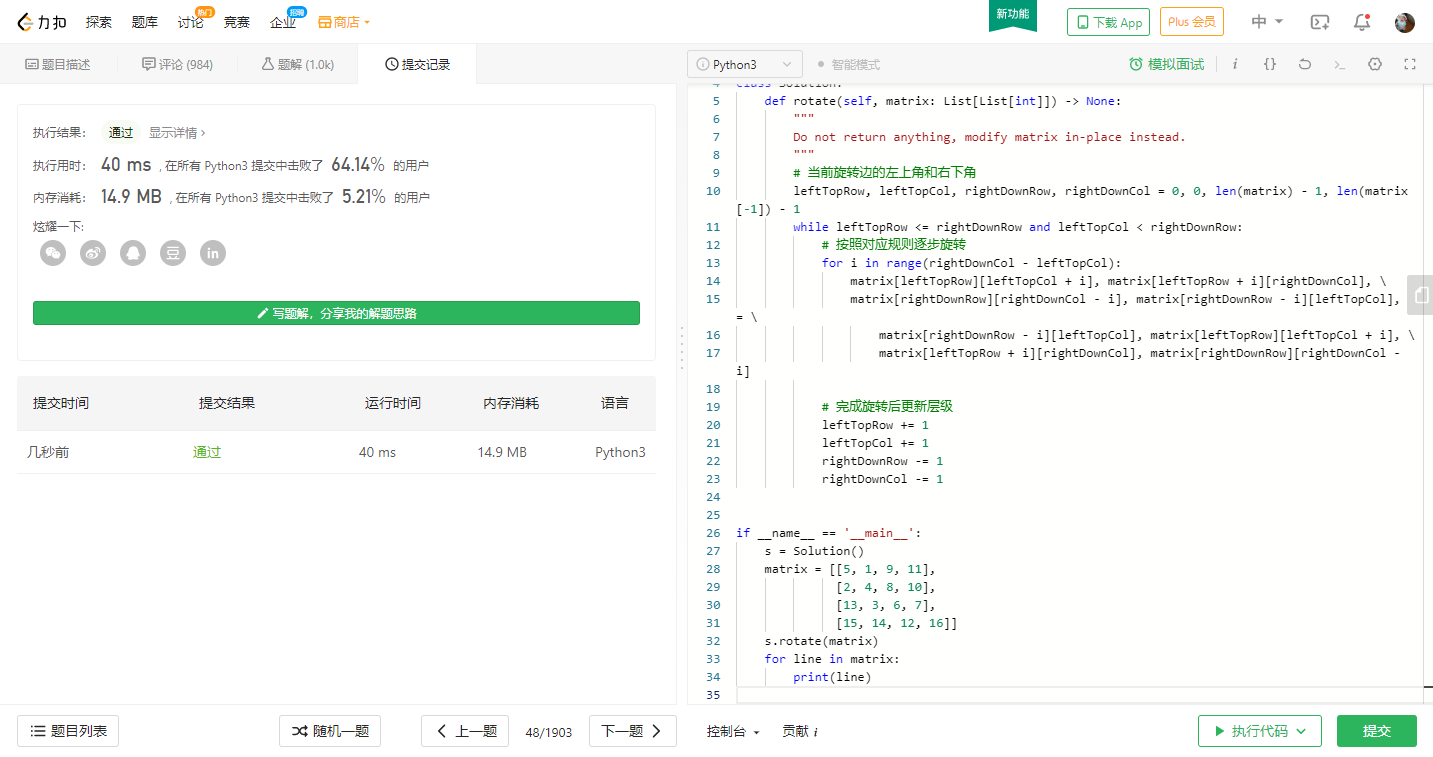
Give a given onen × n The two-dimensional matrix represents an image. Rotate the image clockwise 90 degrees. Description: You mustOriginRotate the image, which means you need to direct...
How to get upload images to get upload images with Java and get pictures that need to rotate and get the right direction
I. Introduction When the company did a project, it was found that the picture of the iOS end shot will appear high and inconsistent. Later, it was only necessary to rotate it to get the correct as hig...
Vue quickly add images, click to rotate, zoom in, zoom out, drag
You can see the current picture, it has the function of zooming in and out, but this method will cause the image to be occluded, so you need to do a function of dragging the picture. Globally define a...
More Recommendation
Rotate images to achieve timing and timing pop-up ads
Knowledge related to: setInterval (function execution timing of the milliseconds) is repeatedly executed, in accordance with the method specified period (in milliseconds) to call the function. clearIn...
Python basic tutorial: Use OpenCV to rotate images in Python
This article mainly introduces the tutorial of using OpenCV to rotate the image under Python. The code and core algorithm are very simple. Friends who need it can refer to OpenCV is the most widely us...

[Python] Scipy processing images (ndimage shift rotate zoom)
examples 1. Gray image processing (two-dimensional) You can use Scipy's own pictures or read local pictures. The misc.imread() method failed to read, so cv2.imread() is used to read. Maybe I shouldn't...
Problem-solving ideas-LeetCode question 48: Rotate images
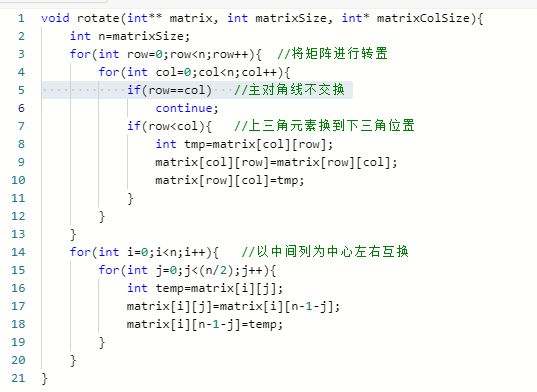
Problem-solving ideas-LeetCode question 48: Rotate images Title description: Given a n × n two-dimensional matrix represents an image. Rotate the image 90 degrees clockwise. Description: You hav...
[Vue + VANT] Rotate local images using Swiper components
content Prizted 2. Upload pictures on the assets directory 3. Set a list of pictures in the SWIPER component 4. Reference Swiper components in the page Prizted In the official example in the SWIPER co...