[tf.keras] tf.keras loading AlexNet pre-training model
Article directory
- Export model parameters from PyTorch
- Step 0: Configure the environment
- Step 1: Install MMdnn
- Step 2: Get a model (pth file) where PyTorch saves the complete structure and parameters
- Step 3: Export the parameters of the PyTorch model and save to the hdf5 file
- Possible problems
- Verify the AlexNet pre-training model exported from PyTorch
- Attentions
- References
Blog Park original link:[tf.keras] tf.keras loading AlexNet pre-training model – wuliytTaotao。
The pre-training models for tf.keras are placed in the 'tensorflow.python.keras.applications' directory. In the tensorflow 1.10 release, the pre-trained models are:
DenseNet121, DenseNet169, DenseNet201, InceptionResNetV2, InceptionV3, MobileNet, NASNetLarge, NASNetMobile, ResNet50, VGG16, VGG19, Xception.
Looking for a long time, I found that keras did not have pre-trained AlexNet. . .
So this article provides a way to import pre-training models from other frameworks (such as PyTorch). Let's take AlexNet as an example.
Export model parameters from PyTorch
First of all, understand that when the structure of the model is the same, we only need to import the parameters of the model to reproduce the model, so we have to export the pre-trained model parameters from PyTorch and load them with keras.
Here is a Microsoft project:MMdnn. MMdnn allows us to convert models between different depth learning frameworks. Here I also use MMdnn to convert AlexNet(PyTorch to Keras).
Step 0: Configure the environment
Must be configured consistently:
 - PyTorch: 0.4.0 (If there is a problem with other versions, please return to version 0.4.0)

 Not necessarily consistently configured:
- numpy: 1.14.5
 - Keras: 2.1.3 (not keras in tensorflow)
Step 1: Install MMdnn
$ pip3 install mmdnn
The mmdnn version I installed is 0.2.5.
For other installation methods, please refer togithub。
Step 2: Get a model (pth file) where PyTorch saves the complete structure and parameters
When PyTorch saves the model, you can save the entire model, or you can save only the parameters of the model, which are stored in the pth file.
The pth file of the mmdnn operation is required to contain the model structure.FAQ, while pre-training in PyTorch AlexNet only saved the parameters.
The AlexNet pre-training model (pth file) containing the model structure and weights is obtained by the following procedure:
import torch
import torchvision

m = torchvision.models.alexnet(pretrained=True)
torch.save(m, './alexnet.pth')
For other models, such as resnet101, a pre-trained model with structure and weight can be obtained directly by the following instructions:
$ mmdownload -f pytorch -n resnet101 -o ./
(Do not get alexnet.pth through the above instructions, because it only contains weights, but no structure, so there will be an error in the next step "AttributeError: ‘collections.OrderedDict' object has no attribute ‘state_dict’”.)
Step 3: Export the parameters of the PyTorch model and save to the hdf5 file
Execute the following three instructions in turn, and finally get a ‘keras_alexnet.h5’ file, which is the pre-training weight file we want keras to load.
$ mmtoir -f pytorch -d alexnet --inputShape 3,227,227 -n alexnet.pth
IR network structure is saved as [alexnet.json].
IR network structure is saved as [alexnet.pb].
IR weights are saved as [alexnet.npy].
$ mmtocode -f keras --IRModelPath alexnet.pb --IRWeightPath alexnet.npy --dstModelPath keras_alexnet.py
Using TensorFlow backend.
Parse file [alexnet.pb] with binary format successfully.
Target network code snippet is saved as [keras_alexnet.py].
$ python3 -m mmdnn.conversion.examples.keras.imagenet_test -n keras_alexnet.py -w alexnet.npy --dump keras_alexnet.h5
Using TensorFlow backend.
Keras model file is saved as [keras_alexnet.h5], generated by [keras_alexnet.py.py] and [alexnet.npy].
Possible problems
- AttributeError: ‘Conv2d’ object has no attribute ‘padding_mode’
Solution: PyTorch version problem, this problem will occur in version 1.1.0, and you can fall back to version 0.4.0.
$ pip install -i https://pypi.tuna.tsinghua.edu.cn/simple --upgrade torch==0.4.0 torchvision==0.2.0
Solution: Please change the numpy version.
The Solution:pth file contains only model parameters and no model structure, load it in PyTorch and save the pth file containing the model structure and parameters.
Verify the AlexNet pre-training model exported from PyTorch
Several images, code, and generated keras_alexnet.h5 files for testing were stored.wuliytTaotao · Github。
import torch
import torchvision
import cv2
import numpy as np

from torch.autograd import Variable

import tensorflow as tf
from tensorflow.keras import layers,regularizers


filename_test = 'data/dog2.png'

img = cv2.imread(filename_test)
img = cv2.cvtColor(img, cv2.COLOR_BGR2RGB)

#
img = cv2.resize(img, (227, 227))
img = img / 255.0
img = np.reshape(img, (1, 227, 227, 3))
# ,This is the pre-processing method for the PyTorch pre-trained AlexNet model. See https://pytorch.org/docs/stable/torchvision/models.html for details.
mean = np.array([0.485, 0.456, 0.406]).reshape([1, 1, 1, 3])
std = np.array([0.229, 0.224, 0.225]).reshape([1, 1, 1, 3])
img = (img - mean) / std

# PyTorch
# PyTorch Data input channel arrangement is inconsistent with Keras
img_tmp = np.transpose(img, (0, 3, 1, 2))

model = torchvision.models.alexnet(pretrained=True)

# torch.save(model, './model/alexnet.pth')
model = model.double()
model.eval()

y = model(Variable(torch.tensor(img_tmp)))
# Forecasted category
print(np.argmax(y.detach().numpy()))


# Keras
def get_AlexNet(num_classes=1000, drop_rate=0.5, regularizer_rate=0.01):
    """
         The AlexNet pre-training model structure implemented in PyTorch has a depth of (64, 192, 384, 256, 256).
         Returns the inputs and outputs of AlexNet
    """
    inputs = layers.Input(shape=[227, 227, 3])

    conv1 = layers.Conv2D(64, (11, 11), strides=(4, 4), padding='valid', activation='relu')(inputs)

    pool1 = layers.MaxPooling2D(pool_size=(3, 3), strides=(2, 2))(conv1)

    conv2 = layers.Conv2D(192, (5, 5), strides=(1, 1), padding='same', activation='relu')(pool1)

    pool2 = layers.MaxPooling2D(pool_size=(3, 3), strides=(2, 2))(conv2)

    conv3 = layers.Conv2D(384, (3, 3), strides=(1, 1), padding='same', activation='relu')(pool2)

    conv4 = layers.Conv2D(256, (3, 3), strides=(1, 1), padding='same', activation='relu')(conv3)

    conv5 = layers.Conv2D(256, (3, 3), strides=(1, 1), padding='same', activation='relu')(conv4)

    pool3 = layers.MaxPooling2D(pool_size=(3, 3), strides=(2, 2))(conv5)

    flat = layers.Flatten()(pool3)

    dense1 = layers.Dense(4096, activation='relu', kernel_regularizer=regularizers.l2(regularizer_rate))(flat)
    dense1 = layers.Dropout(drop_rate)(dense1)
    dense2 = layers.Dense(4096, activation='relu', kernel_regularizer=regularizers.l2(regularizer_rate))(dense1)
    dense2 = layers.Dropout(drop_rate)(dense2)
    outputs = layers.Dense(num_classes, activation='softmax', kernel_regularizer=regularizers.l2(regularizer_rate))(dense2)

    return inputs, outputs

inputs, outputs = get_AlexNet()
model2 = tf.keras.Model(inputs, outputs)
model2.load_weights('./keras_alexnet.h5')
# Forecasted category
print(np.argmax(model2.predict(img)))
Please refer to the blog for the categories represented by the forecast results.ImageNet Image Library 1000 category names (Chinese comments are constantly updated)。
Attentions
Pre-training in PyTorch The number of AlexNet model convolutional layers is inconsistent with the original paper, and the number of filters is different. . See specificGitHub - pytorch: vision/torchvision/models/alexnet.py
The explanation given by PyTorch is that its pre-training AlexNet model uses papers.Krizhevsky, A. (2014). One weird trick for parallelizing convolutional neural networks. arXiv preprint arXiv:1404.5997. The architecture given, but PyTorch's model architecture is different from this paper. The fourth convolutional filter in this paper is 384 and PyTorch is 256.
The AlexNet implemented in caffe contains the original LRN layer. After removing the LRN layer, the individual feels that the pre-training weight cannot be used directly.
References
PyTorch
GitHub - microsoft/MMdnn
GitHub - pytorch: vision/torchvision/models/alexnet.py
ImageNet Image Library 1000 category names (Chinese comments are constantly updated) -- Xu Xiaomei
Intelligent Recommendation
Model class in tf.keras module
Model class in tf.keras module class Model Build Model from input and output Inherit the Model class to create a Model Method in the Model class class Model Model groups layers into an object with tra...
TF.Keras: Save and Load Model
TF.Keras Save and Loading Models Tf.Keras.Save and TF.Keras.Models.Load_Model How to tell this article This article is used in the library Building model Training model Save model Loading model Evalua...
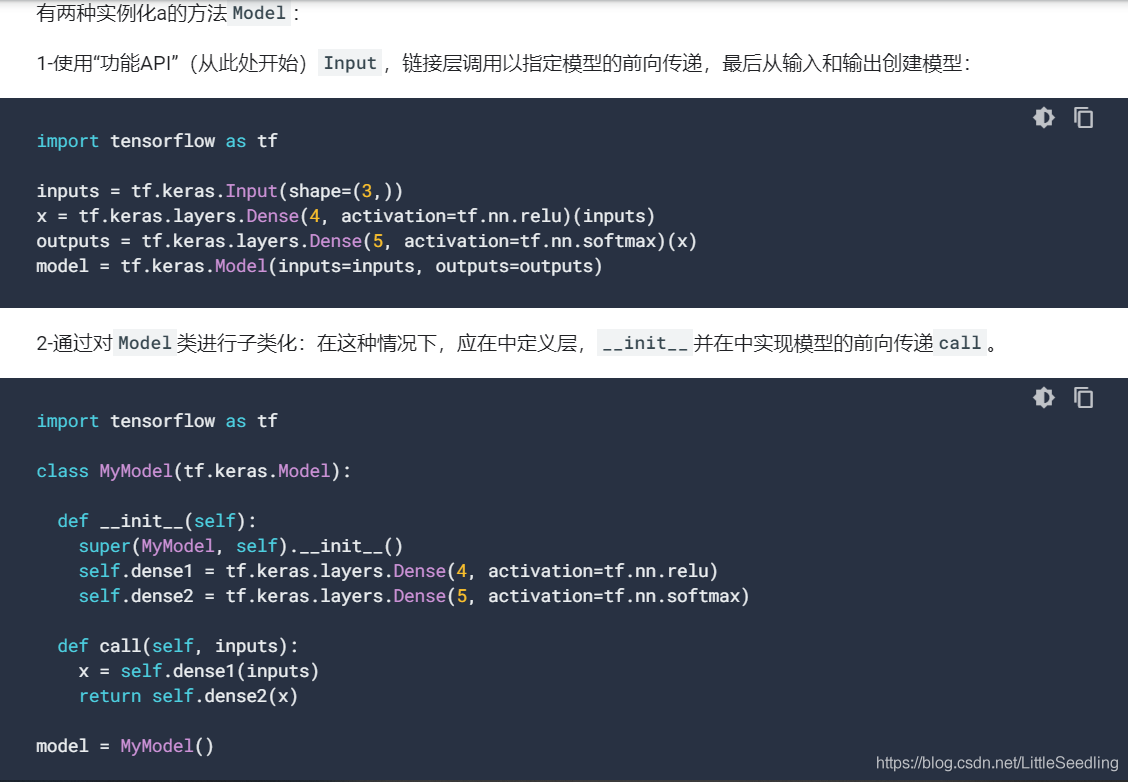
[Tensorflow2] mode in TF.KeraS in Model
Model instantiated in tf.keras Two instantiation methods of MODEL` Functional API 2. Inherited `tf.keras.model` Summary output `model.save` with` loading_model` Recently usedTensorflowLooking back. re...
Use tf.keras custom model
1 Introduction TF.KERAS provides many convenient APIs to build deep learning models, but in some cases, custom layers and models need to be customized. Therefore, in this article, we will focus on cus...
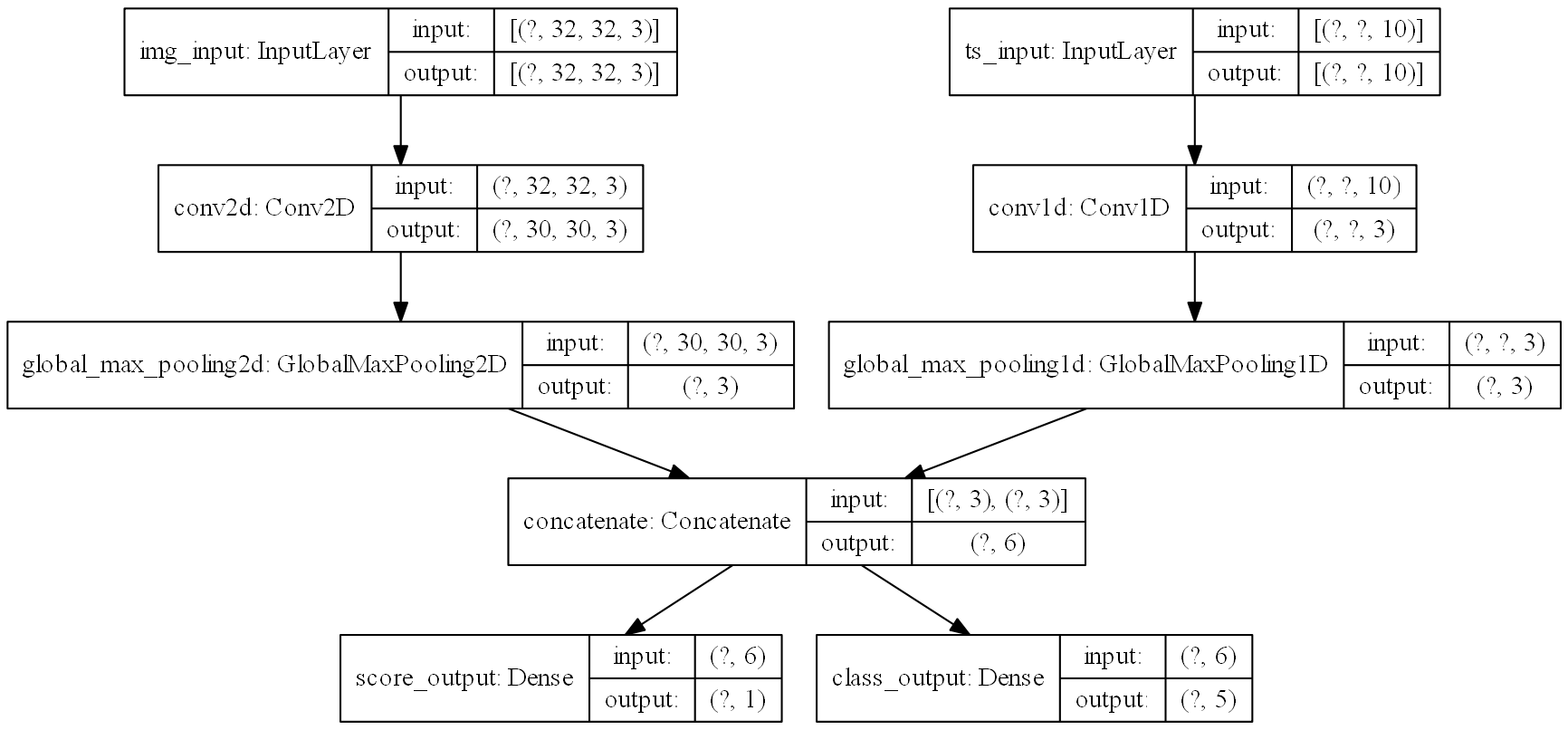
[Tf.keras] 09: Use Keras training and evaluation model guide
This article is the ninth article of the tf.keras series of tutorials. It introduces two ways to train and evaluate models using tensorflow2.0. Including the method implementation in the tf.keras modu...
More Recommendation
The VGG model training flower dataset built by TF.KERAS, the verification loss is unchanged?
My reason here is that the learning rate is too large The real parameters in the Adam optimizer can be changed to a smaller value. learning -raate = 0.0001...
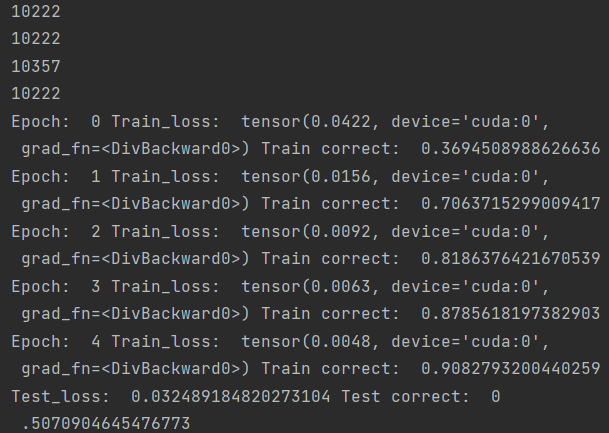
Pytorch pre-training model loading and use (take AlexNet as an example)
content Overview 2. Code explanation 2.1 Load the necessary package 2.2 Setting GPU and Transform 2.3 Data Pretreatment 2.4 Introduction Model 2.5 training model 2.6 Test Model 2.7 Save Model 3. Compl...
Creating Checkpoint for training models in TF.Keras
The training of deep learning models may take several hours, and for a few days and even a few weeks. If the accident is stopped, it will be trained. This article teaches you how to check your depth l...
TF.keras Quick Start - Sequence Model
The simplest model istf.keras.SequentialThe model can be understood as a simple stack of neural network layers, and some simple classification tasks can be completed, but they cannot represent any mod...
Use estimator, tf.keras and tf.data multi-GPU training
Text / Zalando Research research scientist Kashif Rasul Source | TensorFlow public No. As with most AI research department, Zalando Research also aware of the importance of creativity to try and rapid...