SpringBoot calls the weather forecast api interface to get weather data (1)
Attached:SpringBoot calls the weather forecast api interface to get weather data (2)
Project structure:

Get weather data by city name:
Http://wthrcdn.etouch.cn/weather_mini?city=Beijing
Get weather data by city id (you can search for the city's id in Baidu)
http://wthrcdn.etouch.cn/weather_mini?citykey=101010100
1. Import the relevant jar package through Gradle:

ps:
Recommend two central warehouses that I use:
2. Here I use the Google Chrome plugin PostMan,

Create an entity class based on the data parameters returned to us.
3. Create an entity class.
1)Weather:
package com.lucifer.demo.pojo;

import java.io.Serializable;
import java.util.List;

/**
 * @author: Lucifer
 * @create: 2018-09-23 23:00
   * @description: Weather information
 **/
public class Weather implements Serializable {

/*
                           Http://wthrcdn.etouch.cn/weather_mini?city=Beijing
 {
        "data":{
        "yesterday":{
            "date": "Saturday on the 22nd", "high": "High temperature 24 °C", "fx": "Northwest wind", "low": "Low temperature 13 °C", "fl": "<![CDATA[3 -4 level]]>", "type": "clear"
                 },"city":"Beijing", "aqi":"35", "forecast":[{
                         "date": "Sunday on the 23rd", "high": "High temperature 24 °C", "fengli": "<![CDATA[4-5]]>", "low": "Low temperature 12 °C", " Fengxiang":"North wind", "type":              "clear"
        },{
                         "date": "Monday of 24th", "high": "High temperature 23°C", "fengli": "<![CDATA[<3]]>", "low": "Low temperature 11°C", " Fengxiang": "no sustained wind direction", "type":
            " "
        },{
                         "date": "25th Tuesday", "high": "high temperature 23°C", "fengli": "<![CDATA[<3]]>", "low": "low temperature 13°C", "fengxiang ":"Southwind", "type": "Cloudy"
        },{
                         "date": "Wednesday 26th", "high": "High temperature 22°C", "fengli": "<![CDATA[<3]]>", "low": "Low temperature 14°C", "fengxiang ":"Southwind", "type": "Cloudy"
        },{
                         "date": "Thursday 27th", "high": "High temperature 22°C", "fengli": "<![CDATA[3-4]]>", "low": "Low temperature 14°C", " Fengxiang":"South wind", "type": " "
                 }],"ganmao": "Every weather conditions are appropriate, there is no obvious cooling process, and the chance of cold is low.", "wendu": "14"
    },"status":1000, "desc":"OK"
    }*/

    private String city;
    private Yesterday yesterday;
    private String aqi;
    private String ganmao;
    private String wendu;
    private List<Forecast> forecast;

    public String getCity() {
        return city;
    }

    public void setCity(String city) {
        this.city = city;
    }

    public Yesterday getYesterday() {
        return yesterday;
    }

    public void setYesterday(Yesterday yesterday) {
        this.yesterday = yesterday;
    }

    public String getAqi() {
        return aqi;
    }

    public void setAqi(String aqi) {
        this.aqi = aqi;
    }

    public String getGanmao() {
        return ganmao;
    }

    public void setGanmao(String ganmao) {
        this.ganmao = ganmao;
    }

    public String getWendu() {
        return wendu;
    }

    public void setWendu(String wendu) {
        this.wendu = wendu;
    }

    public List<Forecast> getForecast() {
        return forecast;
    }

    public void setForecast(List<Forecast> forecast) {
        this.forecast = forecast;
    }
}
2)Yesterday:
package com.lucifer.demo.pojo;

import java.io.Serializable;

/**
   * Yesterday's weather
 *
 * @author: Lucifer
 * @create: 2018-09-23 23:10
 * @description:
 **/
public class Yesterday implements Serializable {
   /* "yesterday":{
                 "date": "Saturday on the 22nd", "high": "High temperature 24 °C", "fx": "Northwest wind", "low": "Low temperature 13 °C", "fl": "<![CDATA[3 -4 level]]>", "type": "clear"
    },*/

    private String date;
    private String high;
    private String fx;
    private String low;
    private String fl;
    private String type;

    public String getDate() {
        return date;
    }

    public void setDate(String date) {
        this.date = date;
    }

    public String getHigh() {
        return high;
    }

    public void setHigh(String high) {
        this.high = high;
    }

    public String getFx() {
        return fx;
    }

    public void setFx(String fx) {
        this.fx = fx;
    }

    public String getLow() {
        return low;
    }

    public void setLow(String low) {
        this.low = low;
    }

    public String getFl() {
        return fl;
    }

    public void setFl(String fl) {
        this.fl = fl;
    }

    public String getType() {
        return type;
    }

    public void setType(String type) {
        this.type = type;
    }
}
3)Forecast:
package com.lucifer.demo.pojo;

import java.io.Serializable;

/**
   * Future weather
 *
 * @author: Lucifer
 * @create: 2018-09-23 23:10
 * @description:
 **/
public class Forecast implements Serializable {

 /*   "forecast":[{
                 "date": "Sunday on the 23rd", "high": "High temperature 24 °C", "fengli": "<![CDATA[4-5]]>", "low": "Low temperature 12 °C", " Fengxiang":"North wind", "type":          "clear"
    },{
                 "date": "Monday of 24th", "high": "High temperature 23°C", "fengli": "<![CDATA[<3]]>", "low": "Low temperature 11°C", " Fengxiang": "no sustained wind direction", "type":
        " "
    },{
                 "date": "25th Tuesday", "high": "high temperature 23°C", "fengli": "<![CDATA[<3]]>", "low": "low temperature 13°C", "fengxiang ":"Southwind", "type": "Cloudy"
    },{
                 "date": "Wednesday 26th", "high": "High temperature 22°C", "fengli": "<![CDATA[<3]]>", "low": "Low temperature 14°C", "fengxiang ":"Southwind", "type": "Cloudy"
    },{
                 "date": "Thursday 27th", "high": "High temperature 22°C", "fengli": "<![CDATA[3-4]]>", "low": "Low temperature 14°C", " Fengxiang":"South wind", "type": " "
    }]*/

    private String date;
    private String high;
    private String fengli;
    private String low;
    private String fengxiang;
    private String type;

    public String getDate() {
        return date;
    }

    public void setDate(String date) {
        this.date = date;
    }

    public String getHigh() {
        return high;
    }

    public void setHigh(String high) {
        this.high = high;
    }

    public String getFengli() {
        return fengli;
    }

    public void setFengli(String fengli) {
        this.fengli = fengli;
    }

    public String getLow() {
        return low;
    }

    public void setLow(String low) {
        this.low = low;
    }

    public String getFengxiang() {
        return fengxiang;
    }

    public void setFengxiang(String fengxiang) {
        this.fengxiang = fengxiang;
    }

    public String getType() {
        return type;
    }

    public void setType(String type) {
        this.type = type;
    }
}
4. Create a service interface:
WeatherDataService:
package com.lucifer.demo.Service;

import com.lucifer.demo.pojo.WeatherResponse;

/**
 * Weather data interface
 */
public interface WeatherDataService {

    /**
           * Query weather data based on city ID
     * @param CityId
     * @return
     */
    WeatherResponse getDataByCityId(String CityId);

    /**
           * Check weather data by city name
     * @param cityName
     * @return
     */
    WeatherResponse getDataByCityName(String cityName);

}
5. Create an implementation class:
package com.lucifer.demo.Service;

import com.fasterxml.jackson.databind.ObjectMapper;
import com.lucifer.demo.pojo.WeatherResponse;
import org.springframework.beans.factory.annotation.Autowired;
import org.springframework.http.ResponseEntity;
import org.springframework.stereotype.Service;
import org.springframework.web.client.RestTemplate;

/**
 * @author: Lucifer
 * @create: 2018-09-23 23:24
   * @description: implementation class
 **/

@Service
public class WeatherDataServiceImpl implements WeatherDataService {

    private static final String WEATHER_URI = "http://wthrcdn.etouch.cn/weather_mini?";

    @Autowired
    private RestTemplate restTemplate;

    @Override
    public WeatherResponse getDataByCityId(String cityId) {
        String uri = WEATHER_URI + "citykey=" + cityId;
        return this.getWeatherResponse(uri);
    }


    @Override
    public WeatherResponse getDataByCityName(String cityName) {
        String uri = WEATHER_URI + "city=" + cityName;
        return this.getWeatherResponse(uri);
    }


    private WeatherResponse getWeatherResponse(String uri) {
        ResponseEntity<String> respString = restTemplate.getForEntity(uri, String.class);
        ObjectMapper objectMapper = new ObjectMapper();
        WeatherResponse resp = null;
        String strBody = null;
        if (respString.getStatusCodeValue() == 200) {
            strBody = respString.getBody();
        }
        try {
            resp = objectMapper.readValue(strBody, WeatherResponse.class);
        } catch (Exception e) {
            e.printStackTrace();
        }
        return resp;
    }

}
6. Create a controller class:
package com.lucifer.demo.Controller;

import com.lucifer.demo.Service.WeatherDataService;
import com.lucifer.demo.pojo.WeatherResponse;
import org.springframework.beans.factory.annotation.Autowired;
import org.springframework.web.bind.annotation.GetMapping;
import org.springframework.web.bind.annotation.PathVariable;
import org.springframework.web.bind.annotation.RequestMapping;
import org.springframework.web.bind.annotation.RestController;

/**
 * @author: Lucifer
 * @create: 2018-09-23 23:45
 * @description:
 **/
@RestController
@RequestMapping(value = "/weather")
public class WeatherController {

    @Autowired
    private WeatherDataService weatherDataService;

    @GetMapping(value = "/cityId/{cityId}")
    public WeatherResponse getWeatherByCityId(@PathVariable("cityId") String cityId){
        return weatherDataService.getDataByCityId(cityId);
    }

    @GetMapping(value = "/cityName/{cityName}")
    public WeatherResponse getWeatherByCityName(@PathVariable("cityName") String cityName){
        return weatherDataService.getDataByCityName(cityName);
    }

}
7.RestConfiguration configuration class:
package com.lucifer.demo.config;

import org.springframework.beans.factory.annotation.Autowired;
import org.springframework.boot.web.client.RestTemplateBuilder;
import org.springframework.context.annotation.Bean;
import org.springframework.context.annotation.Configuration;
import org.springframework.web.client.RestTemplate;

/**
 * @author: Lucifer
 * @create: 2018-09-23 23:51
 * @description:
 **/
@Configuration
public class RestConfiguration {

    @Autowired
    private RestTemplateBuilder restTemplateBuilder;

    @Bean
    public RestTemplate restTemplate(){
        return restTemplateBuilder.build();
    }

}
8. Via localhost:8080/weather/cityName/Beijing

Intelligent Recommendation

Free weather API, national weather JSON API interface, you can get five-day weather forecast
Stable and efficientWeather API interfaceIt is very rare. Some time ago, this site developed a perpetual calendar, which requires a weather forecast. It took a few days to integrate and fault-tolerate...
Java calls third -party weather forecast API interface
Java calls third -party weather forecast API interface...
Free weather forecast API interface
1. National Meteorological Administration Real-time interface: Live Weather 1:http://www.weather.com.cn/data/sk/101190408.html Real-time weather 2:http://www.weather.com.cn/data/cityinfo/101190408.htm...
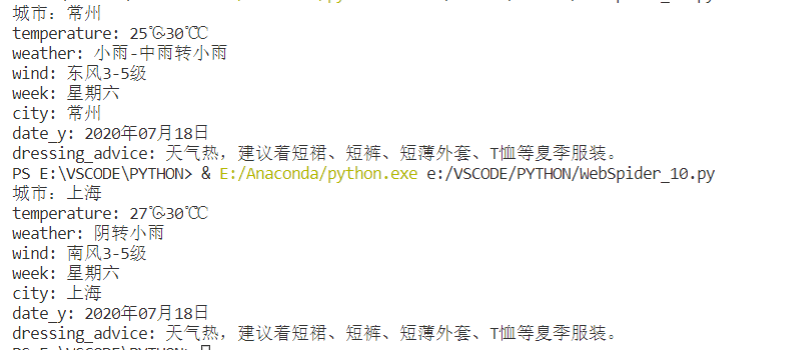

Free interface to get weather forecast
1. Interface URL Interface documentation:https://www.tianqiapi.com/?action=v1 User Center:https://www.tianqiapi.com/user/ Two, use The information obtained by the interface is roughly as follows: &nbs...
More Recommendation
Crawling weather forecast data with API
Find the lowest temperature in the next three days below 5 degrees $lt, $lte, $gt, $gte for < , <=, >, >=...
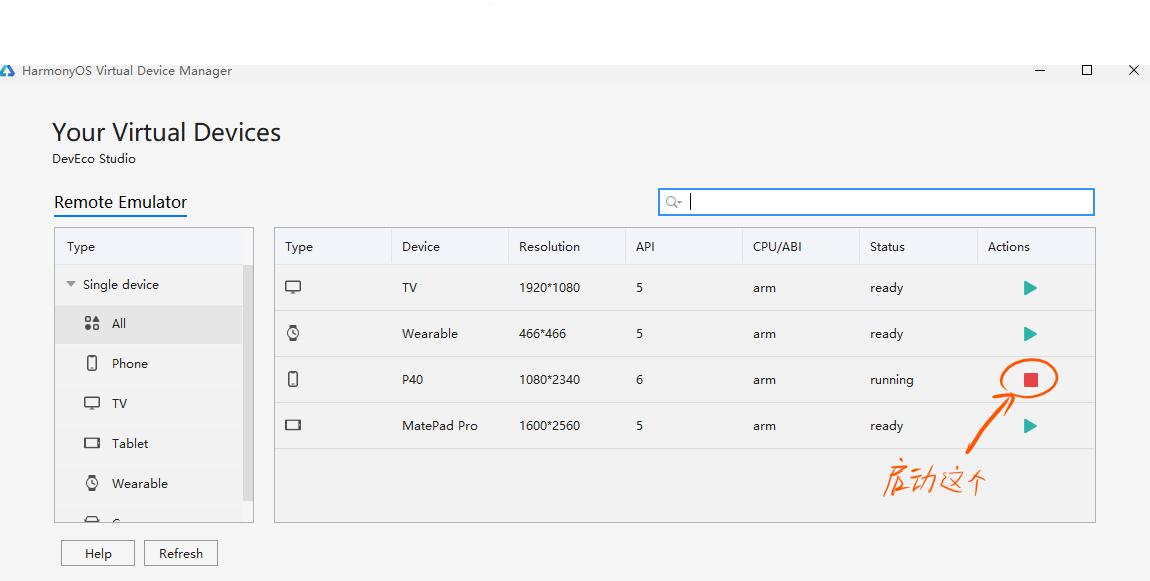
HARMONY Call Data API | Weather Forecast API Interface
Some of the code in Index.js is as follows pay attention toIn the codeComment Sometimes Hilog (Hilog is shown below) will display "request failure" My solution: Clean Project, then restart t...

Sina weather API interface to get weather data in recent days!
Sina weather api interface file: Weather.class.php Call the instance: Return data: Paste_Image.png...
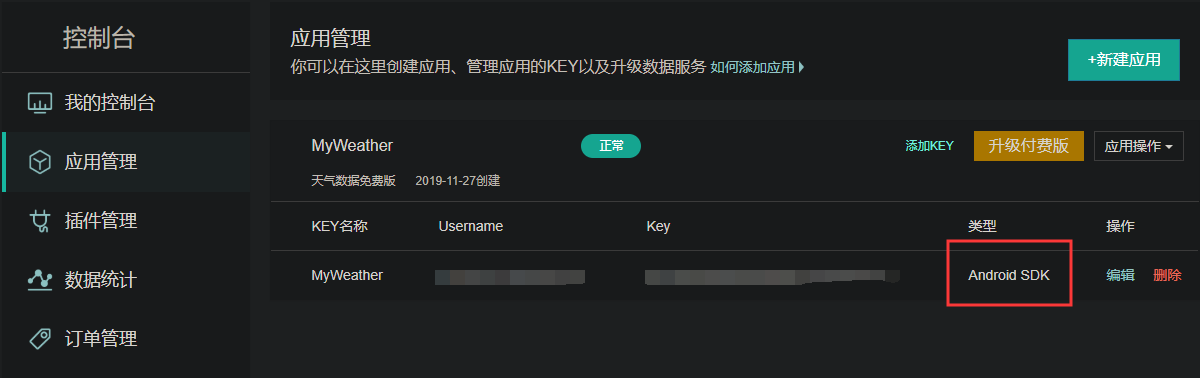
Hefeng Weather API interface to get weather data on Android
After watching the CSDN tutorial for an afternoon, none of them worked...In desperation, I can only go to the official website to patiently read the documents, and then study it. So, you must learn to...

WeChat applet to get free interface of today's weather forecast api
If it is a test, please check the configuration Do not verify the legal domain name, web-view (service domain name), TLS version and HTTPS certificate If it is officially used, please add two secure d...