Postman advanced usage: pre-request scripts and token get, and pass parameters
console.debug("--------------------start--------------------");

try{
    //Secret key
    var secretKey = "8YfPw4s6YLcYyLc8";
    console.debug("secretKey:" + secretKey);

         / / Set the request timestamp
    var signed_at = Math.round(new Date().getTime()/1000);
    pm.globals.set("signed_at", signed_at);
    console.debug("signed_at:" + signed_at);

         / / Request parameters
    var data = {};
    //GET
    if(pm.request.url.query instanceof Object){
        pm.request.url.query.each(function(obj){
            if(obj.disabled === undefined) data[obj.key] = obj.value;
        });
    }
    //POST
    if(pm.request.body.formdata instanceof Object){
        pm.request.body.formdata.each(function(obj){
            if(obj.disabled === undefined) data[obj.key] = obj.value;
        });
    }
    console.debug("data:" + JSON.stringify(data));

         / / Parameter ordering
    var params = [];
    for(var key in data){
        if(key != "sign") params.push(key);
    }
    params.sort();
    console.debug("params:" + params);

         / / Assemble the string
    var str = '';
    params.forEach(function(value){
        str += value;
        data[value] = data[value] ? data[value] : "";
        if(data[value].indexOf("{{")!= -1){
            str += pm.globals.get(data[value].replace(new RegExp('(\{|\})', "g"),""));
        }
        else{
            str += data[value];
        }
    });
    str = secretKey + str + secretKey;
    console.debug("str:" + str);

         / / Generate signature
    var sign = CryptoJS.MD5(str).toString();
    pm.globals.set("sign", sign);
    console.debug("sign:" + sign);

}catch(err){
    console.error("Pre-Request Script " + err.name + ":" + err.message);
}

console.debug("--------------------done--------------------");

Recently, I am getting lazy. I can take screenshots and take screenshots. Anyway, I have a lot of tutorials on the Internet. I just recorded them as my own records, and I have a joint learning.

Intelligent Recommendation
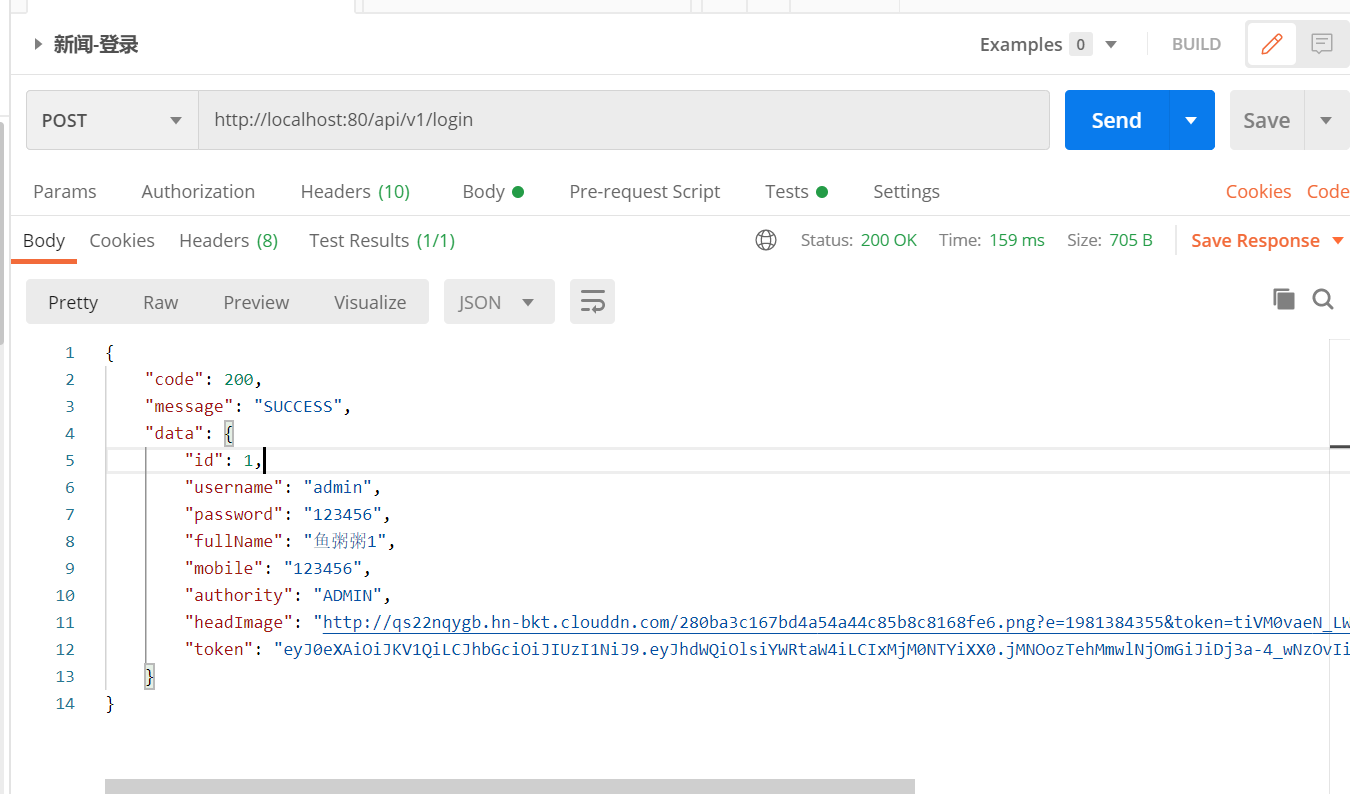
Absolutely the most practical POSTMAN test advanced operation token verification parameters pass stored environment variables to avoid repeating COPY
Absolutely the most practical POSTMAN test advanced operation token verification parameters pass stored as environment variables free COPY Before you learn less, most of you can test it once with JUni...
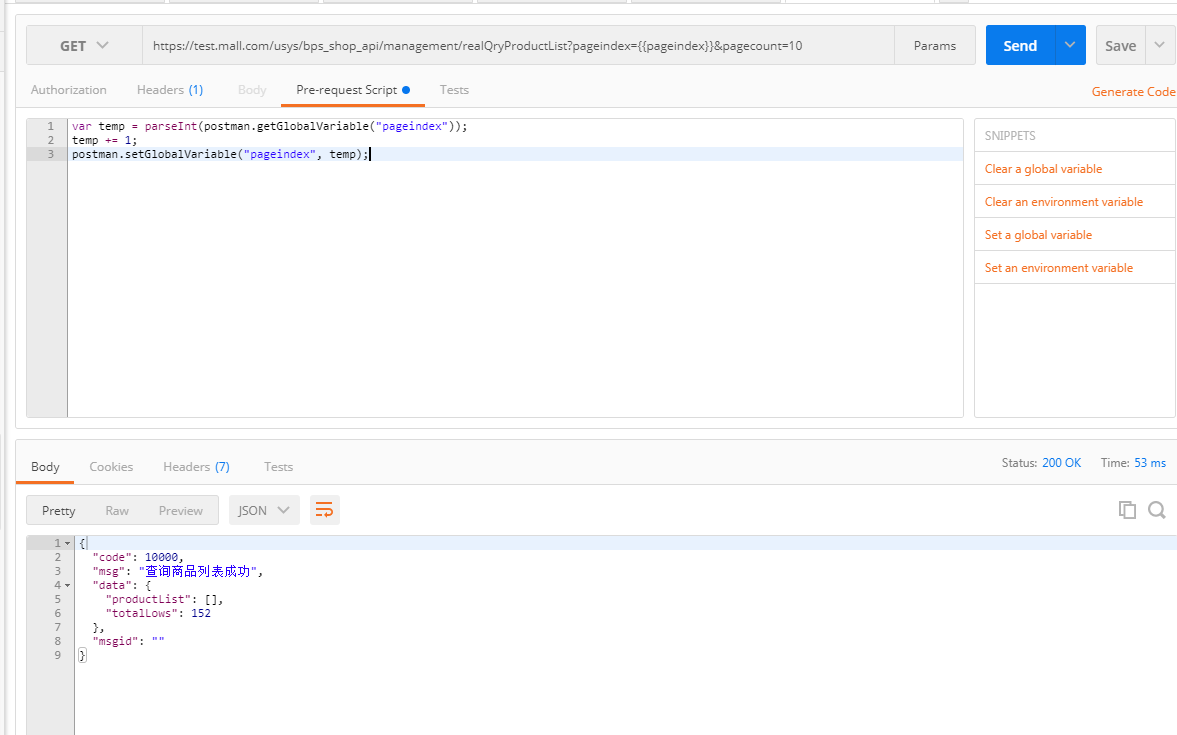
How to dynamically pass parameters in postman (using global variables and scripts)
Example: This is a simple paging GET request. The requirement is that every time you click [send], the paging value pageindex can be increased to get the data of each page. step: 1) Set the global par...
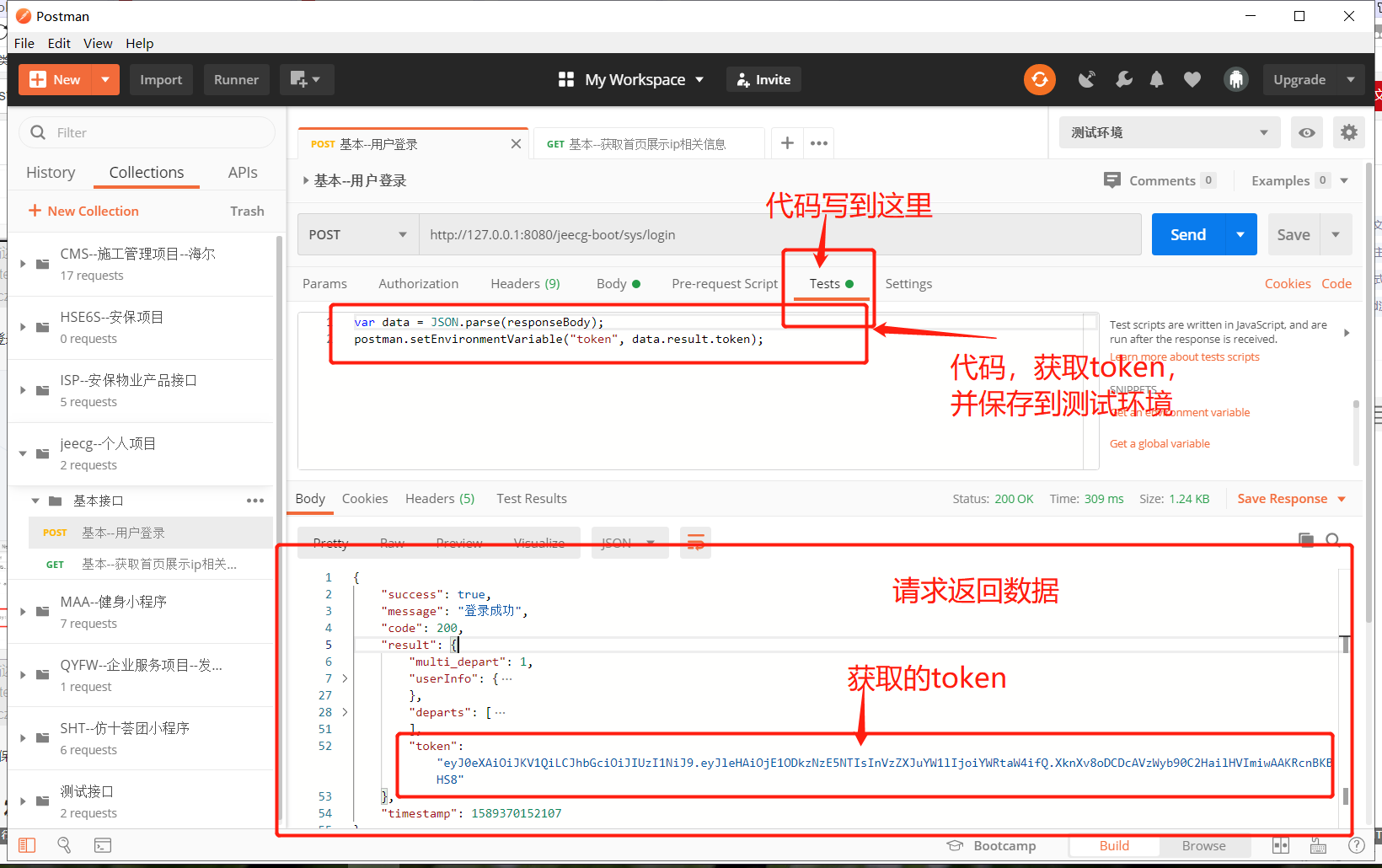
postman--get token, add token in header to send request
table of Contents 0. Description 1. Create a test environment 2. Create two interfaces 3. Interface 1: Login to get token 3.1 Interface parameters 3.2.1 Matters needing attention: Because the request ...
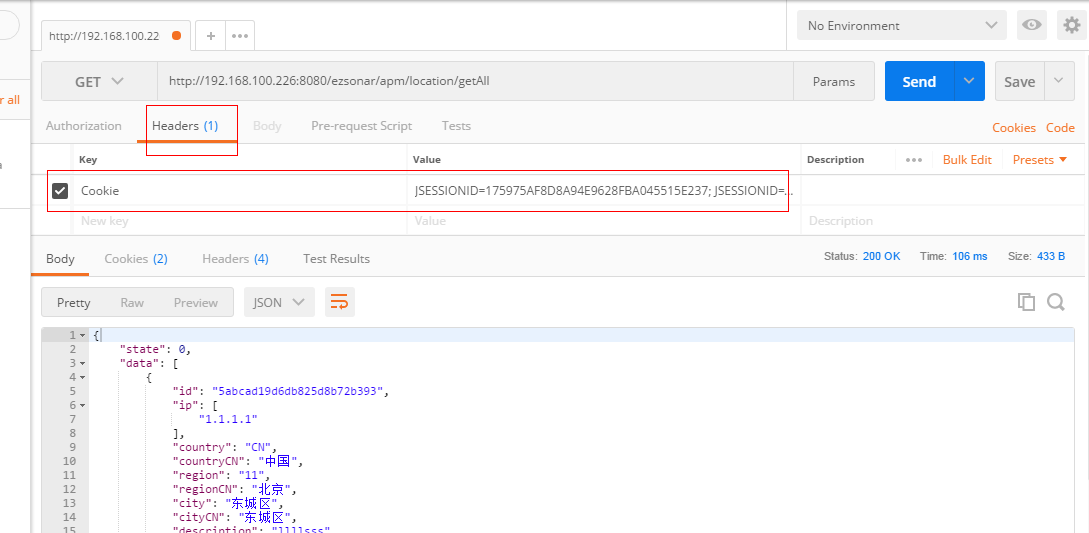
postman usage records get request with the cookie and post requests pass json object model
Get request. get request, only need to choose the right type of request: Get, then write to the URL address. Get request is some arguments: 1, directly in the URL parameters received @PathVariable ins...
More Recommendation
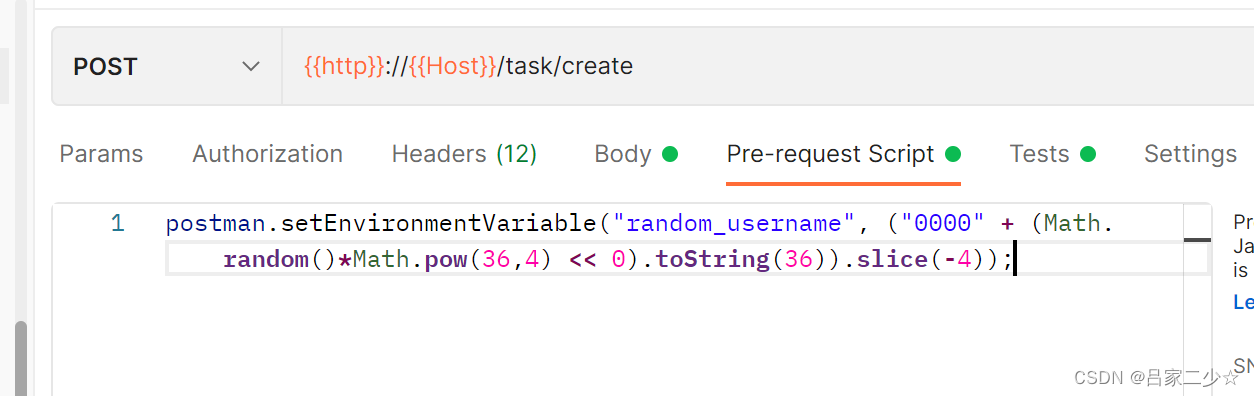
Postman dynamically generates parameters Pre-request Script before request
Scene: Before sending the request, some parameter values need to be produced randomly. Way: Used through the Pre-request Script collection postman.setEnvironmentVariable in postman For example, befo...
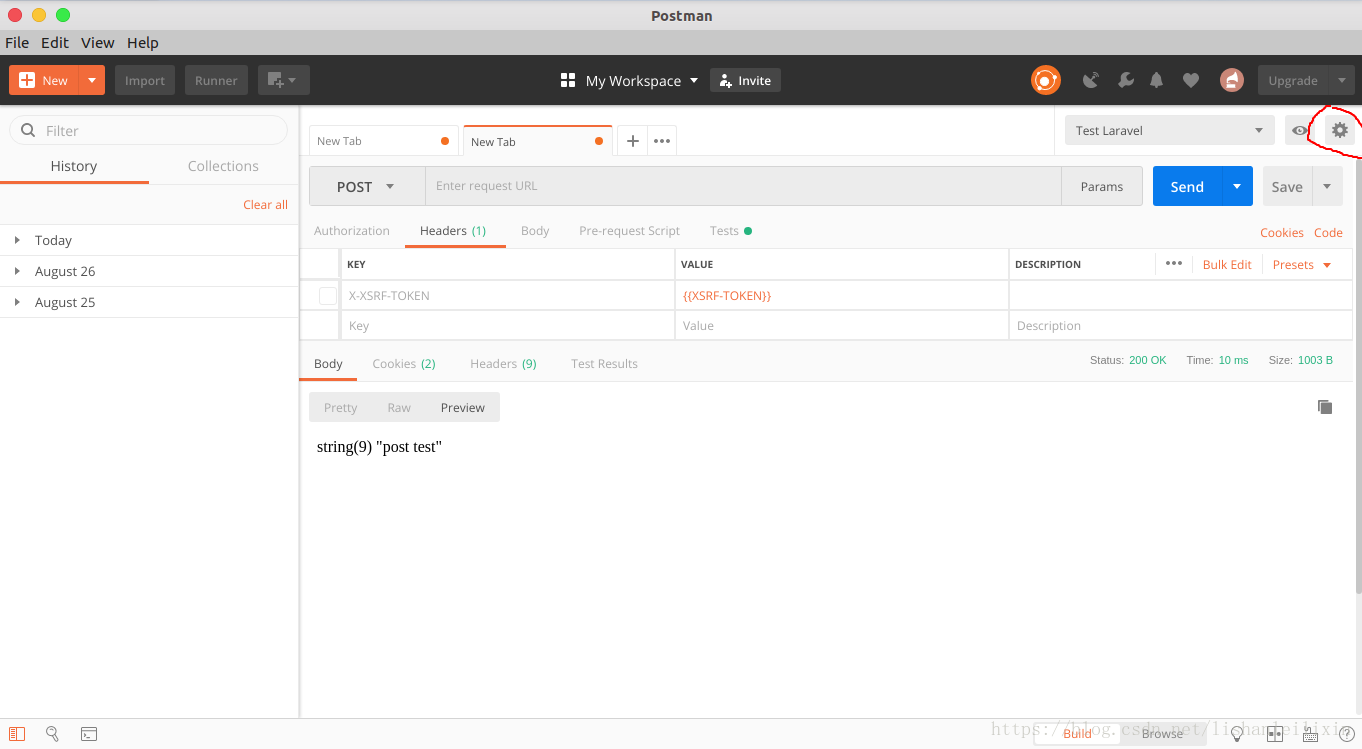
Pass X-XSRF-TOKEN when making a post request via Postman
Introduction During this time, a project backend used laravel. Tested by Postman6 when writing api interface. However, Laravel comes with a CSRF verification mechanism when testing post-type interface...
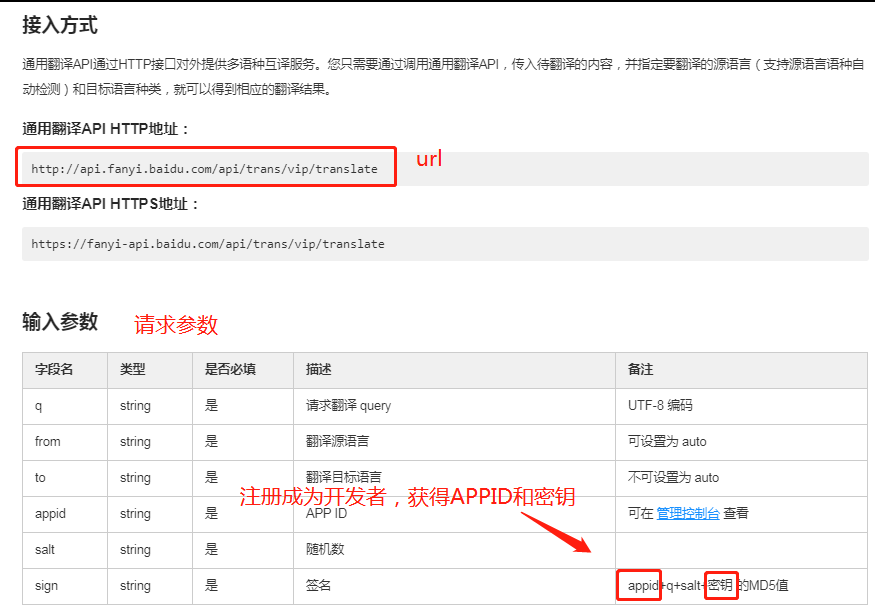
How to use postman to send get request with parameters
1. How to send using postmanWith parametersThe get request: step: 1) Open postman and create a request; 2) Select the request method Get; 3) In the url setting, enter the request url address; 4) Set t...

Failed to get PostMan Post request parameters
Failed to get PostMan Post request parameters 1. Problem description 2. Exception information 3. Cause of the problem 4. Solution Method 1: PostMan uses Body to send JSON type request parameters Metho...

Get token through Jenkins Script and pass environment variables to Postman
Reference: Feature Request: Read Variables from OS Environment · Issue #1603 · Postmanlabs/Postman-SUPPPORT · GITHUB maven - Jenkins CI Pipeline Scripts not permitted to use metho...