The UE4 right button does not have Generate Visual Studio project files, and the method of generating the VS project file
One: Find the UnrealVersionSelector copy in the downloaded UE4 Epic Games

Two: Find the path as shown in the installation version file, paste the first copy of the content here, and then return to the project right-click to open (remember that the refresh sometimes does not come, sometimes Need to right click in the inside of an open way)
Intelligent Recommendation

The project exported by tortoiseSVN does not have a .svn folder, tortoisesvn does not have a right option, and the right mouse button of the project does not have svn submission, update
Note: This problem is only a solution to the situation I encountered. If it is not solved in this way, please inquire and solve it. After all, the problems encountered by everyone are different. When ...

VS 2022 does not support .NET Framework 4.5 project solution (Visual Studio 2022)
Overview Recently, the C# development tool Visual Studio has been upgraded to 2022. The opening speed is much faster and the development experience is much more comfortable. I just encountered an emba...
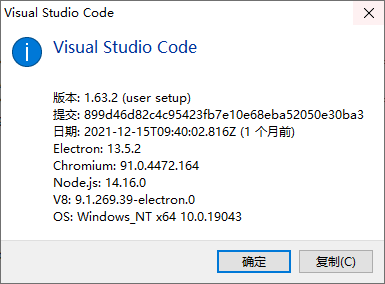
Visual Studio Code (VS Code) Open/display multiple project files at the same time
Visual Studio Code (VS Code) Open/display multiple project files at the same time 1. Version information 2. Add folder to workspace 3. Add D:\Program Files\AMD APP SDK\3.0\samples\opencl E:\vscode_wor...

The correct way to open UE4 project with Visual Studio Code
Download VS CodeAnd install the two plugins below Installation may be required during midway installation.Net SDK, follow the prompts to install it. Open the editor mode of the project and open the ed...

Conversion between Visual Studio versions of project files
Due to the large number of VS versions, the low version cannot directly open the high version of the project file, and some problems can be solved by making some modifications to the project file. You...
More Recommendation
[Java] auto-generated visual studio project files
visual studio can only be added individually to add the source file in time, sometimes a lot of trouble. So do the following to automatically generate visual studio project files tool. What is the use...
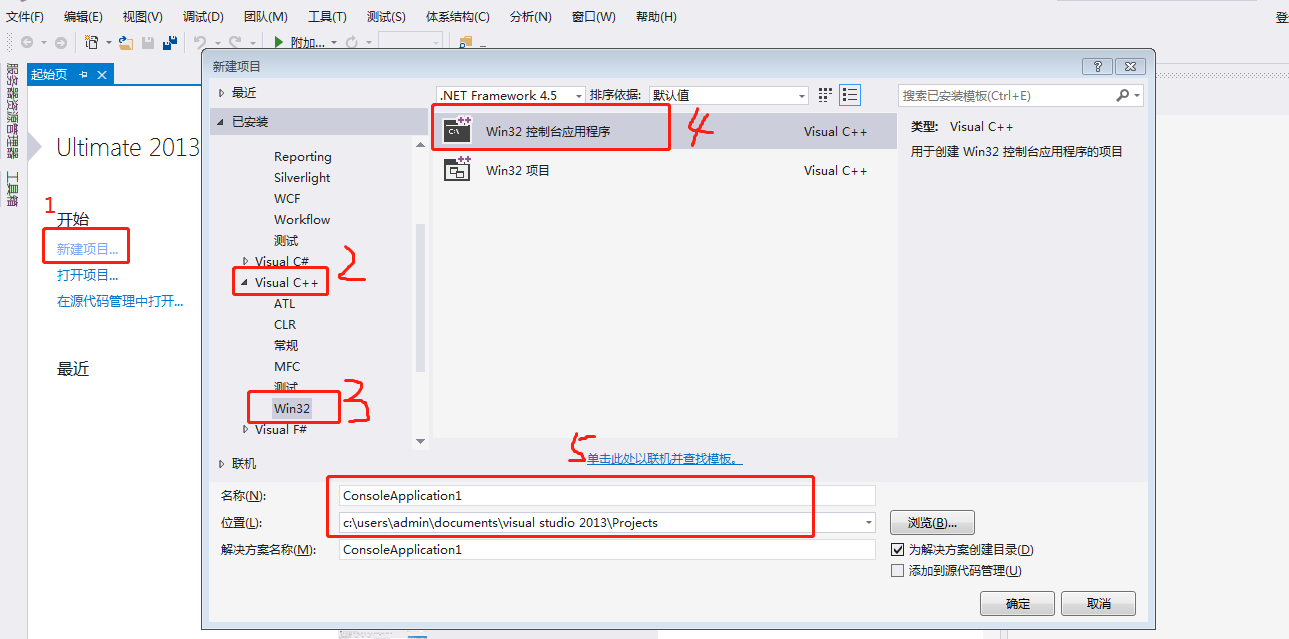
Create project files using Visual Studio
Visual Studio creation project Step 1: Create a new project Step 2: New files after the project creation is completed Step 3: Write code test after creation Step 1: Create a new project Step 2: New fi...
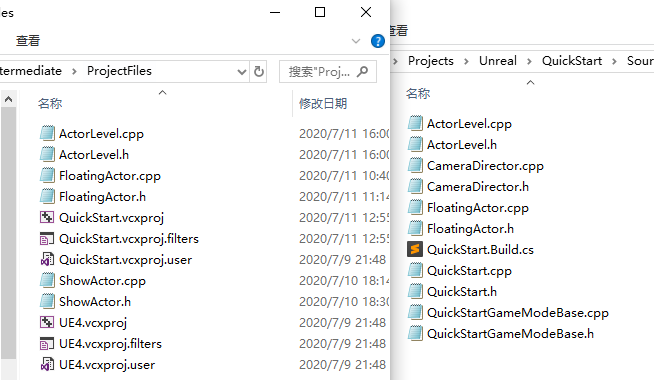
UE4 VS editor has files, but a case where UE4 does not generate C++ classes
For example, the project "QuickStart", there must be .h and .cpp files in the following two locations Unreal\Project name\Source\Project name Unreal\Project name\Intermediate\ProjectFiles Th...
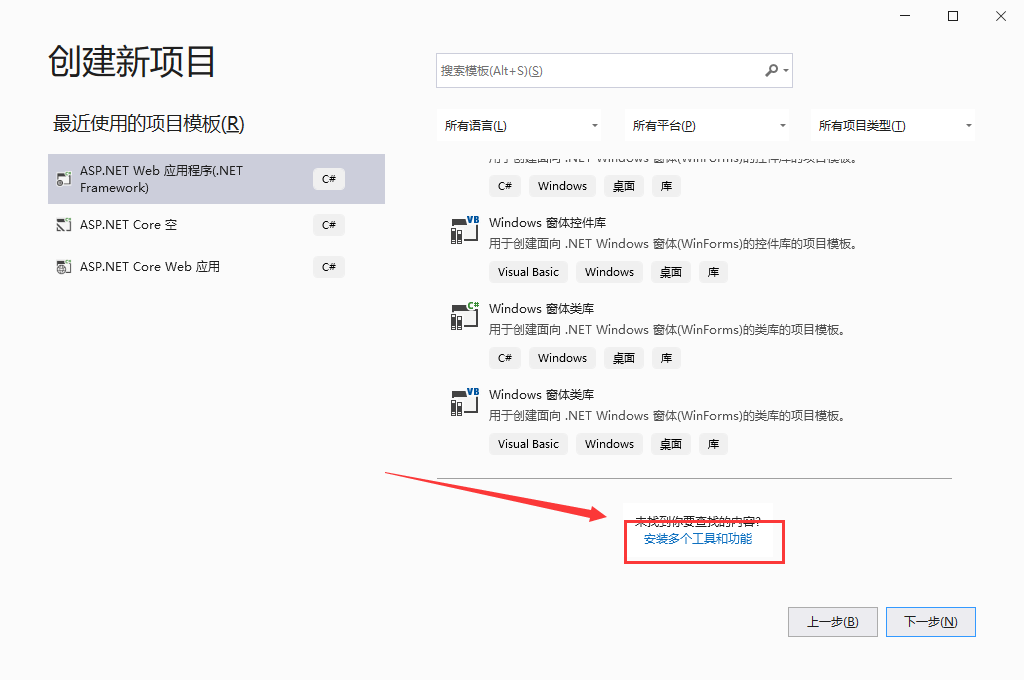
Visual Studio 2017-2019 version does not have the option to create a website when creating a C# project?
Table of contents 1. Slide down the bottom of the panel where you create a new project, ---> Install multiple personal tools and functions 2. The panel when you installed Vs has been opened, --->...
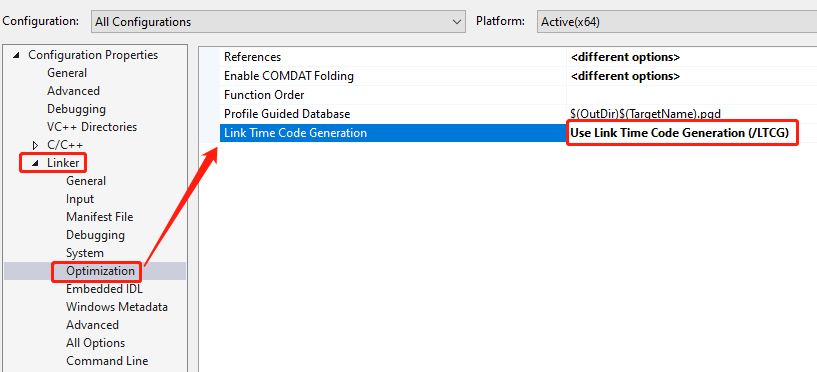
How to compile Visual Studio does not generate .iobj .ipdb .pdb files
.iobj .ipdb These two files can be resolved in the following ways: Select Use Link Time Code Generation(/LTCG) in Linker-> Optimization -> Link Time Code Generation The .pdb file processing meth...