Docker builds the MySQL 8 service, prompting this is incompative with sql_mode = only_full_group_by
Mysql installed with Docker installed on the Linux service has an error prompt:
mysql execute an error:
Error querying database. Cause: java.sql.SQLSyntaxErrorException:which is not functionally dependent on columns in GROUP BY clause; this is incompatible with sql_mode=only_full_group_by
Can be done below:
1. How to start the docker run
$ docker run --name some-mysql -e MYSQL_ROOT_PASSWORD=my-secret-pw -d mysql:tag --character-set-server=utf8mb4 --collation-server=utf8mb4_unicode_ci --sql-mode=STRICT_TRANS_TABLES,NO_ZERO_IN_DATE,NO_ZERO_DATE,ERROR_FOR_DIVISION_BY_ZERO,NO_ENGINE_SUBSTITUTION
2. How to arrange the docker-compose method:
 mysql:
    image: mysql:8.0.26
    container_name: mysql
    privileged: true
    command: --default-authentication-plugin=mysql_native_password --character-set-server=utf8mb4 --collation-server=utf8mb4_unicode_ci --explicit_defaults_for_timestamp=true --lower_case_table_names=1 --max_allowed_packet=128M --sql-mode='STRICT_TRANS_TABLES,NO_ZERO_IN_DATE,NO_ZERO_DATE,ERROR_FOR_DIVISION_BY_ZERO,NO_ENGINE_SUBSTITUTION'
    restart: always
    environment:
      TZ: Asia/Shanghai
      MYSQL_ROOT_PASSWORD: xxxx
    env_file:
      - /app/mysql/env/xx.env
    ports:
      - "3306:3306"
    volumes:
      - /app/mysql/custom:/etc/mysql/conf.d
      - /app/mysql/data:/var/lib/mysql
    networks:
      - xxx
Intelligent Recommendation
Mysql error sql_mode=only_full_group_by
Remember once, when you migrate the service, connect to the new database, the database is also the backup of the previous, found an error: I started thinking that it was wrong when I imported i...
Mysql this is incompatible with sql_mode=only_full_group_by
MySQL reasonable set of sql_mode sql model used to solve the following types of problems (1) By setting sql mode, can perform different stringency data check, data preparation of effective protection....
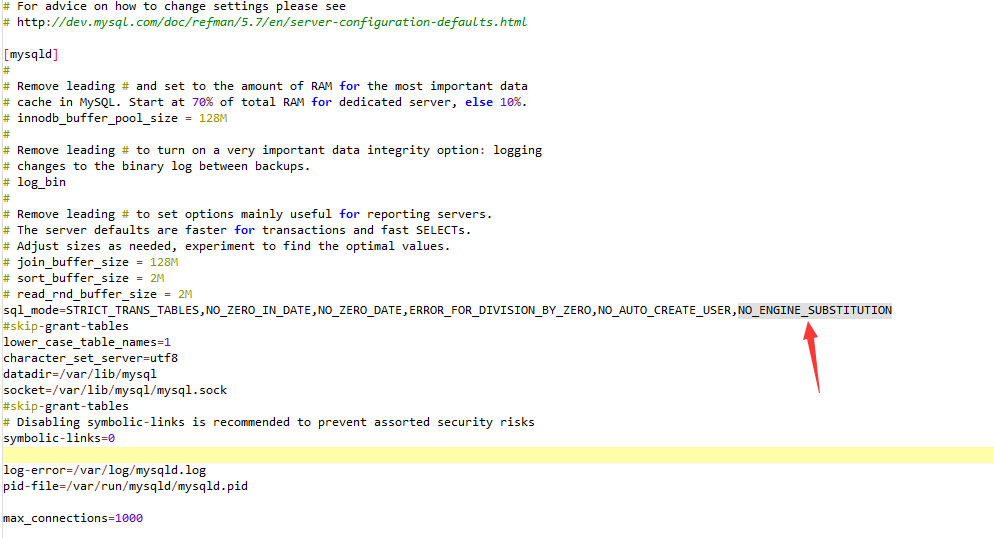
mysql incompatible with sql_mode=only_full_group_by
Solution my.cnf adds a piece of data sql_mode=STRICT_TRANS_TABLES,NO_ZERO_IN_DATE,NO_ZERO_DATE,ERROR_FOR_DIVISION_BY_ZERO,NO_AUTO_CREATE_USER,NO_ENGINE_SUBSTITUTION service mysqld restart resta...
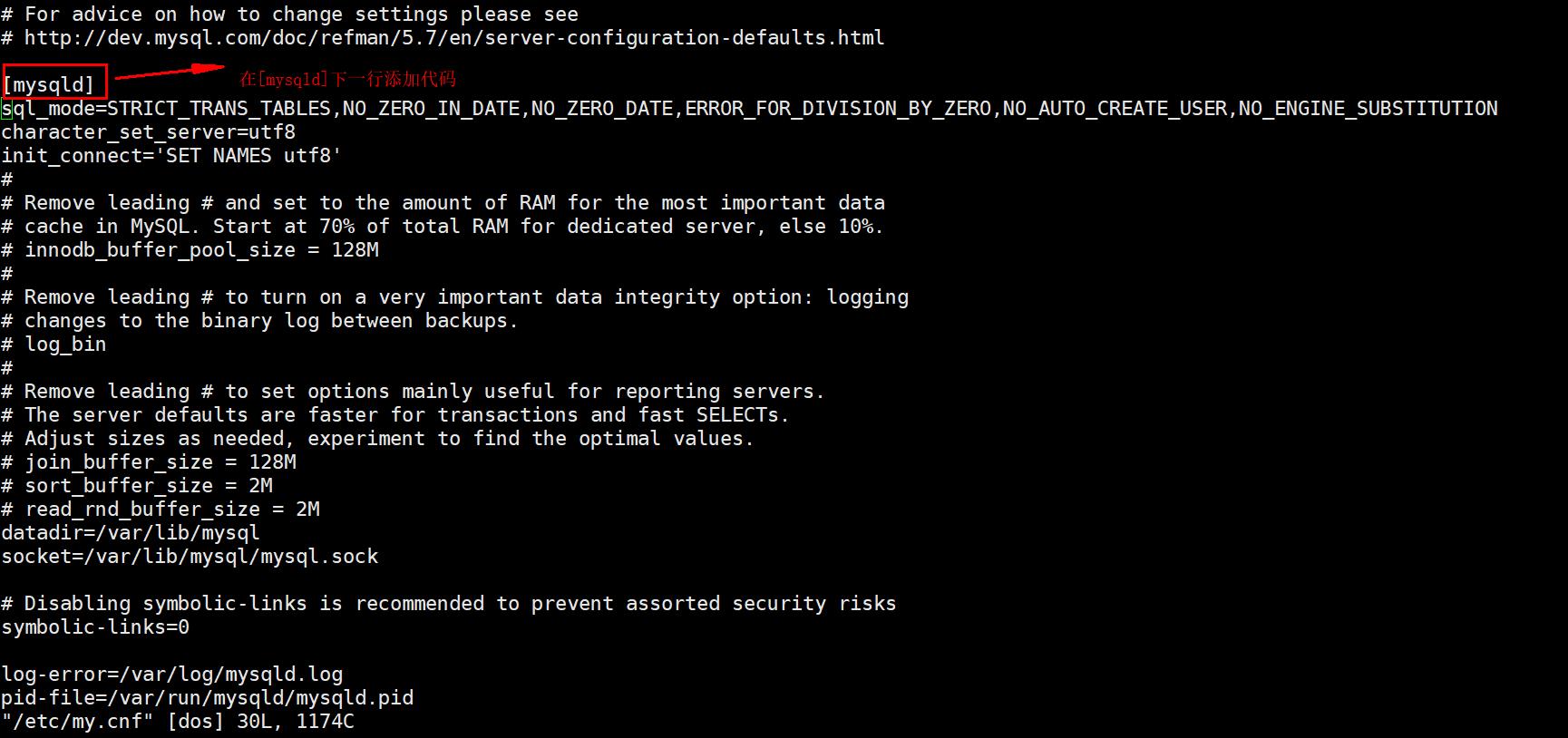
MySQL-this is incompatible with sql_mode=only_full_group_by
Today, I wrote a multi-table query using MySQL 5.5 locally, and the result was reported on the server MySQL-this is incompatible with sql_mode=only_full_group_by It was later discovered that it was th...
MySQL sql_mode=only_full_group_by error
Now that you know the problem, you can modify this configuration, find the MySQL configuration file, and query the sql_mode field in the /etc/my.cnf file on the linux system. I did not find this keywo...
More Recommendation
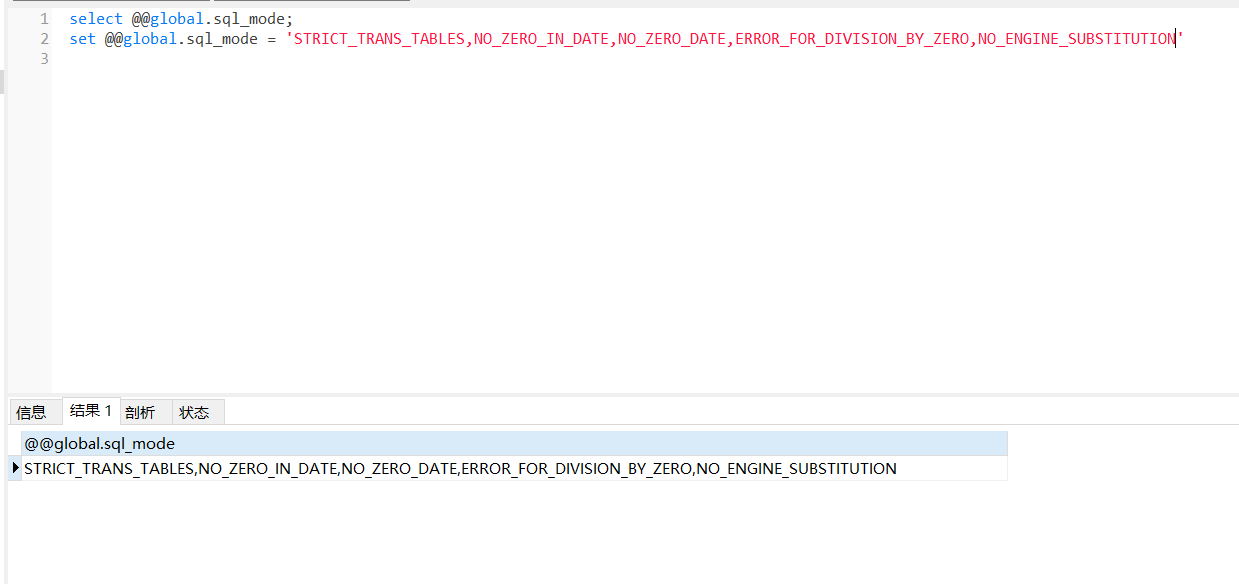
MySQL SQL_MODE = Only_Full_Group_by problem
Error message: Excuting an order: Whether the query result is:ONLY_FULL_GROUP_BY Remove Only_Full_Group_by, reset the value Close connection, reconnect, query success...
[mysql] incompatible with sql_mode=only_full_group_by
Other Other confidence in mysql under /etc/my.cnf under Linux...
MySQL question: SQL_MODE = ONLY_FULL_GROUP_BY
problem the reason From the error message, it is necessary to putxxx.sd.dic_cn_nameThe field is placed in the group BY clause. Error SQL: Repaired SQL: Segments that will need to adddic_cn_namewithdic...
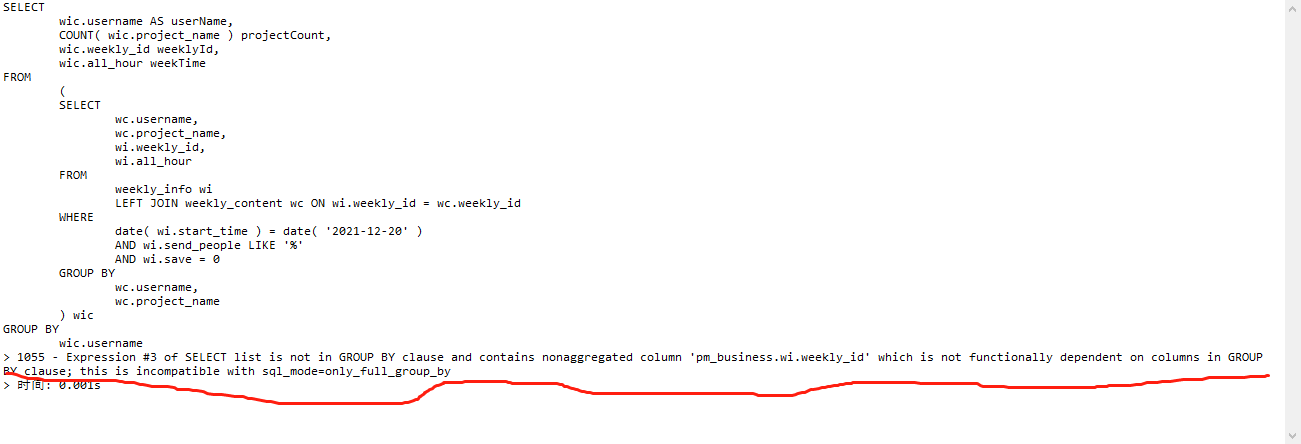
Solve from SQL statement to solve the error of SQL —This is incompative with sql_mode = only_full_group_by
Solve from SQL statement to solve the error of SQL —This is incompative with sql_mode = only_full_group_by When writing projects, use the same SQL group statement in different environments. Some...
MySQL8.0 group report error This is incompative with sql_mode = only_full_group_by solution
Revise /etc/my.cnfSet sql_mode stop start up Perfect solution ...