Git Using Tutorial 7-Pycharm uses git merge merge branch
tags: git
Foreword
A branch has been created with Pycharm when we have completed the code development on a branch, and the code test needs to be merged to the Master branch after the code test is not problematic.
This ensures that the code of the Master branch is always the latest, and the cleaner, so you can continue to develop your own project. This article explains how to use Pycharm to consolidate your own branch.
View current branch
Open Pycharm-VCS-Git-Branches to view the branch of the current project
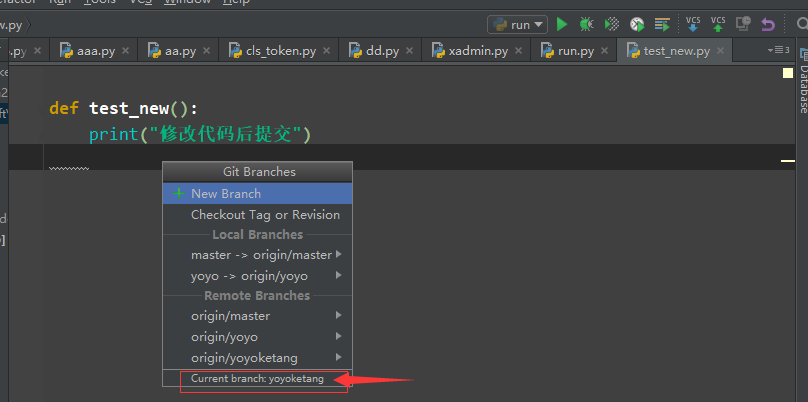
As can be seen from the above figure, the current project branch is: yoyoketang
Submit branch code
Add some code on the current branch: YOYOKETANG
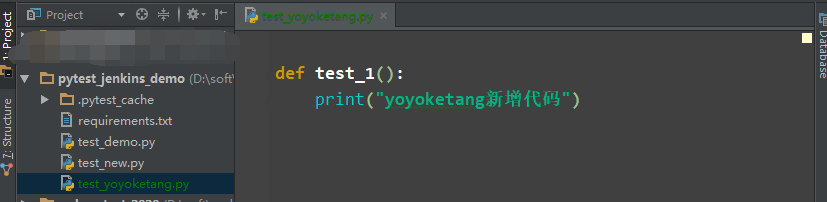
Branch of the new code COMMIT and then push to YOYOKETANG
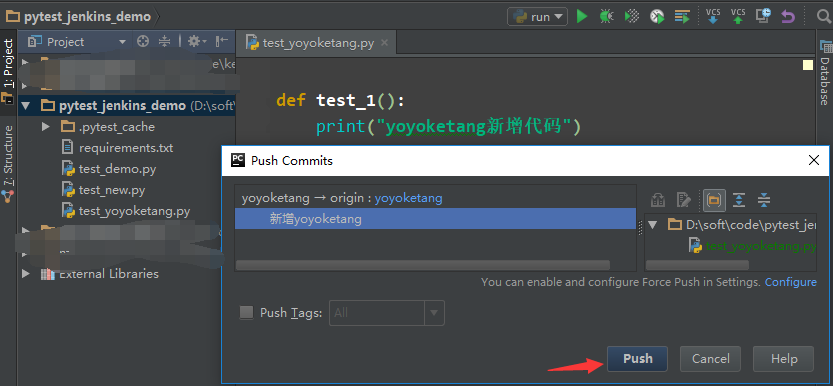
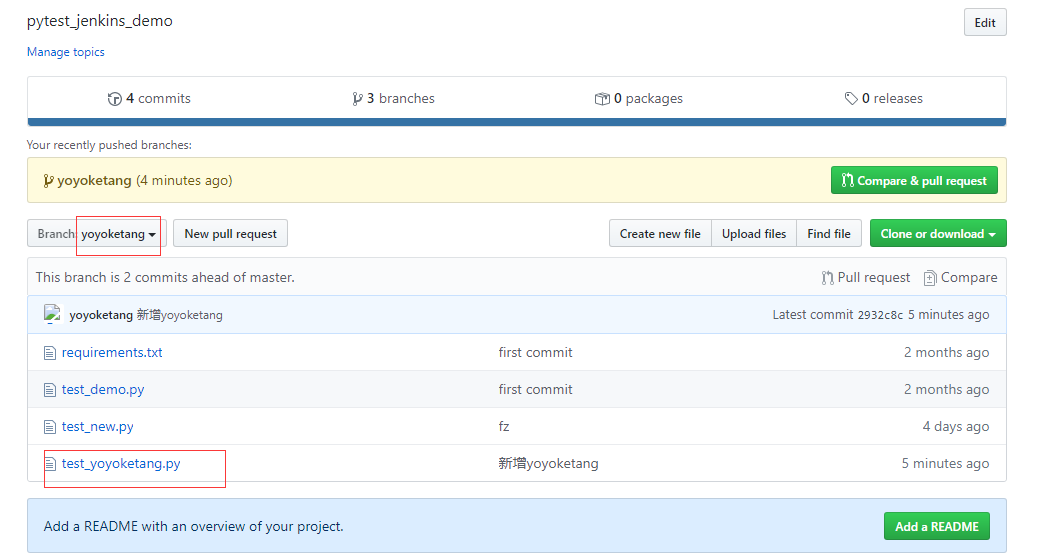
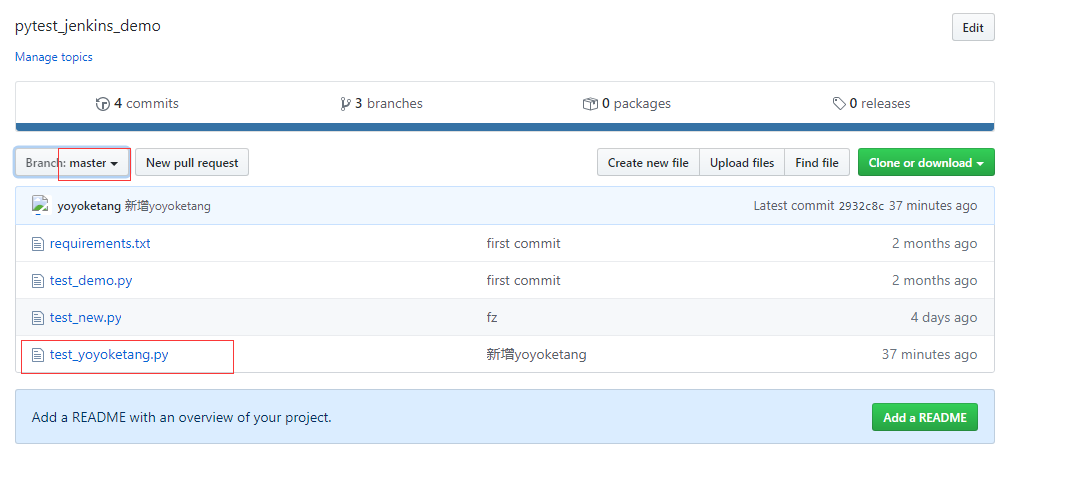
It can be seen that the test_yoyoketang.py file on the YOYOKETANG.py has been successful, but the Master branch is not, then the YOYOKETANG branch is merged into the master branch.
Merge merge branch
First look at the master branch is no test_yoyoketang.py file.
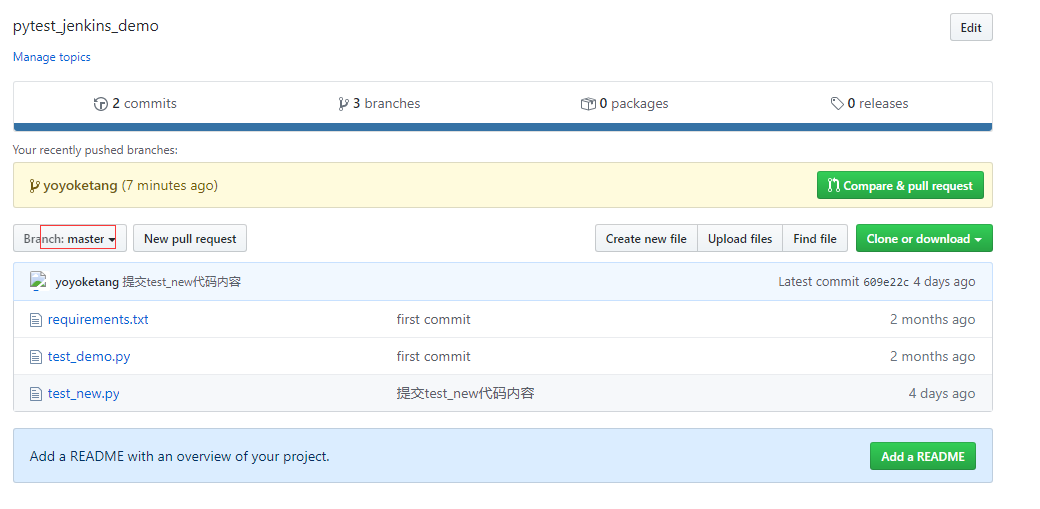
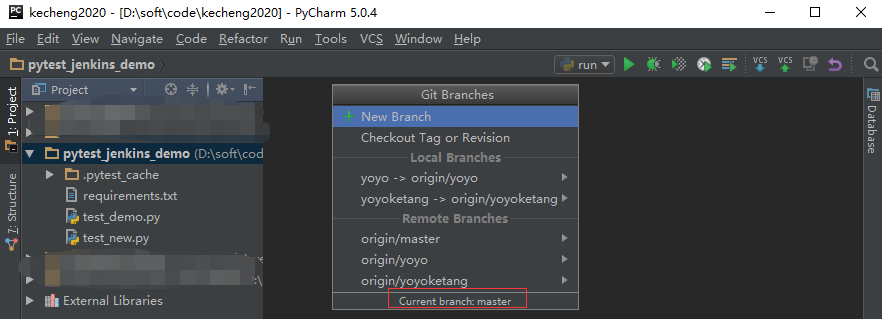
PYCHARM first VCS-Git-Branches-Checkout to Master branch
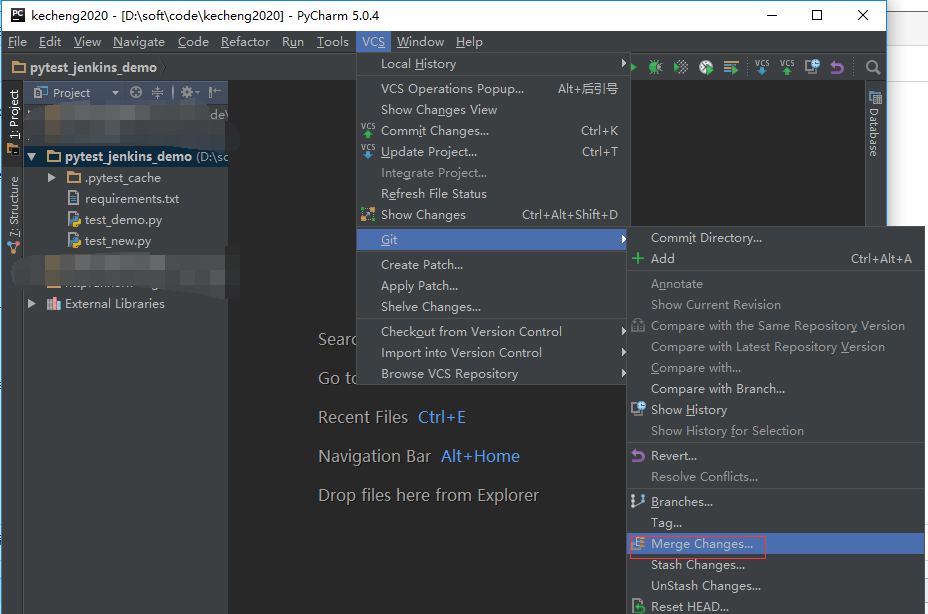
Open VCS-Git-Merge Changes
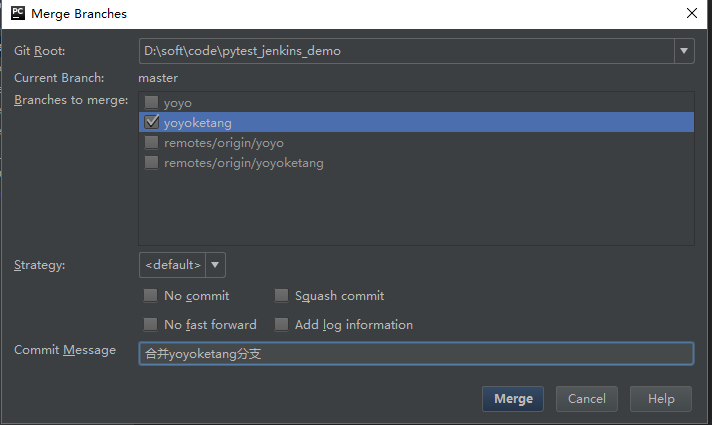
From the BRANCHES TO MERGE option box, select the branch that you need to merge, the front without Remotes / is a local branch, with Remotes / is a remote branch.
You can choose local YOYOKETANG branches and Remotes / YoyoKetang, because you have already passed in front.
You can see after merge, there is a create called a new Test_YoyoKetang.py file, a Updated is the previously updated code.
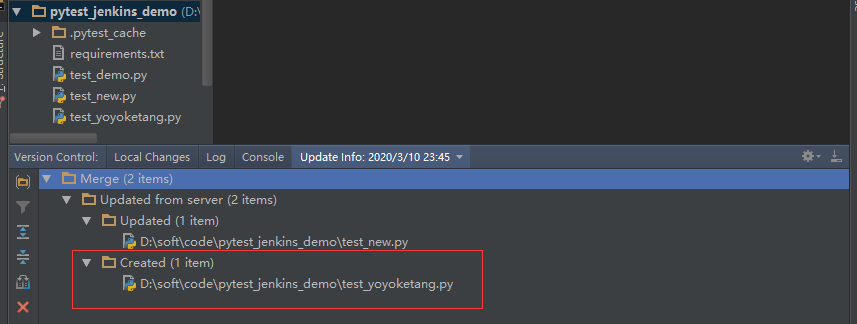
At this point, the code has been merged into the local MASTER branch (which is only the merge of the local warehouse, and is not merged to the remote warehouse).
Next, you can push it to the remote warehouse.
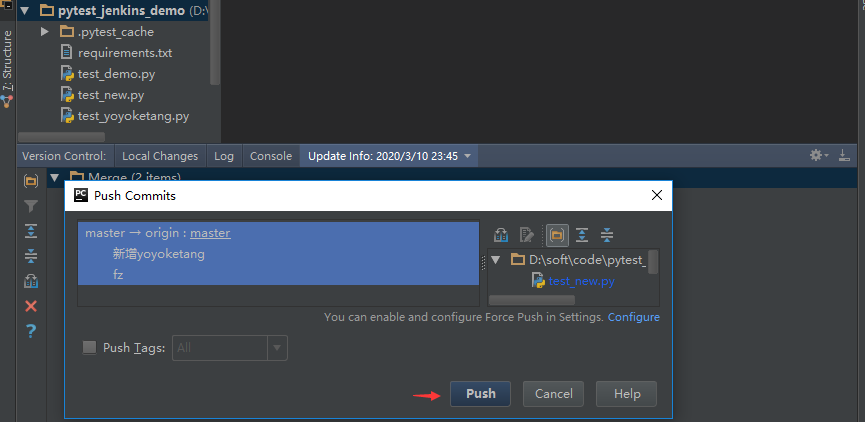
After the Push is successful, open the web page of the remote warehouse. View the Master branch, will find that it has been merged
Intelligent Recommendation

06 Hand git tutorial (six) git branch, create branch, switch branch, merge branch, merge branch conflict
How to understand the git branch? Each time a commit is generated, a version number will be generated. The version number will be mounted on a tree. This tree is a branch. When the local repository is...
Git uses (b) merge branch conflicts and processing
Merge branch conflicts and processing For a remote library, such as test, there are three branches: master, dev, and newbranch. After modifying the Read.txt file on the master branch, switch to dev an...
git merge branch merge strategy
Scene requirements The master branch merges the changes of the feature branch (dev) to the master branch, while ignoring some of these files. For example, ignore the configuration file, this is more c...
Git merge branch MERGE usage
#dev merged into the main dry # d d...

Git Tutorial 5 - Branch and Merge - Local
Branch is a very important concept in Git and doing branch is one of the greatest features. It plays like the concept of context when you're working on it. You can have multiple branches in your repo,...
More Recommendation
GitHub introductory tutorial-Git branch, merge and backtrack
Foreword: In the previous article, the blogger told you some basic concepts of Git, and some simple command usage. Today, this blogger will talk about some of Git in our The commands that are often us...
Git tutorial (5) how to merge branch code
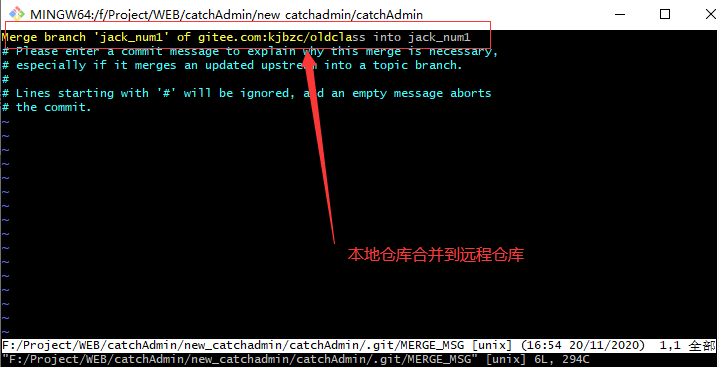
Foreword: LocalBranch jack_num1warehousemergeCodeTo remote dev repository 1. Create a branch 2. Switch branches 3. View local and remote warehouses 4、AssociateRemote warehouse andPullRemote code 5、Vie...
Git Series Tutorial (12) - New and Merge of Branch
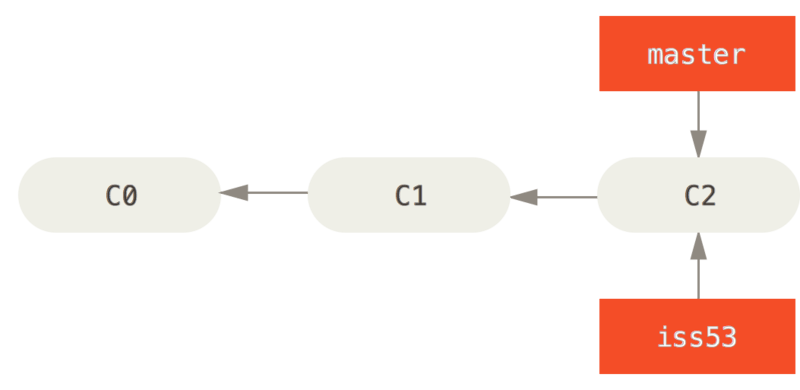
Actual work scene Workflow that may be encountered Develop a website Create a branch for a new user needs Work on this branch At this time, you suddenly received a phone call that there is a very seri...
Git merge remote branch
first step Create a new local branch b that is the same as the remote branch b (the merged version) 1 The meaning of this directive: create a local branch and put the remote branch into the branch. Se...
Git merge branch
The main idea of our git merge project is: 1. Transfer the respective projects to their respective branches; 2. Download each branch one by one for consolidation, merge and complete, and push to the...