Python Quick Tutorial for Deep Learning Beginners-Basics

Python quick tutorial for deep learning beginners-basics
Life is short, you need Python
Life is short, I use Python
– Bruce Eckel
5.1 Introduction to Python
This chapter will introduce the most basic syntax of Python, as well as some of the most relevant basic uses of deep learning and computer vision.
5.1.1 A brief history of Python
Python is an interpreted high-level programming language characterized by simplicity and clarity. The author of Python is Guido van Rossum, a Dutchman. After obtaining a master's degree in mathematics and computer science in 1982, he worked at the Dutch Institute of Mathematics and Computational Sciences (Centrum Wiskunde & Informatica, CWI) Got a job. During CWI, Guido participated in the development of a language called ABC. ABC is a teaching language, so it has the characteristics of simplicity, good readability, and grammar closer to natural language. In the era when C language dominated the world, ABC was a simple stream. After all, it was a teaching language and did not become popular in the end, but this experience influenced Guido. During the Christmas holiday in 1989, Guido, who was so idle, decided to design a simple and easy-to-use new language that was between C and Shell, while absorbing the advantages of ABC syntax. Guido named the language after his favorite comedy TV series: "MontyPython’s Flying Circus》。
In 1991, the first version of the Python compiler based on C was born. Because of its simplicity and good scalability, Python quickly became popular among Guido’s colleagues. Soon the core developers of Python changed from Guido to a small one. team. Later, with the advent of the Internet era, open source and community cooperation methods flourished, and Python also took this to the fast lane of development. Because Python is very easy to expand, many popular functions and features have been developed with the contributions of developers in different fields, and various libraries have gradually formed. Some of them have been added to the Python standard library. Python becomes more powerful and easy to use without having to think too much about the underlying details. Under the premise of not considering the execution efficiency too much, the development cycle using Python is greatly shortened compared to traditional C/C++ or even Java and other languages, and the amount of code is also greatly reduced, so the possibility of bugs is much smaller. So there is the famous saying of language expert Bruce Eckel: Life is short, you need Python. Later, the Chinese version of this sentence "Life is short, I use Python" was printed on the T-shirt by Guido. Since its development, Python has gradually become one of the most popular languages, occupying the top 5 positions in the TOBIE programming language rankings. In addition, as Python's user base has grown stronger, it has slowly developed its own philosophy based on its own characteristics, called The Zen of Python. The practice of following the Python philosophy is called very Python (Pythonic), see:
Or execute in Python:
>> import this
Python has very good extensibility, it is very easy to write modules in other languages for calling, and modules written in Python can also be easily called by other languages in various ways. Therefore, a common way to use Python is to implement modules with complex and high efficiency requirements at the bottom layer in languages such as C/C++, and the API called at the top layer is encapsulated in Python, so that the top-level logic can be realized through simple syntax, so Python is also called As the "glue language". The advantage of this feature is that there is no need to spend a lot of time on programming and more time can be focused on thinking about the logic of the problem. Especially for practitioners doing algorithms and deep learning, this method is very ideal. Therefore, in today's deep learning frameworks, in addition to MATLAB or Deeplearning4j, which are explicitly used for Java, other frameworks basically have official interfaces. It is Python, or it supports the Python interface.
5.1.2 Install and use Python
There are two major versions of Python. Taking into account the number of user groups and the compatibility of the various frameworks of the library, this article is based on Python2 (2.7), and the syntax should be compatible with Python3 as much as possible.
Python under Unix/Linux is basically the system's own, and generally defaults to Python2. When using it, directly type python in the terminal to enter the Python interpreter interface:
<img src="https://pic1.zhimg.com/v2-4b17239925d674d72f0aea8a6ba46240_b.png" data-rawwidth="660" data-rawheight="97" class="origin_image zh-lightbox-thumb" width="660" data-original="https://pic1.zhimg.com/v2-4b17239925d674d72f0aea8a6ba46240_r.png">
The most basic programming is already possible under the interpreter, such as:
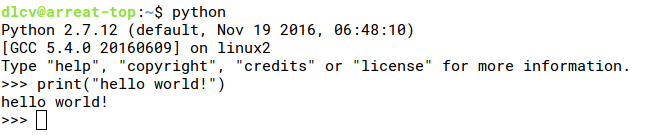
If you write a program, you still need to save it as a file and then execute it. For example, we write the following statement and save it as helloworld.py:
print(“Hello world!”)
Then execute in the terminal:
<img src="https://pic4.zhimg.com/v2-6dc30cd3d416b3fdbb116c395205253b_b.png" data-rawwidth="660" data-rawheight="66" class="origin_image zh-lightbox-thumb" width="660" data-original="https://pic4.zhimg.com/v2-6dc30cd3d416b3fdbb116c395205253b_r.png">
There are generally two ways to install more python libraries. The first is to use the system package management. Take Ubuntu 16.04 LTS as an example. For example, if you want to install the numpy library (this library will be introduced later), the package name is python- numpy, so type in the terminal:
>> sudo apt install python-numpy
Python also comes with its own package manager, called pip, which is used as follows:
>> pip install numpy
When installing frameworks related to deep learning, it is generally recommended to use the system's own package management, as the possibility of version errors is lower. In addition, you can also use some Python packages that have been configured with many third-party libraries in advance. These packages usually already contain most of the dependent libraries in the deep learning framework. For example, the most commonly used is Anaconda:
The installation of Python under Windows is simpler, just download the corresponding installer from the official website. Of course, there is also a more convenient choice that already contains a full range of third-party libraries, WinPython:
And it's green, it can be used by direct execution.
5.2 Python basic syntax
There should be one– and preferably only one –obvious way to do it.
For a specific problem, only the best method should be used to solve it.
– Tim Peters
5.2.1 Basic data types and operations
Basic data type
The most basic data types in Python include integers, floating point numbers, boolean values, and strings. The type does not need to be declared, such as:
a = 1       # Integer

b = 1.2     # Floating point

c = True    # Boolean type

d = "False" # String

e = None    # NoneType
Among them # is the meaning of inline comments. The last None is NoneType. Note that it is not 0. Use the type function in Python to view the type of a variable:
type(a)     # <type 'int'>

type(b)     # <type 'float'>

type(c)     # <type 'bool'>

type(d)     # <type 'str'>

type(e)     # <type 'NoneType'>
The comment is the output result after executing the type() function. You can see that None is a single type, NoneType. In many APIs, None will be returned if the execution fails.
Variables and references
The assignment of basic variables in Python generally establishes a reference, such as the following statement:
a = 1

b = a

c = 1
After a is assigned to 1, b=a will not copy the value of a when executed, and then assign it to b, but simply create a reference for the value pointed to by a, that is, 1, which is equivalent to a and b They are pointers to the memory that contains the value 1. So c=1 is also a reference establishment. These three variables are actually three references, pointing to the same value. Although this logic is simple, it is often easy to confuse. It does not matter. Python has a built-in id function, which can return the address of an object. The id function allows us to know whether each variable points to the same value:
id(a)   # 35556792L

id(b)   # 35556792L

id(c)   # 35556792L
The comment is still the result after execution. If we connect the following two statements at this time:
b = 2   # b's reference to a new variable

id(b)   # 35556768L
You can see that b refers to another variable.
Operator
The basic operations of numbers in Python are similar to those of C, and the operations on strings are more convenient. The following are common examples:
a = 2

b = 2.3

c = 3

a + b           # 2 + 2.3 = 4.3

c – a           # 3 - 2 = 1

a / b           # Integer divided by floating-point number, calculation is based on floating-point number, 2 / 2.3 = 0.8695652173913044

a / c           # Python2, integer division, round down 2/3 = 0

a ** c          # a to the power of c, the result is 8

a += 1          # There is no usage of i++ in Python, self-increment +=

c -= 3          # c becomes 0

d = 'Hello'

d + ' world!'   # Equivalent to string splicing, the result is'Hello world!'

d += ' "world"!'# Equivalent to connecting the string to the end of the current string, d becomes'Hello "world"!'

e = r'\n\t\'

print(e)        # '\n\t\\'
Points to mention: 1) Double quotation marks and single quotation marks can be used in the string. The main difference is that if a single quotation mark appears in a single quotation mark string, you need to use an escape character. The double quotation mark is the same, so in the single quotation mark character It is more convenient to use double quotation marks in a string, or single quotation marks in a double-quoted string. The other three double quotation marks or three single quotation marks are also strings, because line breaks are convenient and are more used in documents. 2) In Python2, the division of two numbers will determine whether to divide by integers according to the type of the number, while in Python3, all types are based on floating point numbers. To perform division in Python3 in Python2, just execute the following statement:
from future import division     # Use division in Python3

1 / 2                                   # 0.5
3) Add r before the string to indicate that the content of the string is strictly in accordance with the input. The advantage is that there is no escape character, which is very convenient.
The calculation of Boolean values and logic in Python is very straightforward. Here is an example:
a = True

b = False

a and b     # False

a or b      # True

not a       # False
Basically it is English, and operator precedence is similar to other languages. There are also bit operations in Python:
~8      # Flip by bit, 1000 --> -(1000+1)

8 >> 3  # Shift right 3 places, 1000 --> 0001

1 << 3  # Shift left by 3 bits, 0001 --> 1000

5 & 2   # Bitwise AND, 101 & 010 = 000

5 | 2   # Bitwise OR, 101 | 010 = 111

4 ^ 1   # Bitwise XOR, 100 ^ 001 = 101
==, !=And is
The syntax for judging whether they are equal or unequal is the same as in C. In addition, the is operator is often seen in Python. The difference between the two is that == and != compare the contents of the memory pointed to by the reference, and is judges two Whether the variable points to an address, see the following code example:
a = 1

b = 1.0

c = 1

a == b  # True, equal values

a is b  # False, it is not an object, this statement is equivalent to id(a) == id(b)

a is c  # True, all points to the integer value 1
So be sure to distinguish the object to be compared which way should be used. For some special cases, such as None, based on the principle of Pythonic, it is best to use is None.
Pay attention to keywords
In Python, everything is an object. But this is not the topic to be discussed here. What I want to say is that we must pay attention to keywords, because everything is an object, so a simple assignment operation can turn the built-in function of the system into an ordinary variable. Look at the following example:
id(type)                            # 506070640L

type = 1                            # type becomes a variable pointing to 1

id(type)                            # 35556792L

id = 2                              # id became a variable pointing to 2

from future import print_function

print = 3                           # print became a variable pointing to 3
Note that print is a very special existence. In Python3, it is used as a function, but in Python2 it is an imperative statement. The earliest use of print is actually as follows:
print "Hello world!"
This usage is mainly affected by the ABC syntax, but this usage is not Pythonic. Later, the print function was added to allow both usages to coexist for compatibility. So simply assigning a value to print is not working. Some features in Python 3 are used in Python 2 to use fromfuture Import to achieve.
Module import
Because object name override and import are mentioned, let's briefly talk about it. Import is the basis of using various powerful libraries in Python. For example, to calculate the value of cos(π), there are four ways:
# Directly import Python's built-in basic math library

import math

print(math.cos(math.pi))

# Import the cos function and pi variable from math

from math import cos, pi

print(cos(pi))

# If it is a module, you can give it an alias when importing to avoid name conflicts or convenient for people who are too lazy to type

import math as m

print(m.cos(m.pi))

# Import everything from math

from math import *

print(cos(pi))
Generally speaking, the last method is not very recommended, because it is not known whether the name imported by import conflicts with the name of the existing object, and the existing object may be overwritten unknowingly.
5.2.2 Container
List
Containers in Python are extremely useful and useful structures. This section mainly introduces lists (list), tuples (tuple), dictionaries (dict) and sets (set). These structures are not fundamentally different from similar structures in other languages. Look at the examples to understand how to use them:
a = [1, 2, 3, 4]

b = [1]

c = [1]

d = b

e = [1, "Hello world!", c, False]

print(id(b), id(c))                 # (194100040L, 194100552L)

print(id(b), id(d))                 # (194100040L, 194100040L)

print(b == c)                       # True

f = list("abcd")

print(f)                            # ['a', 'b', 'c', 'd']

g = [0]3 + [1]4 + [2]*2     # [0, 0, 0, 1, 1, 1, 1, 2, 2]
Because the variable is actually a reference, it is no different to the list, so the list has no restrictions on the type. Because of this, the difference with variables is that even if the same statement is used for assignment, the address of the list is also different. In this example, it is reflected in that id(b) and id(c) are not equal, but the content is equal. The list can also be initialized with list(), and the input parameter needs to be a traversable structure, in which each element will be used as an item of the list. The "*" operator is a copy for lists, and the last statement generates a segmented list in this way.
The basic operations of the list include access, add, delete, and splicing:
a.pop()             # Remove the last value 4 from the list and use it as the return value of pop

a.append(5)         # Insert value at the end, [1, 2, 3, 5]

a.index(2)          # Find the location of the first 2, which is 1

a[2]                # Take the subscript, which is the value at position 2, which is the third value 3

a += [4, 3, 2]      # Splicing, [1, 2, 3, 5, 4, 3, 2]

a.insert(1, 0)      # Insert element 0 at subscript 1, [1, 0, 2, 3, 5, 4, 3, 2]

a.remove(2)         # Remove the first 2, [1, 0, 3, 5, 4, 3, 2]

a.reverse()         # Reverse order, a becomes [2, 3, 4, 5, 3, 0, 1]

a[3] = 9            # Assign a value at the specified subscript, [2, 3, 4, 9, 3, 0, 1]

b = a[2:5]          # Take the subsequence starting from subscript 2 to before 5, [4, 9, 3]

c = a[2:-2]         # Subscripts can also be counted backwards, which is convenient for those who can’t count, [4, 9, 3]

d = a[2:]           # Take the subsequence from the beginning to the end of subscript 2, [4, 9, 3, 0, 1]

e = a[:5]           # Take the subsequence starting from the subscript 5, [2, 3, 4, 9, 3]

f = a[:]            # Take the entire subsequence from the beginning to the end, which is equivalent to value copy, [2, 3, 4, 9, 3, 0, 1]

a[2:-2] = [1, 2, 3] # Assignment can also follow a paragraph, [2, 3, 1, 2, 3, 0, 1]

g = a[::-1]     # Is also in reverse order, realized and assigned by slicing, the efficiency is slightly lower than reverse()

a.sort()

print(a)            # Sort in the list, a becomes [0, 1, 1, 2, 2, 3, 3]
Because the list is ordered, the operations related to the order are the most common in the list. First, let's disrupt the order of a list, and then sort the list:
import random

 a = range(10) # Generate a list, starting from 0 and increasing to 9

print(a)                       # [0, 1, 2, 3, 4, 5, 6, 7, 8, 9]

 random.shuffle(a) # shuffle function can shuffle the order of traversable and variable structures

print(a)                       # [4, 3, 8, 9, 0, 6, 2, 7, 5, 1]

b = sorted(a)

print(b)                       # [0, 1, 2, 3, 4, 5, 6, 7, 8, 9]

c = sorted(a, reverse=True)

print(c)                       # [9, 8, 7, 6, 5, 4, 3, 2, 1, 0]
Tuple
Tuples and lists have many similarities. The biggest difference is immutability. Also, if the tuple that contains only one element is initialized, it is different from the list. Because the syntax must be clear, a comma must be added after the element. In addition, the assignment of multiple elements separated by commas is a tuple by default, which is very useful when the function returns multiple values:
a = (1, 2)

b = tuple(['3', 4]) # Can also be initialized from the list

c = (5,)

print(c)            # (5,)

d = (6)

print(d)            # 6

e = 3, 4, 5

print(e)            # (3, 4, 5)
set
Sets are a very useful mathematical operation, such as de-duplication of lists, or clarifying the relationship between two sets of data. Set operators and bitwise operators have intersections. Be careful not to confuse them:
A = set([1, 2, 3, 4])

B = {3, 4, 5, 6}

C = set([1, 1, 2, 2, 2, 3, 3, 3, 3])

print(C)        # The de-duplication effect of the set, set([1, 2, 3])

print(A | B)    # Find the union, set([1, 2, 3, 4, 5, 6])

print(A & B)    # Find the intersection, set([3, 4])

print(A - B)    # Find the difference set, which belongs to A but does not belong to B, set([1, 2])

print(B - A)    # Find the difference set, which belongs to B but not A, set([5, 6])

print(A ^ B)    # Find the symmetric difference set, which is equivalent to (A-B)|(B-A), set([1, 2, 5, 6])
dictionary
Dictionary is a very common "key-value" (key-vAlue) mapping structure, keys are not repeated, one key cannot correspond to multiple values, but multiple keys can point to one value. Let's learn through examples, build a name->age dictionary, and perform some common operations:
a = {'Tom': 8, 'Jerry': 7}

print(a['Tom'])             # 8

b = dict(Tom=8, Jerry=7)    # A more convenient way to initialize strings as keys

print(b['Tom'])             # 8

if 'Jerry' in a:            # Determine whether'Jerry' is in the keys

    print(a['Jerry'])        # 7

print(a.get('Spike'))       # None, get the value through get, no exception will be reported even if the key does not exist

a['Spike'] = 10

a['Tyke'] = 3

a.update({'Tuffy': 2, 'Mammy Two Shoes': 42})

print(a.values())   # dict_values([8, 2, 3, 7, 10, 42])

print(a.pop('Mammy Two Shoes'))     # Remove the key-value pair of'Mammy Two Shoes' and return 42

print(a.keys())     # dict_keys(['Tom', 'Tuffy', 'Tyke', 'Jerry', 'Spike'])
Note that the initialization dictionary is very similar to the collection. It is true. The collection is like a dictionary with no values and only keys. Now that there is a mapping from names to ages, maybe you immediately think whether you can sort the dictionary? Before Python 3.6, this problem was wrong. The dictionary was a mapping relationship and had no order. Of course, if you want to sort this pair of (key, value), there is no problem, provided that the dictionary is transformed into a sortable structure, items() or iteritems() can do this, then The previous code continues:
b = a.items()

print(b)  # [('Tuffy', 2), ('Spike', 10), ('Tom', 8), ('Tyke', 3), ('Jerry', 7)]

from operator import itemgetter

c = sorted(a.items(), key=itemgetter(1))

print(c)  # [('Tuffy', 2), ('Tyke', 3), ('Jerry', 7), ('Tom', 8), ('Spike', 10)]

d = sorted(a.iteritems(), key=itemgetter(1))

print(d)  # [('Tuffy', 2), ('Tyke', 3), ('Jerry', 7), ('Tom', 8), ('Spike', 10)]

e = sorted(a)

print(e)  # Sort keys only, ['Jerry','Spike','Tom','Tuffy','Tyke']
items() can convert the key-value pairs in the dictionary into a list, where each element is a tuple, the first element of the tuple is the key, and the second element is the value. The variable c is sorted by value, so an operator itemgetter is needed to go to the element with position 1 as a sorting reference. If you sort the dictionary directly, it is actually equivalent to just sorting the keys. When a dictionary is used as an ordinary traversable structure, it is equivalent to traversing the keys of the dictionary. If you find it inconvenient for the dictionary to have no order, you can consider using OrderedDict, as follows:
from collections import OrderedDict

a = {1: 2, 3: 4, 5: 6, 7: 8, 9: 10}

b = OrderedDict({1: 2, 3: 4, 5: 6, 7: 8, 9: 10})

print(a)    # {1: 2, 3: 4, 9: 10, 5: 6, 7: 8}

print(b)    # OrderedDict([(1, 2), (3, 4), (9, 10), (5, 6), (7, 8)])
In this way, the order of initialization is retained, except for the orderly feature, there is no difference in usage and dictionary. In September 2016, Guido announced that in Python 3.6, dictionaries will be ordered by default, so that there is no need to entangle. Another thing to note is that the dictionary is implemented through a hash table, so the key must be hashable, and the list cannot be hashed, so it cannot be used as the key of the dictionary, but tuple can.
Because iteritems() is used in the previous code, here is an iterator. Iterator is equivalent to a function, and each call returns the next element. From the perspective of traversal, it is no different from a list. . iteritems() is an iterator, so the effect is the same, the difference is that the iterator takes up less memory, because it does not need to generate the entire list as soon as it is up. Generally speaking, if you only need to traverse once, it is a better choice to use an iterator. If you need to fetch values from a traversable structure multiple times and there is enough memory, it is better to directly generate the entire list. Of course, it is not troublesome to generate a complete list with iterators, so there is a trend to use iterators as the default traversable method. For example, we used the range() used to generate arithmetic sequence lists, which corresponds to Python2. The iterator form is xrange(). In Python3, range() no longer produces a list, but as an iterator, xrange() is gone.
5.2.3 Branches and loops
Starting from this section, the code may not be suitable for typing in the Python terminal. Choose a convenient editor or IDE. The author conscience recommends PyCharm, although it is slow, but easy to use, the community version is free:
for loop
The four container types mentioned above are all traversable, so it's time to talk about the for loop used to traverse. The syntax of for loop is also simple English:
a = ['This', 'is', 'a', 'list', '!']

b = ['This', 'is', 'a', 'tuple', '!']

c = {'This': 'is', 'an': 'unordered', 'dict': '!'}

# Output in turn:'This','is','a','list','!'

for x in a:

    print(x)

# Output in turn:'This','is','a','tuple','!'

for x in b:

    print(x)

# Key traversal. Do not output sequentially:'This','dict','an'

for key in c:

    print(key)

# Output 0 to 9 sequentially

for i in range(10):

    print(i)
Note that in each for loop, print is indented. This is a feature of Python that makes people love and hate:Forcibly indentTo show the block of code. The advantage of this is that the code is very clear and tidy, and it also helps prevent writing too long functions or too deep nesting. The disadvantage is that sometimes I don’t know why tabs and spaces appear together, or there are multiple if-else. It's not aligned, it's still very troublesome.
Back to the for loop, this traversal method of taking out each element is called the for_each style. If you are familiar with Java, you will not be unfamiliar with it. C++11 also began to support this for loop method. But what if subscripts are still needed? For example, when traversing a list, if you want to print out the corresponding subscript, you can use enumerate:
names = ["Rick", "Daryl", "Glenn"]

# Output subscript and name in turn

for i, name in enumerate(names):

    print(i, name)
It should be noted that it is of course possible to traverse by taking the subscript. For example, use the len() function to obtain the length of the list, and then use the range()/xrange() function to obtain the subscript, but this is not recommended:
words = ["This", "is", "not", "recommended"]

# not pythonic :(

for i in xrange(len(words)):

    print(words[i])
When using a for loop, we sometimes encounter such a scenario: we need to make a certain judgment on each element traversed, and if the situation that meets this judgment does not occur, perform an operation. For example, a mysterious department wants to review a list of strings. If no discordant words are found, the content is passed with confidence. One solution is as follows:
wusuowei = ["I", "don't", "give", "a", "shit"]  # Does not matter

hexie = True                                    # Default harmonious society

for x in wusuowei:

    if x == "f**k":

        print("What the f**k!")                 # Found something that shouldn't appear, WTF!

        hexie = False                           # Discord

        break                                   # Stop quickly! Can't sing anymore

if hexie:                                       # No discordant elements found!

    print("Harmonious society!")                # harmonious society!
In this way, you need to set a state variable hexie to mark whether discordant factors are found, and then judge whether the content can be passed safely based on this variable after the loop ends. A more concise but somewhat niche approach is to directly work with else. If the statement in the if block in the for loop is not triggered, perform the specified operation through else:
wusuowei = ["I", "don't", "give", "a", "shit"]

for x in wusuowei:

    if x == "f**k":

        print("What the f**k!")

        hexie = False

        break

else:                            # The statement in the if in the for loop is not triggered

    print("Harmonious society!") # harmonious society!
In this way, there is no need for a state variable to mark whether it is harmonious, and the sentence is much more concise.
ifAnd branch structure
The if statement has already appeared in the previous example, so this part will talk about if. Python's conditional control is mainly based on three keywords: if-elif-else, where elif means else if. Look at the example:
pets =['dog', 'cat', 'droid', 'fly']

for pet in pets:

    if pet == 'dog':        # Dog Food

        food = 'steak'      # Steak

    elif pet == 'cat':      # 猫食

        food = 'milk'       # milk

    elif pet == 'droid':    # Robot

        food = 'oil'        # Engine oil

    elif pet == 'fly':      # Flies

        food = 'sh*t'       #

    else:

        pass

    print(food)
What needs to be mentioned is pass, which is an empty sentence, do nothing, it is used as a placeholder. Python does not have a switch-case syntax. The equivalent usage is either a combination of if-elif-else as above, or a dictionary:
pets = ['dog', 'cat', 'droid', 'fly']

food_for_pet = {

    'dog': 'steak',

    'cat': 'milk',

    'droid': 'oil',

    'fly': 'sh*t'

}

for pet in pets:

    food = food_for_pet[pet] if pet in food_for_pet else None

    print(food)
A common inline application of if-else is also used here, which is to replace the ternary operator. If the key is in the dictionary, food takes the corresponding value of the dictionary, otherwise it is None.
ifTips in expressions
Make the statement concise through chain comparison:
if -1 < x < 1:  # Compared to if x> -1 and x <1:

    print('The absolute value of x is < 1')
Determine whether a value is equal to one of multiple possibilities:
if x in ['piano', 'violin', 'drum']:    # Compared to if x =='piano' or x =='violin' or x =='drum':

    print("It's an instrument!")
Objects in Python are all associated with a truth value, so when judging whether it is False or empty in an if expression, there is no need to write an explicit expression:
a = True

if a:  # Determine whether it is true, compared to a is True

    print('a is True')

if 'sky': # Determine whether the string is empty, compared to len('sky')> 0

    print('birds')
if '': # Determine whether the string is empty, as above
print('Nothing!')
if {}: # Determine whether the container (dictionary) is empty, compared to len({})> 0
print('Nothing!')
The implicit expression is False is the following situation:
- None
- False
-Value 0
-Empty container or sequence (a string is also a sequence)
-In the user-defined class, if definedlen()ornonzero(), and return 0 or False after being called
whilecycle
While is the synthesis of loop and if, it is a pure condition-based loop, which has no meaning of traversal itself. This is the essential difference from for_each. This difference is much clearer than in C/C++. The usage is as follows :
i = 0

 while i <100: # laugh 100 times

    print("ha")

 while True: # keep laughing

    print("ha")
5.2.4 Functions, generators and classes
Let's start with a few examples:
def say_hello():

    print('Hello!')

def greetings(x='Good morning!'):

    print(x)

say_hello()                   # Hello!

greetings()                   # Good morning!

greetings("What's up!")       # What's up!

a = greetings()               # The return value is None

def create_a_list(x, y=2, z=3): # The default parameter item must be put after

    return [x, y, z]

b = create_a_list(1)          # [1, 2, 3]

c = create_a_list(3, 3)       # [3, 3, 3]

d = create_a_list(6, 7, 8)           # [6, 7, 8]

def traverse_args(*args):

    for arg in args:

        print(arg)

traverse_args(1, 2, 3)              # Print 1, 2, 3 sequentially

traverse_args('A', 'B', 'C', 'D')   # Print A, B, C, D in sequence

def traverse_kargs(**kwargs):

    for k, v in kwargs.items():

        print(k, v)

traverse_kargs(x=3, y=4, z=5)       # Print sequentially ('x', 3), ('y', 4), ('z', 5)

traverse_kargs(fighter1='Fedor', fighter2='Randleman')

def foo(x, y, args, *kwargs):

    print(x, y)

    print(args)

    print(kwargs)

# The first pring output (1, 2)

# The second print output (3, 4, 5)

# The third print output {'a': 3,'b':'bar'}

foo(1, 2, 3, 4, 5, a=6, b='bar')
In fact, similar to many languages, parameters are defined in parentheses, parameters can have default values, and default values cannot be before parameters without default values. The return value in Python is defined by return. If no return value is defined, the default return value is None. The definition of parameters can be very flexible, with well-defined fixed parameters, variable-length parameters (args: arguments) and keyword parameters (kargs: keyword arguments). If you want to mix these parameters, the fixed parameters are the first and the keyword parameters are the last.
Everything in Python is an object, so in some cases a function can also be used as a variable. For example, the usage of using a dictionary instead of switch-case mentioned in the previous section, sometimes what we want to perform is not to obtain the corresponding variable through conditional judgment, but to perform an action, such as a small robot at coordinates (0, 0 ), we use different actions to control the movement of the small robot:
moves = ['up', 'left', 'down', 'right']

coord = [0, 0]

for move in moves:

    if move == 'up':        # Up, ordinate +1

        coord[1] += 1

    elif move == 'down':    # Down, ordinate -1

        coord[1] -= 1

    elif move == 'left':    # To the left, abscissa -1

        coord[0] -= 1

    elif move == 'right':   # To the right, abscissa +1

        coord[0] += 1

    else:

        pass

    print(coord)            # Print the current position coordinates
Corresponding to the operation of the values in the list of coordinates under different conditions, it is impossible to simply get the value from the dictionary, so the function is used as the value of the dictionary, and then the obtained value is used to perform the corresponding action:
moves = ['up', 'left', 'down', 'right']

def move_up(x):         # Define upward operation

    x[1] += 1

def move_down(x):       # Define the downward operation

    x[1] -= 1

def move_left(x):       # Define the left operation

    x[0] -= 1

def move_right(x):      # Define the right operation

    x[0] += 1

# The action is associated with the executed function, and the function is the value corresponding to the key

actions = {

    'up': move_up,

    'down': move_down,

    'left': move_left,

    'right': move_right

}

coord = [0, 0]

for move in moves:

    actions[move](coord)

    print(coord)
After taking the function as a value, just add a parenthesis to use it. After doing this, at least the loop part looks very concise. It's a bit of a function pointer in C, but it's simpler. In fact, we have seen this usage before when we talked about sorting, which is the itemgetter in operator. What itemgetter(1) gets is a callable object, which is the same as the function that returns the element with subscript 1:
def get_val_at_pos_1(x):

    return x[1]

heros = [

    ('Superman', 99),

    ('Batman', 100),

    ('Joker', 85)

]

sorted_pairs0 = sorted(heros, key=get_val_at_pos_1)

sorted_pairs1 = sorted(heros, key=lambda x: x[1])

print(sorted_pairs0)

print(sorted_pairs1)
In this example, we used a special function: lambda expression. Lambda expression is an anonymous function in Python. The lambda keyword is followed by the input parameter, and then the colon is followed by the return value (expression). For example, the above example is a function that takes the subscript 1 element. Of course, again, everything is an object, and naming lambda expressions is not a problem:
some_ops = lambda x, y: x + y + xy + x*y

some_ops(2, 3)  # 2 + 3 + 2*3 + 2^3 = 19
Generator)
A generator is a type of iterator. It looks like a function in form, except that return is replaced with yield. Every time it is called, it will execute to yield and return the value. At the same time, it will save the current state and wait for the next execution. Continue until yield:
# Count down from 10 to 0

def countdown(x):

    while x >= 0:

        yield x

        x -= 1

for i in countdown(10):

    print(i)

# Print Fibonacci numbers less than 100

def fibonacci(n):

    a = 0

    b = 1

    while b < n:

        yield b

        a, b = b, a + b

for x in fibonacci(100):

    print(x)
The generator, like all iterable structures, can return the next value through the next() function. If the iteration ends, it will throw a StopIteration exception:
a = fibonacci(3)

print(next(a))  # 1

print(next(a))  # 1

print(next(a))  # 2

print(next(a))  # Throw StopIteration exception
Python3.3 and above can allow both yield and return to be used at the same time, and return is the description of the exception:
# Python3.3 and above can return the description of the exception

def another_fibonacci(n):

    a = 0

    b = 1

    while b < n:

        yield b

        a, b = b, a + b

    return "No more ..."

a = another_fibonacci(3)

print(next(a))  # 1

print(next(a))  # 1

print(next(a))  # 2

print(next(a))  # Throw StopIteration exception and print No more message
Class)
The concept of classes in Python is no different from other languages. The special thing is that protected and private are not explicitly restricted in Python. A convention is to start with a single underscore to indicate protected, and to start with a double underscore to indicate private:
class A:

    """Class A"""

    def init(self, x, y, name):

        self.x = x

        self.y = y

        self._name = name

    def introduce(self):

        print(self._name)

    def greeting(self):

        print("What's up!")

    def __l2norm(self):

        return self.x2 + self.y2

    def cal_l2norm(self):

        return self.__l2norm()

a = A(11, 11, 'Leonardo')

print(A.doc)         # "Class A"

a.introduce()            # "Leonardo"

a.greeting()             # "What's up!"

print(a._name)           # Can be accessed normally

print(a.cal_l2norm())   # Output 11*11+11*11=242

print(a._A__l2norm())   # Still accessible, but the name is different

print(a.__l2norm())      # Error:'A' object has no attribute'__l2norm'
The initialization of the class usesinit(self,), all member variables are self, so start with self. As you can see, variables starting with a single underscore can be directly accessed, while variables starting with a double underscore trigger a mechanism called name mangling in Python. In fact, the name has changed, and you can still add "_class" in front Name". That is to say, the access permissions of variables in Python are conscious. In the class definition, the string immediately following the class name is called the docstring. You can write some introduction to describe the class. If there is a definition, use the "class name.doc"Access. This type of double underscore access is a special variable/method, exceptdocwithinitThere are many more, so I won’t discuss them here.
Inheritance in Python is also very simple. The most basic way of inheritance is to put the parent class in parentheses when defining a class:
class B(A):

    """Class B inheritenced from A"""

    def greeting(self):

        print("How's going!")

b = B(12, 12, 'Flaubert')

b.introduce()   # Flaubert

b.greeting()    # How's going!

print(b._name())        # Flaubert

print(b._A__l2norm())   # "Private" method, must be accessed through _A__l2norm
5.2.5 map, reduce and filter
map can be used to perform the same operation on each element of the traversable structure, batch operation:
map(lambda x: x**2, [1, 2, 3, 4])                 # [1, 4, 9, 16]

map(lambda x, y: x + y, [1, 2, 3], [5, 6, 7])   # [6, 8, 10]
Reduce is an operation of two input parameters in sequence on the elements of the traversable structure, and the result of each time is saved as the first input parameter of the next operation, and the element that has not been traversed is used as the second input parameter. The result of this is to reduce (reduce) a string of traversable values into an object:
reduce(lambda x, y: x + y, [1, 2, 3, 4]) # ((1+2)+3)+4=10
filter, as the name implies, filters traversable structures based on conditions:
filter(lambda x: x % 2, [1, 2, 3, 4, 5]) # Filter odd numbers, [1, 3, 5]
It should be noted that for filter and map, the return result is a list in Python2, and a generator in Python3.
5.2.6 List comprehension
List generation is a grammar added in Python 2.0, which can be used to generate lists and iterators very conveniently. For example, the two examples of map and the example of filter in the previous section can be rewritten as:
[x**2 for x in [1, 2, 3, 4]]                      # [1, 4, 9 16]

[sum(x) for x in zip([1, 2, 3], [5, 6, 7])] # [6, 8, 10]

[x for x in [1, 2, 3, 4, 5] if x % 2]       # [1, 3, 5]
The zip() function can associate multiple lists. In this example, zip() can simultaneously output the element pairs at the corresponding positions of the two lists in sequence. One thing to note is that zip() will not automatically help determine whether the two lists are the same length, so the final result will be based on the short list. If you want to use the long list as the standard, you can consider izip_longest in the itertools module (). If you want to generate an iterator, you only need to replace the square brackets with parentheses. It is also very easy to generate a dictionary:
iter_odd = (x for x in [1, 2, 3, 4, 5] if x % 2)

print(type(iter_odd))                       # <type 'generator'>

square_dict = {x: x**2 for x in range(5)}   # {0: 0, 1: 1, 2: 4, 3: 9, 4: 16}
As for which list generation and map/filter should be used first, this question is difficult to answer, but Guido, the founder of Python, doesn't seem to like map/filter/reduce. He once said that some features taken from functional programming are wrong. .
5.2.7 String
String related processing in Python is very convenient, let's look at an example:
a = 'Life is short, you need Python'

a.lower()               # 'life is short, you need Python'

a.upper()                # 'LIFE IS SHORT, YOU NEED PYTHON'

a.count('i')             # 2

a.find('e')              # Find'e' from left to right, 3

a.rfind('need')          # Find'need' from right to left, 19

a.replace('you', 'I')   # 'Life is short, I need Python'

tokens = a.split()     # ['Life', 'is', 'short,', 'you', 'need', 'Python']

b = ' '.join(tokens) # Combine the string list into a new string in order with the specified separator

c = a + '\n'             # Added a newline character, note that the + usage is the usage of a string as a sequence

c.rstrip()               # Remove newlines on the right

[x for x in a]           # Iterate through each character and generate a list of all characters in order

'Python' in a      # True
Python2.6 introduced format for string formatting, which is more powerful and convenient than using% in a string similar to C:
a = 'I’m like a {} chasing {}.'

# Format the string in order,'I’m like a dog chasing cars.'

a.format('dog', 'cars')

# Specify the location of the parameter in the braces

b = 'I prefer {1} {0} to {2} {0}'

b.format('food', 'Chinese', 'American')

#> Stands for right-aligned, and the character to be filled before> is output in turn:

# 000001

# 000019

# 000256

for i in [1, 19, 256]:

    print('The index is {:0>6d}'.format(i))

# <Stands for left-aligned, output in turn:

# *---------

# **------

# *---

for x in ['', '*', '***']:

    progress_bar = '{:-<10}'.format(x)

    print(progress_bar)

for x in [0.0001, 1e17, 3e-18]:

    print('{:.6f}'.format(x))   # According to the floating point format with 6 digits after the decimal point

    print('{:.1e}'.format(x))   # According to the scientific notation format with 1 decimal place

    print ('{:g}'.format(x))    # The system automatically selects the most suitable format

template = '{name} is {age} years old.'

c = template.format(name='Tom', age=8)) # Tom is 8 years old.

d = template.format(age=7, name='Jerry')# Jerry is 7 years old.
format is very useful when generating strings and documents. For more detailed usage, please refer to the Python official website:
7.1. string - Common string operations - Python 2.7.13 documentation
5.2.8 File operations and pickle
In Python, it is recommended to use the context manager (with-as) to open the file. The management of IO resources is more secure, and there is no need to worry about executing the close() function to the file. As an example, consider a file name_age.txt, which stores the relationship between name and age. The format is as follows:
Tom,8

Jerry,7

Tyke,3

...
Read the contents of the file and display them all:
with open('name_age.txt', 'r') as f:  # Open file, read mode

    lines = f.readlines()               # Read all lines at once

    for line in lines:                   # Format by line and display information

        name, age = line.rstrip().split(',')

        print('{} is {} years old.'.format(name, age))
The first parameter of open() is the file name, and the second parameter is the mode. There are generally four file modes, read (r), write (w), append (a) and read and write (r+). If you want to read as binary data, use the file mode and b together (wb, r+b...).
Consider another scenario. You need to read the contents of the file, and save the order of age and name into a new file age_name.txt. At this time, you can open two files at the same time:
with open('name_age.txt', 'r') as fread, open('age_name.txt', 'w') as fwrite:

    line = fread.readline()

    while line:

        name, age = line.rstrip().split(',')

        fwrite.write('{},{}\n'.format(age, name))

        line = fread.readline()
Sometimes we want to serialize objects when we perform file operations, so we can consider using the pickle module:
import pickle

lines = [

    "I'm like a dog chasing cars.",

    "I wouldn't know what to do if I caught one...",

    "I'd just do things."

]

with open('lines.pkl', 'wb') as f:  # Serialize and save as file

    pickle.dump(lines, f)

with open('lines.pkl', 'rb') as f:  # Read from file and deserialize

    lines_back = pickle.load(f)

print(lines_back)                    # Same as lines
Note that you have to use the b mode when serializing. There is a more efficient pickle in Python2 called cPickle, and its usage is the same as pickle. In Python3, there is only one pickle.
5.2.9 Exception
Compared to some other languages, we can use exceptions more boldly in Python, because exceptions are very common in Python, such as the following simple traversal:
a = ['Why', 'so', 'serious', '?']

for x in a:

    print(x)
When traversing with for, iter() is called on the object to be traversed. This requires creating an iterator for the object to return the contents of the object in turn. In order to successfully call iter(), the object must support the iteration protocol (definitioniter()), or must support the serial protocol (definitiongetitem()). When the traversal ends,iter()orgetitem() Both need to throw an exception.iter() will throw StopIteration, andgetitem() will throw IndexError, so the traversal will stop.
In deep learning, especially in the data preparation stage, IO operations are often encountered. At this time, the possibility of encountering an exception is very high. The use of exception handling can ensure that the data processing process is not interrupted, and record abnormal situations or other actions:
for filepath in filelist:   # filelist is a list of file paths

    try:

        with open(filepath, 'r') as f:

            # Perform data processing related work

            ...

    <span class="k">print</span><span class="p">(</span><span class="s1">'{} is processed!'</span><span class="o">.</span><span class="n">format</span><span class="p">(</span><span class="n">filepath</span><span class="p">))</span>
<span class="k">except</span> <span class="ne">IOError</span><span class="p">:</span>
    <span class="k">print</span><span class="p">(</span><span class="s1">'{} with IOError!'</span><span class="o">.</span><span class="n">format</span><span class="p">(</span><span class="n">filepath</span><span class="p">))</span>
         <span class="c1"># The corresponding handling of exceptions</span>
    <span class="o">...</span>
5.2.10 Multiprocessing
Efficient processing of data in deep learning often requires parallelism, and multi-processes come in handy. Consider such a scenario. In the data preparation stage, there are many files that need to be pre-processed. There happens to be a multi-core server. We want to divide these files into 32 copies and process them in parallel:
from multiprocessing import Process#, freeze_support

def process_data(filelist):

    for filepath in filelist:

        print('Processing {} ...'.format(filepath))

        # Data processing

        ...

if name == 'main':

    # If it is under Windows, also need to add freeze_support()

    #freeze_support()

<span class="c1"># full_list contains a list of all files to be processed</span>
<span class="o">...</span>
 <span class="n">n_total</span> <span class="o">=</span> <span class="nb">len</span><span class="p">(</span> span><span class="n">full_list</span><span class="p">)</span> <span class="c1"># A number much greater than 32</span>
<span class="n">n_processes</span> <span class="o">=</span> <span class="mi">32</span>
 <span class="c1"># The average length of each sublist</span>
<span class="n">length</span> <span class="o">=</span> <span class="nb">float</span><span class="p">(</span><span class="n">n_total</span><span class="p">)</span> <span class="o">/</span> <span class="nb">float</span><span class="p">(</span><span class="n">n_processes</span><span class="p">)</span>

 <span class="c1"># Calculate the subscripts and divide the input file list as evenly as possible</span>
<span class="n">indices</span> <span class="o">=</span> <span class="p">[</span><span class="nb">int</span><span class="p">(</span><span class="nb">round</span><span class="p">(</span><span class="n">i</span><span class="o">*</span><span class="n">length</span><span class="p">))</span> <span class="k">for</span> <span class="n">i</span> <span class="ow">in</span> <span class="nb">range</span><span class="p">(</span><span class="n">n_processes</span><span class="o">+</span><span class="mi">1</span><span class="p">)]</span>

 <span class="c1"># Generate a list of sub-files to be processed by each process</span>
<span class="n">sublists</span> <span class="o">=</span> <span class="p">[</span><span class="n">full_list</span><span class="p">[</span><span class="n">indices</span><span class="p">[</span><span class="n">i</span><span class="p">]:</span><span class="n">indices</span><span class="p">[</span><span class="n">i</span><span class="o">+</span><span class="mi">1</span><span class="p">]]</span> <span class="k">for</span> <span class="n">i</span> <span class="ow">in</span> <span class="nb">range</span><span class="p">(</span><span class="n">n_processes</span><span class="p">)]</span>

 <span class="c1"># Generation process</span>
<span class="n">processes</span> <span class="o">=</span> <span class="p">[</span><span class="n">Process</span><span class="p">(</span><span class="n">target</span><span class="o">=</span><span class="n">process_data</span><span class="p">,</span> <span class="n">args</span><span class="o">=</span><span class="p">(</span><span class="n">x</span><span class="p">,))</span> <span class="k">for</span> <span class="n">x</span> <span class="ow">in</span> <span class="n">sublists</span><span class="p">]</span>
 <span class="c1"># Parallel processing</span>
<span class="k">for</span> <span class="n">p</span> <span class="ow">in</span> <span class="n">processes</span><span class="p">:</span>
    <span class="n">p</span><span class="o">.</span><span class="n">start</span><span class="p">()</span>
<span class="k">for</span> <span class="n">p</span> <span class="ow">in</span> <span class="n">processes</span><span class="p">:</span>
    <span class="n">p</span><span class="o">.</span><span class="n">join</span><span class="p">()</span>
among themif name == ‘main‘Used to indicate that it is not included when importing, but as a statement block that runs when the file is executed. Why not use multithreading? Simply put, the concurrency of threads in Python cannot effectively use multi-core. If you are interested, readers can start from the following link:
GlobalInterpreterLock - Python Wiki
5.2.11 os module
The data in deep learning is mostly files, so the data processing stage and file-related operations are very important. In addition to file IO, some operating system related functions in Python can also help data processing very conveniently. Imagine that we have a folder called data, and there are 3 subfolders called cat, dog, and bat, which contain photos of cats, dogs, and bats. In order to train a three-category model, we must first generate a file, where each line is the path of the file and the corresponding label. Define cat is 0, dog is 1, bat is 2, you can pass the following script:
import os

# Define the correspondence between folder name and label

label_map = {

    'cat': 0,

    'dog': 1,

    'bat': 2

}

with open('data.txt', 'w') as f:

    # Traverse all files, root is the current folder, dirs is the name of all subfolders, and files is the name of all files

    for root, dirs, files in os.walk('data'):

        for filename in files:

            filepath = os.sep.join([root, filename])    # Get the full path of the file

            dirname = root.split(os.sep)[-1]             # Get the current folder name

            label = label_map[dirname]                   # Get tags

            line = '{},{}\n'.format(filepath, label)

            f.write(line)
Among them, os.sep is the path separator of the current operating system, which is ‘/’ in Unix/Linux, and ‘\’ in Windows. Sometimes we already have all the files in a folder data. If we want to get the names of all the files, we can use os.listdir():
filenames = os.listdir('data')
os also provides operations such as copying, moving and modifying file names. At the same time, because most of the deep learning frameworks are most commonly used under Unix/Linux, and the Unix/Linux shell is already very powerful (it is much easier to use than Windows), so you only need to use string formatting to generate shell commands. The string, and then through os.system () can easily achieve many functions, sometimes more convenient than os, and another operating system related module shutil in Python:
import os, shutil

filepath0 = ‘data/bat/IMG_000001.jpg’

filepath1 = ‘data/bat/IMG_000000.jpg’

# Modify file name

os.system(‘mv {} {}’.format(filepath0, filepath1))

#os.rename(filepath0, filepath1)

# Create folder

dirname = ‘data_samples’

os.system(‘mkdir -p {}’.format(dirname))

#if not os.path.exists(dirname):

#    os.mkdir(dirname)

# Copy files

os.system(‘cp {} {}’.format(filepath1, dirname))

#shutil.copy(filepath1, dirname)
Intelligent Recommendation

Beginners-Deep Learning Records
(Full aim at my own study records) 1. Learning steps: Teacher Liu videoComplete collection of "PyTorch Deep Learning Practice"-----Teacher Li Mu's book "Learn Deep Learning"----Tea...

Angular beginners quick start tutorial
Course Introduction This course is a series of basic tutorials. The goal is to lead readers to the actual combat. The course uses the three core concepts of the new version of Angular as the main line...
Java beginners learning (a) the basics
Java beginners learning (a) the basics /As used herein, the programming tools for eclipse/ A: Java language features Java is a kind of "simple, object-oriented, distributed, interpreted, robust, ...

"Python Machine Learning Basics Tutorial" study notes (9) Deep Learning (Neural Network)
Mainly discussed in deep learning can be used for classification and regressionMultilayer perceptron(MLP). The principle of MLP is to repeat the weighted summation process of linear regression multipl...

Python beginners learn the basics of learning python-different from others 1
What is Python? First, let's briefly introduce the language python. Python is an interpreted scripting language. It does not need to be compiled and then executed like C/C++, nor can it be executed di...
More Recommendation
Python basics for beginners
Python is a high-level interpreted programming language that can be used to accomplish various tasks. Such as data analysis, machine learning and web development. In this article, we will introduce so...

Keras Tutorial: Deep Learning in Python
This Keras tutorial introduces you to deep learning in Python: learn to preprocess your data, model, evaluate and optimize neural networks. ▲21 ▲21 Deep Learning By now, you might already know machine...
Deep Learning (Python) - the basics of machine learning
This chapter includes: Machine learning form beyond classification and regression Formal evaluation procedure for machine learning models Prepare data for deep learning Feature engineering Solve overf...

[Deep-Learning-with-Python] Machine learning basics
Types of machine learning Machine learning model evaluation steps Deep learning data preparation Feature Engineering Overfitting General process for solving machine learning problems Four branches of ...

A must-see for beginners with zero foundation: Object-oriented basics of learning Python
Understand object-oriented Object-oriented is an abstract programming idea. Object-oriented means to treat programming as a thing, and to the outside world, things are used directly, regardless of the...