Single-arm routing to achieve communication between different VLANs (Cisco simulator Packet Tracer and Huawei eNSP dual version configuration solution)
tags: Routing and switching
Experiment goal
Master the single-arm router configuration method;
A single-arm router can communicate with each other between different VLANs;
Experimental background
An enterprise has two main departments, the technical department and the sales department, which are located in different offices. For security and ease of management, the hosts of the two departments are divided into VLANs. The technical department and the sales department are in different VLANs. Now due to business needs, the hosts of the sales department and the technical department need to be able to access each other and obtain the corresponding resources. The switches of the two departments are connected through a router.
Technical Principle
One-arm routing: It is a three-layer network device router for inter-VLAN communication. It only needs an Ethernet. By creating sub-interfaces, it can assume the gateway of all VLANs and forward data between different VLANs.
- Cisco Simulator Packet Tracer configuration scheme
- Huawei eNSP configuration scheme
First, the Cisco simulator configuration plan
Topology
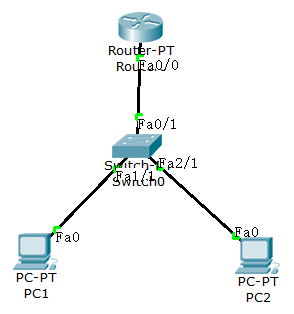
Experimental equipment: one Router-PT (generic), one Switch-PT (generic), two pcs
Note: Routers and switches of different models have different implementations of some commands. If you need to follow the blogger’s configuration plan exactly, please select the same model of equipment.
Configure PC1, IP: 192.168.1.100,Submask: 255.255.255.0 ,Gateway:192.168.1.1
Configure PC2, IP: 192.168.2.100, Submask: 255.255.255.0 ,Gateway:192.168.2.1
The configuration commands of the switch are as follows:
Switch>enable
Switch#configure terminal
Switch(config)#vlan 2        //Create vlan2
Switch(config-vlan)#vlan 3   //Create vlan3
Switch(config-vlan)#ex
Switch(config)#
Switch(config)#interface fastEthernet 1/1   //Enter Fast Ethernet interface1/1
Switch(config-if)#switchport mode access    //Configuration mode is access
Switch(config-if)#switchport access vlan 2  //Give the interface to vlan2

Switch(config)#interface fastEthernet 2/1
Switch(config-if)#switchport mode access
Switch(config-if)#switchport access vlan 3

Switch(config)#interface fastEthernet 0/1
Switch(config-if)#switchport mode trunk   //Configure trunk port
The router configuration commands are as follows:
Router#configure terminal

Router(config)#int fa0/0.1 //Enter the sub-interface
Router(config-subif)#ip address 192.168.1.1 255.255.255.0 //Configure the gateway of vlan2
Router(config-subif)#encapsulation dot1Q 2

Router(config)#int fa0/0.2
Router(config-subif)#ip address 192.168.2.1 255.255.255.0
Router(config-subif)#encapsulation dot1Q 3  //Give vlan 3Encapsulate the transmitted data

Router(config)#int fa0/0
Router(config-if)#no shutdown //Activate interface
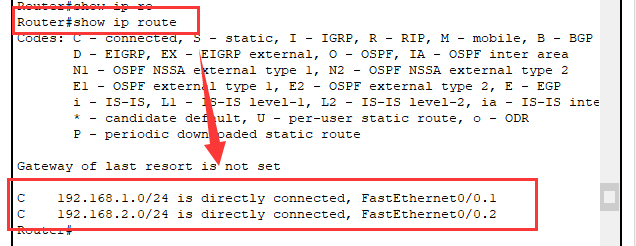
After configuring the above command, you can view it by entering show ip route in the router privilege mode. The routing entry in the second red box in the figure below needs to appear. If it does not appear, you need to reconfigure the router.
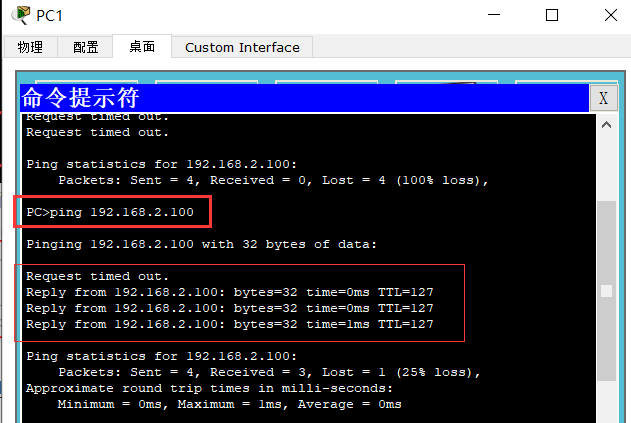
Test single-arm routing, PC1 and PC2 perform ping test. Just receive the Reply.
Second, Huawei eNSP configuration plan
The topology is as follows
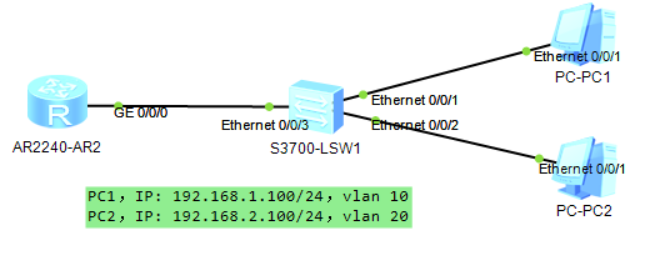
Experimental equipment: one AR2240, one S3700, and two PCs.
Configure PC1, IP: 192.168.1.100,Submask: 255.255.255.0 ,Gateway:192.168.1.1
Configure PC2, IP: 192.168.2.100, Submask: 255.255.255.0 ,Gateway:192.168.2.1
Reminder: When you configure the switch or router on the Huawei simulator, a lot of English prompts will often pop up. These are usually not needed by us and will affect our configuration progress, so you can use the following command to close English tips.
[Huawei]undo info enable //Enter in system view mode
The configuration of the switch is as follows:
<S1>system-view
[S1]vlan batch 2 3    //Create vlan2 at the same time And vlan3
Info: This operation may take a few seconds. Please wait for a moment...done.
[S1] i]interface Ethernet 0/0/1
[S1-Ethernet0/0/1]port link-type  access
[S1-Ethernet0/0/1]port default vlan 2

[S1-Ethernet0/0/1] interface Ethernet 0/0/2
[S1-Ethernet0/0/2]port link-type access
[S1-Ethernet0/0/2]port default vlan 3

[S1] interface Ethernet 0/0/3
[S1-Ethernet0/0/3]port link-type trunk
[S1-Ethernet0/0/3]port trunk allow-pass vlan 2 3  //Allow vlan on the trunk 2 3by
The router configuration is as follows:
[SR1]interface GigabitEthernet0/0/0.1
[SR1-GigabitEthernet0/0/0.1]dot1q termination vid 2 //Encapsulate vlan 2
[SR1-GigabitEthernet0/0/0.1]ip address 192.168.1.1 24 //Configure the gateway
[SR1-GigabitEthernet0/0/0.1]arp broadcast enable  //Enable ARP broadcast

[SR1]interface GigabitEthernet0/0/0.2
[SR1-GigabitEthernet0/0/0.2]dot1q termination vid 3
[SR1-GigabitEthernet0/0/0.2]ip address 192.168.2.1 24
[SR1-GigabitEthernet0/0/0.2]arp broadcast  enable
Note: Here you need to enable ARP address broadcast on the router's sub-interface. Otherwise, it will report a request timeout error if it fails to ping.
To test the single-arm routing, PC1 and PC2 perform a ping test. Just receive the Reply.
Intelligent Recommendation
cisco packet tracer (single arm routing experiment)
Problems encountered 1. Router static routing configuration network is the destination ip address next hop is sent from this router to the destination address, where to send next The previous experime...
(Cisco Packet Tracer) Single-arm routing experiment
Schematic diagram of single-arm routing experiment: VLAN controls the broadcast domain, and different VLANs cannot communicate with each other. One VLAN is equal to one network segment, so how to real...

Huawei-based communication between different vlans using one-arm routing
The topology is as follows: Switch 1 is configured as follows: Create vlan10 20 30 Then set the port to trunk type and allow all vlans to pass Switch 2 is configured as follows: Create vlan10 20 and t...
Huawei Ensp Simulator Experiment: Single-arm routing to realize VLAN communication
Experimental networking: I won’t give too much explanation to VLAN here, mainly to explain the experiment. The first step is to configure the corresponding IP address and gateway for the PC mach...
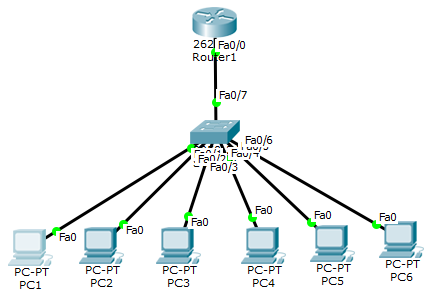
One-arm routing and link aggregation + experimental configuration (all using Cisco Simulator Cisco Packet Tracer Student)
1. One-arm routing 1. Implement routing between VLANs Method 1: Use multiple physical interfaces of the router Method 2: Method of using one-arm routing (sub-interface) &nb...
More Recommendation
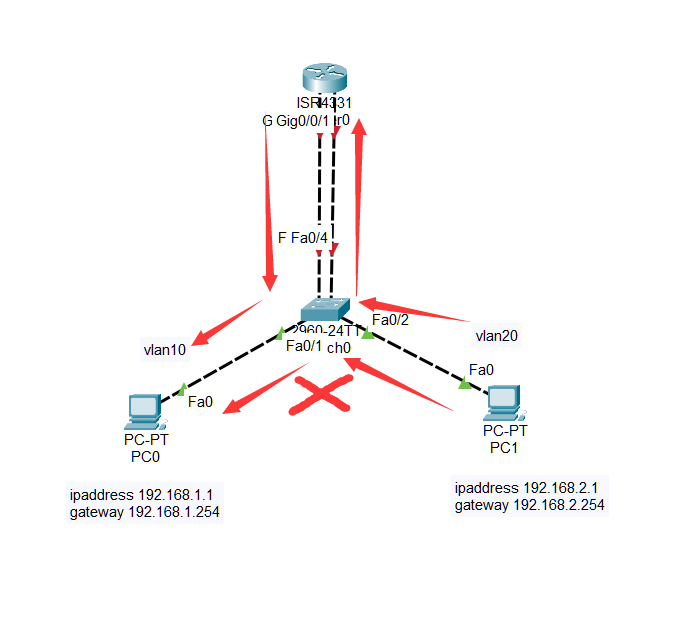
Cisco simulator configuration-routing between VLANs
Routing between VLANs: Layer 2 isolation, Layer 3 intercommunication PC configuration: slightly Switch configuration: Router configuration:...
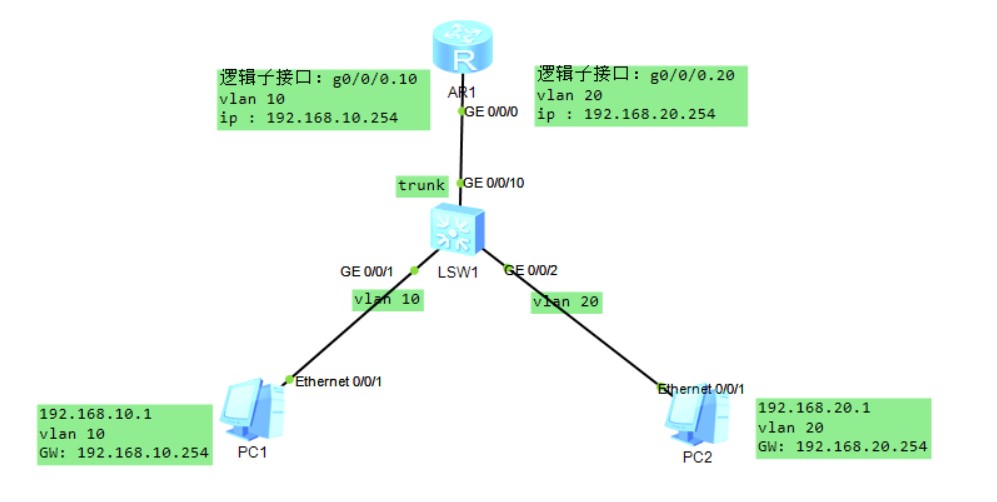
Magical single arm routing solves communication problems between different VLANs
The single arm routing mainly solves communication problems between different VLANs, and divides a different VLAN in different VLANs. This technology is still in use. I. Background After the park is d...

Cisco Simulator CIsco Packet Tracer Router RIP Dynamic Routing Configuration
Copyright statement: If you are helpful to everyone, you can reprint it yourself. 1. Technical principle RIP (Routing Information Protocols) is an IGP internal network management protocol that is used...
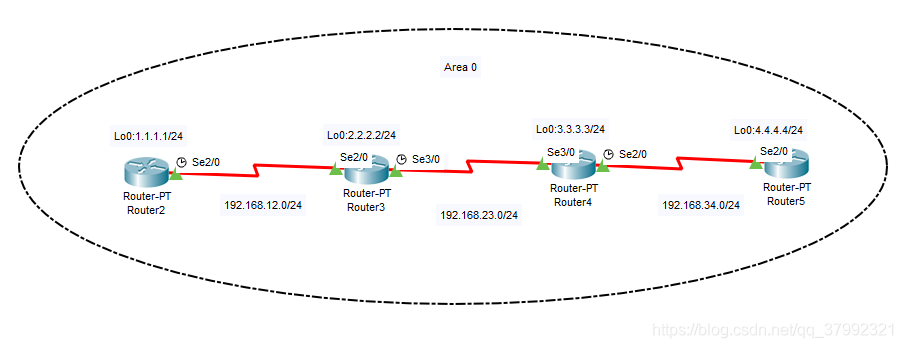
Cisco Simulator CIsco Packet Tracer Router OSPF Dynamic Routing Configuration
Copyright statement: If you are helpful to everyone, you can reprint it yourself. 1. Technical principle OSPF Open Shortest Path First Protocol is one of the most widely used routing protocols in the ...

Direct routing configuration-Cisco Simulator Exercise (Cisco Packet Tracer)
1. The purpose of the experiment 1. Master the working principle of the router. 2. Master the configuration process of direct connection routing. 2. Experimental content 1. Draw a topological graph an...