Download, install and solve codeblocks can’t find the compiler
tags: ACM Bailian OJ C++ codeblocks
Code::Blocks is an open source full-featured cross-platform C/C++ integrated development environment. It is very comfortable to use codeBlocks to write C/C++ code to solve ACM related problems. This article introduces the download and installation of codeblocks and how to solve the problem that codeblocks cannot find the compiler.
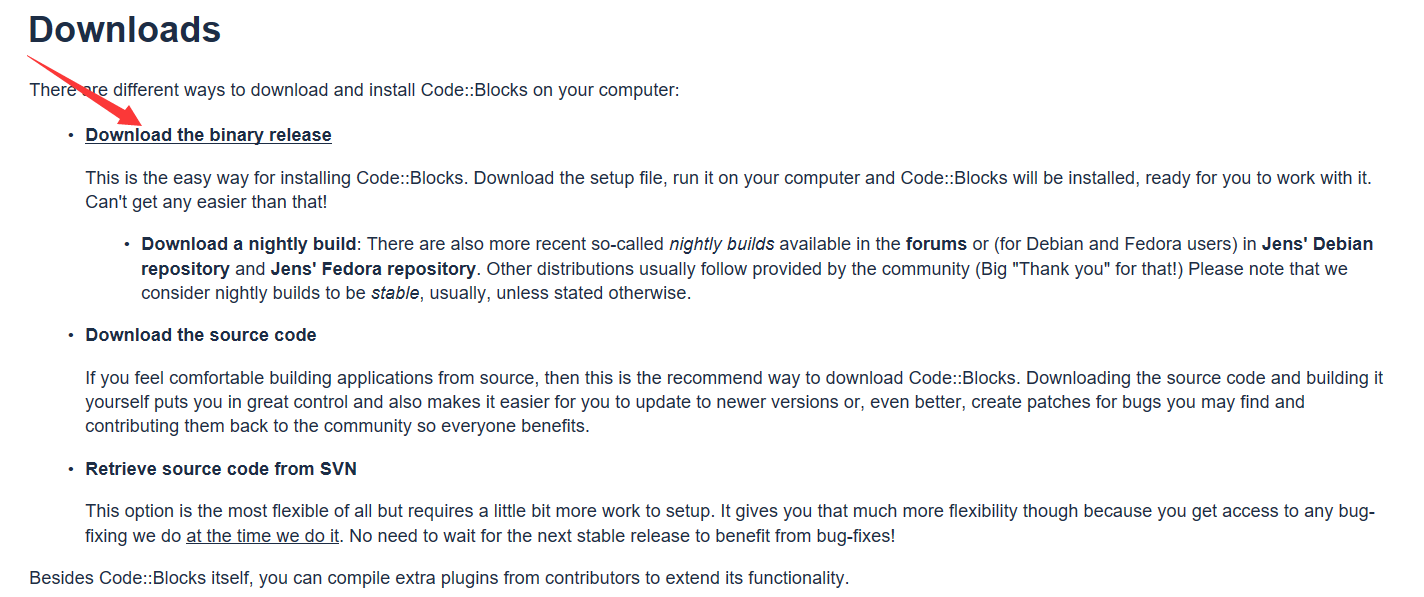
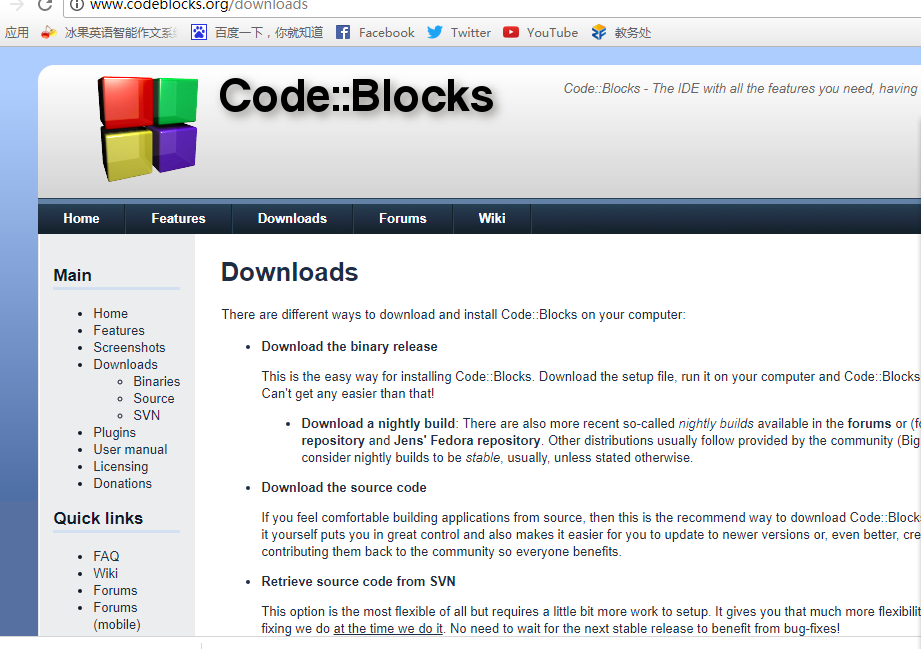
1: Download and install codeblocks

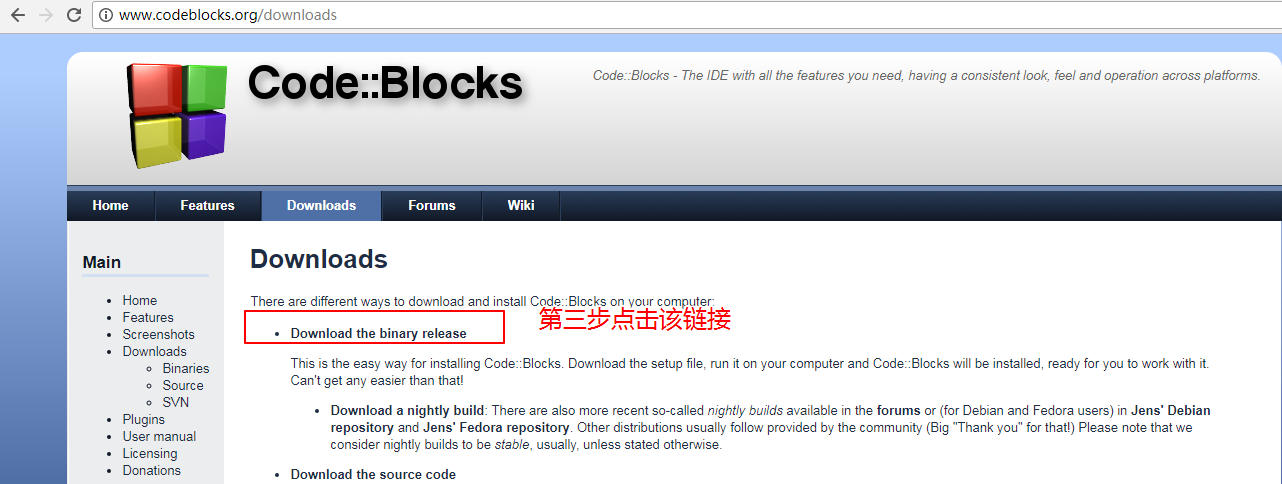

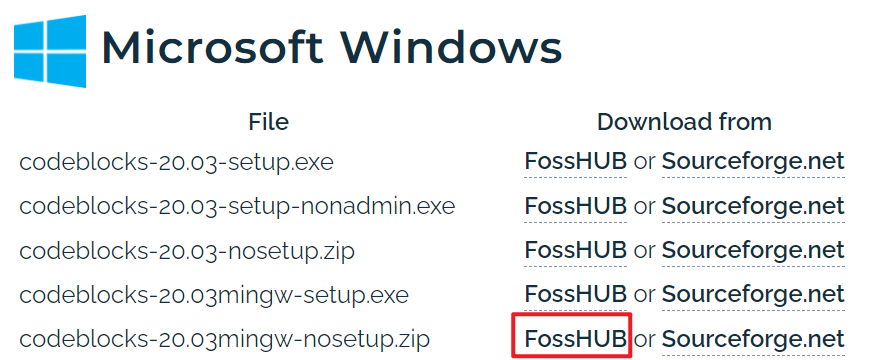
My operating system is windows operating system, so I have to choose from the above five versions. For the first codeblocks-16.01-setup and the second, there is no built-in compiler, which means that after we install it, There is no way to use it directly, you need to install the compiler yourself, and for the fourth codeblocks-16.01mingw-setup, it comes with a compiler. You can program directly after downloading and installing.
Installation is relatively simple, just like installing ordinary software.
Two: Solve the problem that codeblocks cannot find the compiler
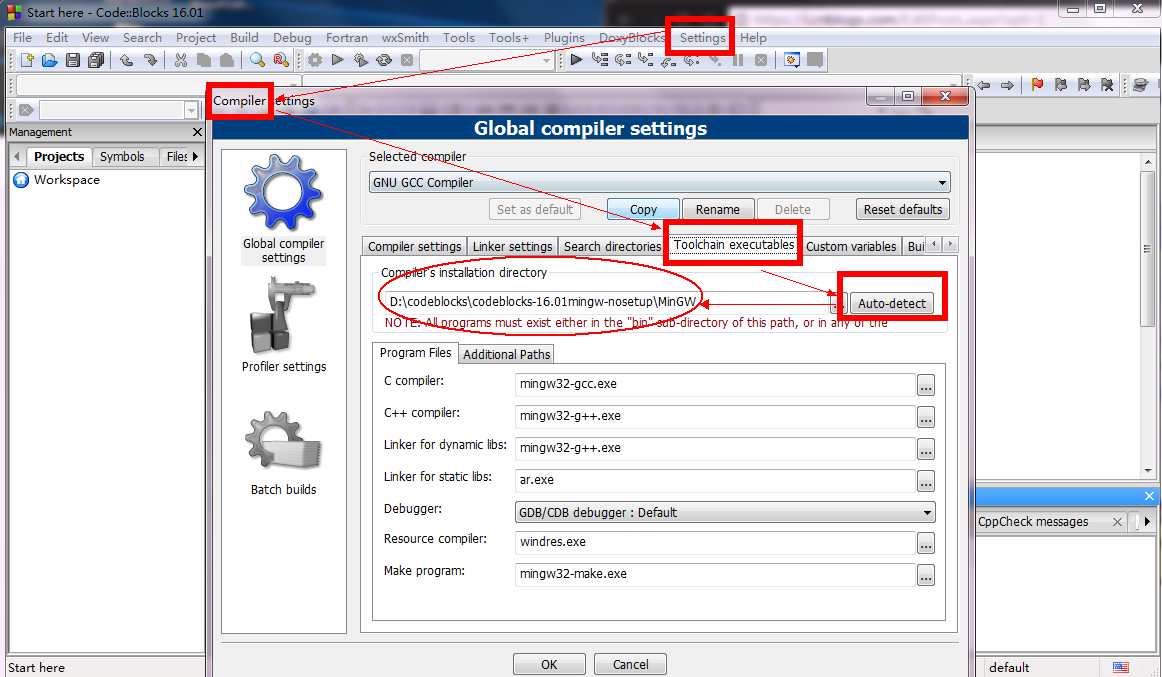
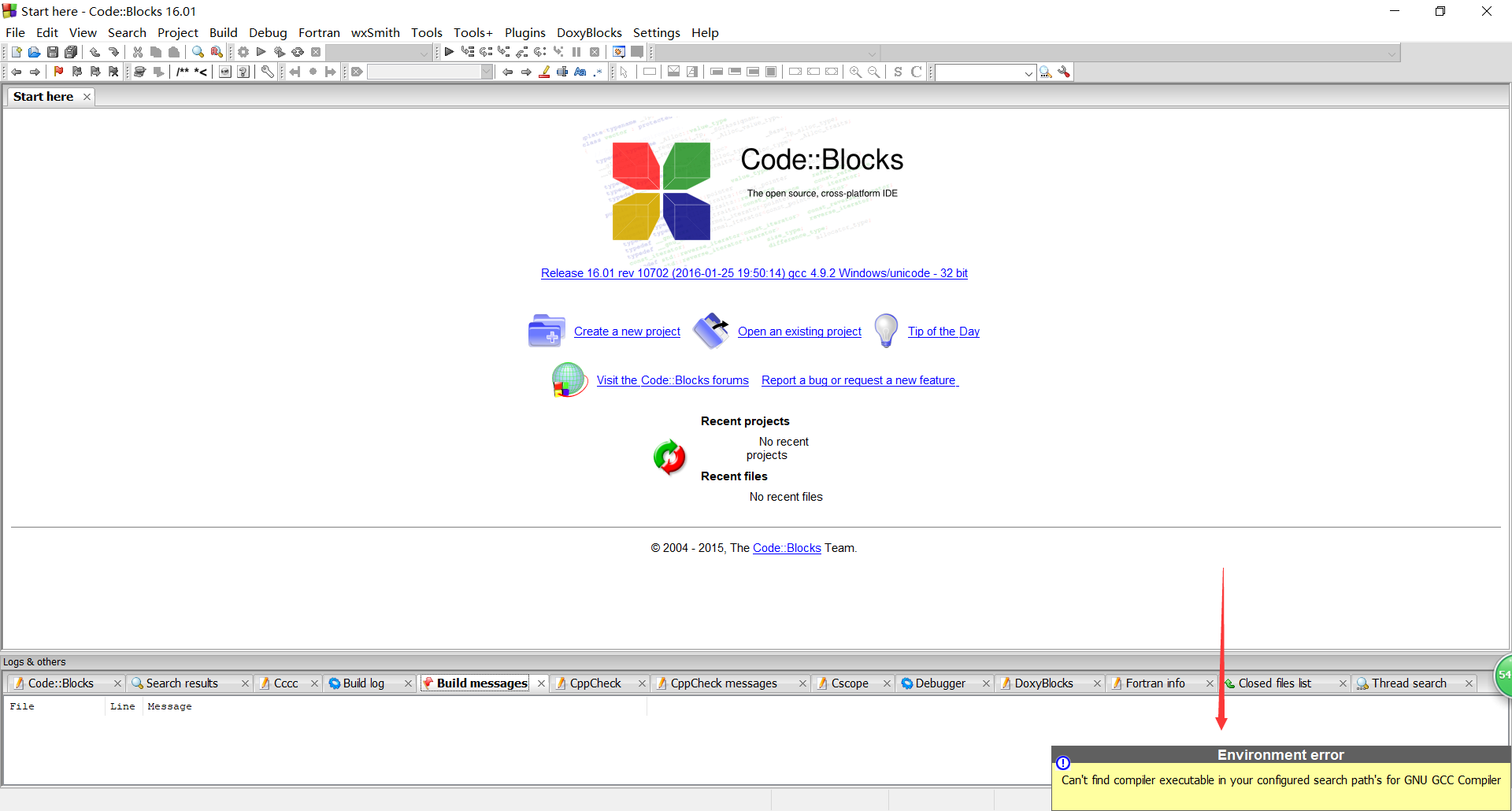
After entering, you may find that the compiler cannot be found:

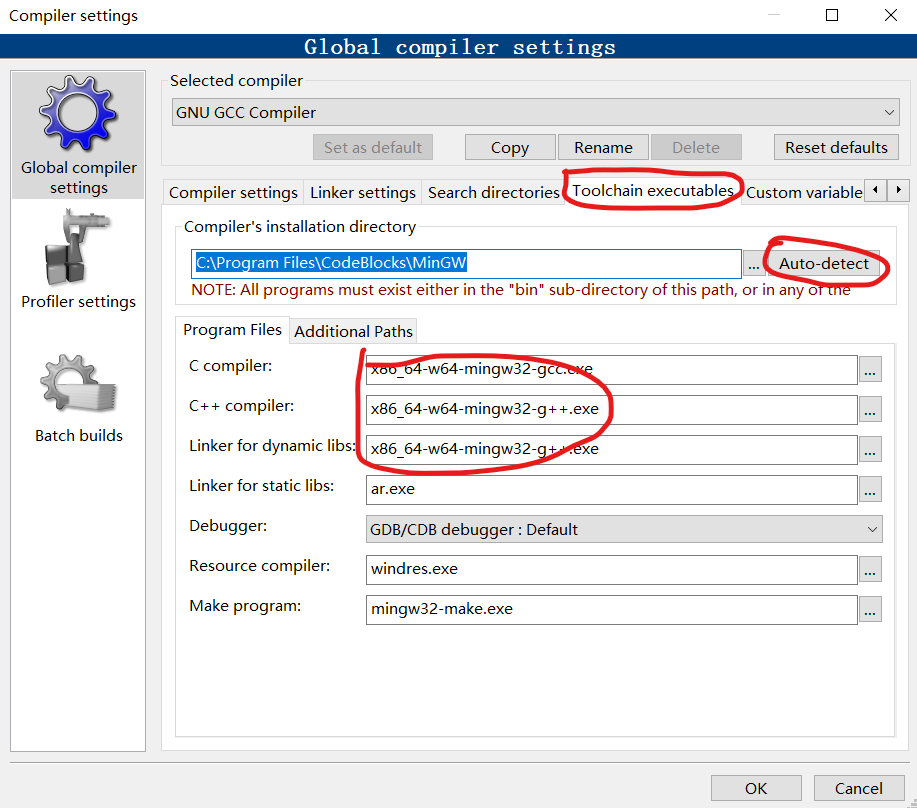
Start to solve the problem


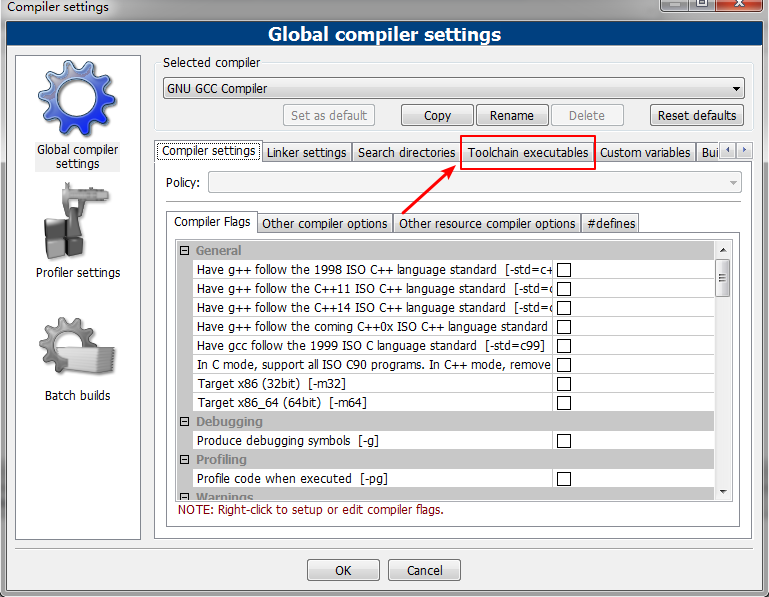

Then click Ok

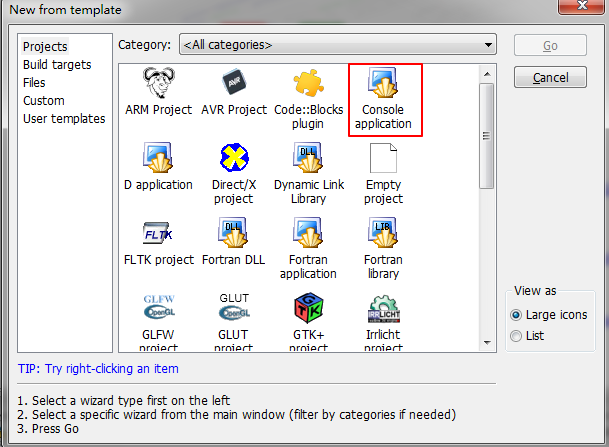
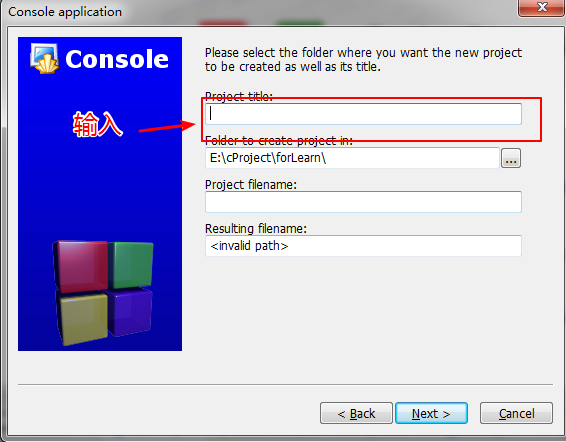
finish
Intelligent Recommendation
CODEBLOCKS (ZIP version of its own compiler) download
Operating system: Windows 10. The compiler is mingw (GCC's Windows implementation). ① download EnterBinary releases - Code::Blocks Download .zip to decompress and click Cblauncher.exe to open it. ② Se...

Codeblocks prompt can not find compiler + configuration ege
You may have downloaded the codeblocks version wrong. The compiler is the fourth and later. What is mingw? You can download the fourth sourceforge.net behind it. so boring. . . . . . ----------...
codeblocks “can't find compiler executable in yourconfigured search ……”
The newly installed codeblocks 16.01, open the prompt after installation, can not be used. . The reason is that the compiler did not find the installation location of the mingw installed by itself. So...
codeblocks appears can't find compiler solution
In fact, the solution is very simple: the most important is must! download! bandtranslaterVersion! ! ! (1) The official website is here:http://www.codeblocks.org/downloads (2) then Choos...

When codeblocks is running, Can't find compiler executabl...
codeblocks, resulting in compilation problems, that is, the compiler path is not configured First make sure you have installed a compiler yourself, I have installed Dev-C before, all have compilers It...
More Recommendation
About codeblocks can't find compiler solution
With regard to the problem that codeblocks cannot find the compiler, let me introduce the solution: 1. First make sure that your codeblocks is the version with its own compiler, you can v...

How to download and install Codeblocks correctly?
I believe that many students will choose a short and powerful code editor when they first learn the C language, such as CodeBlocks (don't say anything else, go directly to the topic). From March to Ap...
Codeblocks Chinese garbled problem and no compiler problem after download
Codeblocks Chinese garbled problem and no compiler problem after download 1. No compiler issues 1. Choose this one with its own compiler when downloading 2.setting->compiler Second, the Chinese gar...

Codeblocks installation (with gcc compiler) (solve gcc, mingw no problem)
Download and install the codeblocks that come with the c compiler. Website: http://www.codeblocks.org/downloads/26 comes with the version of the gcc compiler codeblocks-16.01mingw-setup.exe : Open the...
Codeblocks can't find the compiler, what should I do?
codeblocks Ca n’t find compiler executable in your configured search path ’s for GNU GCC Compiler ),How to do? background Today, when using codeblocks, there was a problem, maybe I have be...