The use of Android event bus EventBus
This article learns how to use EventBus 3.0 together.
EventBus is used to publish/subscribe event bus, which simplifies communication between components, components and background threads in the application. The advantage is that the expenses are small, the code is more elegant, and the deed and the receiver are decoupled.
1. Three elements of EventBus
- Event: Event can be an object of any type.
- Subscriber: Event subscriber. The method of annotating by @Subscripe is the event processing method, and the parameter ThreadMode specifies the thread model (default Threadmode.posting), and it will be mentioned below the four thread models.
- Publisher: Incident publisher, you can send the event at any thread, directly call the eventbus.getdefault (). Post (Event) method. According to the type of the EVENT parameter, the function of subscribing to the EVENT will be automatically called.
2. The four ThreadMode of EventBus
- Posting (default)
Publishing and receiving events are in the same thread.
Try to avoid time -consuming operations in the event processing function, because it will block the transmission of events and may even cause Anr. - MAIN:
The handling of the event will be performed in the UI thread.
Similarly, the event processing time should not be too long, otherwise it will cause anr. - BACKGROUND
If the issuance event is in the UI thread, the receiving event will run in the new thread.
If the issue event is in the sub -thread, the receiving event is executed in the same thread.
UI update operations are prohibited in this event processing function. - ASYNC
No matter which thread is released, the receiving event will be executed in the newly built sub -thread.
UI update operations are prohibited in this incident processing function.
3. basic usage of EventBus
- Add dependency library
implementation 'org.greenrobot:eventbus:3.1.1'
- Get the EventBus object
EventBus.getDefault()
- Custom event class
public class MessageEvent {
    public int event;
    public String message;
    public Object object;

    public MessageEvent(int event) {
        this.event = event;
    }

    public MessageEvent(int event, String message) {
        this.event = event;
        this.message = message;
    }

    public MessageEvent(int event, String message, Object object) {
        this.event = event;
        this.message = message;
        this.object = object;
    }
}
- Find the timing of subscription, registration event
EventBus.getDefault().register(subscriber); // Subscriber type is Object, that is, the category of subscribed
- Send event
EventBus.getDefault().post(messageEvent);
- Event handling method
@Subscribe(threadMode = ThreadMode.BACKGROUND)
public void onEventTest(MessageEvent messageEvent) {
	int event = messageEvent.event;
	// Event processing ...
}
- Subscribe to cancel incident
EventBus.getDefault().unregister(subscriber);
Fourth, code application
- Custom event class follows the MESSAGEEVENT class above
- Custom MyEventbus, integrate registration/cancellation events, event handling methods, etc.
public class MyEventBus {
    public static final String TAG = "MyEventBus";
    public static MyEventBus instance;
    public static final int EVENT_UPDATE = 1;
    public static MyEventBus getInstance() {
        if (instance == null) {
            synchronized(MyEventBus.class) {
                if (instance == null) {
                    instance = new MyEventBus();
                }
            }
        }
        return instance;
    }

	// Register event
    public void register() {
        EventBus.getDefault().register(this);
    }

	// Cancel the registration event
    public void unregister() {
        EventBus.getDefault().unregister(this);
    }

    /**
           * Event processing method, according to the specified ThreadMode, will be executed in the background thread, so UI operation cannot be performed
     */
    @Subscribe(threadMode = ThreadMode.BACKGROUND)
    public void onEventBackground(MessageEvent messageEvent) {
        int event = messageEvent.event;
        switch (event) {
            case EVENT_UPDATE:
            	...
                break;
        }
    }
}
- For example, in the oncreate () registration event of Activity, click the button to send an event, onDestroy () cancel the event
    @Override
    protected void onCreate() {
    	MyEventBus.getInstance().register(this);
    }

    public void clickPostEvent(View view) {
    	MessageEvent event = new MessageEvent(EmmEventBus.EVENT_UPDATE);
        EventBus.getDefault().post(event);
    }

  	@Override
    protected void onDestroy() {
        MyEventBus.getInstance().unregister(this);
    }
5. Eventbus 3.0 sticky event
In addition to the ordinary events mentioned above, EventBus also supports sending sticky events, namely: Send an event-> subscription event-> handling event.
There are only the following differences in the writing of sticky events:
// The processing method of viscosity event, increase the attribute sticky = true
@Subscribe(threadMode = ThreadMode.BACKGROUND,sticky = true)
public void onEventBackground(MessageEvent messageEvent) {
	...
}

// Send sticky event
EventBus.getDefault().postSticky(new MessageEvent(2));
Intelligent Recommendation
Android event Bus Framework Eventbus
2019 Unicorn Enterprise Heavy Glour Recruitment Python Engineer Standard >>> 1, download Eventbus class library Source code:https://github.com/greenrobot/EventBus 2, basically use (1) Customi...
Vue.js use in the event of bus EventBus
Vuex to use 1. Introduction and Installation 2. Configure 3. Registration 4. In the assembly 1. Introduction and Installation EventBus: Also known as the event bus. EventBus can be used in the Vue as ...
Simple use of EventBus event bus
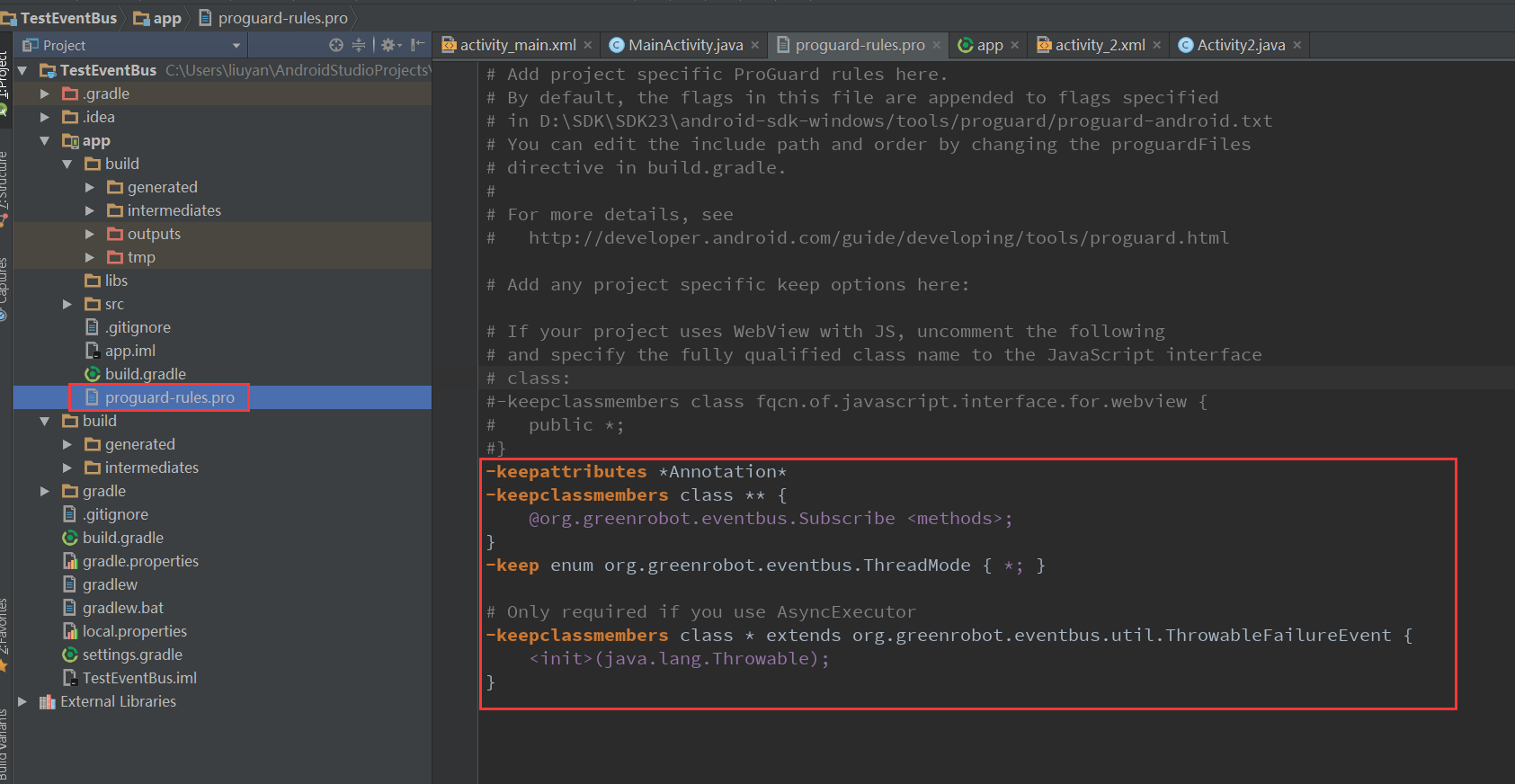
1. Guide package 2. Add confusion The obfuscation rules are as follows 3. The first activity 4. The second activity 5. Simple functions are achieved...
The use of Vue event bus (EventBus)
Vue components are very common with parent-child component communication and brother component communication. The communication between parent and child components is very simple. The parent component...
Use of EventBus event bus framework
1. Overview EventBus definition: it is a publish/subscribe event bus. In this way, it should contain 4 components: publisher, subscriber, event, and bus. So what is the relationship between these four...
More Recommendation
Vue event bus, Eventbus use
purpose of usage Communication within the component is also transmitted data Scope of application The brothers component passes the value, the grandchildren component pass the value, and the component...
Android publish/subscribe event bus framework for detailed use of EventBus
1 Introduction Once, layer after layer of business logic made me feel overwhelmed, one after another callback makes you dizzy, one parameter after another makes you confused. EventBus, a framework tha...
Android development framework series EventBus event bus
Introduction GitHub:https://github.com/greenrobot/EventBus Let's talk about what the EventBus thread bus does, the environment, its advantages and disadvantages. What are you doing? In a word, simple ...
Android development framework EventBus Series event bus
Android development framework EventBus Series event bus Introduction GitHub:https://github.com/greenrobot/EventBus EventBus to talk threads bus is doing, environment, advantages, disadvantages. Doing?...
Android Event Bus EventBus 3.X.X
In order to simplify and more high-quality communication between Activity, Fragment, Thread and Service, etc., while solving the high coupling between components and still continue to communicate effi...